
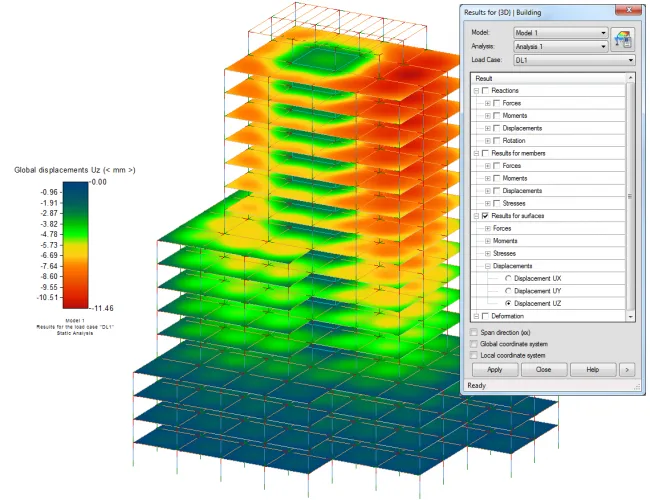
Description
The structural analysis toolkit in Autodesk Revit is a comprehensive set of tools designed to support the Building Information Modeling (BIM) process. It enables structural engineers to perform structural analysis directly within the Revit environment.
By leveraging this toolkit, structural designers and engineers can streamline their workflows both in the cloud and on desktop. Users can create analysis models in Revit, conduct cloud-based structural analysis through Autodesk 360 services, and extend their Revit models to Autodesk Robot Structural Analysis Professional or other supported third-party analysis software. Once the analysis is complete, results can be easily saved and reviewed within Revit.
The toolkit includes the following features:
Link with Autodesk Robot Structural Analysis Professional
You can transfer analysis models from Revit to Autodesk Robot Structural Analysis Professional (Robot) for advanced structural analysis. This software supports linear and nonlinear analysis on structures of any type and shape, allowing for the design of steel, concrete, and wood elements.
Autodesk 360 Structural Analysis for Revit
This feature allows you to perform cloud-based structural analysis on Revit models. It supports static and gravity load analyses. Results can be viewed within the Revit project or on the Autodesk 360 Structural Analysis Professional website.
Structural Result Storage and Exploration Tools
The Results Manager lets you view, download, or delete result packages. You can also display result mappings and charts related to analytical model elements in Revit using the Results Browser.
Note: This application requires a custom installer and is not available via standard app stores.












Must log in before commenting!
Sign Up