
Python Script is undoubtedly a powerful programming environment for the Python language, offering access to numerous Python libraries.
Within the Python editor, reading and writing files is straightforward, and Python Script makes working with files just as easy.
Here’s a simple example:
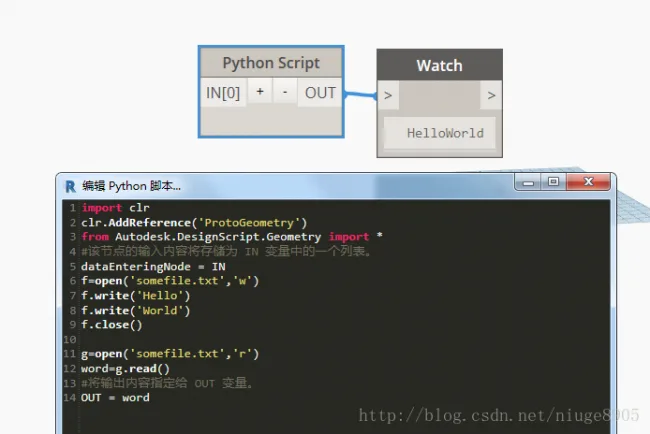
Finally, if you search your C drive for somefile.txt, you’ll find that Dynamo’s default save location is C:ProgramDataAutodeskRVT 2017LibrariesChina structural steel bar shape. The reason why the file ended up here is unclear.
While the above example demonstrates basic functionality, more advanced file handling is often needed. Let’s explore how to read a file line by line.
Here is a sample text file to read (you can replace it with any English paragraph):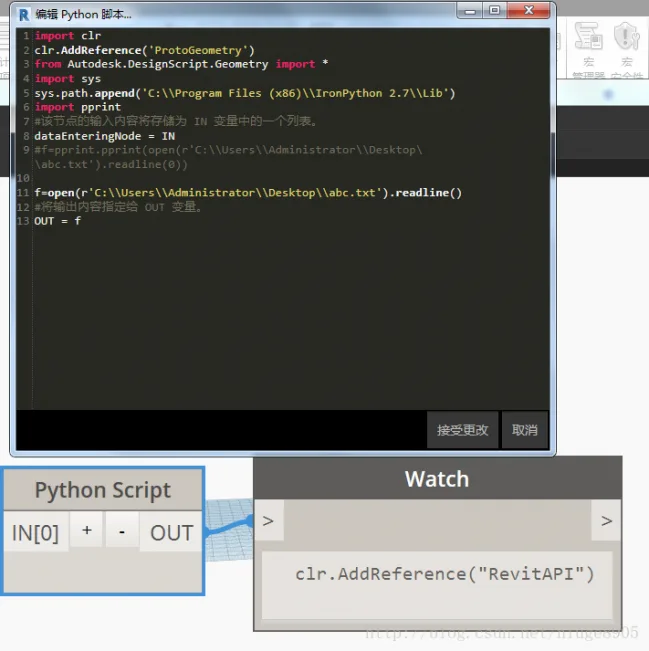
Original abc.txt document: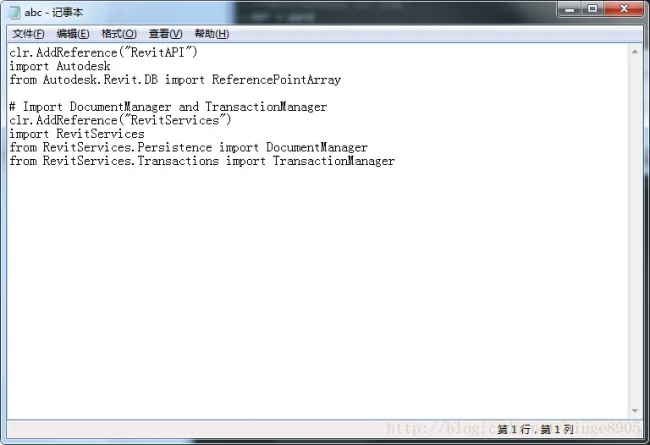
If you’re interested, you can also experiment with importing the pprint module for formatted output.
In summary, Python Script offers full flexibility to read and write TXT files effortlessly.















Must log in before commenting!
Sign Up