
Understanding Quantity Takeoff in BIM Operation and Maintenance
One crucial aspect of BIM (Building Information Modeling) operation and maintenance is accurately determining the quantity of work involved.
How can we read the engineering quantities?
1) Using the software’s built-in functions: What you see is what you get. This method relies on the software’s own calculation capabilities. For example, Revit provides detailed schedule tables for analysis.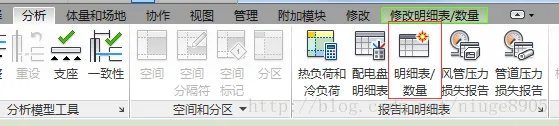
2) Obtaining the calculated engineering quantities through plugins or custom-developed functions.
Today, I will briefly introduce the first approach and focus more on implementing the second. Since I’m more comfortable with SQL Server databases, I’ll demonstrate using this platform, although free alternatives like MySQL also work. While reading data with C# can be tedious, Python offers a more efficient solution. Many users report that those with some programming background can grasp Python within three days, and beginners typically within a week.
To start, we use the system’s built-in engineering sample and extract the detailed door schedule from Revit.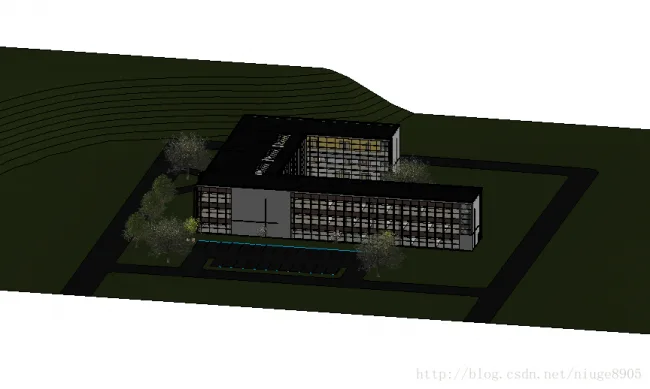
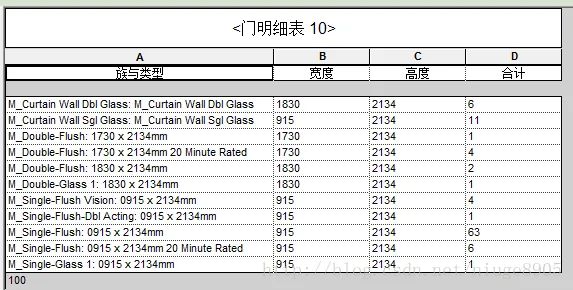
Next, we’ll use our database to read this detailed schedule.
Now, the question is: which is faster—reading directly from the project or accessing the database? I haven’t tested this yet, so I can’t say for sure. However, reading directly from the project requires extensive coding, which cannot be shared commercially. Therefore, the most convenient method is to read directly from the database, especially if the model project has already been completed.
Here are the steps:
1) Import Revit data into SQL Server.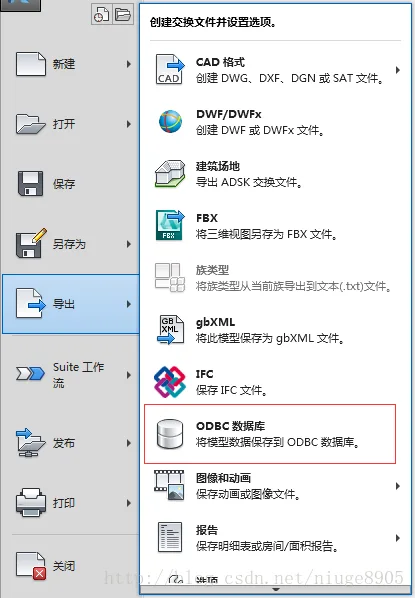
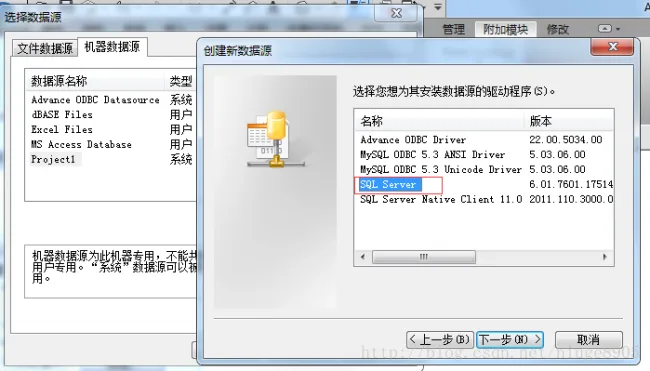
Step by step, the project database is successfully imported into SQL Server.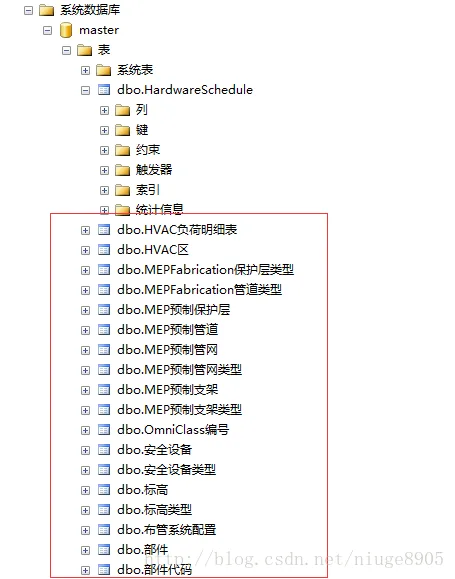
Now, let’s analyze the door database. It contains the door type ID, which links to the door type and door name. To generate the comprehensive table shown earlier, we need to combine these two sets of data.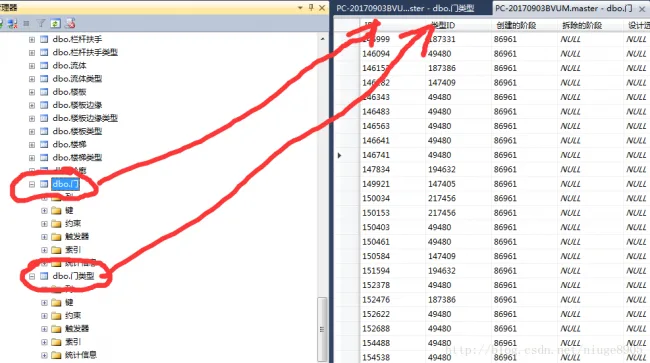
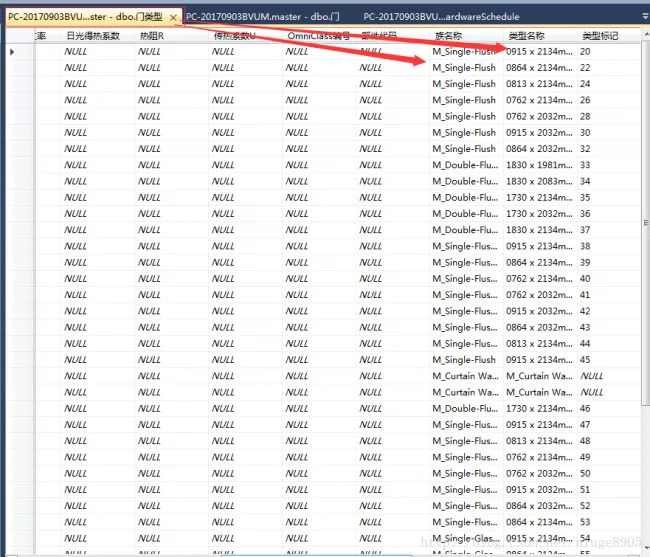
Finally, we use Python to read data from the SQL Server database. Python is highly effective for database operations. In this example, we use the PyMSSQL library to connect to SQL Server and the Pandas library to display results clearly.
This is the final output. Calculating sums and other operations rely on database knowledge and are straightforward, so I won’t cover them here.
Although this overview is brief, it covers a wide range of skills: Revit, database management, Python, and Pandas.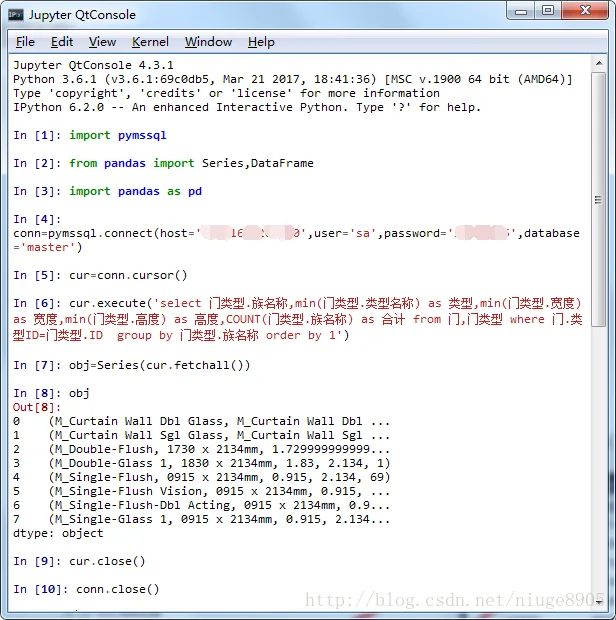















Must log in before commenting!
Sign Up