
The previous blog post discussed how to use decompilation tools, and this article will demonstrate how to apply those techniques in practical scenarios.
Dynamo is known for its ease of use, mainly because it encapsulates numerous methods, sparing us from repetitive tasks. But what if the Revit API lacks such a wide range of methods? In that case, you can learn a lot by examining Dynamo’s ProtoGeometry code.
First, let’s explore the relationship between ProtoGeometry and its corresponding methods.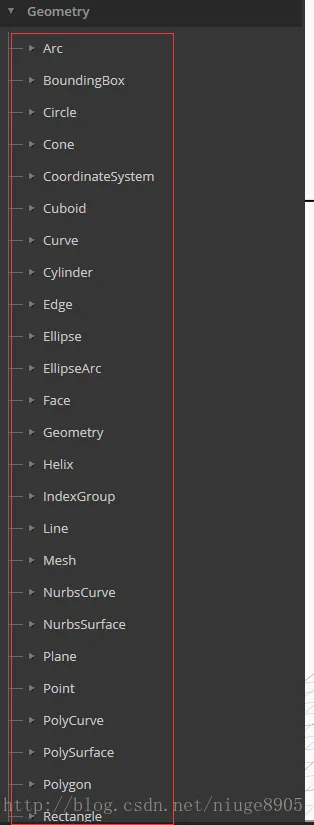
Next, let’s use ILSpy to inspect this DLL file, focusing on the Curve class.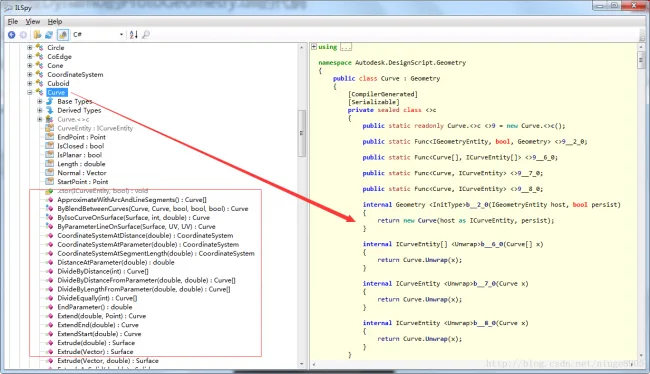
As shown, all the methods corresponding to these nodes are included, providing valuable insights for our further development efforts.

xuebim
Follow the latest BIM developments in the architecture industry, explore innovative building technologies, and discover cutting-edge industry insights.
← Scan with WeChat














Must log in before commenting!
Sign Up