
Guanglian Da BIM Drawing Review Case
Project Introduction
Project Name: China Expo Exhibition Complex Project (North Block) General Contracting Project (Second Section)
Construction Unit: Shanghai Expo Co., Ltd
Construction Address: Qingpu District, Shanghai; north of Songze Elevated Road, south of Yinggang East Road, west of Zhuguang Road, east of Laigang Road
Design Unit: East China Architectural Design and Research Institute Co., Ltd
Construction General Contractor: China Construction Eighth Engineering Division Co., Ltd
Supervision Unit: Shanghai Jianke Engineering Consulting Co., Ltd
Quality Supervision Organization: Shanghai Construction Engineering Safety and Quality Supervision General Station
Start Date: February 18, 2013
Completion Date: June 9, 2015
Total Construction Area: Approximately 1.47 million square meters
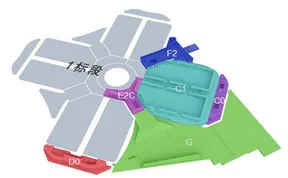
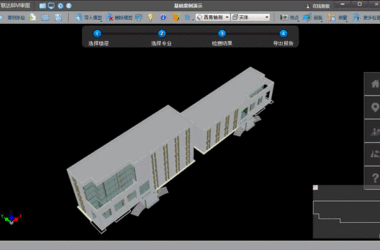
The E2C commercial building, located at the center of the site, covers a construction area of 34,236 square meters. Serving as a link between the exhibition hall and the E1 supporting commercial center, it is connected by an 8-meter outdoor pedestrian walkway as well as 0.00-meter and 16-meter outdoor vehicular walkways. The building features one underground level and five above-ground levels, all constructed with steel structures. The total height is 34 meters, with concrete strength graded at C35.
Application Scenarios and Effects
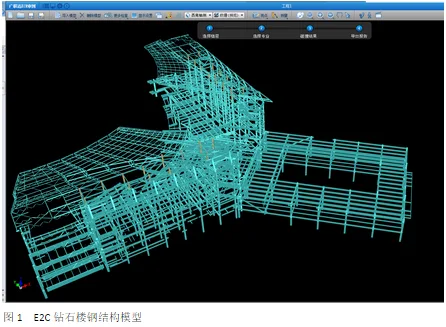
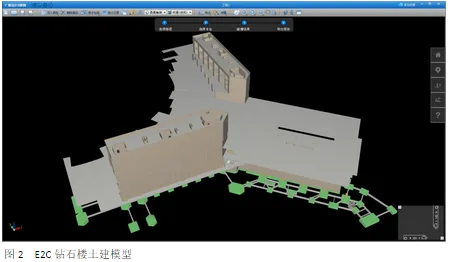
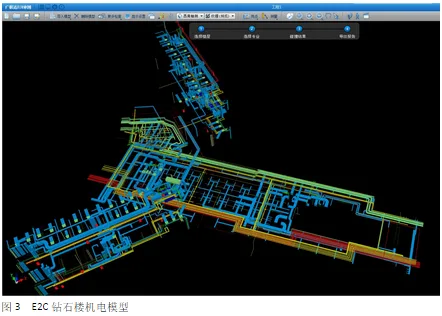
1. 3D Visualization of Various Professional Models: Intuitive and Smooth
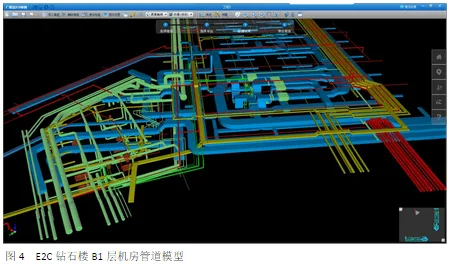
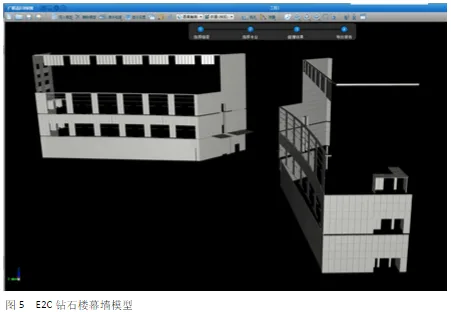
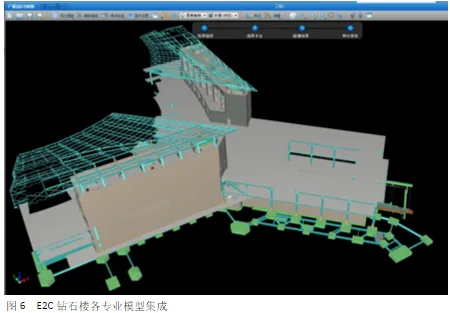
The large project model files are efficiently divided and displayed using Guanglian Da BIM drawing review software for lightweight and integrated visualization. The software allows standard computers to smoothly view 3D building models from 360 degrees without blind spots. Different professional components are color-coded, making it visually intuitive and facilitating construction technology disclosure and coordination communication.
2. Model Navigation and Real-Time Annotation for Issue Tracking
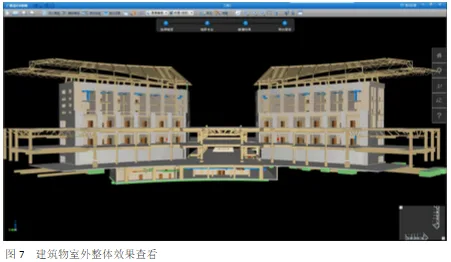
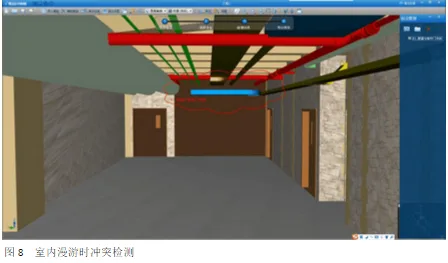
Before construction begins, the building is navigated both indoors and outdoors to preview construction effects and detect any errors, omissions, or defects. Any issues found are promptly annotated with red lines, and viewpoint screenshots are saved for later correction. The software is user-friendly and practical, allowing most construction workers to operate it easily.
3. Detection of Errors, Omissions, Collisions, and Missing Elements
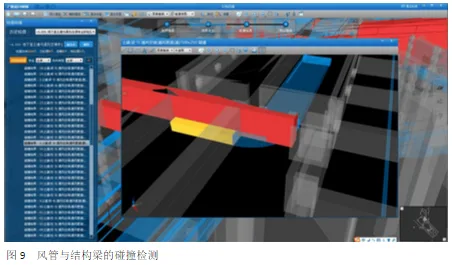
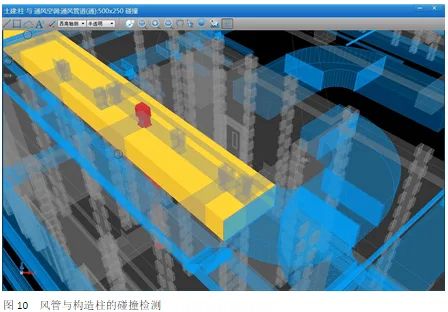
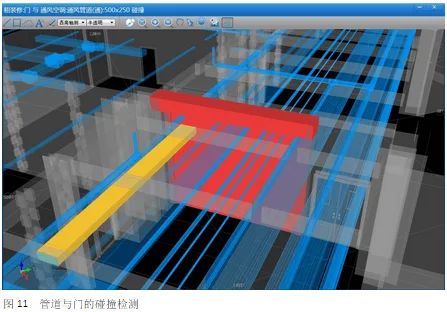
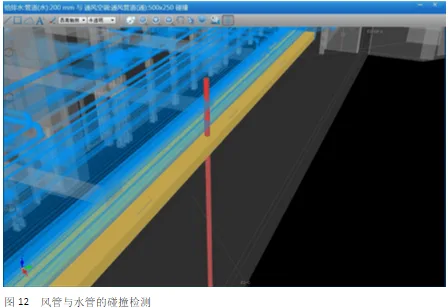
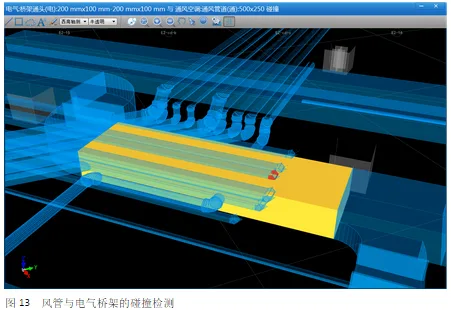
Using the Guanglian Da BIM drawing review platform, various professional models are quickly integrated to perform collision detection within the mechanical and electrical systems or between different disciplines. Detected collisions are classified by severity to draw attention from all involved parties.
The software offers flexible and versatile detection range settings, fast professional content selection, and clear collision result displays. It is highly suited to on-site construction needs and adaptable to specific requirements.
4. Net Height Detection
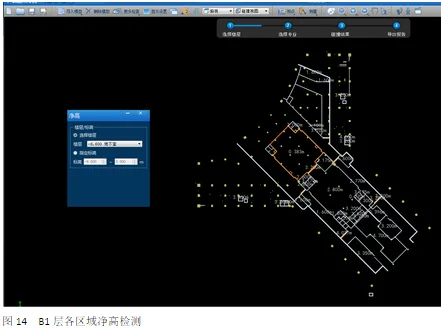
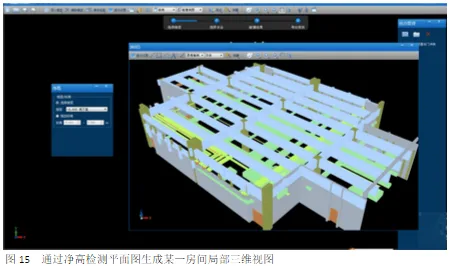
The software enables detection of net height values in different functional areas to verify compliance with design requirements. This also provides valuable references for the detailed design of mechanical, electrical, and decoration disciplines in future stages.
Benefits of the Drawing Review Software
By using this software to anticipate conflicts and visualize communication between building components in advance, collaboration among project staff has significantly improved. Key benefits include:
- Elimination of approximately 90% of drawing errors;
- Reduction of around 60% in rework, leading to decreased material consumption;
- Acceleration of project progress by about 10%;
- Significant improvement in model accuracy and enhanced efficiency in contract calculations.
User Feedback and Suggestions
1. It is recommended to add a “Link Management” feature to display or hide imported professional model files, improving viewing and detection of individual or custom multi-professional models. For example, the imported steel structure file currently lacks separate control for visibility in the “Display Settings.”
2. The model alignment is limited to horizontal or vertical adjustments and does not support rotation. This makes it difficult to correct angular deviations in different professional model files.
3. Large model files load slowly and require further performance optimization.
4. The software lacks a slicing function, preventing section views at arbitrary positions.
5. Elevation management is needed when importing multiple professional models, as elevation confusion can occur. Tools to delete or select elevations within project files would be helpful.
6. It is not possible to create new material types.
7. Color settings applied to models cannot be saved, requiring users to reset them for every project. A feature to save and load color settings would reduce repetitive work.
8. When aligning models, the interface currently uses a perspective view, making it difficult to determine reference points. Allowing users to switch between perspective and front views is suggested.
9. The measuring tool does not support measuring pipeline elevations, a common requirement in construction.
10. While navigating, users cannot climb stairs. Adding a third-person view option that simulates stair climbing would enhance realism and usability.














Must log in before commenting!
Sign Up