
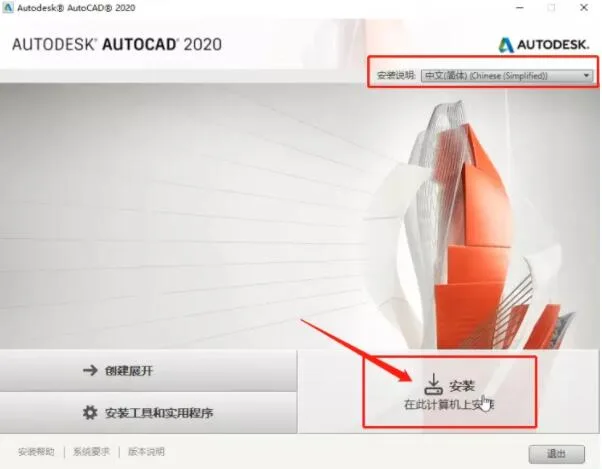
Download Autodesk AutoCAD 2020 64-bit Simplified Chinese Official Version (including registration tool and installation tutorial)
Autodesk AutoCAD 2020 Simplified Chinese Edition is now officially released. This latest version introduces numerous practical features and optimizations, making it a powerful CAD software for 2D drafting, detailed drawings, 3D design, and more. Our website offers a download link for AutoCAD 2020. Feel free to download and use it if you need.
Official Introduction
AutoCAD, first developed by Autodesk in 1982, is a leading computer-aided design (CAD) software used for 2D drafting, detailed drawings, design documentation, and basic 3D design. It has become a widely-used drawing tool globally.
Featuring a user-friendly interface, AutoCAD supports operations through interactive menus or command lines. Its multi-document environment allows users without a computer background to learn quickly. With continuous practice, users can master various applications and advanced techniques, greatly improving work efficiency. AutoCAD supports a wide range of platforms, including microcomputers and workstations across different operating systems.
New Features in AutoCAD 2020
The following summarizes the key updates in AutoCAD 2020, as well as improvements from AutoCAD 2018 Update, AutoCAD 2018, and AutoCAD 2017 Update.
Shared View
This feature allows you to share designs with clients and colleagues inside or outside your organization without publishing graphic files. It replaces the previous ‘shared design view’. Shared View extracts design data from the current drawing, uploads it to the cloud, and generates shareable links.
The “Shared Views” palette lists all shared views, where you can access annotations, delete views, or extend their 30-day validity. Recipients can view, review, annotate, and tag designs directly through the Autodesk web viewer on any PC, tablet, or mobile device.
Main commands: SHAREDVIEWS, SHAREVIEW
Save to AutoCAD Web and Mobile
Now you can open and save drawings online via Autodesk Web and Mobile from any device with internet access, anywhere in the world. New commands SAVETOWEBMOBILE and OPENFROMWEBMOBILE provide access to cloud-stored files.
After installation, you can view and edit drawings from any internet-connected device, such as a tablet on-site or a remote desktop. A valid AutoCAD subscription unlocks editing capabilities on web and mobile platforms.
This feature supports only 64-bit systems.
Main commands: OPENFROMWEBMOBILE, SAVETOWEBMOBILE
DWG Comparison
The DWG Compare tool highlights differences between two versions of a drawing in model space. Unique and common objects are identified with different colors, and layers can be excluded from comparison.
Main commands: COMPARE, COMPAREINFO
Cybersecurity Enhancements
AutoCAD 2020 introduces the system variable SECUREREMOTEACCESS to restrict file access from the internet or remote servers, addressing ongoing security threats. Autodesk strongly recommends installing all updates promptly to maintain security.
Performance Improvements
Autodesk has dedicated significant resources to enhance software performance in AutoCAD 2020. Improvements affect 2D and 3D graphics operations and vary based on system resources and drawing complexity.
For example, command response times for changing properties have dropped from around 4 seconds to 0.6 seconds in tests. Save (QSAVE) and regeneration (REGEN) times have also improved significantly.
Main Applications
- Engineering Drawing: Architectural, decorative, environmental art, hydroelectric, and civil engineering.
- Industrial Drawing: Precision parts, molds, equipment design.
- Clothing Industry: Pattern making.
- Electronics: Printed circuit board design.
AutoCAD is widely used in civil engineering, construction, decoration, urban planning, landscape design, electronics, mechanical design, aerospace, light and chemical industries.
Autodesk offers industry-specific versions and plugins such as AutoCAD Mechanical for mechanical design, AutoCAD Electrical for circuit design, and Civil 3D for surveying and road design.
Educational institutions typically use the Simplified Chinese version. Companies without specialized requirements often choose the Simplified version, which is a universal edition. Mechanical industries may prefer AutoCAD Mechanical.
AutoCAD 2020 Crack Instructions
- Disconnect from the internet before registering.
- Install the latest AutoCAD 2020 version according to your needs.
- Follow the installation prompts.
- When asked for the registration code, select 32-bit or 64-bit based on your system.
- Run the registration tool, click generate to create a registration code.
- Copy the generated code into the software registration field.
The official Simplified Chinese AutoCAD 2020 is available for download on our website along with a valid product key.
Note: The official 32-bit version of AutoCAD 2020 is no longer released. Users needing 32-bit should download AutoCAD 2019 32-bit. Our website provides the official Chinese version and product key.
Additional Resources
On the provided Baidu Cloud, you can find the AutoCAD 2020 English installation program, Simplified and Traditional Chinese language packs (for use with the English version), and offline help files. The Simplified Chinese official version does not require these language packs.
Highlights of AutoCAD 2020 New Features
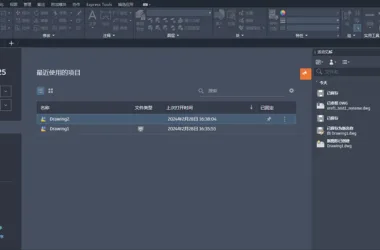
New Dark Theme
The user interface now features an improved dark theme with enhanced contrast and clarity. Icon colors and background tones have been optimized to reduce distraction and keep focus on the drawing area. The “Context” ribbon tabs, such as text editing or hatch creation, are more prominently highlighted.
Access: Application button > Options > Display tab > Window Elements > Color Themes
Block Palette
Multiple methods are available for inserting blocks: “Insert,” “Tool Palette,” and “Design Center,” catering to different user preferences.
The redesigned ‘Insert’ dialog offers better visual previews, and the new Blocks palette improves efficiency by allowing block insertion from recently used lists or other drawings. Features include:
- Current Drawing: Shows all blocks defined in the current drawing.
- Recently Used: Displays all recently inserted blocks across drawings, with options to delete.
- Other Drawings: Allows browsing and inserting blocks from external files.
You can filter block names, adjust thumbnail sizes, and switch between list styles.
Access: Home tab > Blocks panel > Insert
Commands:
BLOCKSPALETTE– Open Blocks paletteBLOCKSPALETTECLOSE– Close Blocks paletteCLASSICINSERT– Open classic Insert dialog
System variables include BLOCKMRULIST (controls recently used blocks), BLOCKNAVIGATE (controls displayed files), BLOCKREDEFINEMODE (controls redefine dialog), and BLOCKSTATE (read-only palette status).
Cleanup and Redesign
The ‘Clean’ function has been improved for easier organization. You can resize the preview area, clear zero-length geometry without affecting empty text, select items by category or individually, and see detailed info about uncleanable objects, including their layer count and impact on file size.
Access: Manage tab > Cleanup panel > Find Uncleanable Items and Cleanup
Command: PURGE opens the redesigned Cleanup dialog.
DWG Enhanced Features
The DWG Compare tool now allows direct editing in comparison mode between the current drawing and a specified one. A fixed toolbar provides easy access to comparison options and settings, including color customization for color vision accessibility.
Change sets are highlighted with revision clouds, and you can import differences or export combined snapshots of both drawings.
Access: Collaboration tab > Compare panel > DWG Compare
Commands:
COMPARCECLOSE– Close Compare toolbarCOMPAREEXPORT– Export comparison result as snapshotCOMPAREIMPORT– Import objects from compared file
Toolset Specific Limitations
When comparing drawings made with AutoCAD Electrical or Mechanical toolsets, some objects may lose properties or relationships during import in comparison mode.
Quick Measurement
The MEASUREGEOM command now includes a “Quick” option for faster, dynamic measurement of distances and angles in 2D drawings. An orange square indicates precise 90-degree angles.
Access: Home tab > Tools panel > Measurements / Quick
Command: MEASUREGEOM with fast option added.
Performance Enhancements
- New installation technology halves installation time on SSDs.
- Improved network access speed for external references, blocks, and supporting files like fonts and templates.
Cloud Service Support
AutoCAD 2020 supports connecting to multiple cloud storage providers (e.g., Box, Dropbox) in the file dialog for saving and opening files.
Save to Web and Mobile Enhancements
- Supports external references for web and mobile access.
- Administrators can disable Save/Open to Web and Mobile commands for security.
Graphics Configuration
AutoCAD now supports DirectX 9, 11, no driver modes, 4K displays, and dual monitors. Graphics settings are simplified into three modes, with automatic optimizations for display performance.
Command: GRAPHICSCONFIG
Security Improvements
- Fixed four potential vulnerabilities in specific AutoCAD data files.
- Removed or updated vulnerable DLL dependencies.
- Replaced components vulnerable to future attacks.
- Closed potential server vulnerabilities through upgrades.
Details are intentionally limited due to sensitivity.
Activation Steps for AutoCAD 2020
- After installation, launch AutoCAD and enter the serial number: 666-66996969, product key: 001K1. Do not disconnect from the internet yet. Click Activate, then note the “application number” and close the activation window temporarily.
- Run the registration tool as administrator. Click “Patch” to modify system hosts and block network authentication. Paste the application number into the “Request” field, click “Generate” to get the activation code, and copy it.
- Return to AutoCAD activation, select “I have an activation code from Autodesk,” paste the code, and proceed. A success message will confirm activation.
Note: If activation fails, delete all files in C:ProgramDataMLEXNet, disconnect from the internet, and try again.
For a detailed installation tutorial, see: AutoCAD 2020 Installation Crack Activation Graphic Detailed Tutorial (tested and effective)
Autodesk 2020 Full Series Universal Registration Tool
This universal keygen supports all Autodesk 2020 products including AutoCAD 2020, 3ds Max 2020, and Powermill 2020. The package includes 32-bit and 64-bit versions and keys. Download freely from our website.
AutoCAD 2020 Installation and Activation Tutorial
- Download and extract the compressed file from this website to get the 64-bit AutoCAD 2020 installer and registration tool.
- Double-click
AutoCAD_2020_Cnglish-win_64bit.dlm.sfx.exeto extract files. - Click Install and accept the license agreement.
- Follow prompts and wait patiently for installation to complete.
- After installation, disconnect from the internet.
- Launch AutoCAD 2020, enter the serial number, and agree to the terms.
- Click Activate.
- Enter serial number 666-98989898 and key 001L1, but do not click Next yet.
- Run the 64-bit registration tool as administrator and click Patch.
- Return to AutoCAD activation, click Next to generate the request code.
- Paste the request code into the registration tool, click Generate, then copy the activation code.
- Paste the activation code into AutoCAD and click Next.
- Activation completes successfully.
- Run the software.














No extraction code given!!!