
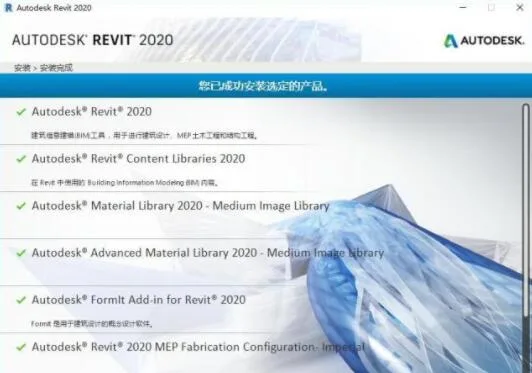
Autodesk Revit 2020 is a professional BIM model design software developed by Autodesk. This latest version introduces new features fully compatible with Windows 10. Revit 2020 offers multiple functions including energy analysis, exporting graphics to GBXML format, and improved display of main railings, handrails, and walls. If you’re involved in 3D model design, don’t miss out! Autodesk Revit is specifically designed for Building Information Modeling.

Recently, Revit—the most widely used, comprehensive, and accessible software in the BIM industry—officially released its 2020 version. This update brings many surprises with a more user-friendly interface and a series of useful new features. It’s clear that Autodesk has put great effort into this release. Let’s explore the specific improvements!
1. Enhanced Material and Appearance
This update optimizes the material system’s appearance, making it more realistic and visually appealing. After all, a great look means greater flexibility in design. As they say in Revit: “I don’t want just a pretty face!”
2. PDF Drawing Import Support
Now, PDF drawings can be directly imported into Revit, allowing you to capture and pick drawing lines efficiently. This feature is both practical and highly useful.
3. Editable Imported SketchUp Models
This version supports importing SketchUp models with the added benefit of being able to edit and modify them after import. This is excellent news for SketchUp enthusiasts and very helpful during the early design stages of projects.
4. 3D Staircase Reinforcement Display
Revit 2020 supports 3D visualization of staircase reinforcement, enabling real-time editing and modifications. This user-friendly feature eliminates the confusion of complex line reinforcements—helping to ease eye strain!
5. Real-Time Optimal Path Calculation
Perhaps the most powerful feature: simply specify start and end points, and the software automatically calculates the optimal (shortest) path, generating a detailed path report. This can be applied in evacuation route simulations, pipeline layout optimizations, and more. Autodesk provides a direct BIM application tool for later project stages, which deserves praise!
There are many other practical functions as well, such as the long-criticized steel structure modeling. Autodesk has invested significant effort into updating and optimizing this area, and the official demonstration shows great improvement.
BIM is an integrated process founded on coordinated and reliable project information spanning design, construction, and operation. By adopting BIM, construction companies can utilize consistent information throughout the project lifecycle to design innovative projects. It also supports better communication by accurately visualizing building appearances and simulating real performance, enabling stakeholders to understand costs, schedules, and environmental impacts.
BIM empowers architects to better predict completed buildings before construction, maintaining a competitive edge in today’s complex business environment. It helps reduce errors and waste, increasing profits and customer satisfaction while enabling more sustainable, precise designs. BIM optimizes team collaboration, supporting architects, engineers, contractors, builders, and owners to communicate design intentions clearly and reliably.
Autodesk Revit 2020 helps you explore the latest design concepts early in the project and faithfully convey your design philosophy throughout construction documentation. Built for Building Information Modeling, it supports sustainable design, clash detection, construction planning, and collaboration across disciplines. All changes during design are automatically updated in related documents, ensuring coordination, consistency, and reliable design outputs.
The comprehensive conceptual design features offer intuitive tools for freeform modeling and parametric design, enabling early design analysis. You can freely sketch, quickly create 3D shapes, and interactively manipulate forms. Built-in tools clarify complex shapes and prepare models for construction. As design progresses, Revit 2020 automatically creates parametric frameworks around intricate shapes, providing greater control, accuracy, and flexibility. The full design workflow from conceptual models to construction documents occurs in an intuitive environment.
Autodesk Revit 2020 Enhanced Features
Depth cues, available in the Architecture and Coordination views, improve visualization of elevation and section views. This feature uses gradient colors to indicate the distance between graphical elements and the front of the view. For more details, refer to depth cues and their configuration.
After importing point clouds into your model, you can now control the visibility of individual scan positions and scan areas per view. This allows you to hide unnecessary data and enhances system performance when working with large models.
New Features in Revit 2020
1. Improved Software Interactivity
(1) Link NWD/NWC Files
Navisworks supports various common 3D file formats. Revit 2020 can now link NWD and NWC files directly, expanding supported formats and facilitating multi-software coordination. Under the Insert panel, a new Coordinate Model button lets you link NWD/NWC files similar to Revit models, with options to reload, unload, or remove them. Additionally, a Coordination Model tab in the Visibility/Graphic Overrides lets you adjust transparency for better differentiation.
(2) Direct Import of Rhino Models
Revit 2020 adds support for Rhino’s 3DM format under Insert > Import. Imported SAT and 3DM geometric shapes can be recognized for face-based family placement. You can also assign categories to imported geometry for easier visibility control, scheduling, and annotation. Edges and faces of imported geometry can be snapped for dimensioning, making them behave like native Revit geometry.
2. Building Modeling Enhancements
(1) Multi-Story Staircases
Previously, only standard layers with consistent elevation spacing could create multi-story stairs. Now, Revit 2020 automatically generates multi-level stairs based on elevations, which can be adjusted individually. Simply select the staircase, and use the new Select Elevation command to create multi-level stairs automatically.
(2) Handrail Improvements
Multi-level staircases now support unified handrails. You can click a multi-level staircase to generate continuous handrails. Handrails also now recognize more host elements, including roofs, floors, walls, and terrain surfaces.
3. Enhanced MEP Functionality
(1) Electrical Circuit Path Editing
Previously, while Revit could generate circuits by selecting electrical equipment, the exact cable length and route were unclear and unadjustable. Revit 2020 adds Line Editing, allowing control over elevation, direction, and length of circuit paths. The software updates circuit length automatically, aiding voltage drop calculations and wire sizing.
(2) Pump Family Parameter Additions
Flow rate and pressure drop parameters are now linked to pump families, with automatic background calculation.
(3) Hydraulic Calculations for Pipeline Systems and Equipment
You can select a pipeline system and use analysis connections to add related equipment for hydraulic calculations.
(4) Fresh Air Information for Spaces
Revit 2020 introduces fresh air data for spaces, configurable in Building/Space Type Settings. Fresh air values can be inherited from space types or customized per partition.
4. Prefabricated Component Module Enhancements
(1) Multi-Point Wiring for MEP Prefabricated Components
This allows drawing prefabricated components like standard pipelines, with Revit automatically generating connectors for elbows, tees, and more. The prefabricated parts module was introduced in 2016 and enhanced in 2017; 2020 further improves drawing efficiency.
(2) Sloped Pipes for Prefabricated Parts
You can now draw prefabricated pipes with slopes and uniformly adjust slopes for connected components.
5. Additional Enhancements
(1) Group and Linked File Detail Schedules
New categories for Revit Links and Model Groups enable detailed schedules for linked models.
(2) Special Characters
Special characters can be inserted easily via right-click in text comments. The Windows Character Map dialog can remain open without closing after input or copy operations.
(3) Global Parameter Enhancements
Revit 2017 introduced global parameters for controlling project component sizes. Revit 2020 adds radius and diameter annotations and supports controlling sketch elements like floors.
(4) Structural Improvements
- More steel structure connections: Over 100 new steel connection details added via Steel Connections for Revit add-on.
- Custom frame family support: Revit analyzes custom frames and generates structural section parameters for better integration.
- Connection priority: You can specify primary and secondary elements in steel connections.
- Structural geometry properties: New grouped parameters in Type Properties and Family Types dialogs enhance prefabricated geometry definition.
- Reinforcement in free-form concrete: Supports complex geometries like curved bridge piers and roof slabs.
- Multiple reinforcement distributions: Distribute multiple reinforcement sets along surfaces, including free-form objects.
- Reinforcement in imported concrete: Supports concrete elements imported from SAT files or InfraWorks.
- 3D graphic reinforcement constraints: Graphic Reinforcement Constraints Editor is now usable in 3D views for precise steel bar placement.
Keywords: Autodesk Revit 2020 Chinese version download, Revit 2020 localization patch download, Revit 2020 serial number registration machine download, Revit 2020 download, Revit 2020 64-bit version download
Revit 2020 Installation Tutorial:
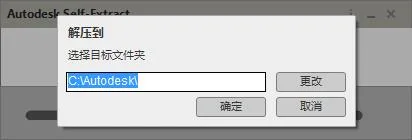
Revit 2020 is a powerful Building Information Modeling (BIM) software, but for students and learners, the cost might be prohibitive. Therefore, we provide the Revit 2020 serial number and activation key, which can be used with the included keygen to generate an activation code, allowing full and free use of the software. Below is a detailed installation guide available for free download and reference.
How to use the Revit 2020 serial number and key for installation:
- Download and unzip the 64-bit Chinese original Autodesk Revit 2020 installer.
- Double-click
Revit_2020_G1_Win_64bit-dlm_001_007.sfx.exeto start installation and extract files toC:Autodeskby default. - Select Simplified Chinese in the top-right corner, then click the install button.
- Accept the license agreement by checking “I accept”.
- Choose the installation directory (default is
C:Program FilesAutodesk), or customize as desired. The default path is recommended here. - Wait patiently for the installation to complete.
- Once installed, launch the software immediately.
- Click to enter the serial number.
- Start the 30-day trial period and click the activation button to proceed.
- Enter the serial number
666-69696969and the product key829L1, then click Next. - Select the option “Request an activation code…” and click Next.
- Copy the application number displayed, then close and restart the software.
- Open Revit 2020 again and repeat steps 11 and 12 to re-enter the registration interface. Choose “I have an activation code from Autodesk.”
- Run
xf-desk20.exefrom the software package as administrator to open the keygen. Click “Patch” and wait for the “Successfully patched” message before proceeding. - Paste the application number into the keygen, click Generate to obtain the activation code. Copy this code into the software registration box and click Next to activate.
- At this point, Autodesk Revit 2020 64-bit Chinese version has been successfully activated.















Must log in before commenting!
Sign Up