
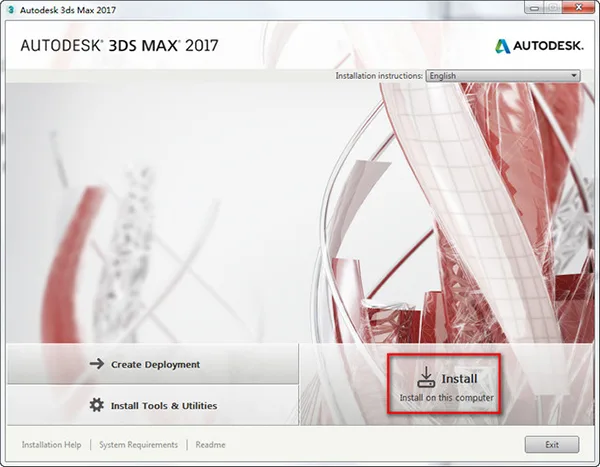
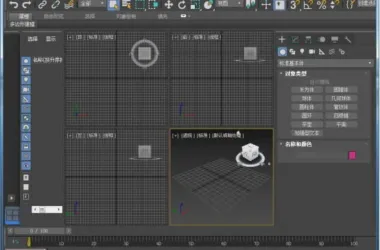
Autoask 3DS MAX 2017 features a refreshed interface and more powerful tools than ever before. As a professional 3D graphic design assistant, 3DS MAX 2017 helps users model 3D objects and create diverse game scenes with ease. This new release offers an updated Max image creation interface, support for the OpenSubdiv format, innovations in XRef, and more. Note that this version is available in Simplified Chinese.
Key Features of 3DS MAX 2017:
- View navigation now includes orbital points of interest.
- The viewport zoom supports infinite magnification.
- Local coordinate systems have been added for sub-objects like points and edges.
- The mirroring tool introduces a geometry mode for geometry modification.
- UV editing can be flattened based on material IDs and smoothing groups.
- Several new tools have been integrated into the curve editor and buffer curve.
- An offset controller has been added.
- Camera sequencing is now supported.
- Physical material support enhances realism.
- The node material editor allows sampling from traditional material editors using sample balls.
- A new art renderer, utilizing the same ray tracing engine as 360, supports animation rendering; however, scenes typically need to be converted before rendering.
- The Mental Ray renderer is available as a separate optional installation.
Installation Instructions for 3DS MAX 2017:
- Download the installation file and unzip it. Double-click
sutep.exeto start the installation. A setup window will appear; click Install to proceed. - Accept the license agreement by selecting I Accept and click Next.
- Choose the installation directory. You can use the default path or select a custom location (avoid using Chinese characters in the path). Then click Install.
- The installation process will begin and typically takes about 30 minutes.
- Once the installation is complete, launch 3DS MAX 2017 from the desktop shortcut. A prompt will appear; select Enter A.
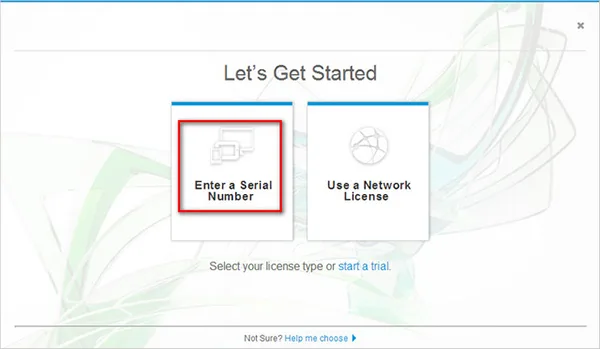
- Click I Agree.
- Then click Activate.
- Enter the serial number: 666-696969667, and the key: 769I1, then click Next.
- The software will notify you that registration was unsuccessful. Close this window by clicking the “X” in the top corner.
- You will return to the activation interface. Click Activate again.
- Re-enter the serial number as before.
- Next, open the registration tool. Copy the “Request Code” from the activation window and paste it into the registration tool.
- Click Generate followed by Patch in the registration tool. A success message should appear—this step is crucial for successful activation.
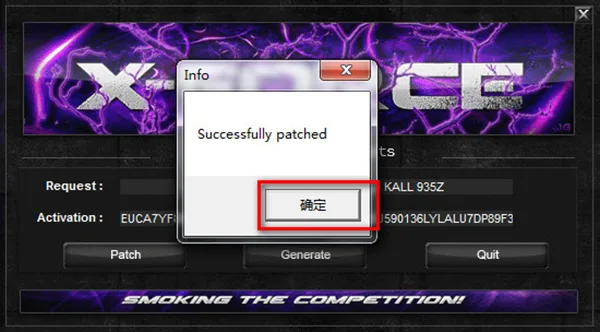
- Copy the activation code generated by the registration tool back into the activation interface.
- Activation will complete successfully.
- Finally, access the system’s Start Menu and locate the application. Opening it will launch the Chinese version of 3DS MAX 2017.











Must log in before commenting!
Sign Up