
Autodesk has officially launched 3ds Max 2020, a highly anticipated update that has thrilled many loyal users—arguably even more exciting than winning the lottery. While many are still getting comfortable with 3ds Max 2019, this rapid release caught everyone by surprise.
The latest version, 3ds Max 2020, brings a host of compelling new features, including expanded support for OSL shading with 14 new shaders. Its streamlined and flexible toolset enables users to efficiently produce professional-grade 3D animations, renderings, and models. Additionally, performance and stability have been significantly improved.
3ds Max 2020 supports most major renderers such as Arnold, V-Ray, and Iray. However, as it is a recent release, some compatible renderers may not yet be available. If you’re eager to explore its new features and updated interface, you can download and try it now.
Here, we provide the Simplified Chinese version of 3ds Max 2020, along with a registration tool for permanent activation. Note that 3ds Max 2020 supports only 64-bit operating systems at this time. Interested users are encouraged to download it promptly.
3ds Max 2020 Chinese Version is Autodesk’s latest 3D modeling, animation, and rendering software. This edition introduces 14 new OSL shaders and integrates an efficient toolbox designed to help users rapidly create professional-quality 3D content. The Chinese version focuses on enhanced performance and stability, enabling designers to boost their productivity.
Software Features
- Supports sub-object manipulation within local coordinate systems, including new local coordinate systems for points and edges.
- View navigation enhancements include orbital points of interest and infinitely scalable viewports.
- Enables creation of imaginative characters and realistic scenes suitable for gaming, architecture, and product design.
- Compatible with Inventor, Revit, Fusion 360, SketchUp, Unity, and Unreal Engine.
- Introduces a new art renderer that uses the same ray tracing engine as Arnold 360, capable of rendering animations.
- The node material editor allows sampling from traditional material editor spheres.
- Supports major renderers like Arnold, V-Ray, and Iray for high-quality scenes and stunning visual effects.
- Improvements to the Chamfer modifier and expanded OSL shader support simplify animation rendering.
- Updated Chamfer Revit and Chamfer Modifier tools offer enhanced flexibility for importing complex BIM data or creating game assets.
- Improved viewport playback and animation preview features provide more accurate visualization and reduce production time.
Installation Steps
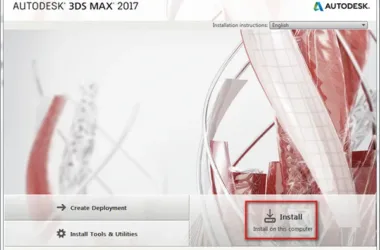
- Download the Simplified Chinese version package from this site and extract it. Then, double-click
Autodesk_3ds_2020-Efgjkps_2020.exeto start the installer. - Choose your preferred extraction path.
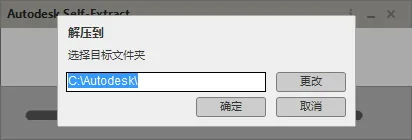
- The extraction process requires 8.17 GB of free disk space. We recommend storing extracted files on the D drive during extraction.
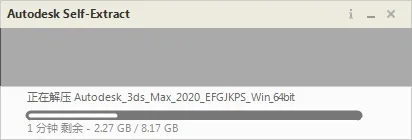
- Select “Chinese (Simplified)” as the installation language, then proceed with the installation.
- Read and accept the software license agreement.
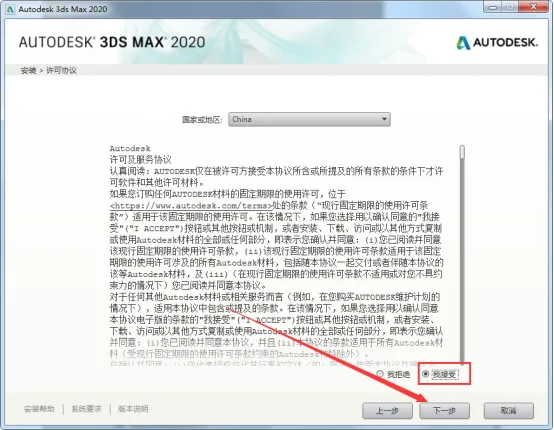
- Choose the installation directory. Although the default is the C drive, it is recommended to install on the D or E drive for better file management.
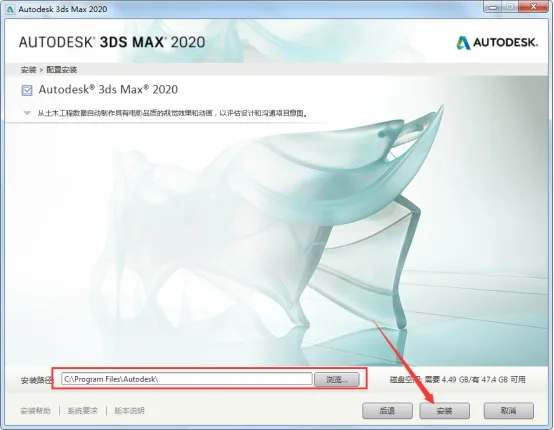
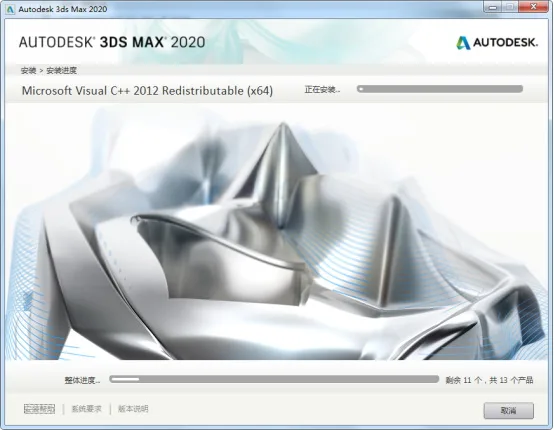
- The installation of 3ds Max 2020 is in progress.
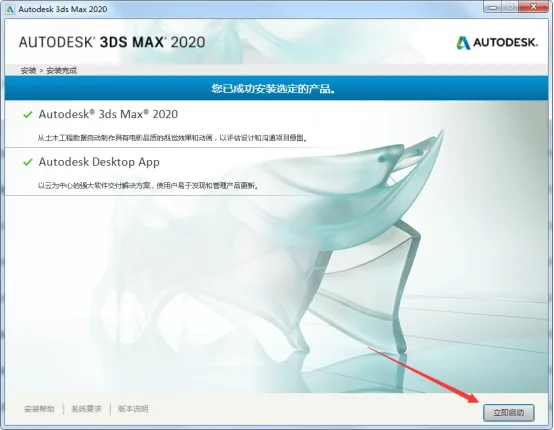
- Installation of 3ds Max 2020 has completed successfully.
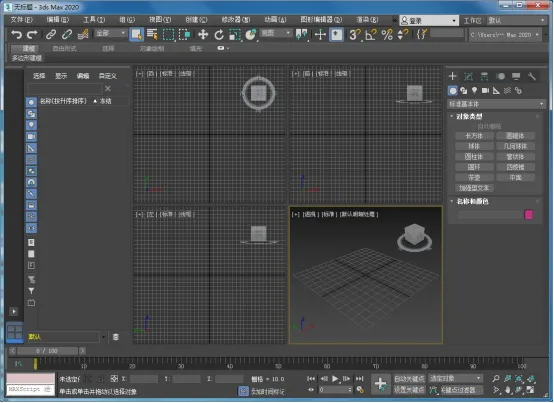
3ds Max 2020 Simplified Chinese Version: Feature Highlights
- Supports sub-objects within local coordinate systems, adding local coordinate controls for points and edges.
- Enhanced view navigation with orbital points of interest and infinitely scalable viewports.
- Enables the creation of imaginative characters and realistic scenes for gaming, architectural visualization, and product design.
- Compatibility with Inventor, Revit, Fusion 360, SketchUp, Unity, and Unreal Engine.
- New art renderer powered by the same ray tracing engine as Arnold 360, supporting animation rendering.
- Node material editor now allows sampling from traditional material editor spheres.
- Supports major renderers including Arnold, V-Ray, and Iray for producing stunning visual effects.
- Improved Chamfer modifier and expanded OSL shader support to simplify animation rendering.
- Updated Chamfer Revit and Chamfer Modifier tools offer enhanced flexibility for importing complex BIM data or creating game assets.
- Better viewport playback and animation preview features enable more precise visualization and reduce production time.
Minimum System Requirements for 3ds Max 2020
Before installing 3ds Max 2020, ensure your system meets these minimum requirements:
- Operating System: Microsoft® Windows® 7 (SP1), Windows 8, Windows 8.1, or Windows 10 Professional
- Processor: 64-bit Intel processor with SSE4.2 support or AMD multi-core processor
- Graphics Card: Dedicated GPU with at least 2 GB of VRAM
- Memory: Minimum 4 GB RAM (8 GB or more recommended)
- Disk Space: At least 6 GB free space for installation
- Input Device: Three-button mouse
The installation and activation process for 3ds Max 2020 is similar to previous versions. During installation, you will be prompted to enter your serial number and product key:
3ds Max 2020 Serial Number: 900-91573880066-696969667-98989898400-454554545066-666666666
3ds Max 2020 Product Key: 128L1
Autodesk 3ds Max 2020.3 Chinese/English/Multilingual Windows Registry
3ds Max is a powerful 3D modeling, animation, and rendering software that enables the creation of immersive game worlds, stunning design visualizations, and compelling virtual reality experiences.
Official download links for the installation package (both parts are required; click the first link to start installation):
https://trial2.autodesk.com/NetSWDLD/2020/3DSMAX/519D393B-EFBD-4714-B627-F8BC87BEA59A/SFX/Autodesk_3ds_Max_2020_EFGJKPS_Win_64bit_001_002.sfx.exe
https://trial2.autodesk.com/NetSWDLD/2020/3DSMAX/519D393B-EFBD-4714-B627-F8BC87BEA59A/SFX/Autodesk_3ds_Max_2020_EFGJKPS_Win_64bit_002_002.sfx.exe
Official download link for the update package:
https://up.autodesk.com/2020/3DSMAX/EF07A3CD-AE9B-4881-874A-93051363CCE3/3dsMax2020.3_Update.exe











Must log in before commenting!
Sign Up