
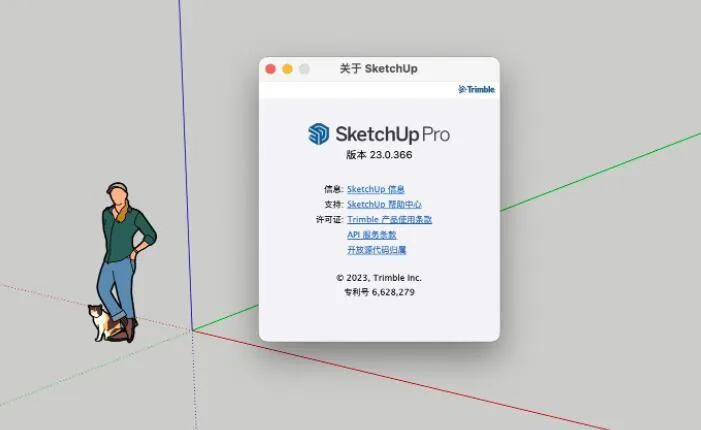
SketchUp Pro 2023
SketchUp is a versatile 3D design and drawing software that supports every phase of the design process, from initial concept to project completion. Whether you are working on programming, drawing, design development, detailed documentation, or RFIs, SketchUp Pro is an indispensable tool.
Highly regarded by professionals in architecture and mechanical engineering, SketchUp Pro provides a robust platform with extensive built-in features and supports functionality expansion through plugins. It replicates the fluidity of pencil sketches, allowing for fast creation, visualization, and editing of 3D building models.
Moreover, SketchUp exports 2D vector files such as perspective views, DWG, or DXF with precise dimensions, making it an excellent architectural sketching tool that balances ease of learning with powerful capabilities.
SketchUp Pro 2023 Green Portable Edition
SketchUp Pro 2023 Mac Edition
New Features
- Windows Common Installer: Experience a new installation process with more options, including Studio features.
- Revit Importer: Studio subscribers can now import Revit files directly into SketchUp models with ease.
- Flip Tool: A new tool that simplifies flipping selections and creating symmetrical designs, replacing the previous edge flip command.
- Improved Saving Efficiency: Multi-threading technology accelerates saving large models.
- Coverage (Superposition): Developers can create extensions that remain active while using native SketchUp tools. The new overlay panel helps manage these extensions.
- Modeling Updates: Enhanced selection options, improvements to hand-drawn tools, and upgraded axis tools.
- Layout DWG Reference: Manage inserted DWG files as references, similar to how SketchUp files are handled.
- Custom Rotation Start Angle: Set a custom starting angle when rotating selected objects.
- Mark Visibility Improvements: Added features to manage multiple viewport styles more effectively by separating line styles from other style settings.
- Sequence Auto Text per Page: Automatically generated text sequences can now be assigned per page or across the entire document.
- Viewport Improvements: Enhancements to camera viewport predictability, including setting the pan tool as the default and fine-tuning the “Maintain Scale When Adjusting Size” option in “Edit 3D View.”
Installation Guide
- Download and launch SketchUpStudioFull-2023-0-367-137.exe. Choose your installation path, select Chinese as the language, then click Install.
- Wait for the installation to complete, then exit the installer.
- Copy the patch file to the installation folder and run it. Click ‘Patch’ to finalize the process.
Software Highlights
- 3D Modeling: The most intuitive way to design, document, and communicate your creativity in 3D.
- 3D Copy: Bring your ideas to life in 3D space and rapidly develop your projects.
- Precision and Detail: From the start, SketchUp allows for precise design, detailed planning, and thorough definition at every project stage.
- Interoperability: Seamlessly integrates with other tools in your design workflow.
- Scalability: Customize SketchUp to your needs using the Extension Warehouse.
- Components: Work efficiently with reusable components within SketchUp.
- Customization: Adjust appearances and styles to make every project uniquely yours.
- Report Generation: Provide stakeholders with comprehensive, detailed reports to support their tasks.
- Proven Technology: SketchUp combines accuracy and speed based on well-established technology.
SketchUp Pro 2023 (SketchMaster)
SketchUp Pro 2023 is a powerful 3D architectural design tool featuring a fully functional desktop modeler. It supports programming, charts, concentration, design development, detailed documentation, and more, empowering users to express ideas freely and turn detailed concepts into reality.
Unlike 3ds Max, SketchUp excels throughout the entire process—from initial design to construction completion. Its intuitive interface and straightforward operation help designers focus on creativity without unnecessary hurdles.
Looking for instructions to register and activate SketchUp Pro 2023? This guide provides detailed steps to activate SketchMaster 2023.
Activation Instructions
- Download and run SketchUpStudioFull-2023-0-367-137.exe. Select the installation path, set the language to Chinese, and click Install.
- Once installation completes, exit the installer.
- Copy the patch files from the provided folder into the installation directory and run patch.exe.
- When prompted to search for files, click Yes.
- Replace layOut.exe as directed. The default path is
C:Program FilesSketchUpSketchUp 2023LayOut. - Click Yes to continue searching for files.
- Replace Style Builder.exe as instructed. The default path is
C:Program FilesSketchUpSketchUp 2023Style Builder. - Activation is complete! Open the software interface to start using it.
Note: Patches for LayOut, SketchUp, and Style Builder.exe are included. Simply copy these patches into the installation directory and overwrite the original files—no machine registration is necessary.















Does the result require money?