
ChatGPT, now widely popular, has officially launched. With powerful AI features like writing papers, coding, designing, and data processing, ChatGPT’s capabilities are truly impressive. Experience it for yourself today. ChatGPT boasts exceptional learning abilities. After training, it can answer all your questions and engage in meaningful, contextual conversations. Currently, you can register and use ChatGPT for free. Each account comes with $18 worth of usage (approximately 10 million characters), which should last a long time if used individually. Below is a step-by-step guide for registering and activating your ChatGPT account, divided into: Step 1 | Register ChatGPT, Step 2 | Activate Account, Step 3 | Apply for API KEY. You can access these after logging in.
Step 1 | Register for ChatGPT
1. Visit the official ChatGPT website: Click here to register >>
2. Click on the “Sign up” button to start the registration process.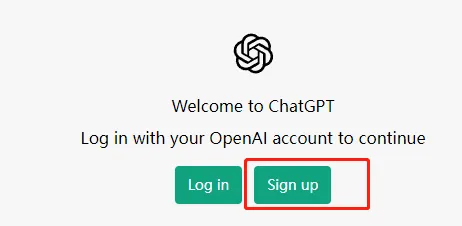
3. Next, click “Create an OpenAI account“.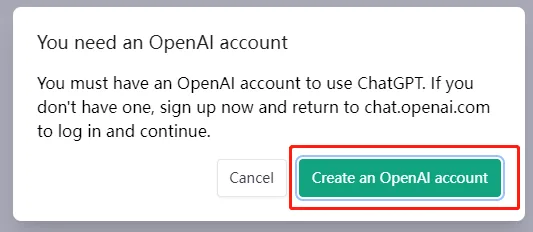
4. Fill in your name and email address in the pop-up form.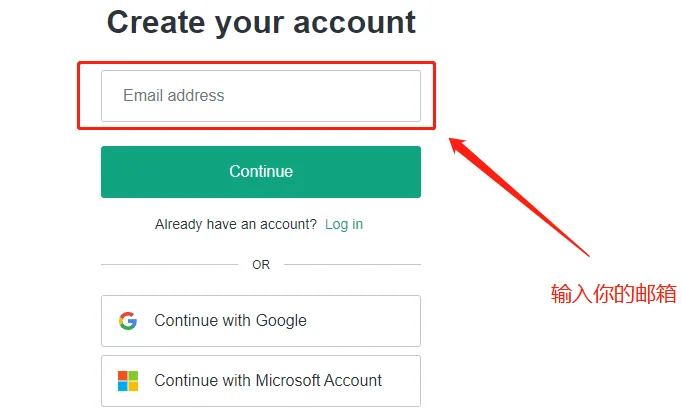
5. Click “Verify email address” to complete the registration.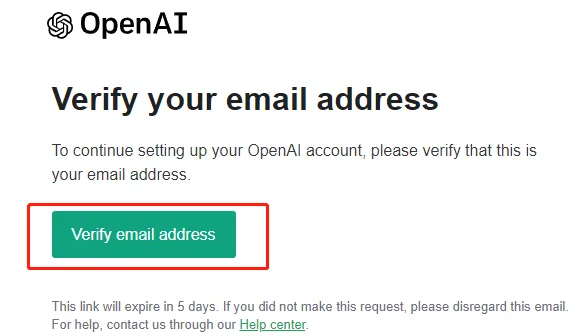
Note: ChatGPT is not officially available in Mainland China, Hong Kong, and Russia. Attempting to access it directly from these regions may result in a “ChatGPT cannot be used in your country” message. To use ChatGPT, you will need a proxy or VPN.
Step 2 | Activate Your Account
1. Key point: After verifying your email, you must provide a phone number. Please note: +86 (China) numbers are NOT accepted!
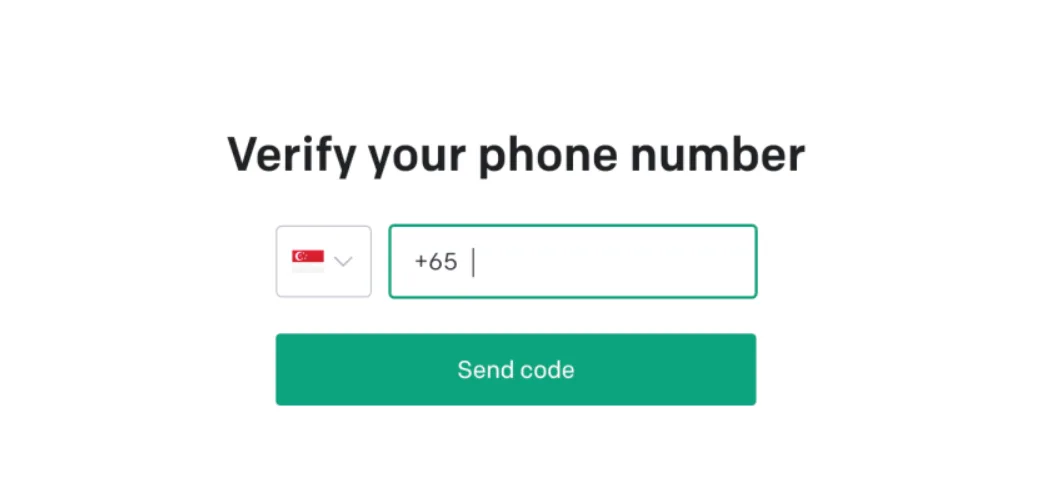
2. What to do if you don’t have an eligible phone number? Use a web service that provides temporary phone numbers for verification.
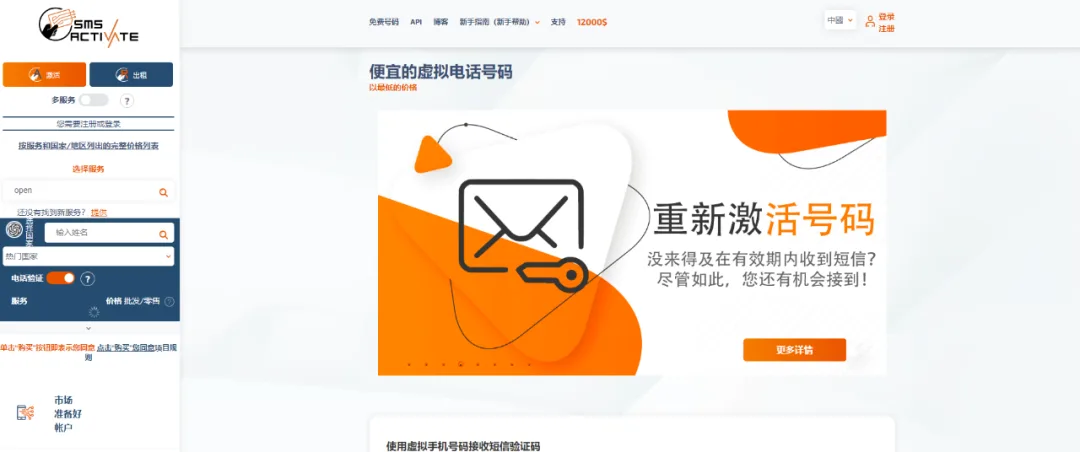
3. Register an account on the SMS Activate platform first.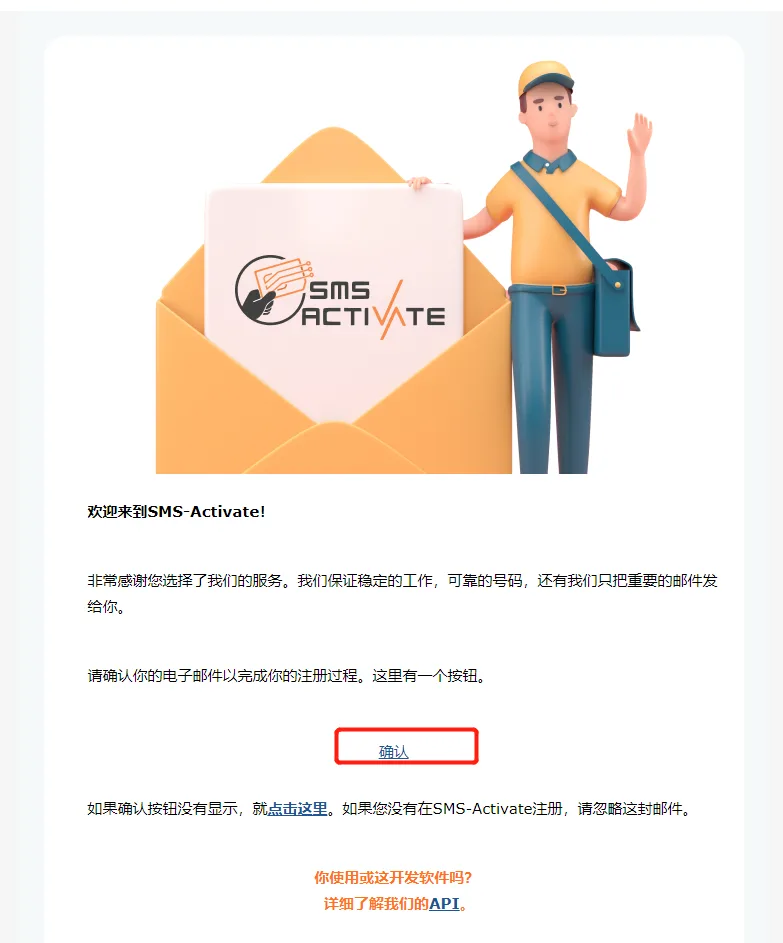
4. After registering, go to the “Balance” section and click “Recharge” as shown below.
5. Scroll down to find Alipay and recharge $0.20 using Alipay.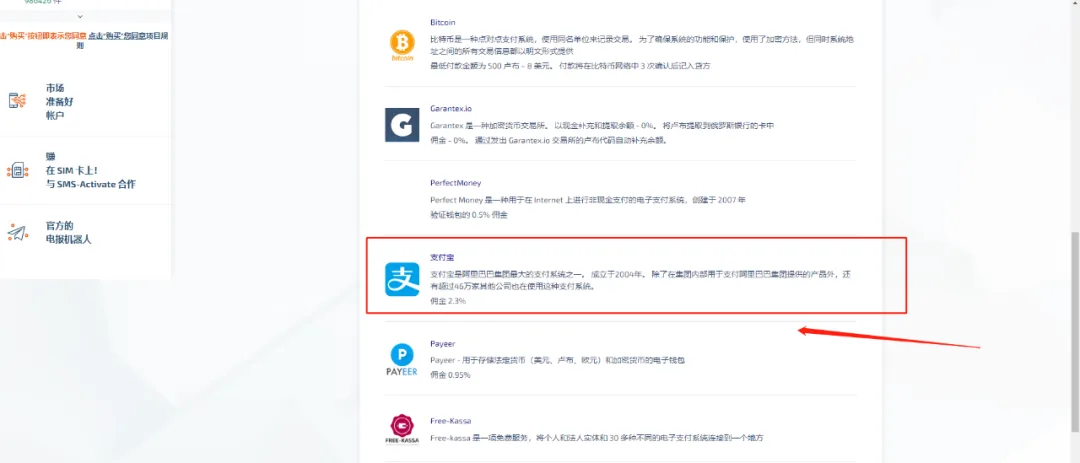
6. Return to the homepage and search for “open” to find temporary phone numbers for OpenAI captcha verification.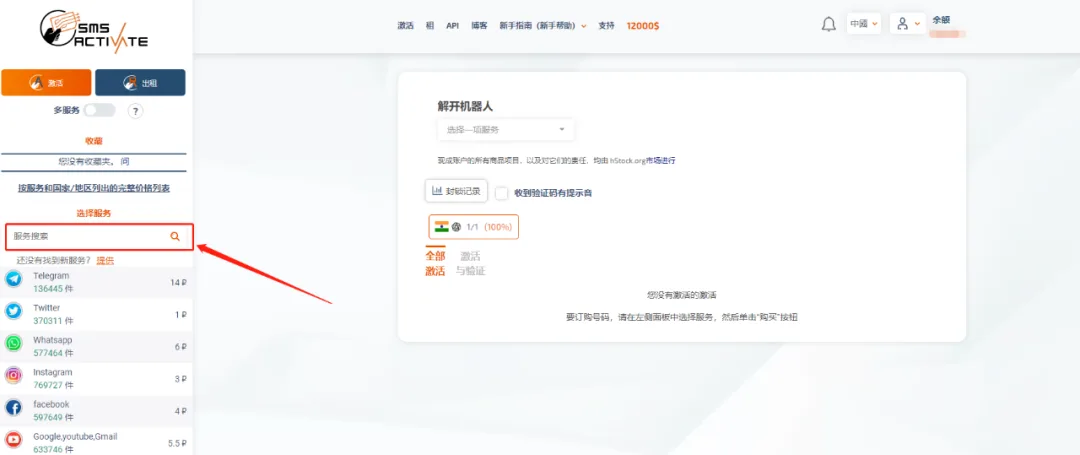
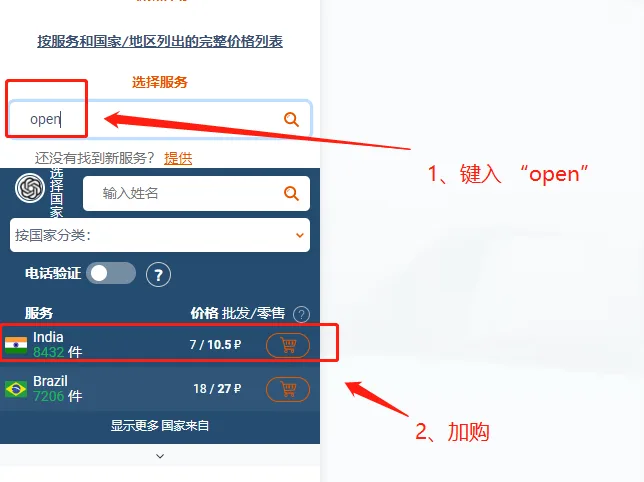
7. After purchase, you will see available numbers from India or Seoul for activation.
8. Copy one of these numbers and enter it into the phone number field for verification.
9. Click to receive the verification code.
10. When the code arrives (as shown below, I used an Indian number), copy the code and enter it to complete the registration.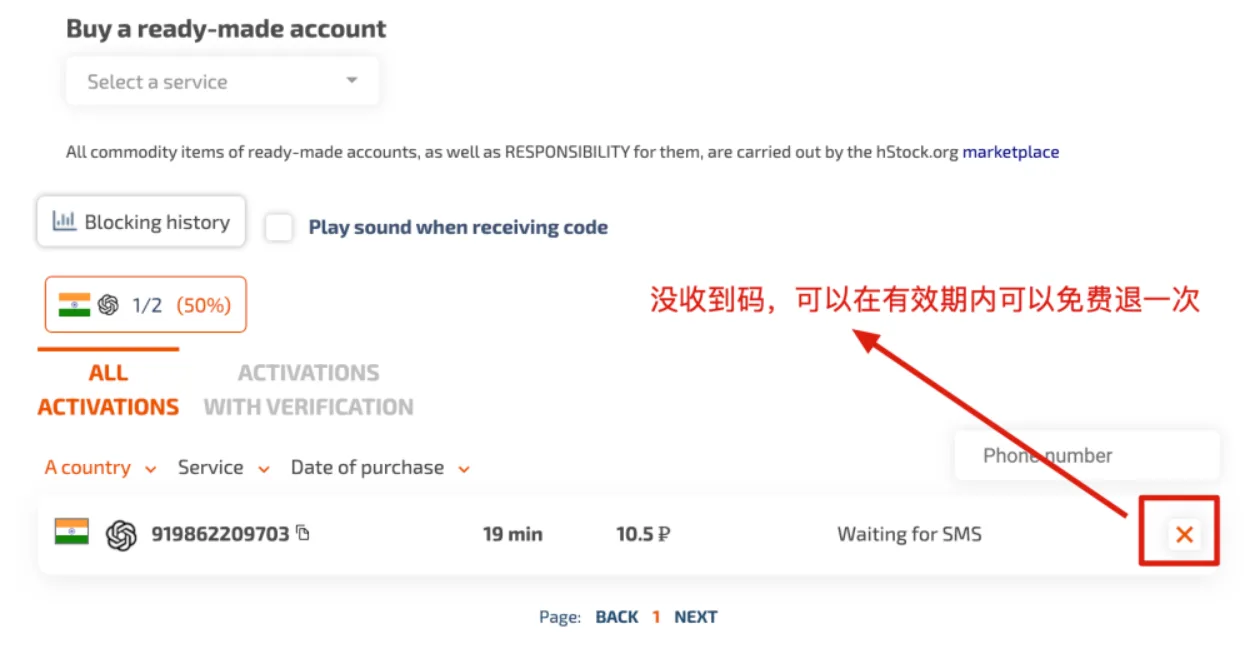
11. Your ChatGPT account is now activated and ready to use.
Step 3 | Apply for an API KEY
1. Open the following URL in your browser: https://openai.com/api/ Then click “LOG IN” in the top right corner to access the login page.
2. Enter your registered email, click Continue, then enter your password and continue to log in.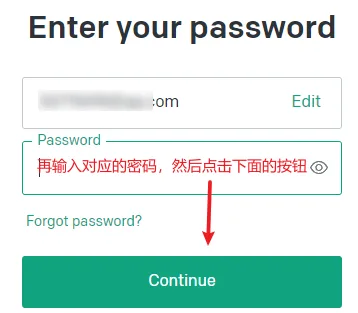
3. Once logged in, go to the top right corner, click your profile avatar, and select “View API keys” from the dropdown menu. This will take you to the API Keys page.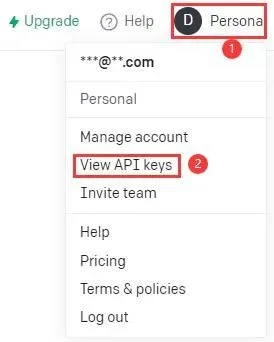
4. On the API Keys page, click the “+ Create new secret key” button in the center to generate your API key.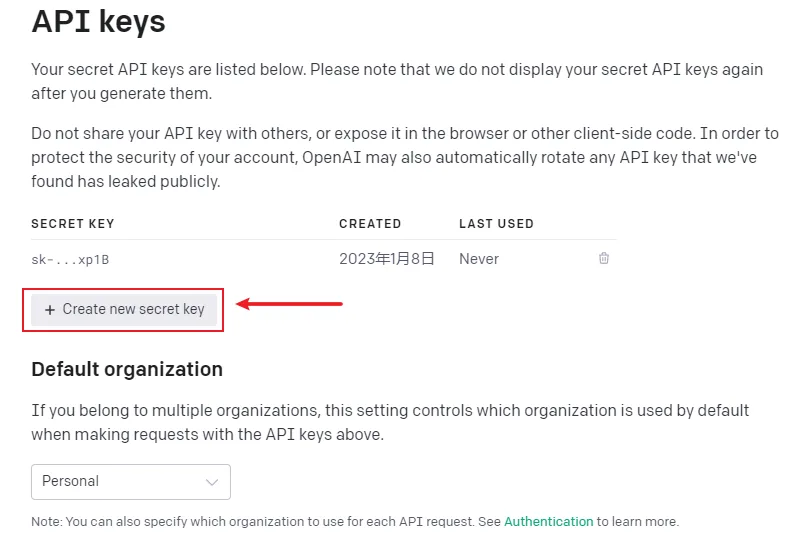
5. A popup will appear showing your new API key. Copy it and paste it into the Key field in your tool. The tool will automatically save the API key once you close the popup.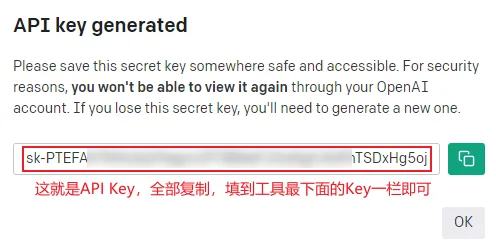
If you prefer not to go through the registration process, you can also purchase a ready-to-use ChatGPT account directly.
















Must log in before commenting!
Sign Up