
In this article, we present 16 of the most popular BIM software tools used for infrastructure project modeling, CAD/BIM file viewing, IFC file content inspection, and IFC file editing.
1. BIM Software for Infrastructure Project Modeling
There are numerous BIM software solutions supporting various project processes today. Leading providers in the infrastructure sector include Autodesk, Bentley, and Trimble. Having experience with software from these companies, particularly Trimble solutions in the Norwegian market, I gathered insights from colleagues about their daily-use tools. Below is a list of the most commonly used BIM solutions.
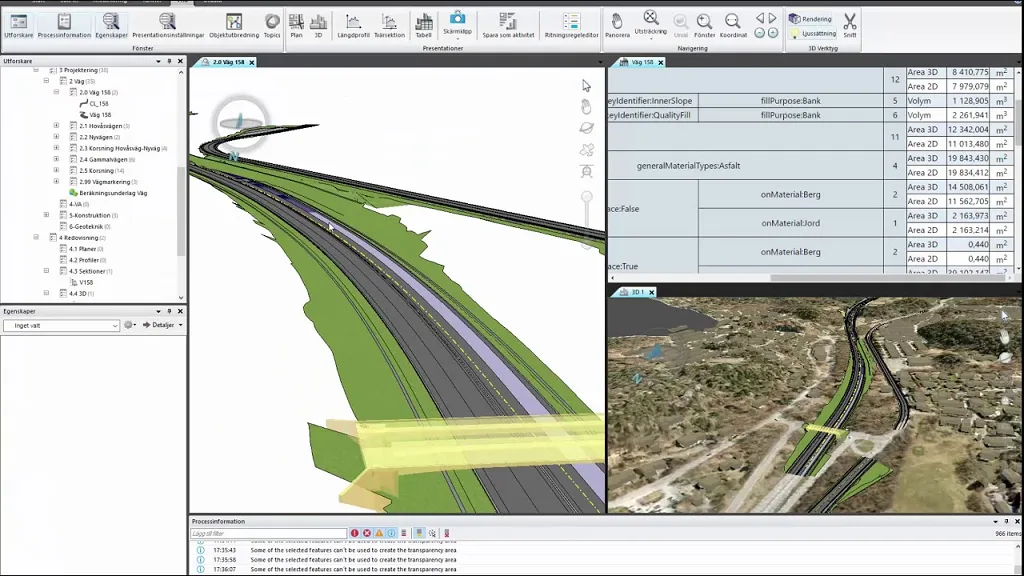
Trimble Novapoint is widely used in Scandinavia for modeling communication infrastructure. It enables civil engineers to create detailed 3D models of complex roads, railways, sewage systems, tunnels, and bridges. Novapoint also supports modeling 3D terrain surfaces, underground layers, and structures like buildings, road signs, and cables. The model is object-based, utilizing the Quadri object directory. Objects have both geometric properties (lines, curves, planes, solids) and non-geometric attributes such as speed, layer type, material, name, and texture. All model data is parameterized for easy editing. Novapoint offers features like categorization and Pset for adding attributes to objects. Both geometric and non-geometric information can be exported in IFC files and other formats including LandXML, DWG, and DWN.
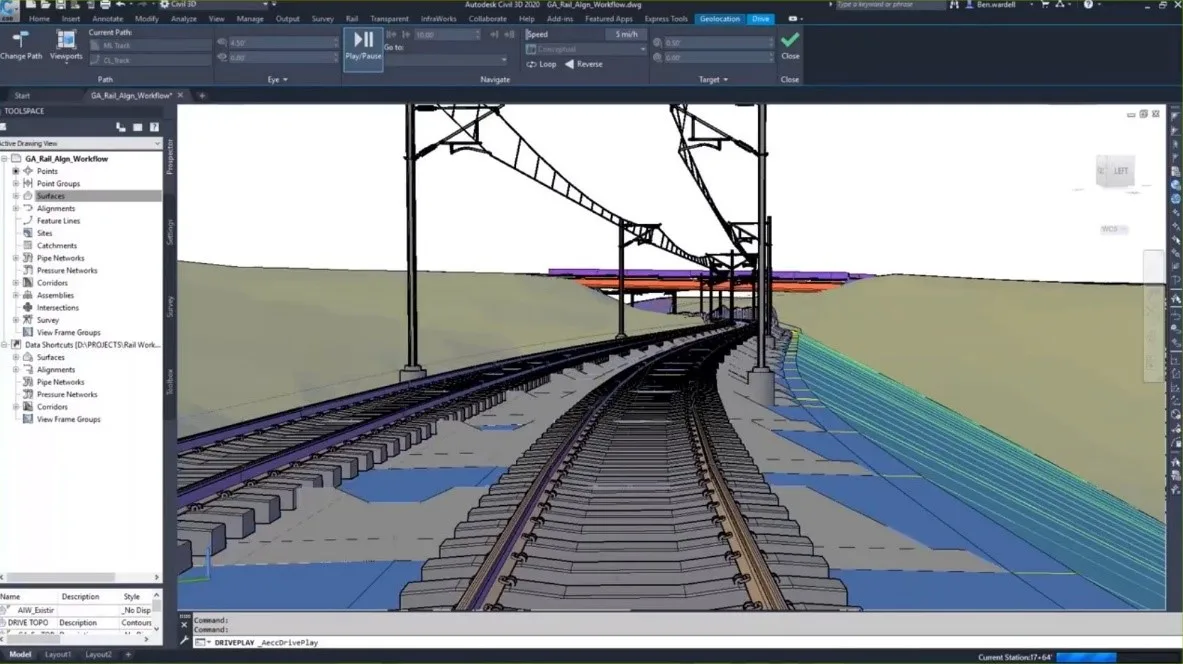
Autodesk Civil 3D is a BIM software tailored for infrastructure designers working on roads, bridges, railways, networks, terrain, and water projects. It integrates AutoCAD’s precision with intelligent adaptive objects such as points, routing lines, surfaces, contours, corridors, cross-sections, and drawings. Each element contains feature data, making Civil 3D an aggregator of various data types including CAD, GIS, SHP, DGN, LandXML, and point clouds. It offers specialized tools for creating information model components, managing project geolocation, and automating processes. Objects in Civil 3D are dynamic and intelligent, with editable properties accessible through the property window.
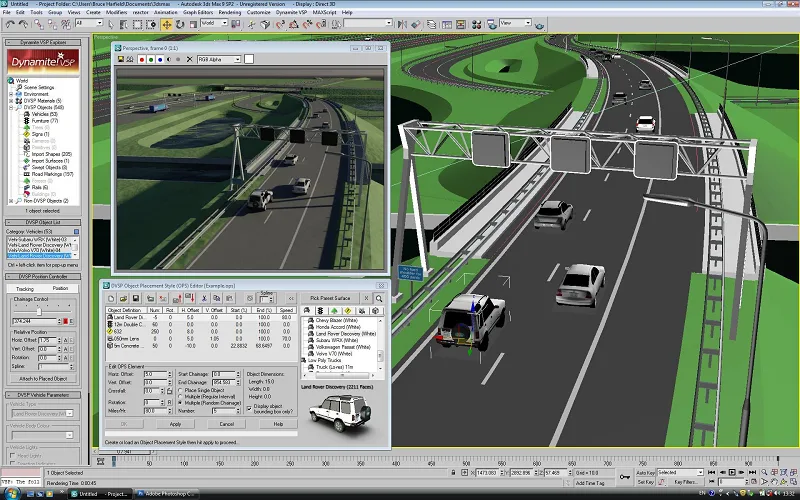
Bentley OpenRoads Designer (ORD), originating from Bentley in the USA and based on CAD for InRoads, is an independent BIM program no longer reliant on MicroStation overlays. Its design follows object-oriented programming principles with parent-child integration. Models are created by applying standard parts along spatial axes, forming linear elements and 3D mesh components. Geometric data like length, surface, and volume is auto-generated and permanently assigned to objects. Non-geometric data such as BIM properties can be freely added, either manually or via imported XLSX files. Attributes are associated with ‘feature definitions’—styles defining appearance across different views like plans, profiles, and 3D. ORD supports exporting entire themes to the IFC 4×2 format, including detailed geometric and non-geometric info, but only offers export capabilities without editing options.
Tekla Structures is widely used for modeling reinforced concrete structures, including bridges (beams, boxes, grids, arches, cantilevers, suspensions, cables), underground passages, culverts, and retaining walls.
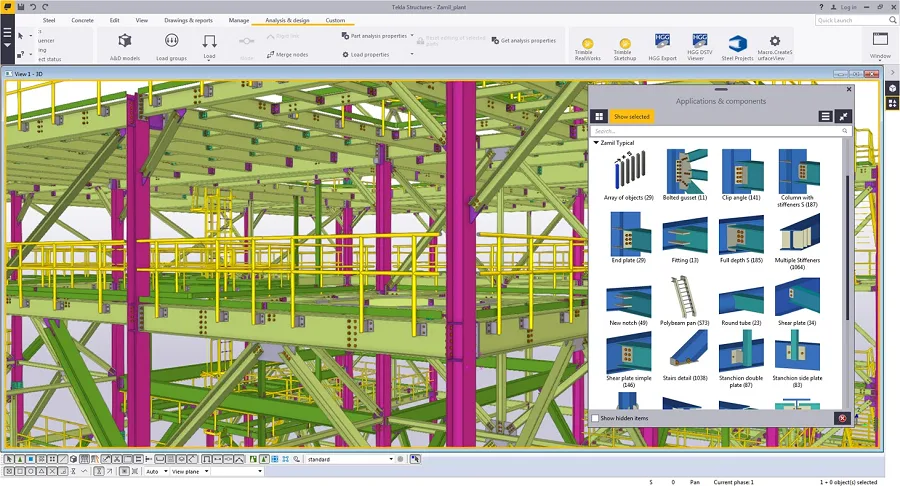
Tekla allows for highly detailed modeling, such as welds in steel structures, and supports exporting files directly to manufacturing and CNC machines, including strip bending machines. Objects in Tekla have standard properties such as:
- Object type (column, beam, slab, point foundation)
- Personal information
- Material specifications (e.g., steel grades like S235JR, S355JR or concrete classes like C25/30, C40/50)
Users can define custom information types, materials, and catalogs. Tekla also offers extensions like Tekla Bridge Creator, which facilitates simulating complex bridge shapes with varying gradients by importing road or railway alignments in LandXML format. Additionally, through real-time integration with Rhino Grasshopper, parameterized objects with complex shapes and multiple construction options can be created efficiently.
Autodesk Revit is the world’s most popular BIM software for building modeling. It includes specialized modules such as Revit Structure for builders, Revit Architecture for architects, and Revit MEP for plumbing and electrical engineers.
Revit is extensively used in infrastructure projects modeling road structures like bridges, pedestrian overpasses, tunnels, culverts, and retaining walls. Its terrain modeling capabilities have significantly improved, gaining popularity among landscape designers.
Revit offers extensive features for modeling, information management, data grouping, and visualization. It supports exporting to multiple formats including DWG, DGN, DWF, IFC, and ODBC. The addition of Dynamo, a free parametric modeling add-on, expands its capabilities by enabling the creation of complex, fully parameterized intelligent 3D objects (called “families”) and automating repetitive design tasks.
2. BIM Software for Viewing CAD/BIM Files
Previously, we covered popular 3D modeling software for infrastructure. These tools export models in various formats. This section focuses on BIM software designed specifically for viewing BIM files that include both geometric objects and non-geometric information. The emphasis here is on how the file information is displayed, with IFC files used for analysis due to their rich non-geometric data.
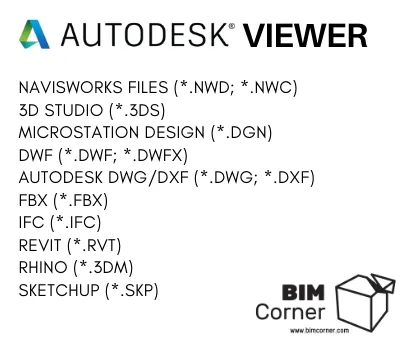
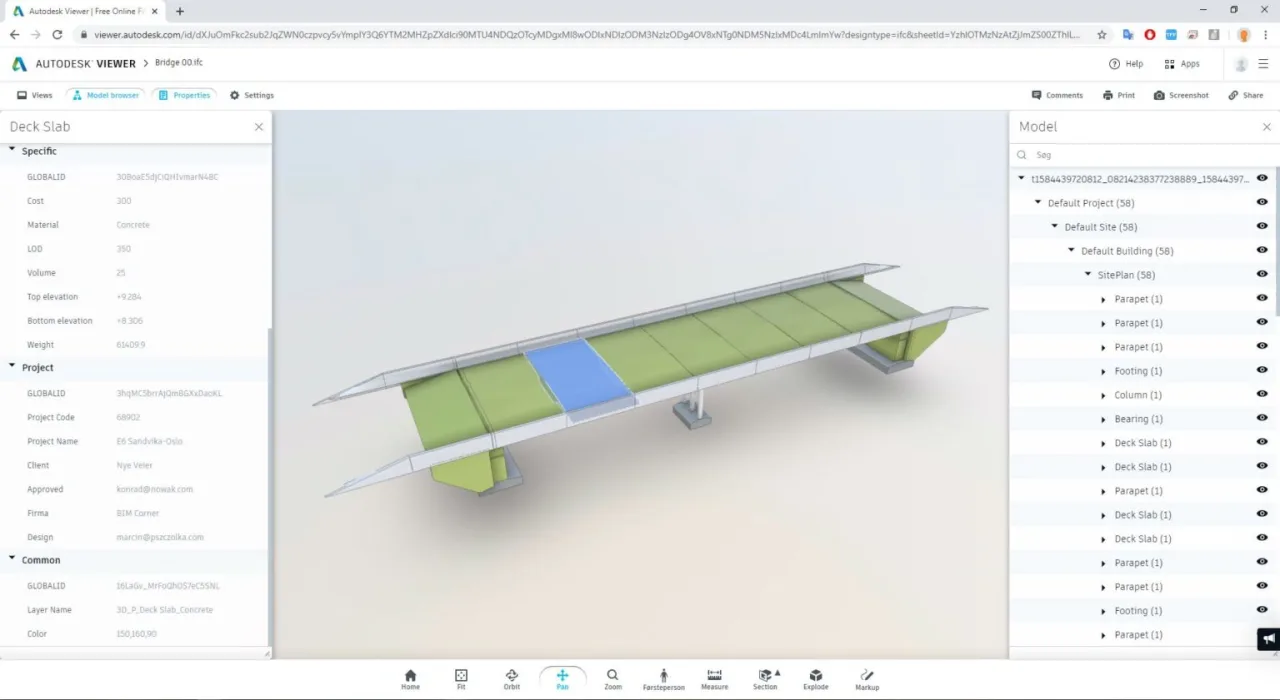
Autodesk Viewer is a free browser-based BIM viewer for 3D models. It displays model content and properties assigned to individual objects in a table format. The tool supports various viewing functions such as track, pan, zoom, sectioning, and explosion views. Use requires a free Autodesk account.
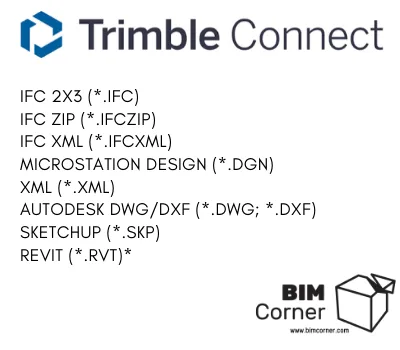
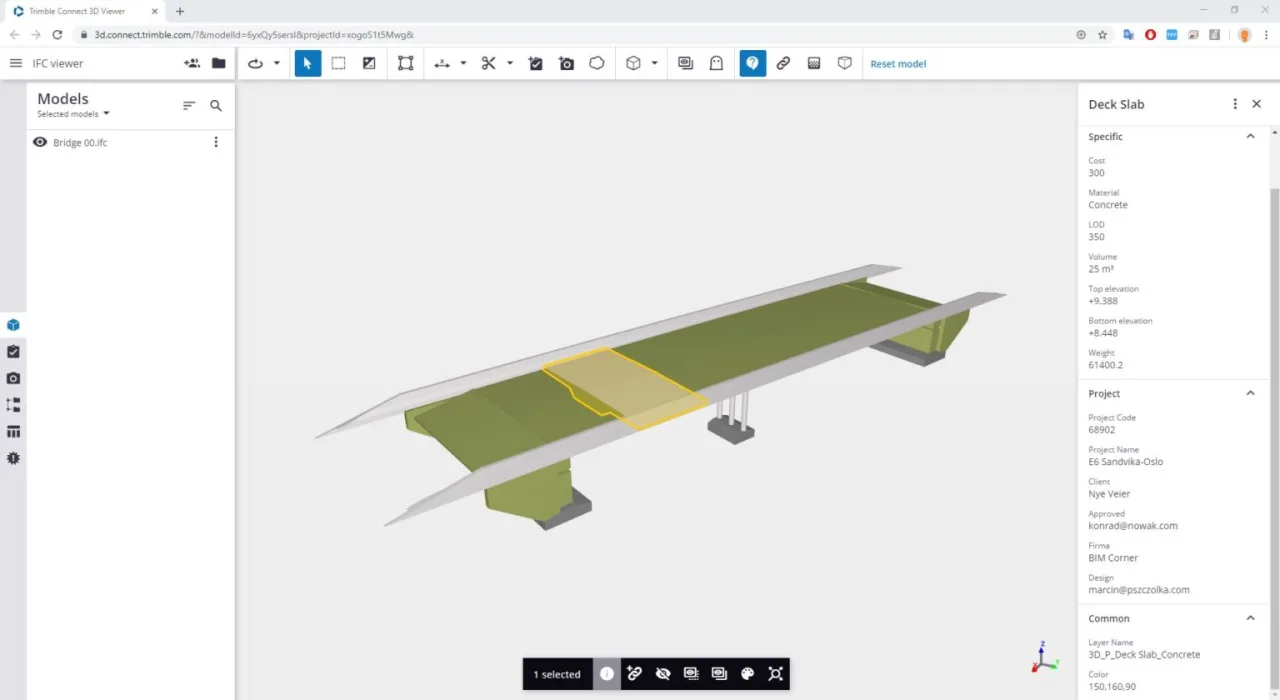
Trimble Connect offers a free trial version (enterprise requires payment) with both browser and desktop clients, replacing Tekla BIMSight. It allows 3D model viewing from various angles with camera controls (rotation, translation, navigation). Users can select objects to extract, hide, or recolor them and inspect assigned non-geometric properties. Data tables can be analyzed, grouped, and exported as CSV files. The paid version adds the ability to modify object information.
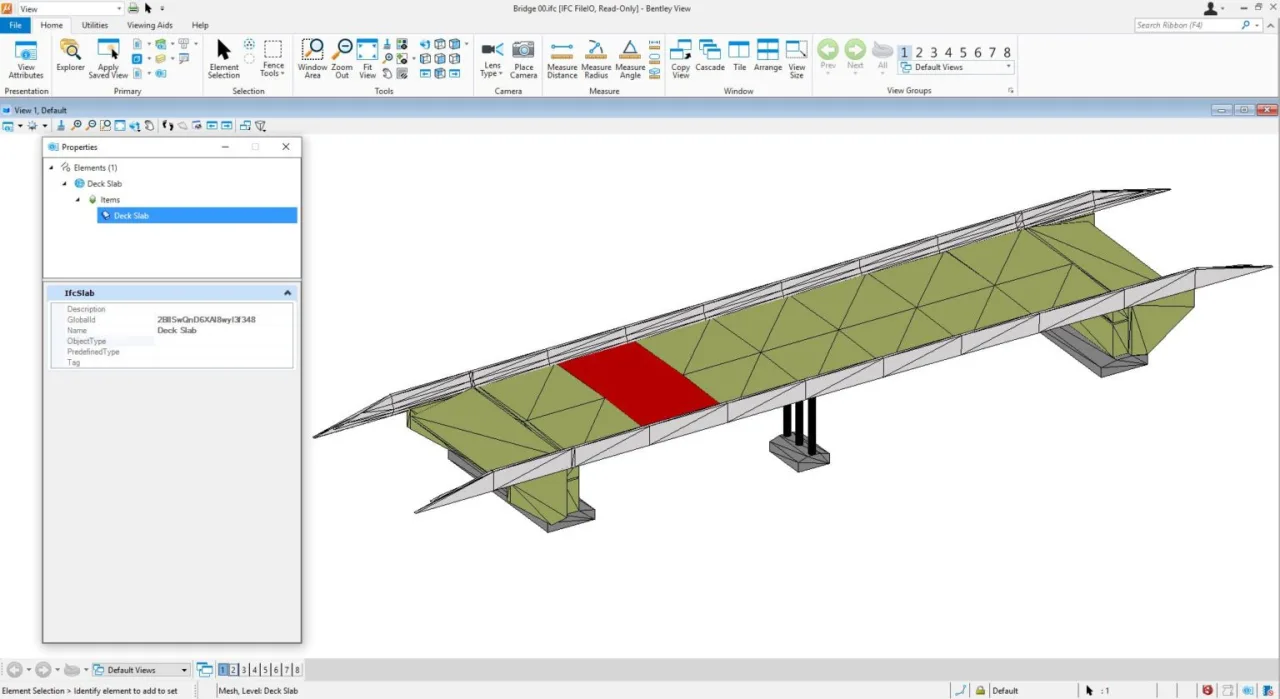
Bentley Viewer is a free desktop application with many MicroStation features for viewing and analyzing 3D geometric models in IFC files. However, it does not provide access to non-geometric property data.
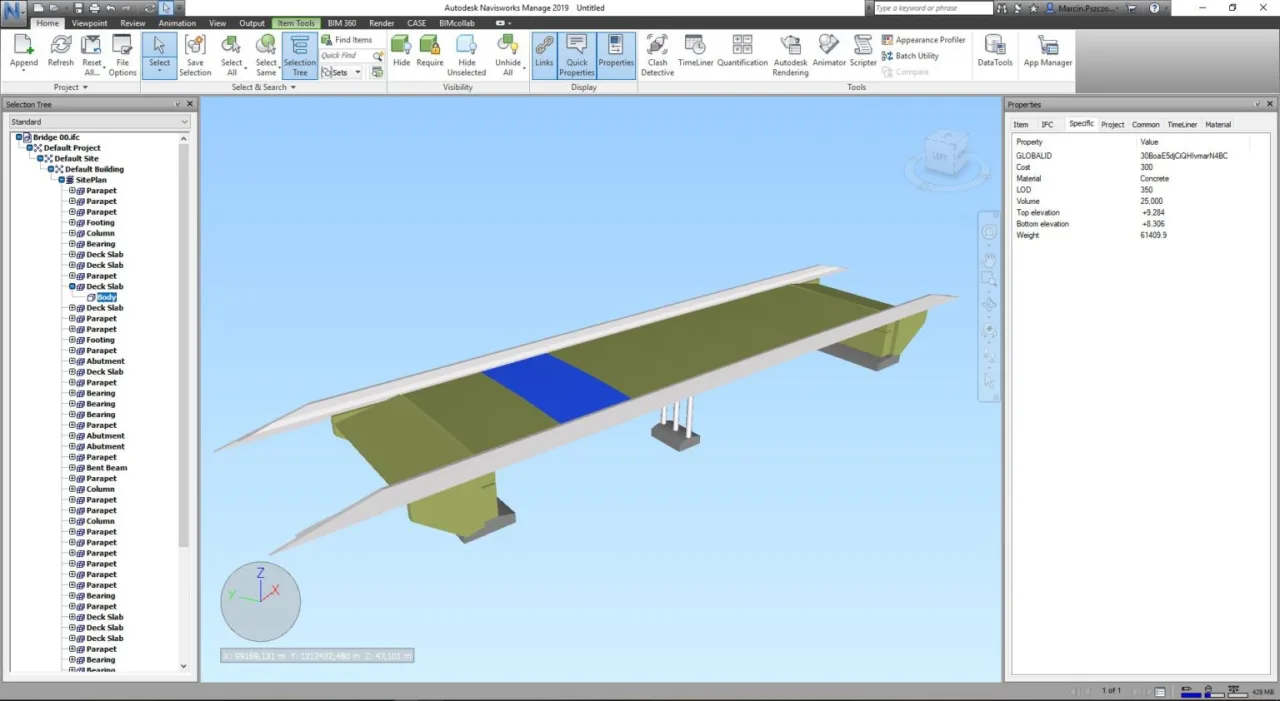
Navisworks is a paid desktop application ($880/year) that allows viewing models from multiple perspectives. It supports object manipulation, including moving coordinates, changing colors, adding textures, adjusting transparency, isolating objects, searching, filtering, and grouping elements (e.g., all pipes with a 200mm diameter). The property window displays detailed information assigned to selected objects.
3. BIM Software for Viewing IFC File Content
Many BIM programs, both free and paid, support IFC file viewing. Below, we examine six selected applications focusing on their IFC support and how they display model information.
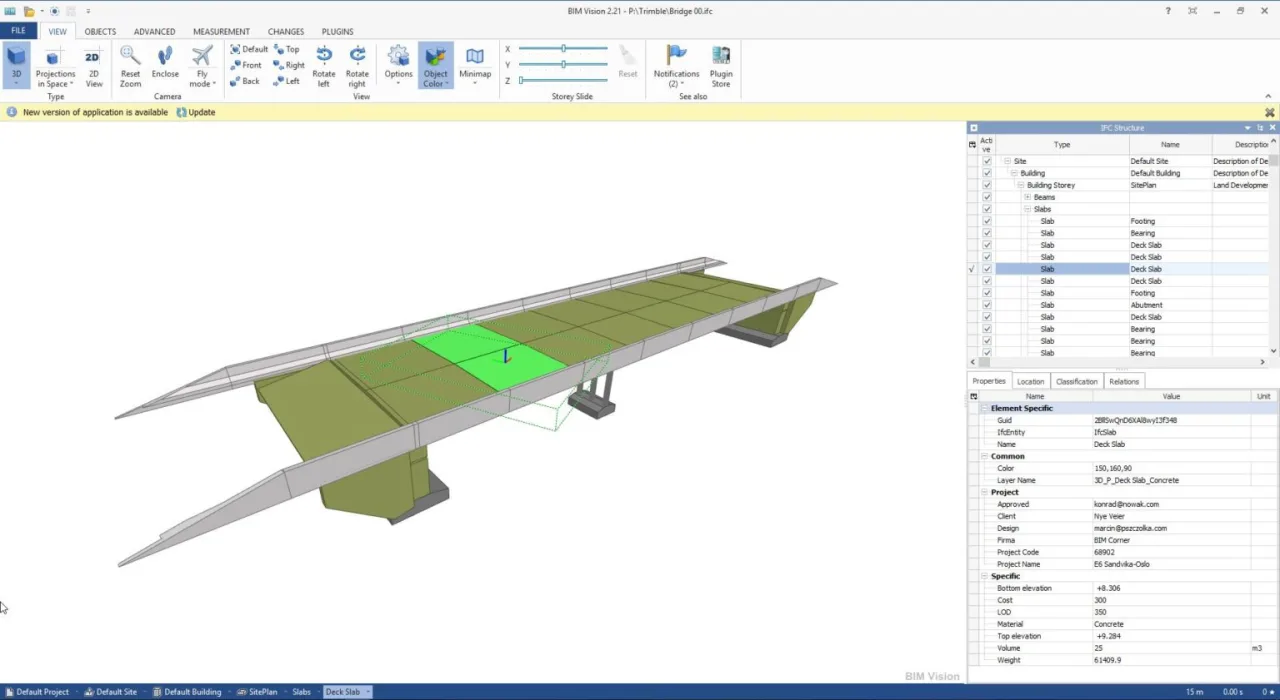
BIM Vision is a free desktop viewer from DataMp (Krakow, Poland) supporting IFC2x3 and IFC4 files. It allows viewing objects from multiple angles with transparency settings. Non-geometric properties are listed in a table with attributes conveniently displayed on a single page, including common, project-specific, and item-specific data. It also provides a classic IFC file structure view.
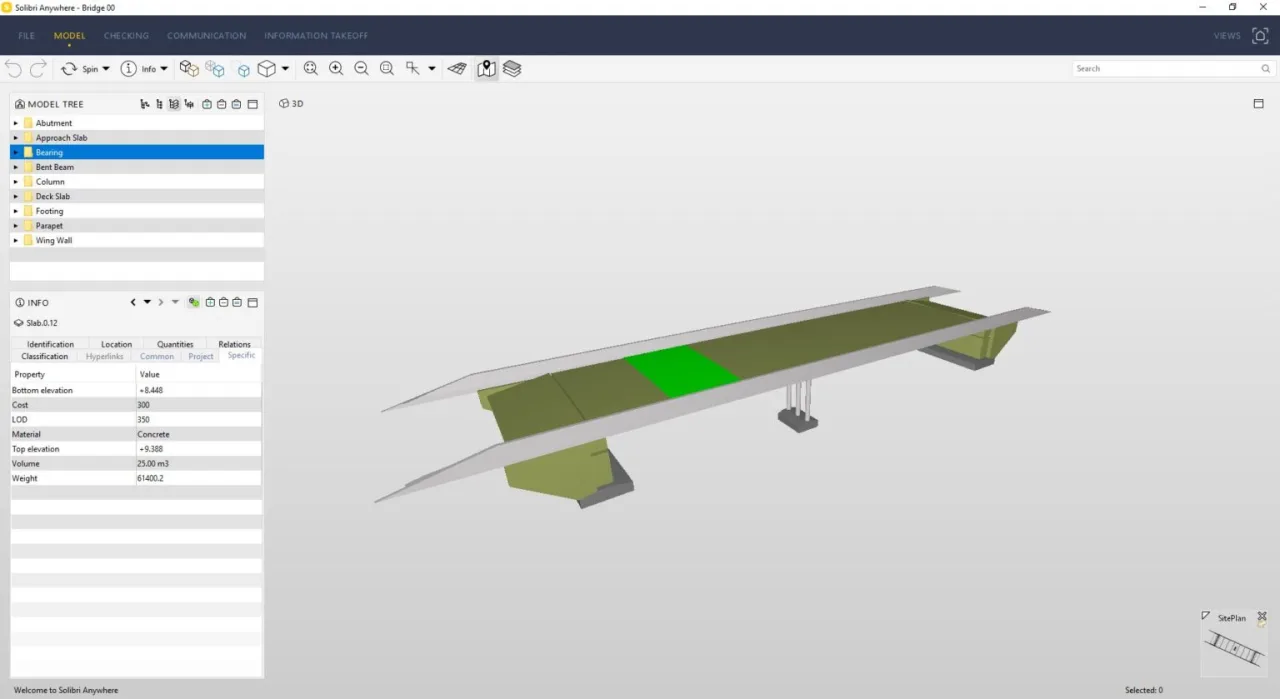
Solibri Anywhere is a free desktop program by Nemetschek that supports IFC file viewing. Users need a Solibri website account to use it. It offers model isolation, transparency controls, and multi-angle viewing. Attributes are viewed in tabs, with individual properties highlighted in blue according to their classification (common, item-specific, specific), contrasting BIM Vision’s single-page display.
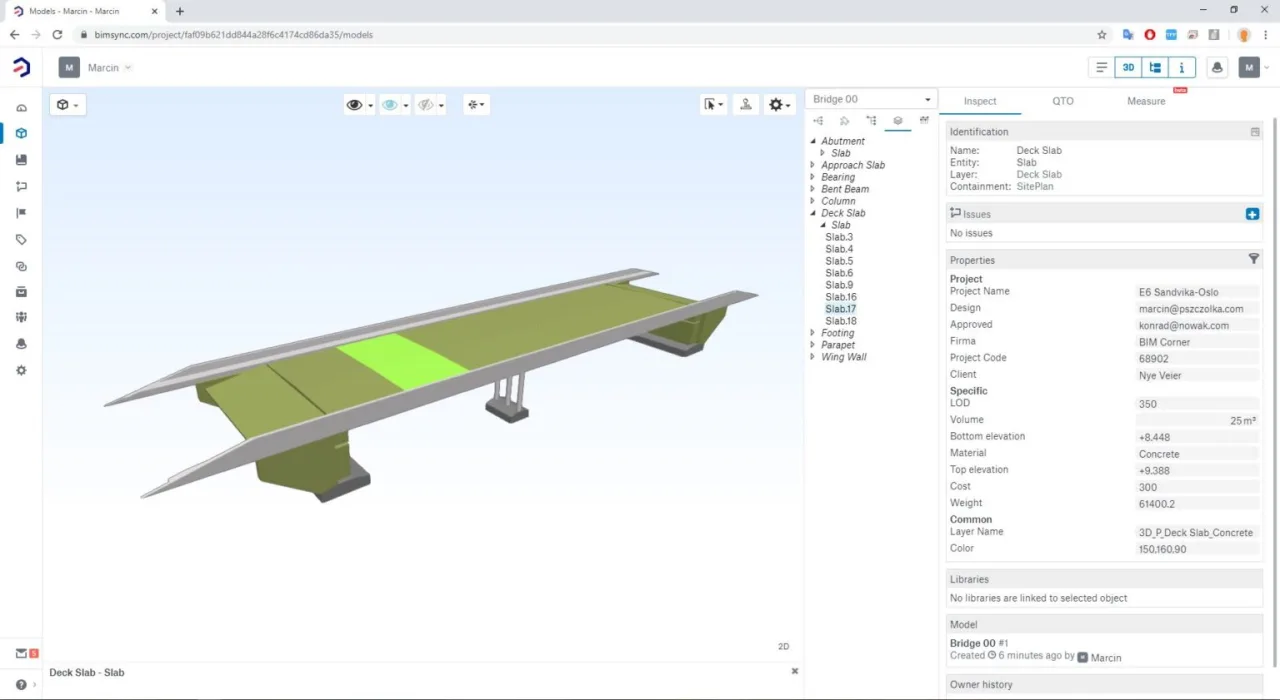
Bimsync is a paid browser-based software enabling IFC file viewing and inspection of user-defined IFC properties, which reduces clutter by hiding unnecessary data. Similar to Trimble Connect, Bimsync allows exporting IFC data to CSV or XLS files.
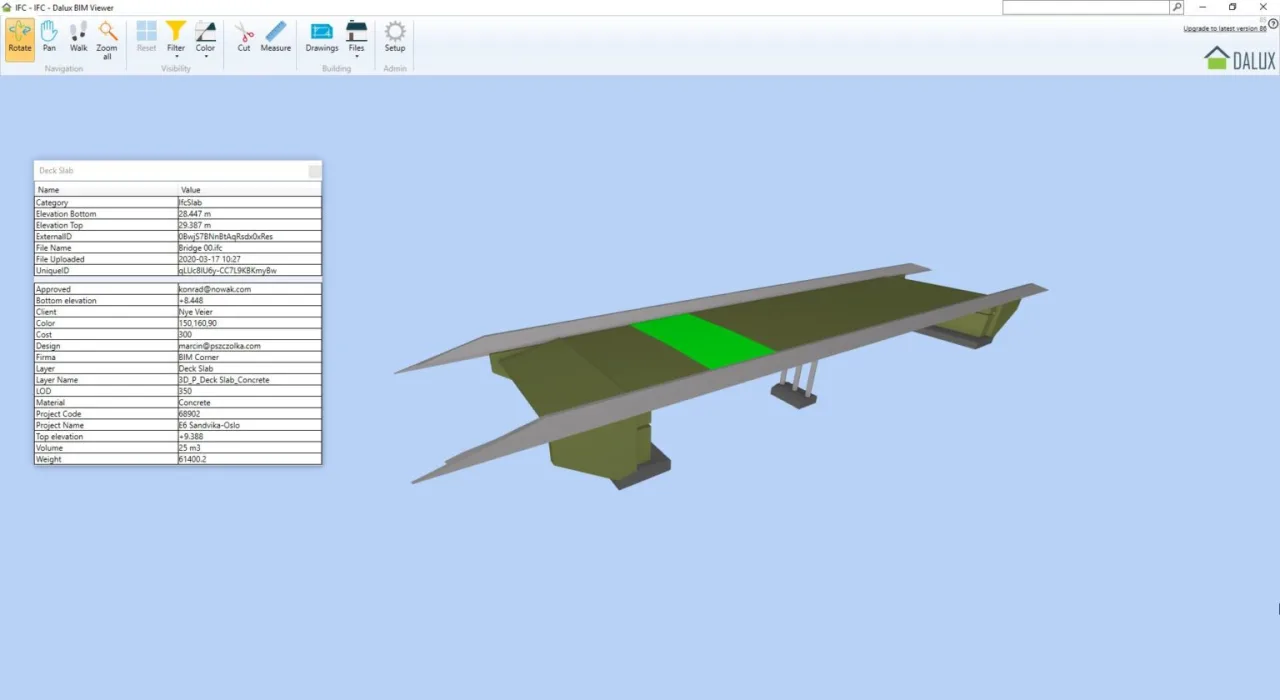
Dalux Viewer is a free IFC viewer with a straightforward interface. It presents object information in a simple tabular format but lacks support for IFC file structure or attribute categorization (common, item, specific), displaying all data at the lowest detail level.
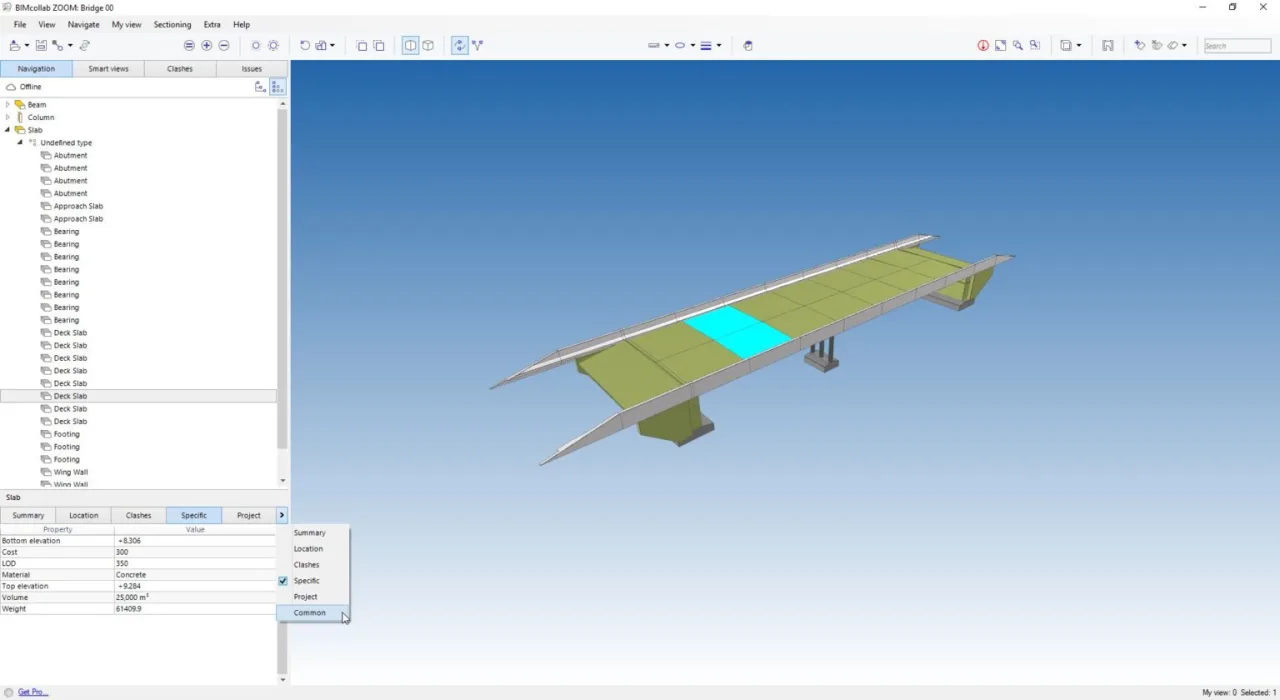
BIM Collab Zoom, from KUBUS, is a free viewer similar to Solibri in how it presents IFC data, with attributes organized into separate tabs and a structured IFC partition. It offers multiple camera modes (track, flight), object isolation, color changes, and transparency adjustments.
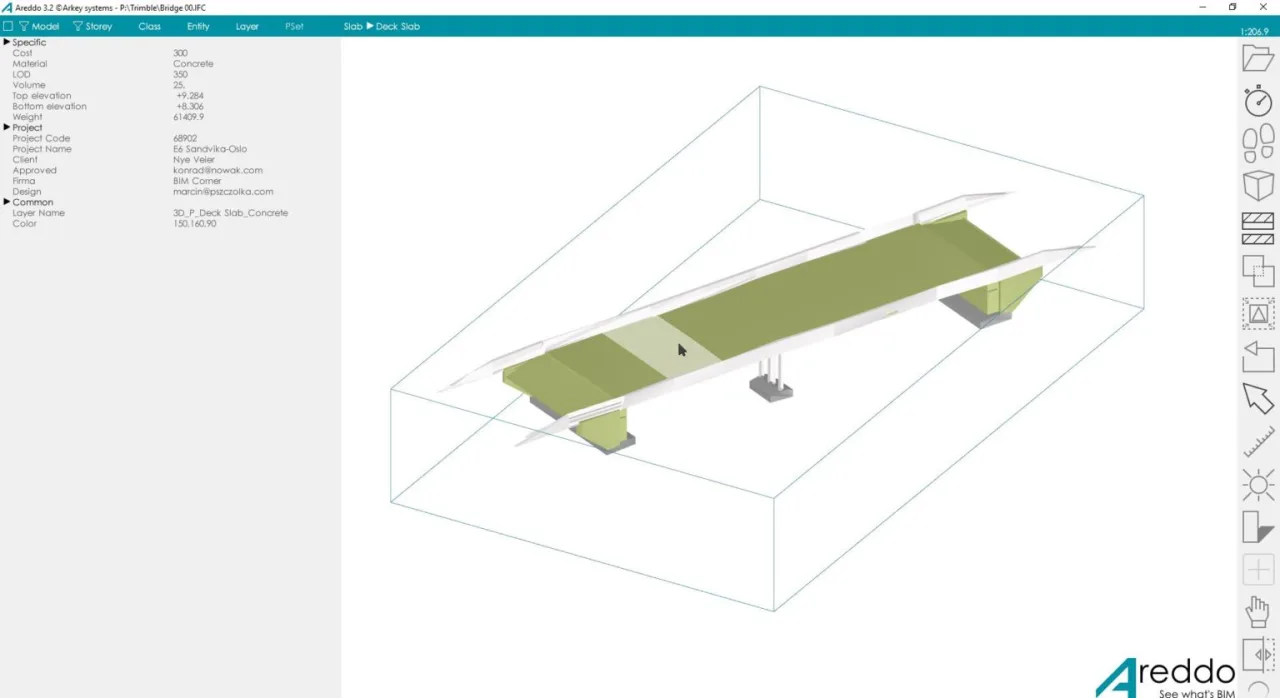
Areddo is a niche free BIM tool that struggles to render IFC 2×3 models properly. It offers basic 3D object viewing and displays IFC file information in a tabular format, but the 3D visualization is less refined compared to other applications.
4. BIM Software for Adding and Editing IFC Information
A common challenge with exporting IFC files is inconsistent data placement despite similar schemas. Several tools help address this issue.
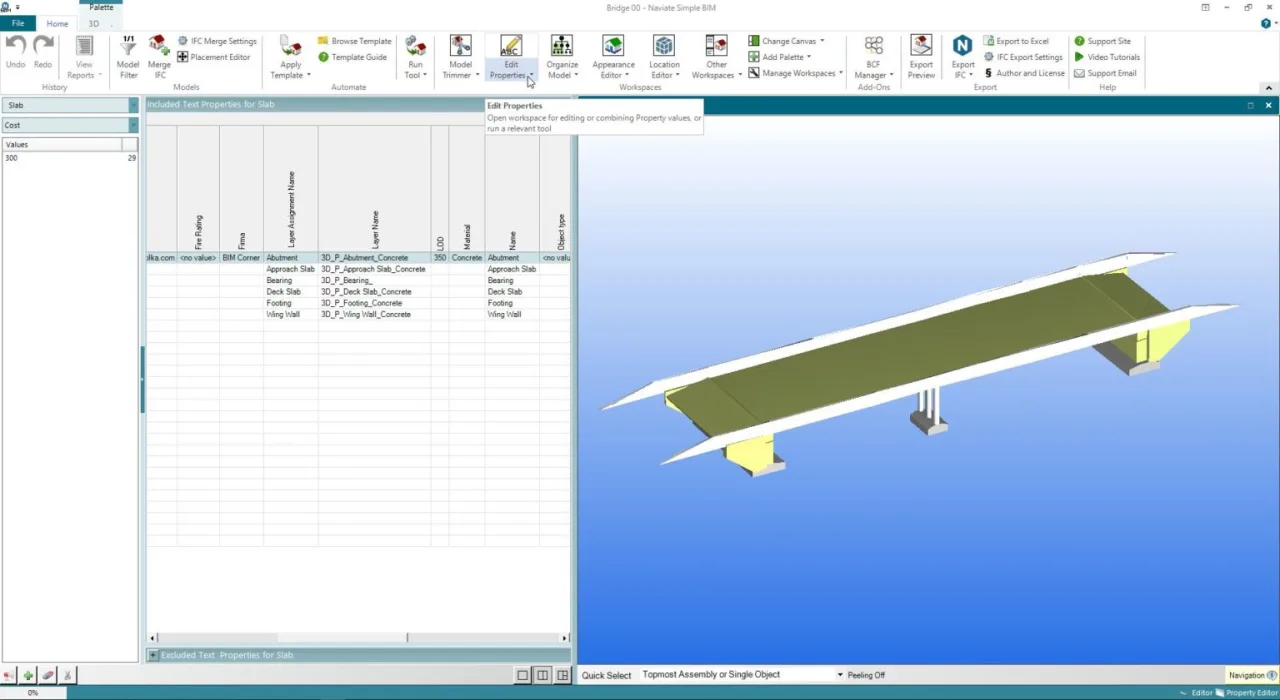
SimpleBIM is a paid desktop BIM software ($1250/year) with a 30-day trial. It supports editing IFC 2×3 and IFC 4 files, allowing users to add and modify attributes on 3D objects. Attribute sets are created externally in XLSX files and imported for editing within the software. Edited files can be exported back to IFC 2×3 or IFC 4 formats.
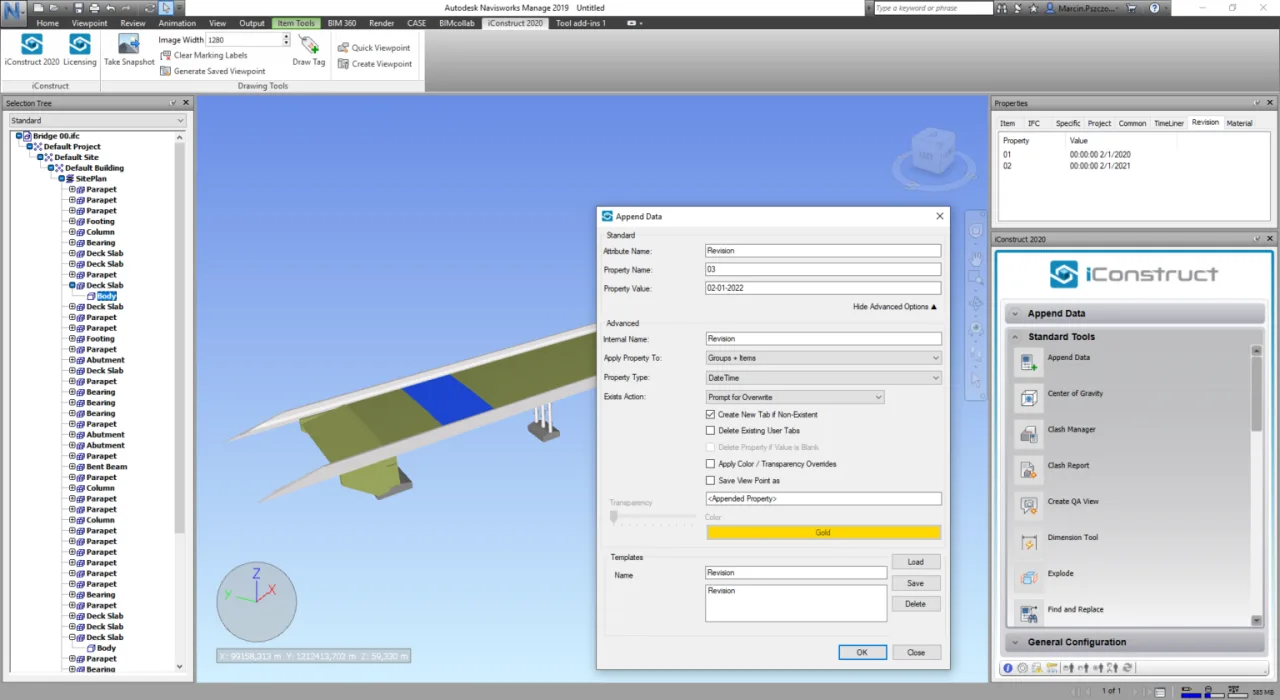
IConstruct is a paid BIM software ($3000/year) functioning as a Navisworks add-on. It includes tools for adding, modifying, or deleting custom data in IFC files. Users can group projects and edit information in user-defined tabs (e.g., specific, revised, generated). It supports exporting files for international financial companies.
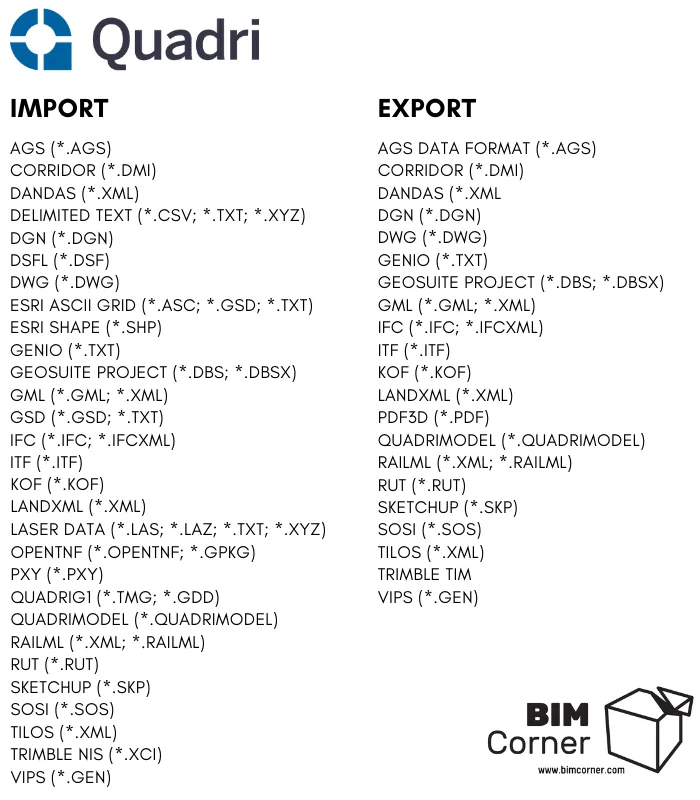
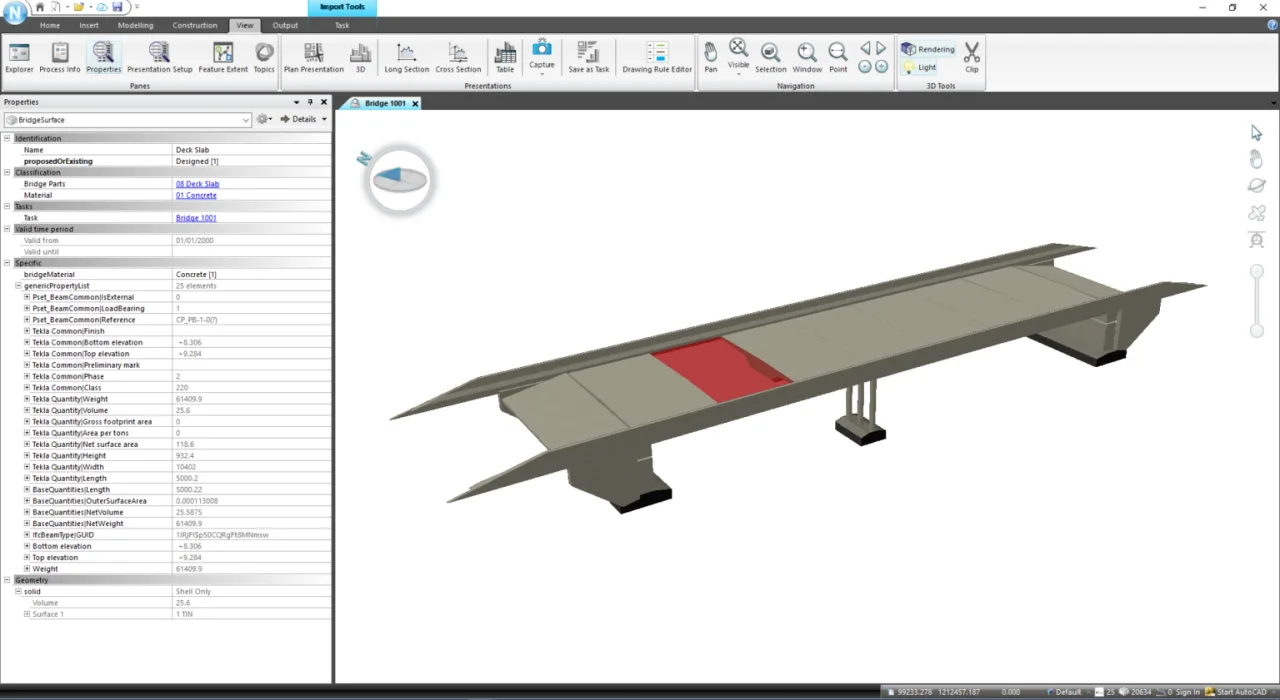
Quadri is unique among this list for supporting viewing and editing of multiple file formats. For visual presentations, importing files into Quadri is recommended. It includes a comprehensive object library with bridge sections, decks, roadbeds, and more. Quadri aggregates files from different environments and standardizes their presentation. Users can add information to graphical objects and export to various formats.
Which BIM software to use? — TOP LIST – Bim Corner
Translation and compilation by BimAnt. Please credit the source when reprinting.
















Must log in before commenting!
Sign Up