
Source: BimLearning

In Tekla Structures, a view represents the model from a specific perspective, displayed in its own window. When you select a part in one view, it will be highlighted across all open views simultaneously.
1. Creating a View
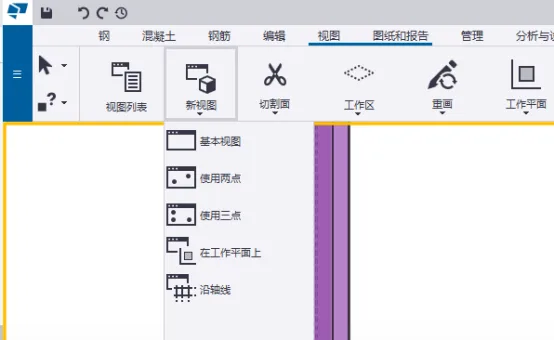
To create a new view, use the View – New View option in the ribbon. This allows you to select the type of view you want, as illustrated below:
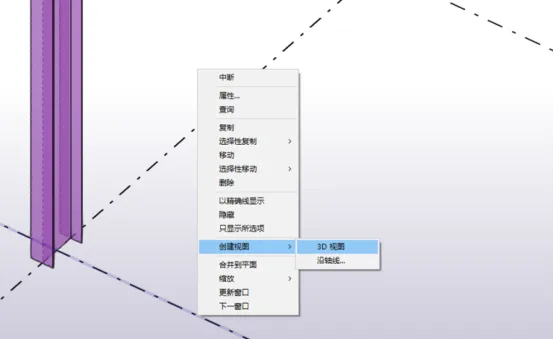
Alternatively, you can right-click on an axis to quickly create a 3D view or generate a view aligned with that axis, as shown in the following image:
2. Opening and Closing Views
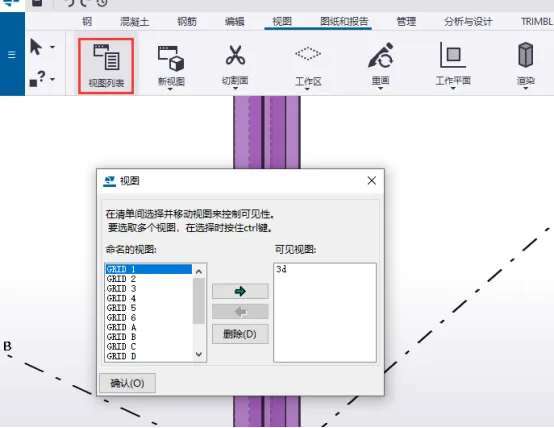
You can open any existing permanent view from the View List in the ribbon. Views can also be closed or deleted when no longer needed, as shown below:
The view window also provides controls for managing multiple views, including layout arrangements, opening and closing views, and shortcut buttons for accessing the view list, as illustrated here:
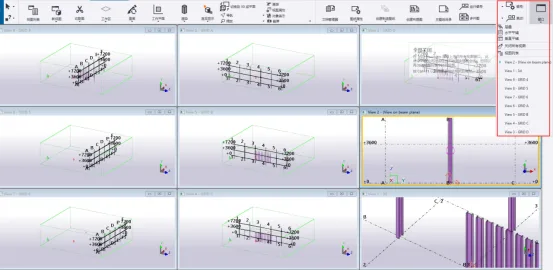
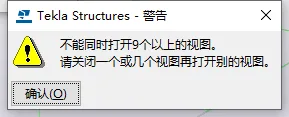
It is important to note that Tekla Structures supports up to nine views open simultaneously. If you attempt to open more than nine views, the following warning will appear:
















Must log in before commenting!
Sign Up