
When working with multiple specification types within a family, editing them individually in the family environment can be time-consuming and prone to errors. Is there a way to streamline this process and improve efficiency?
Let’s explore this by using the example of a single-layer louver vent family, shown in Figure 1, to demonstrate the editing process.
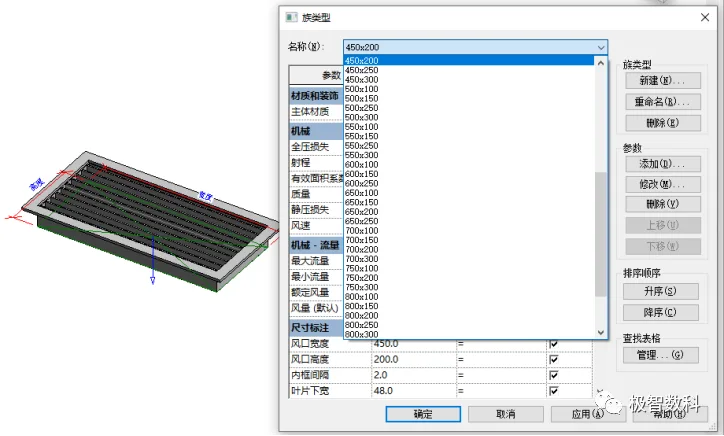
Figure 1
First, select a family template to create a family type and add multiple specification types within it. After creating these types, users can utilize the export function in Revit, as shown in Figure 2, to export the family types into a .txt file format.
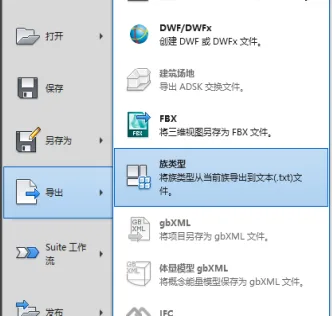
Figure 2
Open the exported .txt file in Excel, and format it as illustrated in Figure 3.
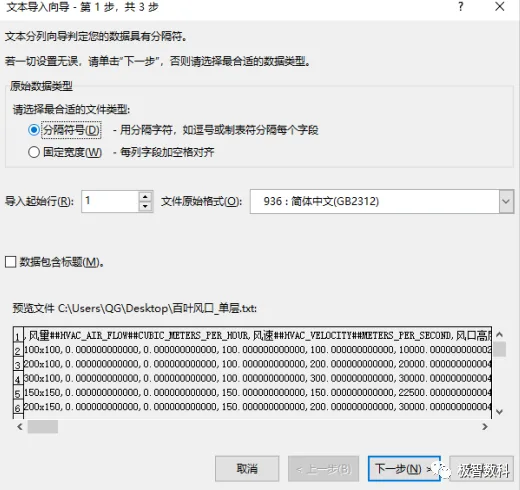
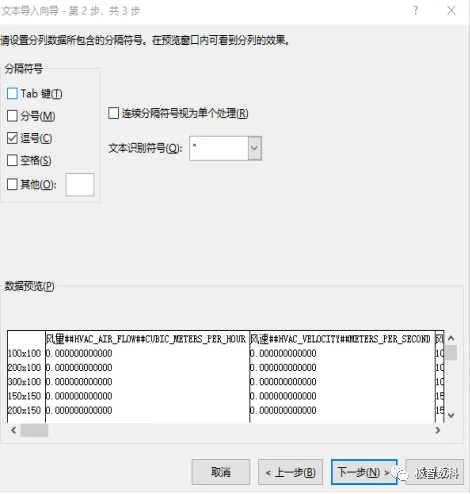
Figure 3
At this stage, users can batch edit parameters such as specification types and materials directly within the Excel spreadsheet, as shown in Figure 4. Once edits are complete, save the file in .csv format.
Then, use Revit’s built-in “Import Family Types” command to apply the batch changes to the multi-specification family.
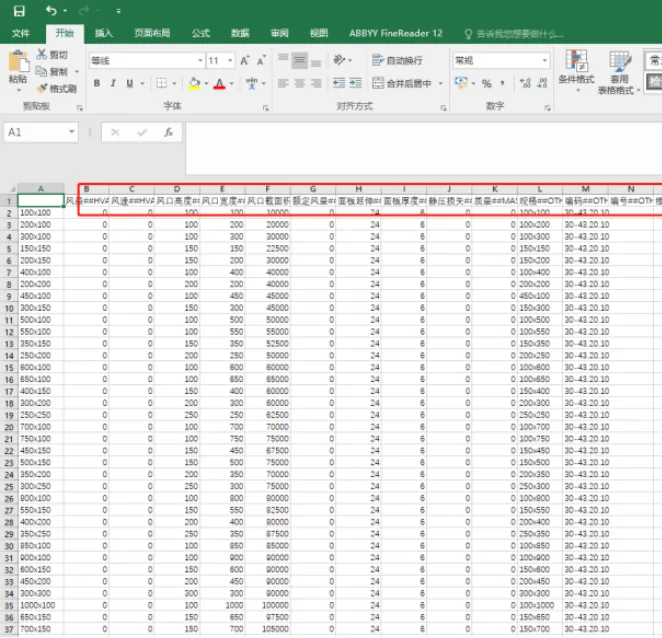
Figure 4
This batch editing approach not only significantly improves editing efficiency but also enhances accuracy, effectively doubling productivity.
















Must log in before commenting!
Sign Up