
Source: BimLearning
The bolt catalog includes various bolt components such as bolts, nuts, and washers in different sizes and lengths. Each bolt component is made up of these elements. If a bolt is not part of the bolt component catalog, it cannot be used within the system. The bolt components are organized and listed in this catalog.
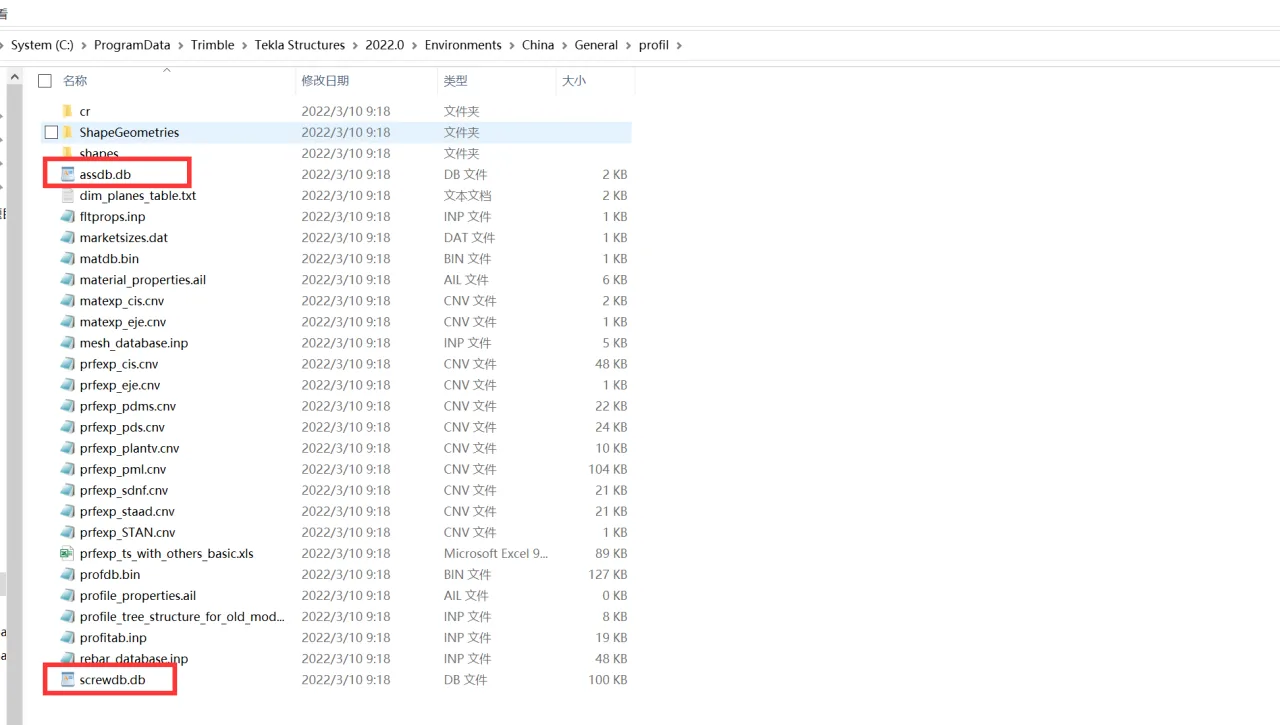
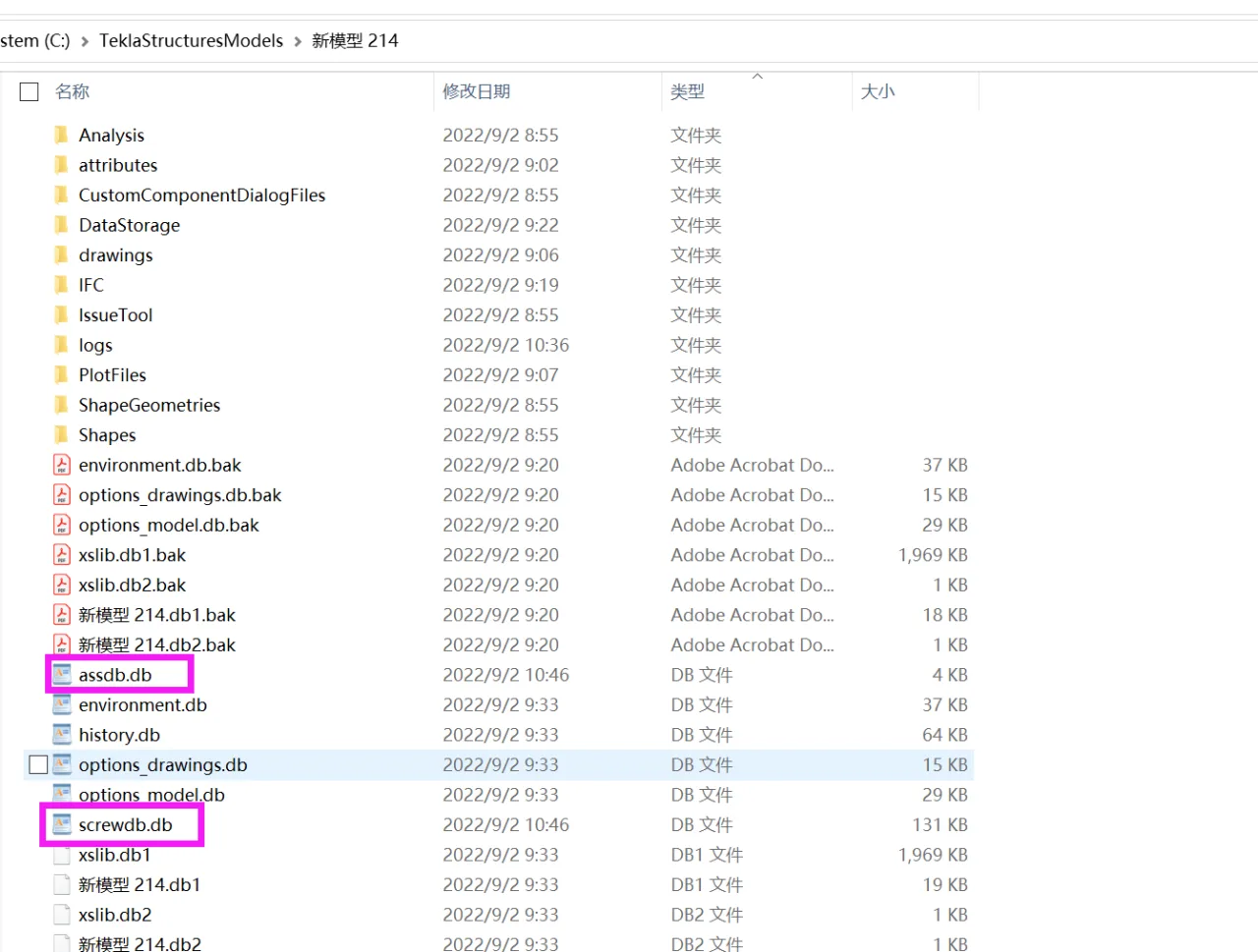
Tekla Structures stores the bolt catalog data in the screwdb.db file, while the bolt component catalog information is saved in the assdb.db file.
Note: The directory file location is shown in the image below, though it may vary depending on your Tekla version.
1. Bolt Catalog
The bolt catalog contains detailed attributes for the various elements that make up bolt components, including bolts, studs, nuts, washers, and other related information.
Bolt:
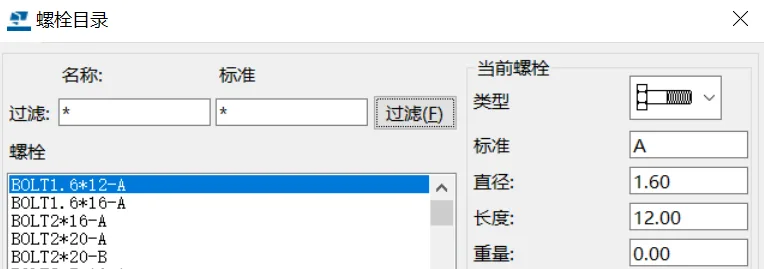
Bolt (overview):
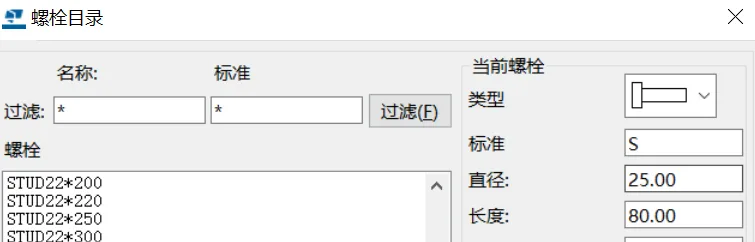
Nut:
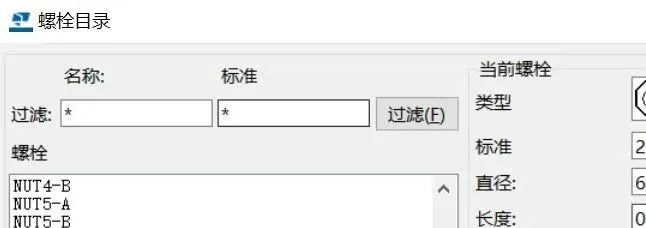
Shim:
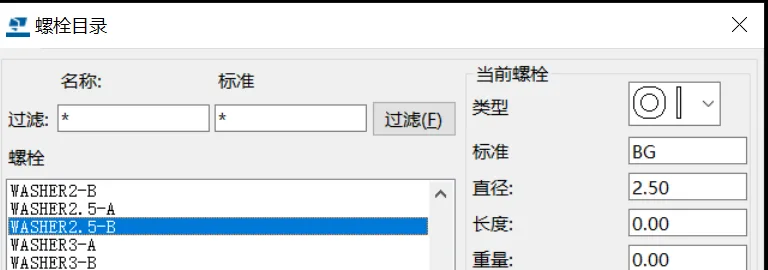
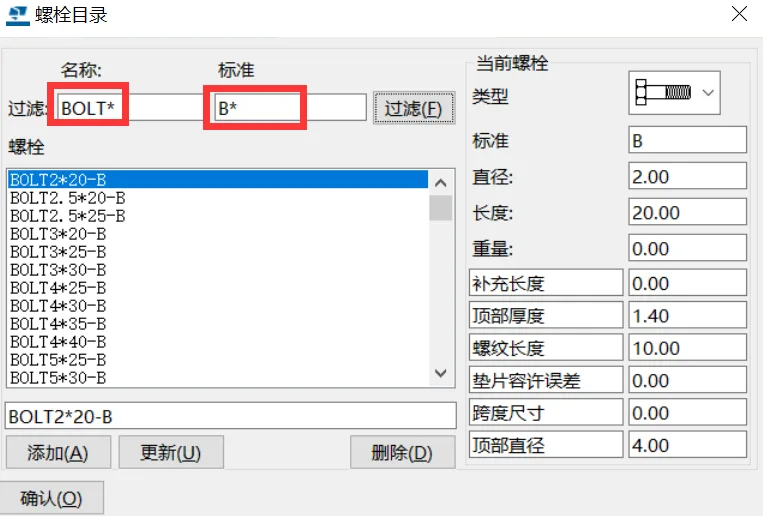
(1) Filtering
You can quickly find specific bolt parts by filtering through their names and labels. Use an asterisk (*) after your filter term to match multiple entries, as shown below:
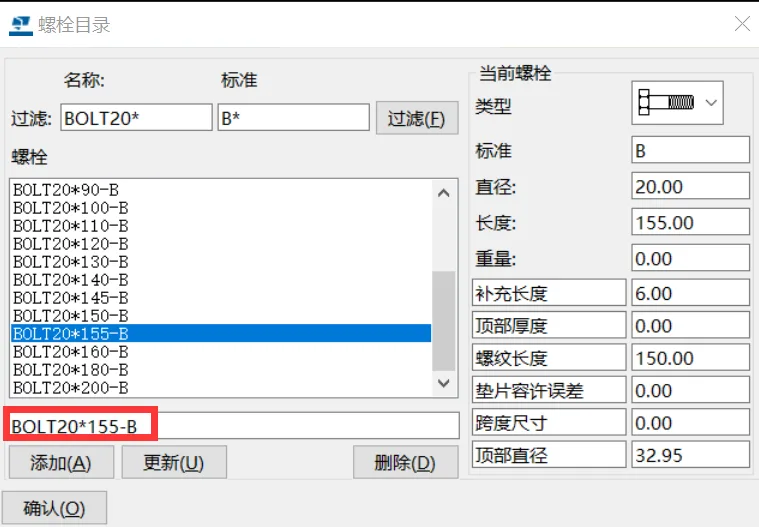
(2) Adding a New Bolt Component
To create a new bolt, nut, washer, or stud, start by locating a standard library entry with similar specifications. Modify parameters such as type, standard, diameter, etc., and rename the new part in the red box. Click Add to create a new part library entry in the bolt catalog.
(3) Modifying and Deleting Bolt Components
Sometimes the built-in system library may contain incomplete data, such as missing weights. In such cases, locate the target part, modify the relevant data, and click Update to save the changes.
To remove a part from the bolt catalog, select it and click Delete. The selected part will be permanently removed.
2. Bolt Component Catalog
The bolt component catalog represents combinations of bolts, nuts, and washers.
Each standard bolt component entry includes a default combination of bolts, nuts, and washers, which you can customize. The procedures for adding, updating, and deleting entries are similar to those used in the bolt catalog.
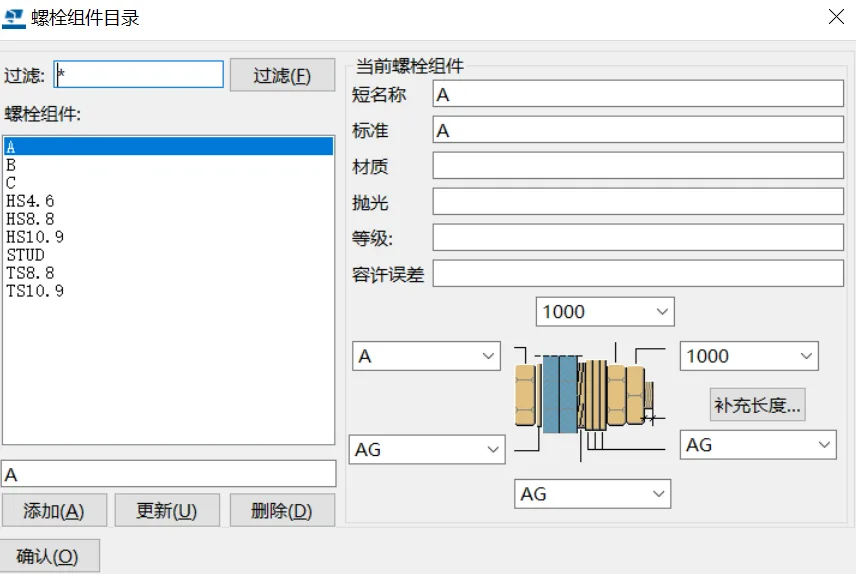
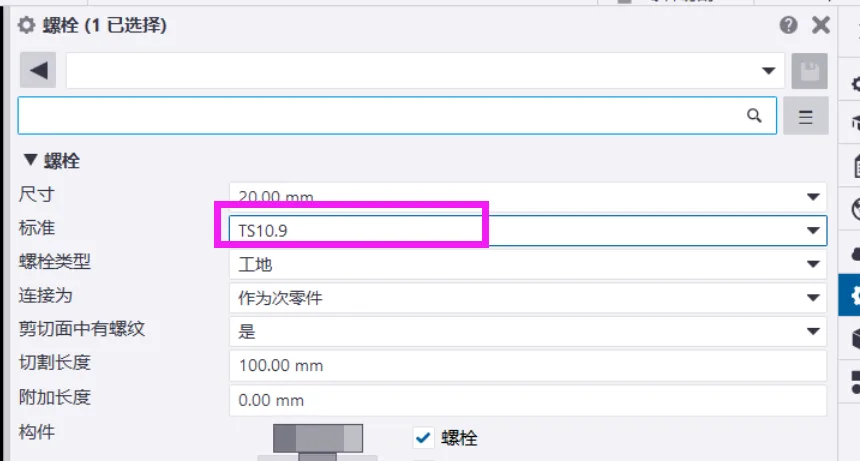
The bolt component catalog settings are reflected in the bolt properties standards, as shown below:
Additional Length for Bolt Calculation
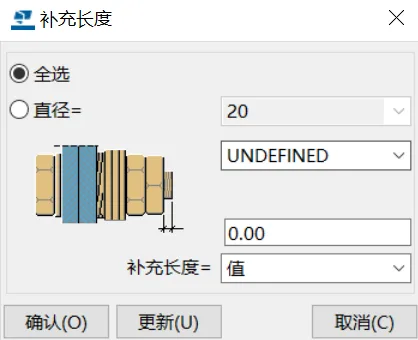
The supplementary length specified in the bolt catalog impacts the total length of the bolt used. The attributes related to this supplementary length are:
- Select all: Applies the additional length to all standard bolts;
- Diameter: Applies only to bolts with the selected diameter;
- Supplementary length value: Adds a fixed length value to the bolt;
- Supplementary length value × diameter: Adds a variable length calculated by multiplying the supplementary value by the bolt diameter.
3. Importing and Exporting Bolt and Bolt Component Catalogs
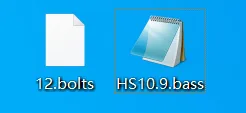
You can import or export bolt and bolt component catalogs by right-clicking the directory files. By default, the bolt catalog files use the .bolts extension, and the bolt component catalog files use the .bas extension.
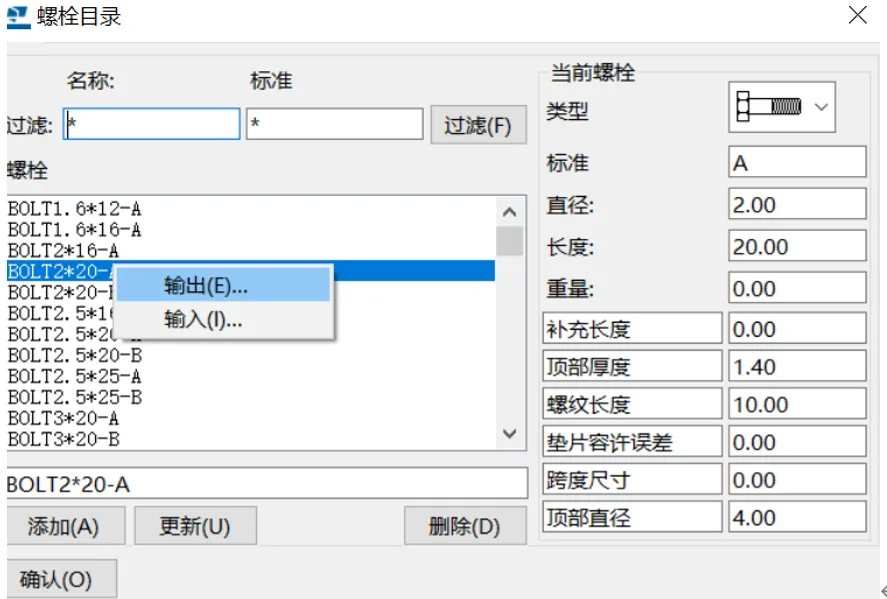
Additionally, when the bolt or bolt component catalog is updated, new screwdb.db and assdb.db files will be saved in the model folder.
Additional Notes
Sometimes when opening a model, bolts may appear as simple lines in the model view. This usually indicates an incomplete bolt catalog. To fix this, you can copy bolt catalog files such as screwdb.db and bolt component catalog files like assdb.db from another source directly into your model folder.
















Must log in before commenting!
Sign Up