
The process of importing Revit models into Guanglian Da civil engineering calculation software and reinforcing bars in Guanglian Da steel bar calculation software is outlined below:
1. Export the “.gfc” format interaction file between Revit and Guanglian Da civil engineering calculation software using the GFC plugin.
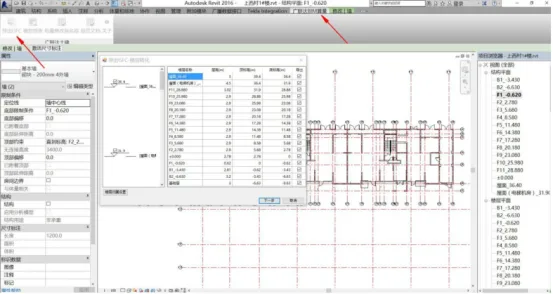
Figure 1: Exporting the GFC interaction file
2. In the civil engineering calculation software creation wizard, select the list rules and quota rules corresponding to your province.
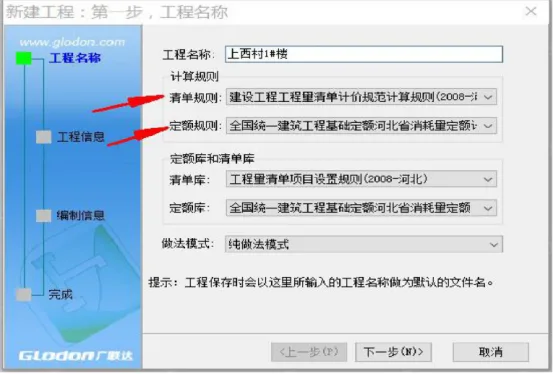
Figure 2: Selection of Calculation Rules
3. Import the previously exported interactive file into Guanglian Da civil engineering calculation software to perform component calculations. Then, add any models not created in Revit, such as earthworks, into the civil engineering calculations. Review and modify the models as needed, and finally summarize the calculations.
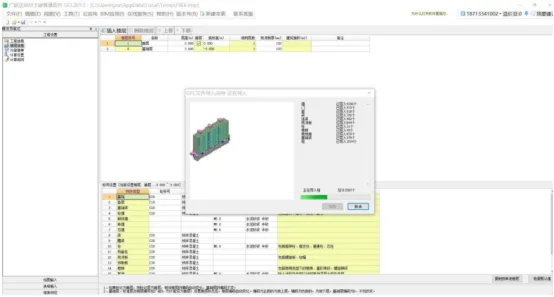
Figure 3: Importing GFC interactive files into civil engineering calculation software
4. Import the updated model into Guanglian Da steel reinforcement software. Reinforce the model components according to the structural drawings, then summarize and calculate the reinforcement.
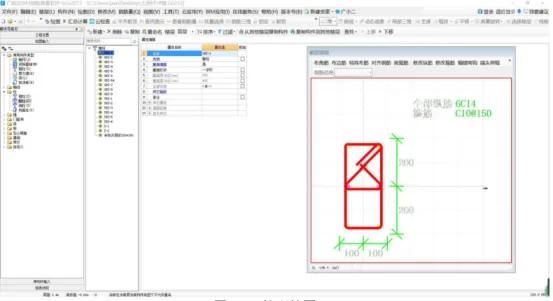
Figure 4: Column Reinforcement Diagram
















Must log in before commenting!
Sign Up