
Source: BIM Tower of Babel

The Family Editor Interface is a free, open-source Revit plugin developed by @ArchilizerLtd. It allows users to edit family parameters using sliders or data input directly within the family editing environment. This interface enables dynamic feedback on the shape of family files controlled by these parameters.
01 Plugin Installation
To install the plugin, visit the official Autodesk App Store and download the installation file “ArchilizerFamilyEditorInterface.MSI”. Once downloaded, simply double-click the file to complete the default installation. The latest version, 2.0.2, supports Revit 2023.
02 User Interface
After installation, open Revit and select the Archilizer tab from the menu.
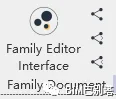
The Family Editor Interface button launches the main plugin interface. To the right, there are three functional buttons:
① Synchronize family parameters

② Import parameters from the current family file into a nested family

③ Import parameters from nested family files into the current family file
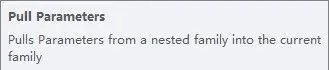
Clicking the main function button opens the family parameter control interface, where parameters are categorized into three types:
① Value parameters
② Built-in parameters
③ Yes/No parameters
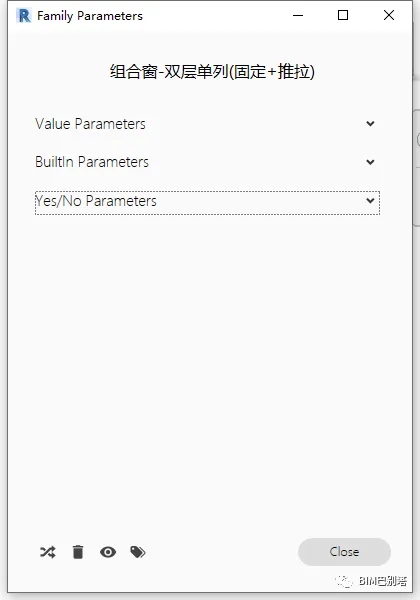
Within this window, you can modify parameters by moving sliders, editing values, or directly changing parameter names. Changes are reflected in real-time within the model.
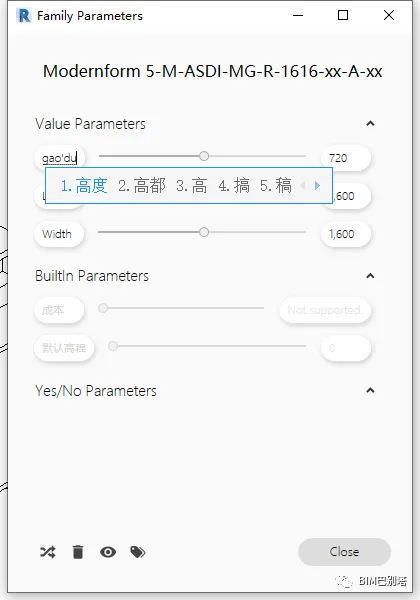
Below the parameter window are four function buttons:
• Randomly generate parameter values
• Delete all unused parameters
• Show or hide non-editable parameters
• Display labels
Clicking the “Show Tags” button toggles the display of tags for various parameters, including shared parameters, usage status, and those controlled by formulas.
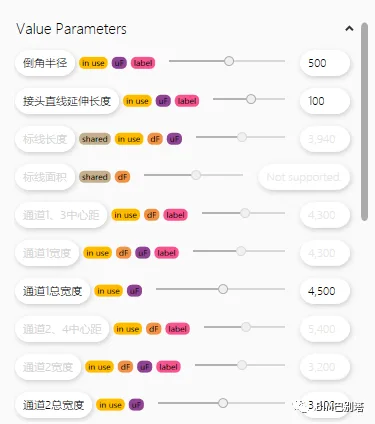
This plugin primarily focuses on editing and modifying length and size parameters. It simplifies the process of parameter transfer when working with nested families, eliminating the need to create new parameters repeatedly.
















Must log in before commenting!
Sign Up