
Content source: Yuanchuang BIM

1. Related Instructions
To enhance the visual quality and rendering effects of the site layout model, we have carefully studied and refined the material settings and rendering parameters of the primary model components. This article offers a concise summary of that research, providing a useful reference for professionals involved in similar projects.
This site layout research is conducted using Revit software. In future stages, we plan to explore functionalities in other software platforms, focusing on modeling speed, accuracy, visual quality, and drawing standards to maximize the practical value of site layout models and meet the needs of various application scenarios.
2. Material Parameter Settings
Assuming that readers are already familiar with model construction and the standard site layout families in Revit, this section will not revisit those basics.
Below is a summary of the material parameter settings used:
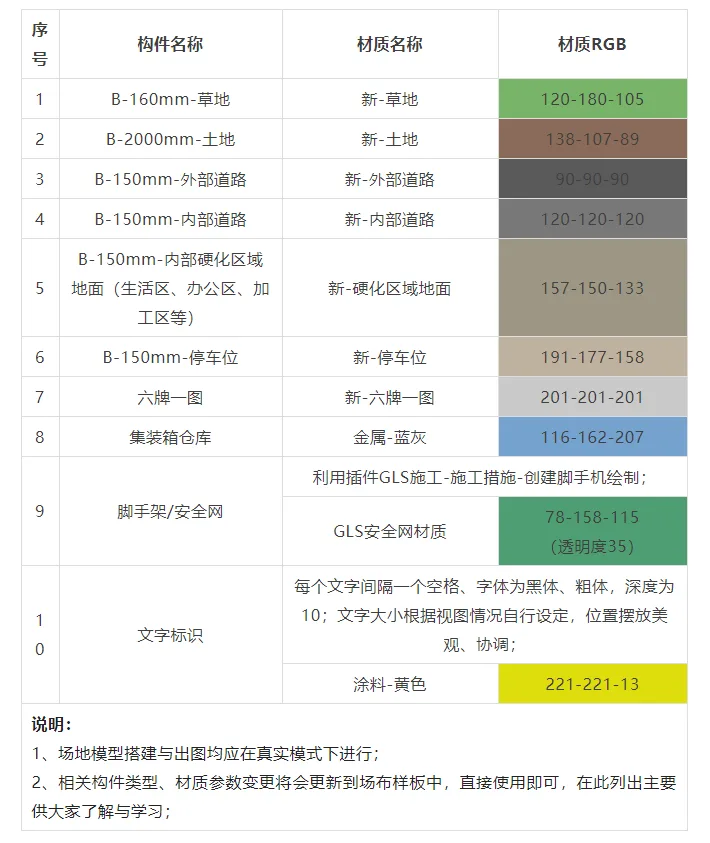
3. Parameter Settings for Site Layout Views
Begin by copying and renaming the default 3D view to prepare for image creation. Keep the original “3D” view intact, and rename the copied views as follows: 3D Layout Plan, 3D Layout View 1, and 3D Layout View 2.
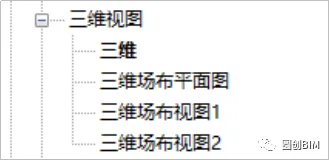
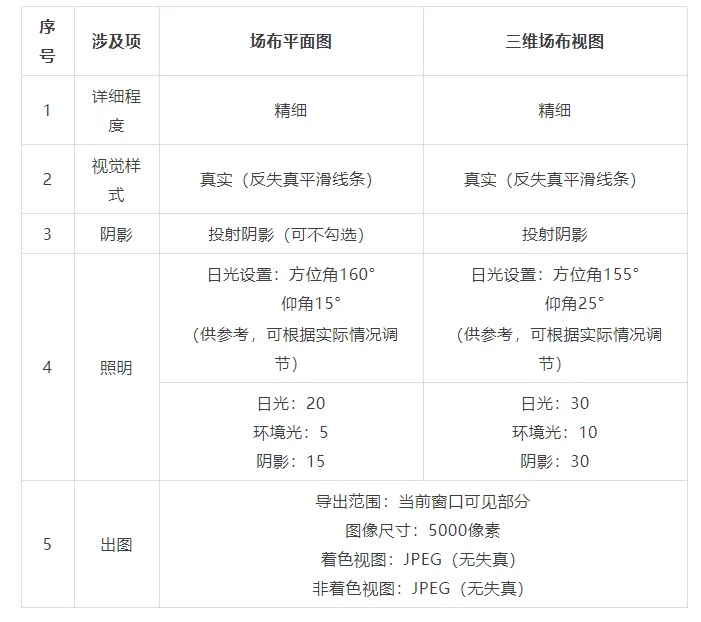
The relevant parameter settings for these views are detailed in the table below:
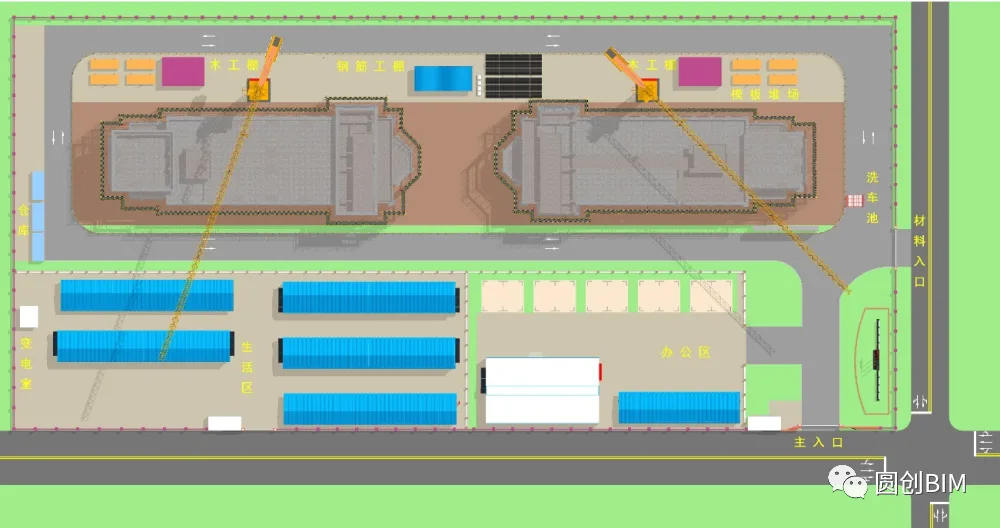
Here are examples showcasing the rendering effects:
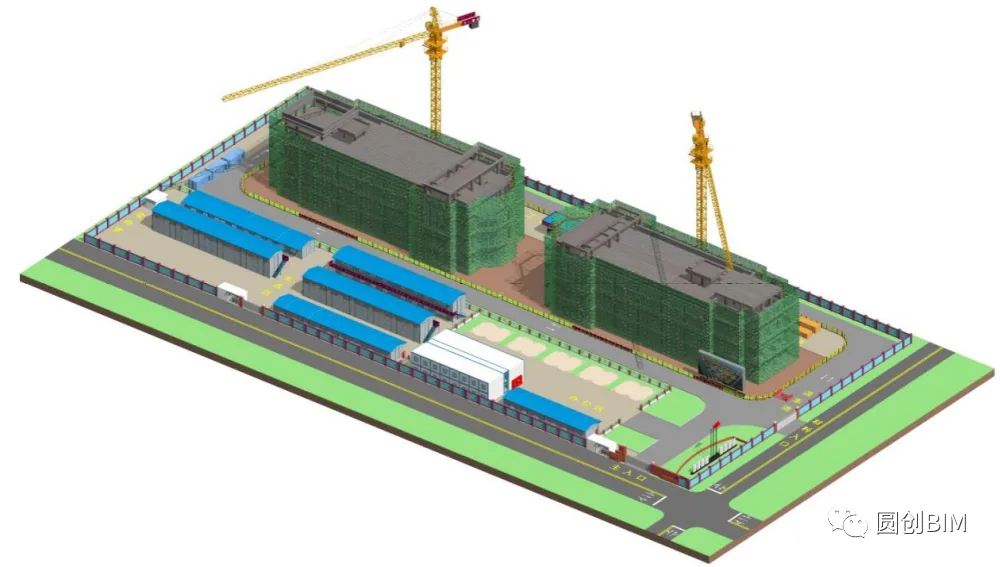
This concludes the summary and introduction to 3D site layout, including modeling materials and drawing experience. We hope this information proves helpful to all readers.
Thank you for reading. See you in the next issue!
















Must log in before commenting!
Sign Up