
This article is from the WeChat official account: BimLearning.
At the end of 2021, Tekla Structures’ website underwent a major update. The new and old official sites have slight interface differences, which affect the account registration process as well as the registration for the educational version.
This article focuses on the steps to register and activate an account for Tekla Structures’ educational version.
Step 1: Double-click to open the software and select the option to create a new account. (This applies to Tekla 2019 and later versions.)
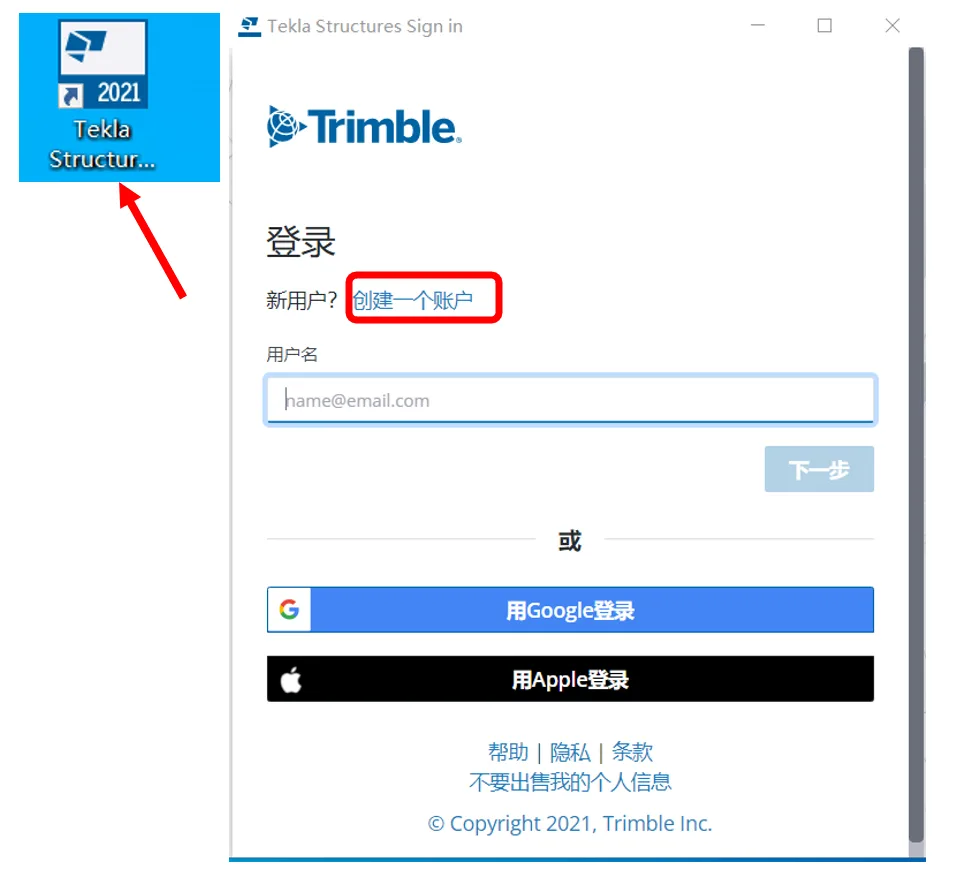
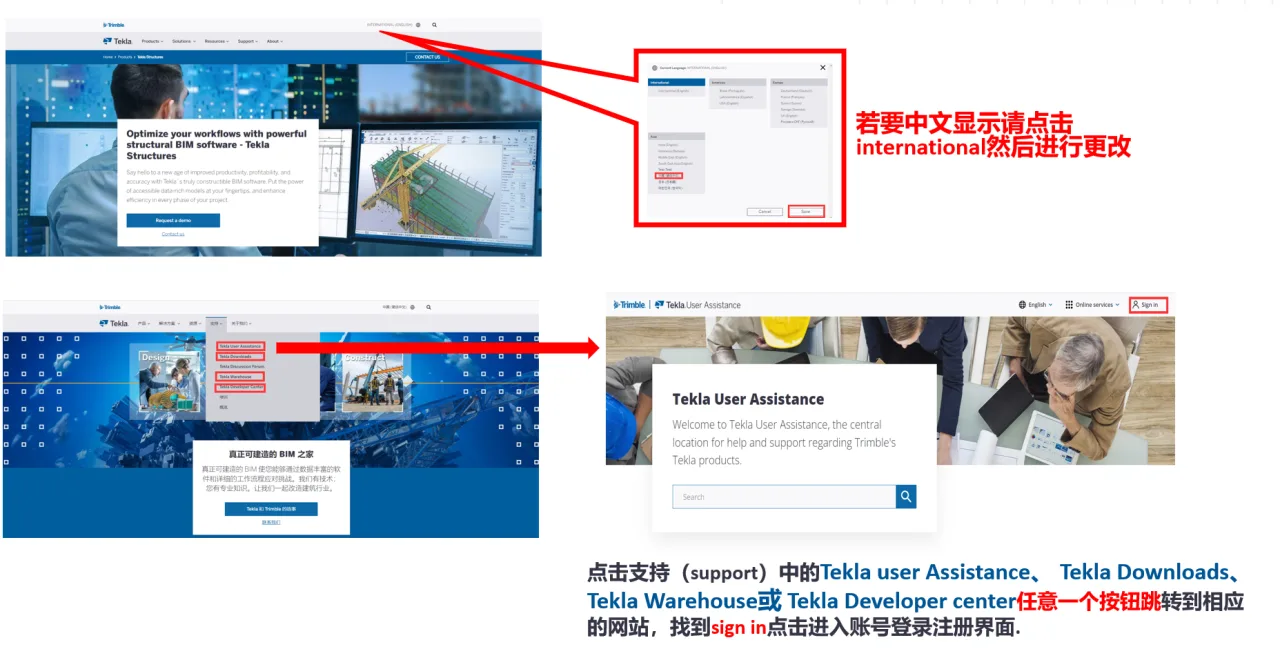
Alternatively, you can open the registration page directly via __AI_ST_URL_0__.
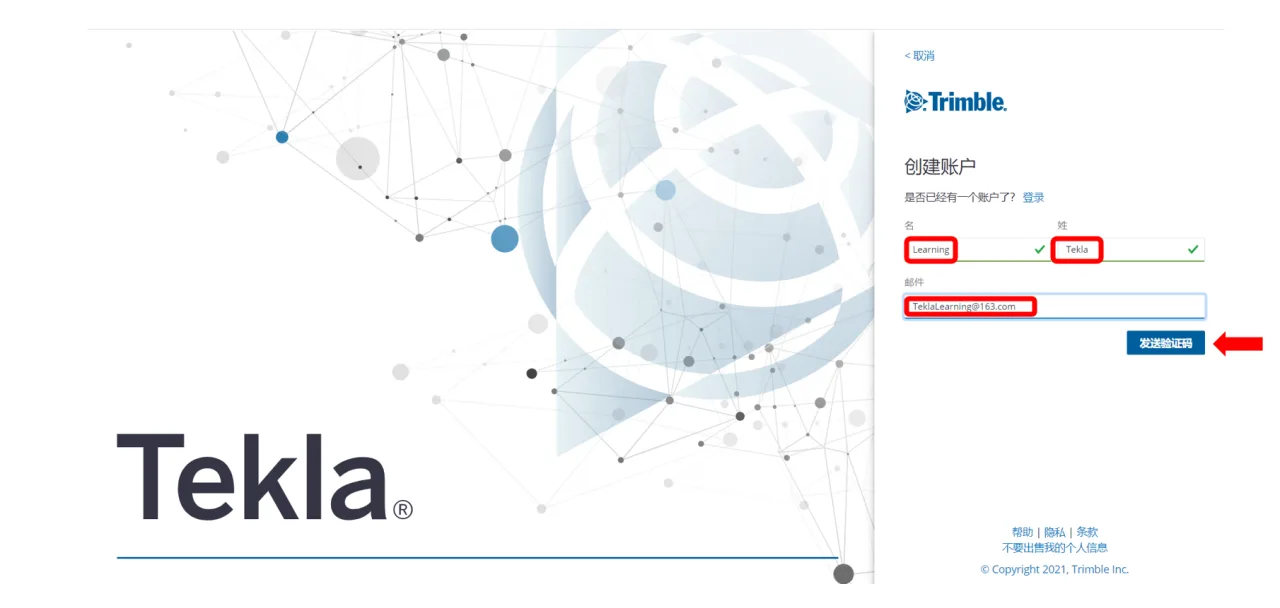
Step 2: Enter your full name and registered email address, then click the button to send a verification code.
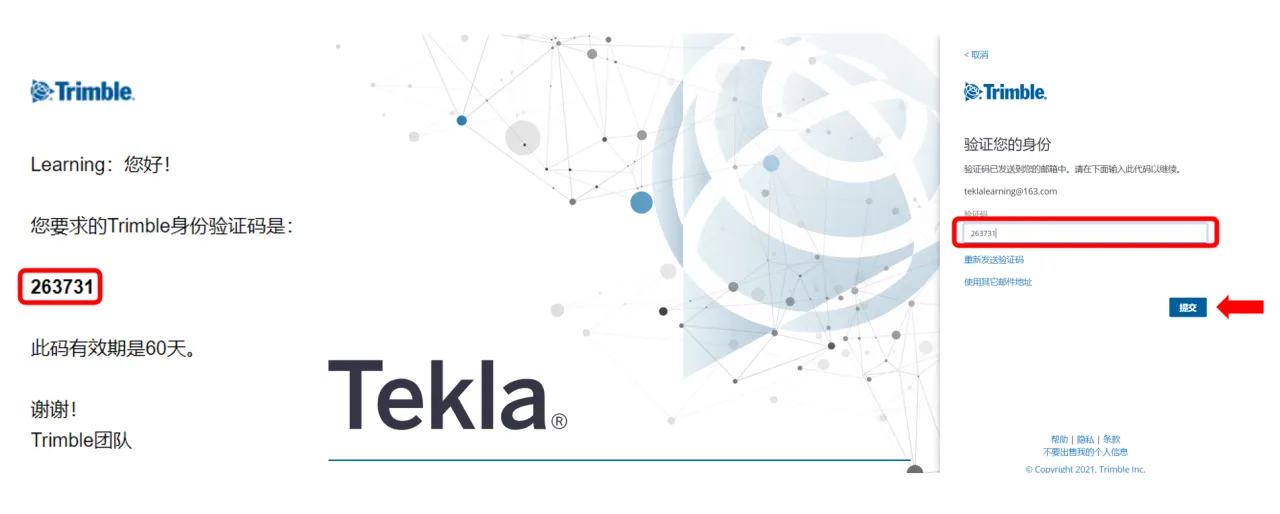
Step 3: Check your email for the verification code, enter it in the provided field, and click submit.
Step 4: Set a secure password for your account, then click submit to proceed.
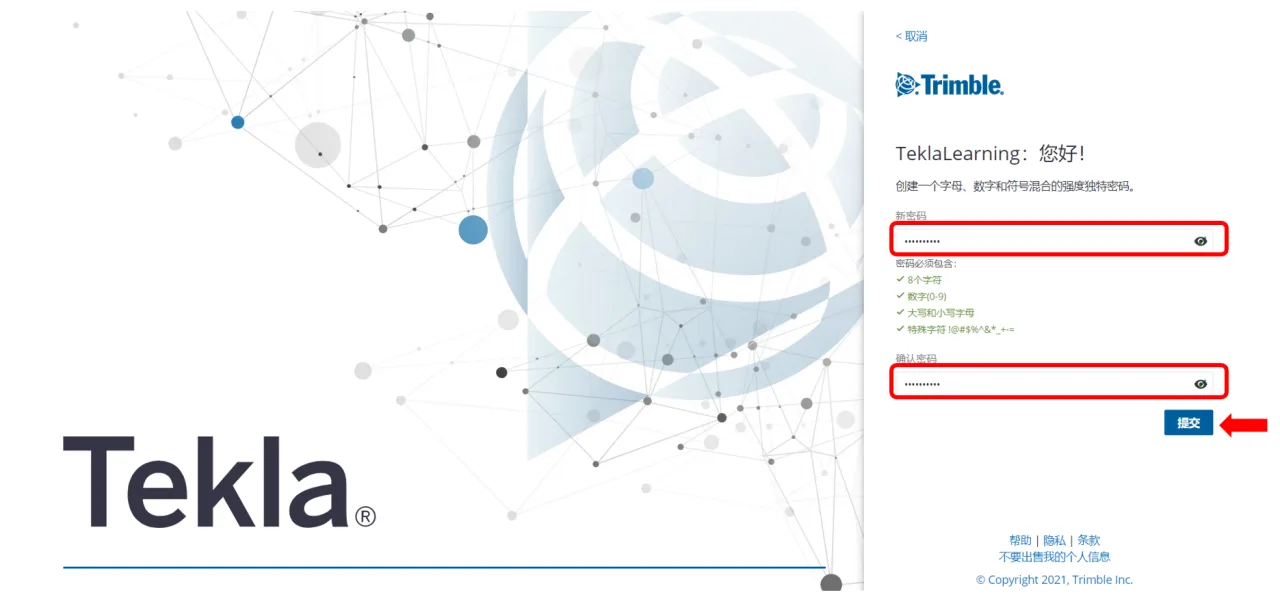
Step 5: Customize your account preferences and click submit.
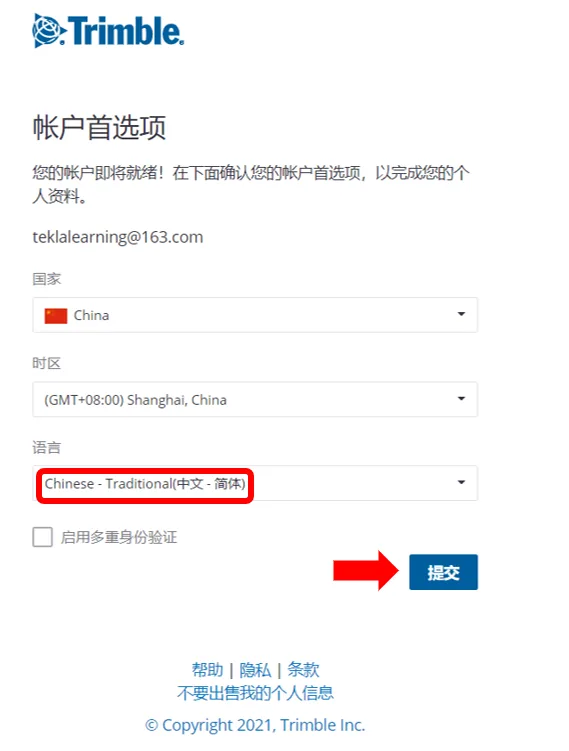
Step 6: Confirm your account preferences and submit.
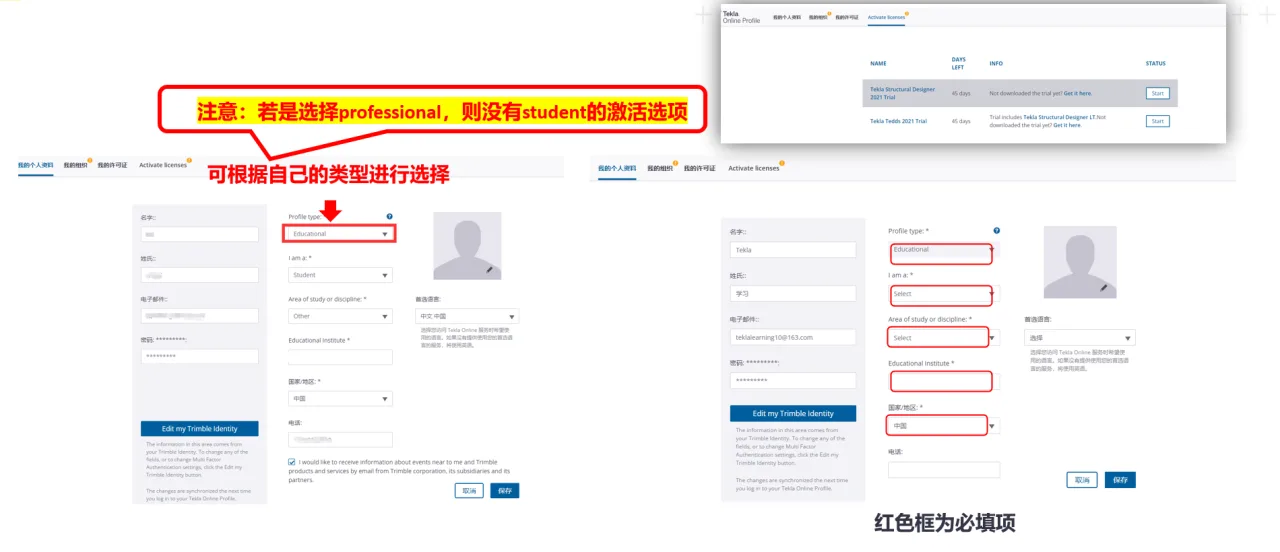
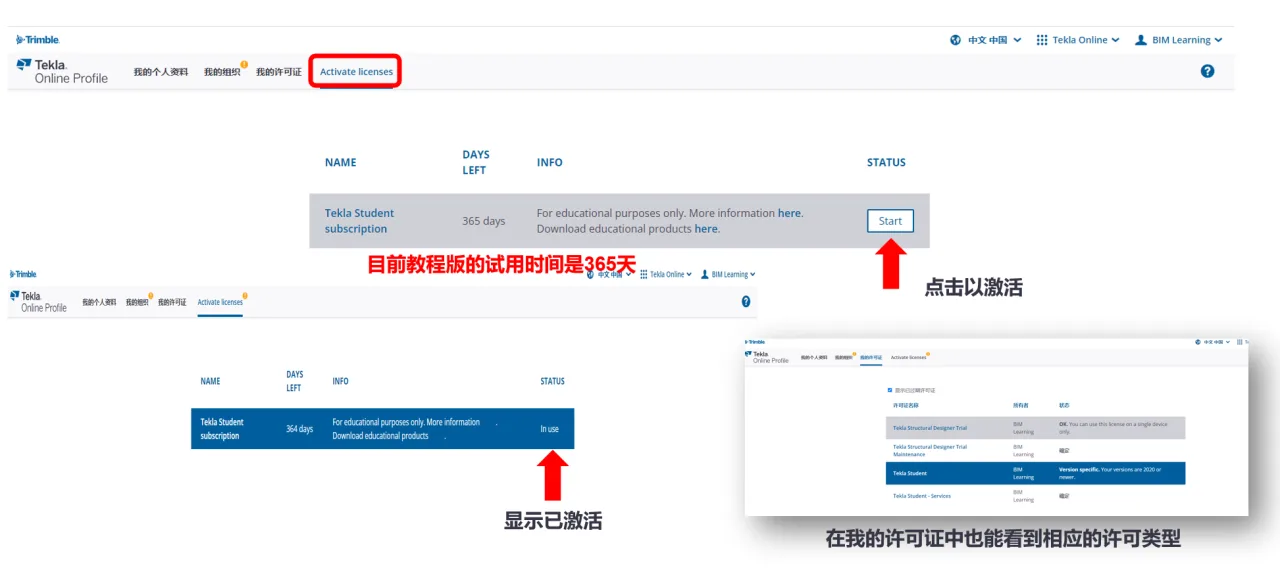
Step 7: Activate your Education License if required.
Step 8: Log in to your account by entering your username and password, then click login.
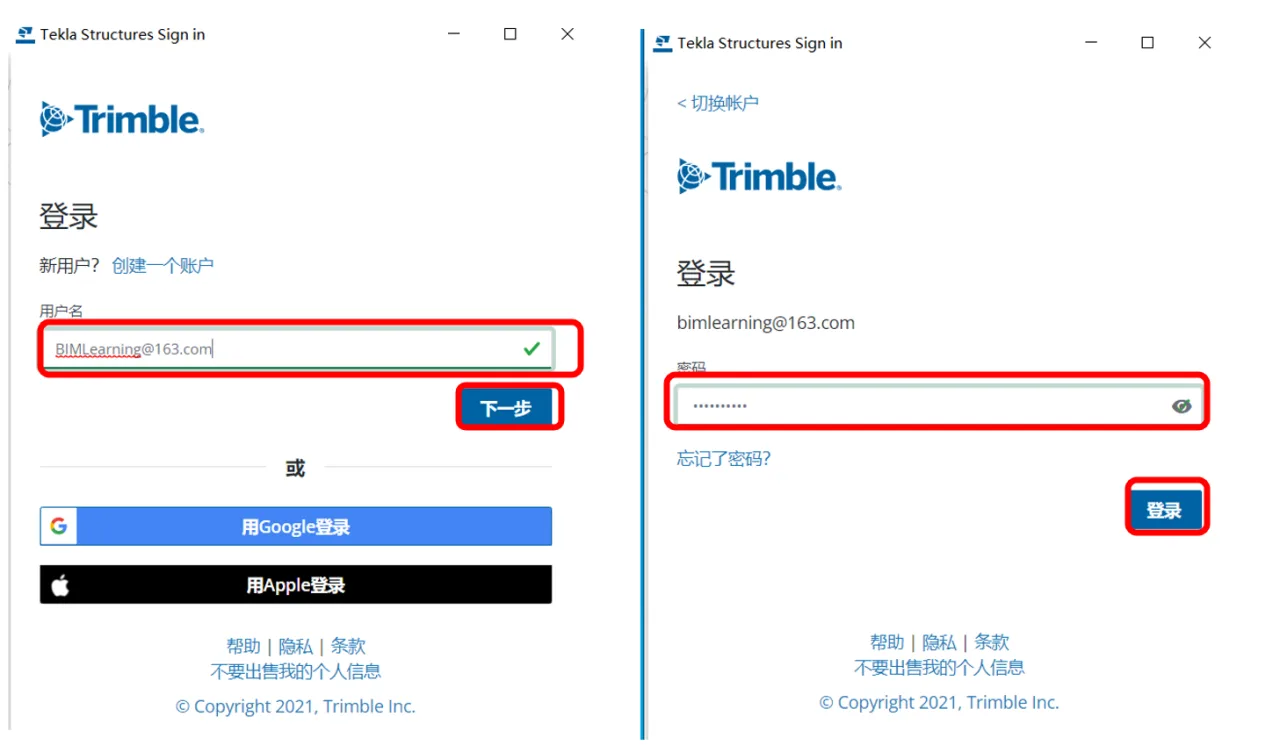
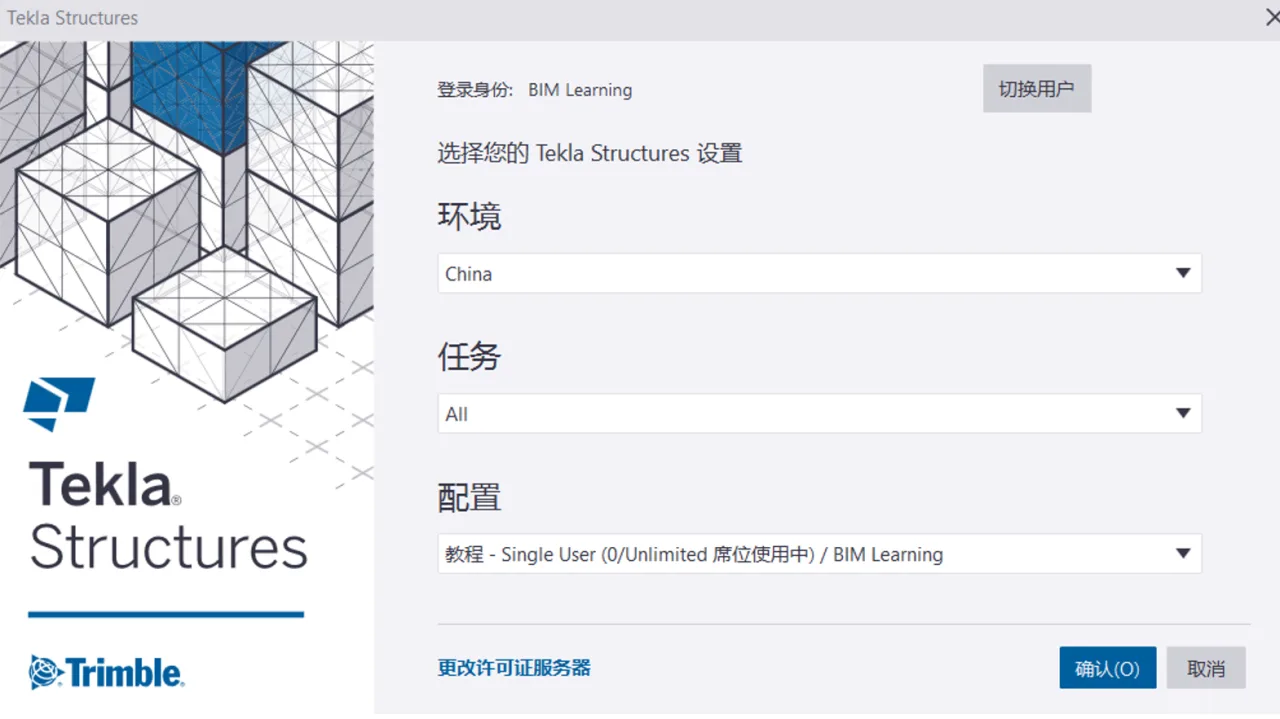
Once logged in with an activated Education account, the tutorial configuration will appear in the software interface.
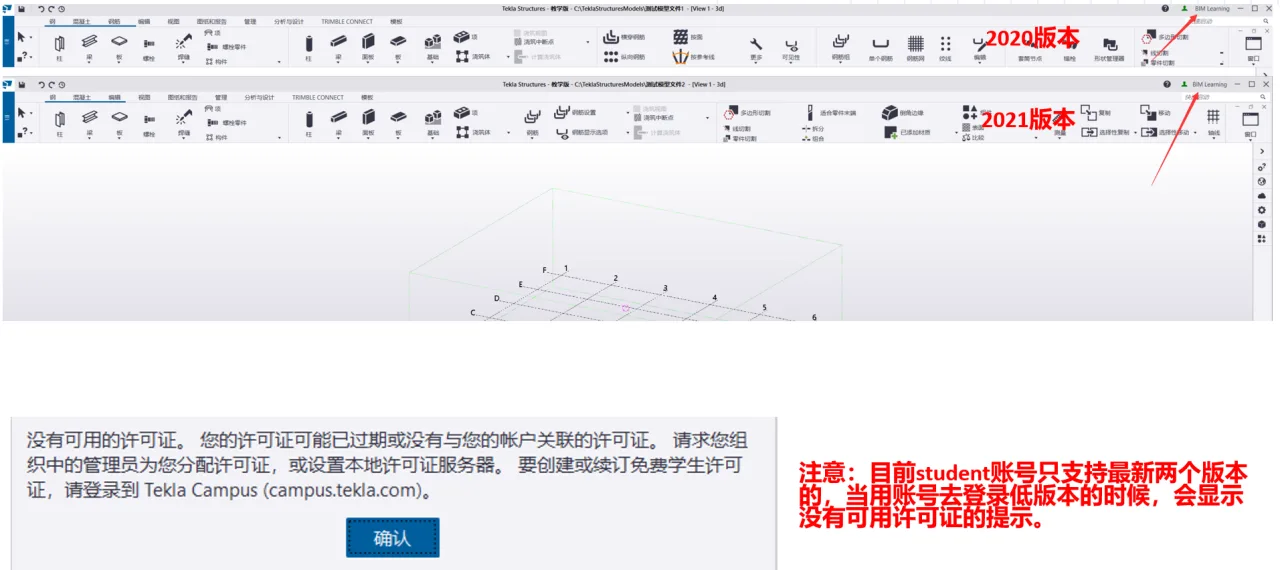
Important: The Tekla Campus educational version account system has been updated. Currently, Tekla Campus accounts support only the two latest versions (and both are supported). Attempting to log into earlier versions with the same account will result in a message indicating that no licenses are available.
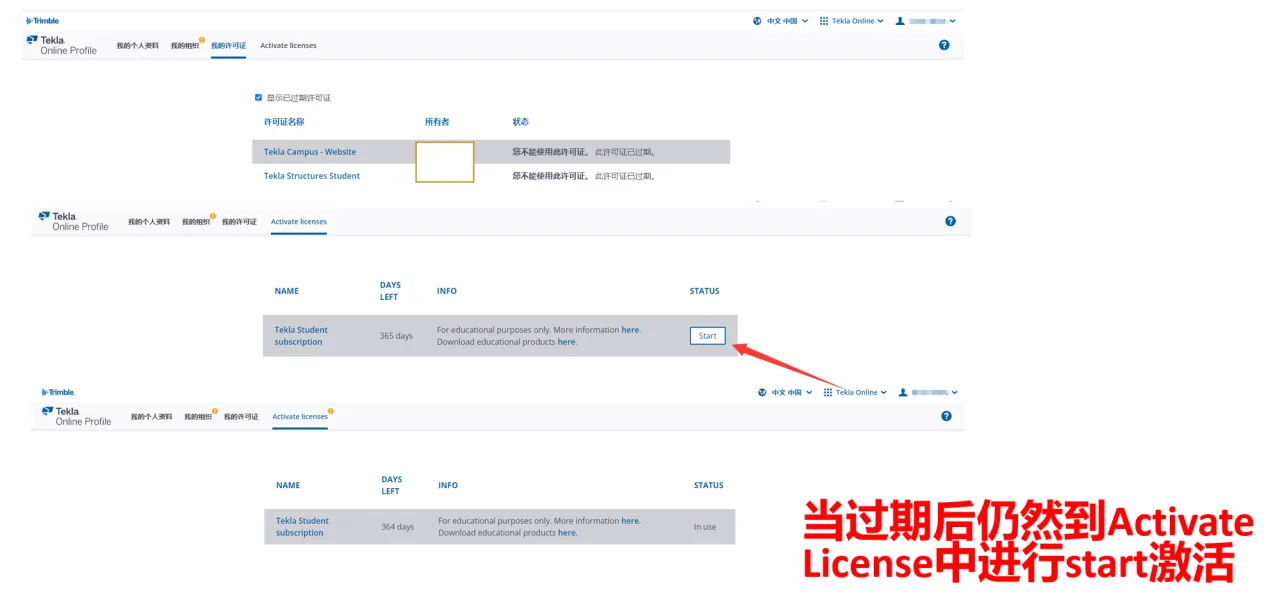
Step 9: License Renewal
After the education version license expires, you can reactivate it through the “Activate License” option.
Note: The above information is based on personal experience and is not intended for commercial use. If any infringement occurs, please contact us promptly.
















Must log in before commenting!
Sign Up