
This article is from the WeChat official account: Hongjian Smart Building.
FamilyReviser is one of the most convenient plugins in DIROOTS, designed to help you manage Revit family files before and after project modeling. It supports family file export, renaming, and working set management.
Below is a simple tutorial that even beginners can follow to get started.
01. FamilyReviser Export
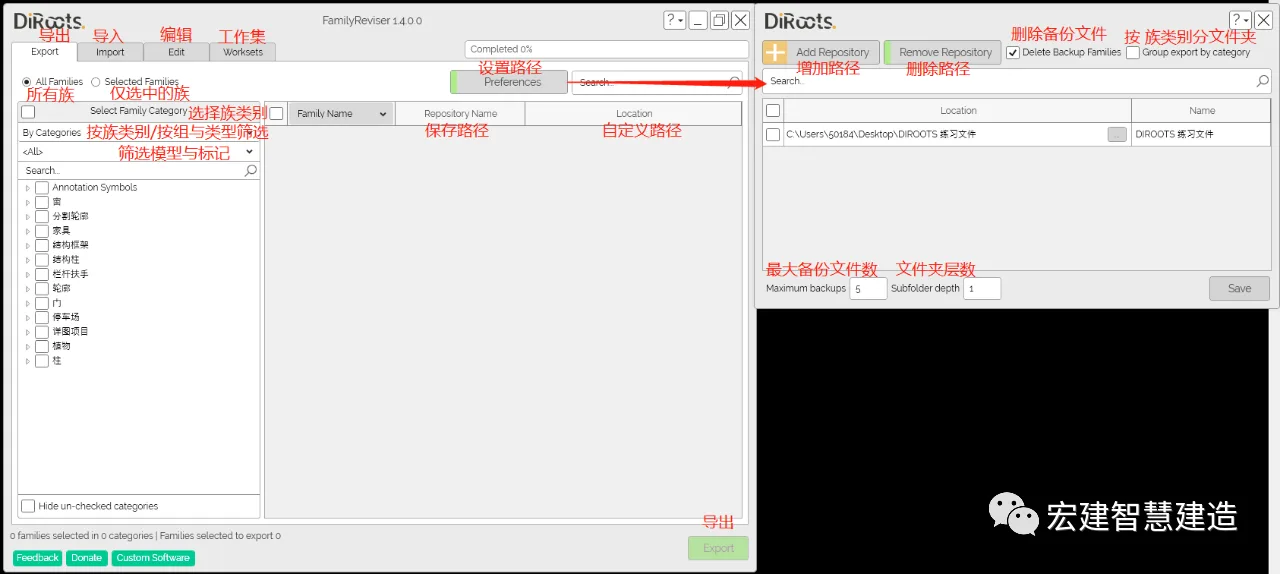
While Revit includes libraries that allow exporting family files, the process can be cumbersome in practice. FamilyReviser’s export function simplifies this significantly.
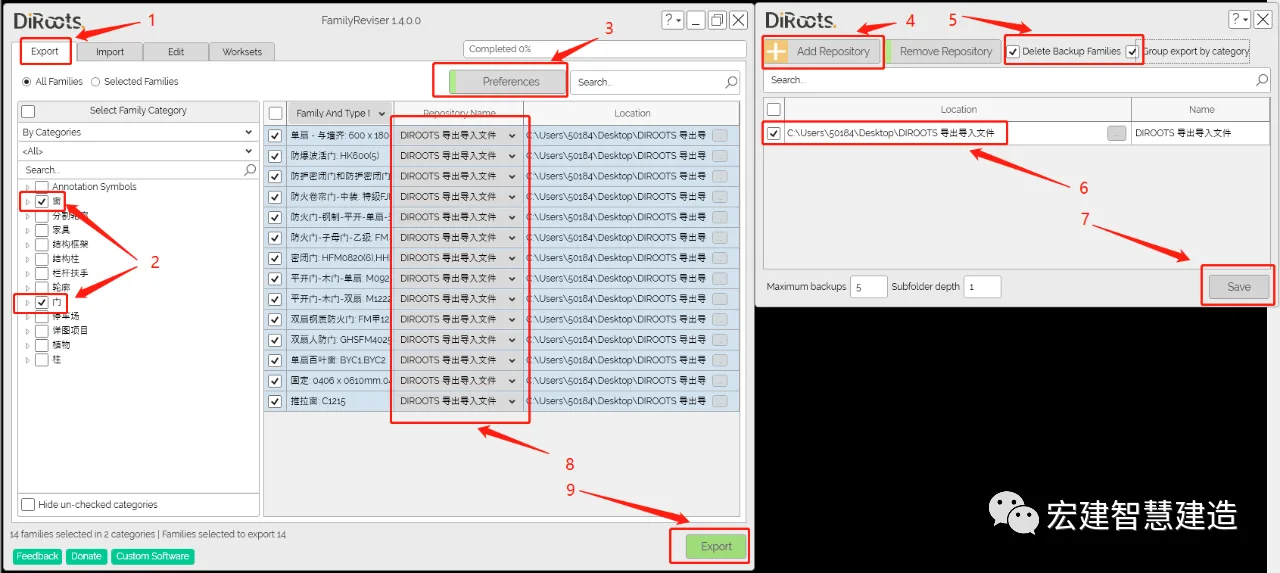
- Click on Export.
- Select the required family files, such as doors and windows.
- Set the export path.
- Add the path.
- Choose whether to delete backup files and group folders by family category. (If you prefer not to delete or group, the plugin will create door and window files separately.)
- Select the preset path file.
- Click Save.
- Set the export path for the selected files.
- Click Export to start the process.
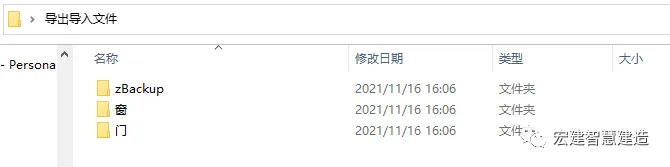
FamilyReviser makes exporting families easy and helps you organize your files effectively.
02. FamilyReviser Import
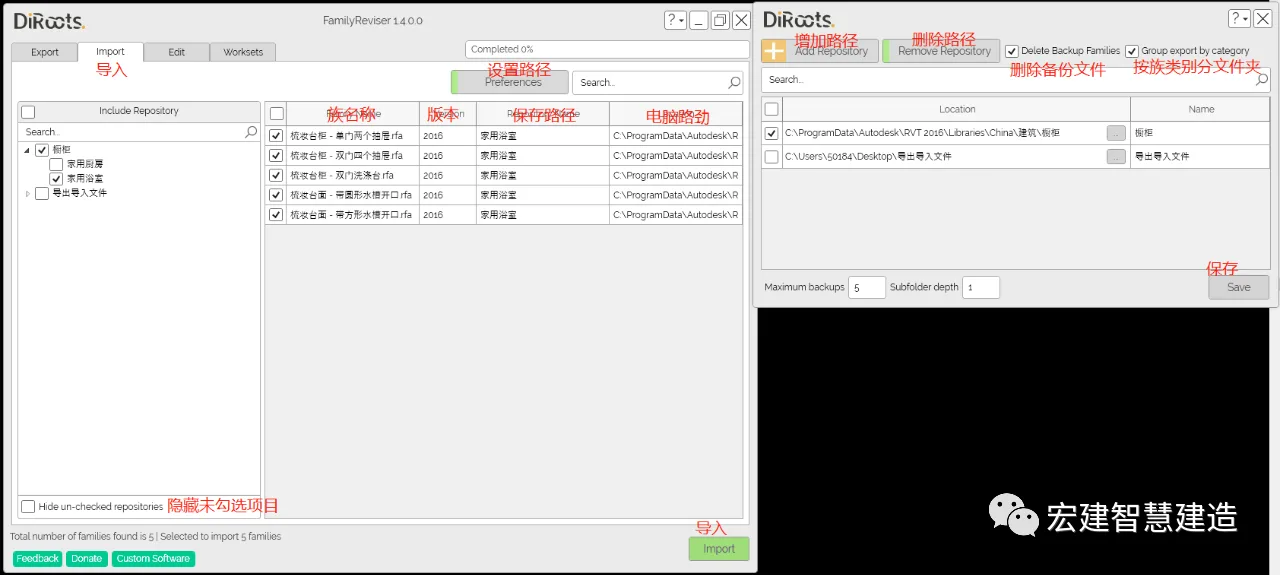
The import function of FamilyReviser is comparable to Revit’s native import but offers a streamlined workflow.
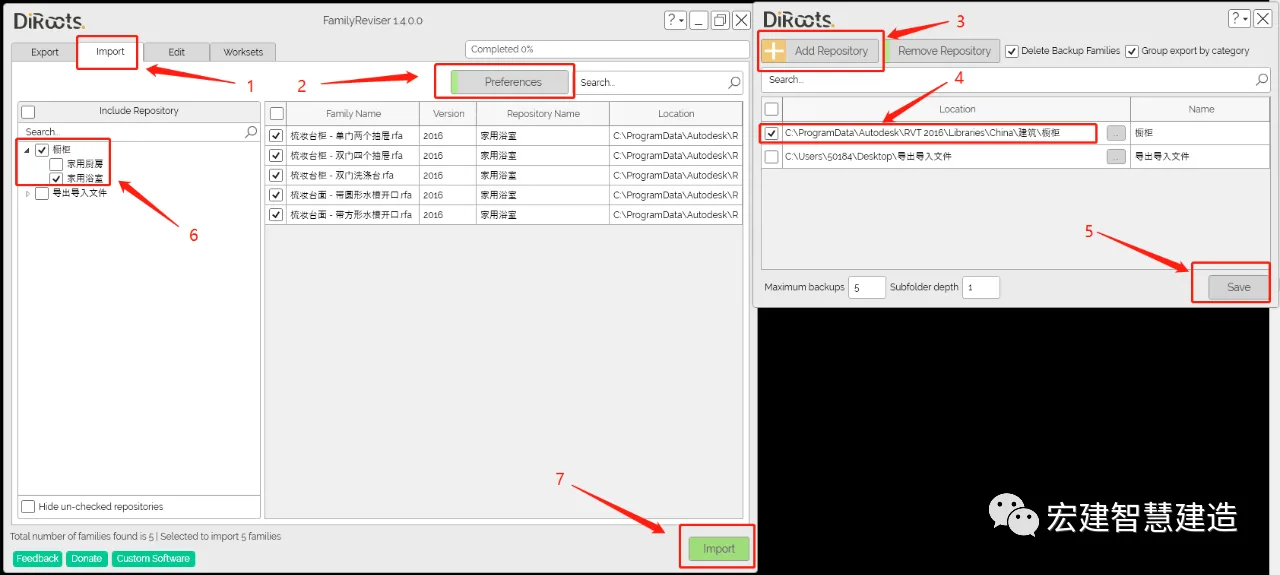
- Select Import.
- Set the import path.
- Add the path.
- Check and select the import path.
- Click Save.
- Check the required family files.
- Click Import to complete the process.
03. FamilyReviser Editor
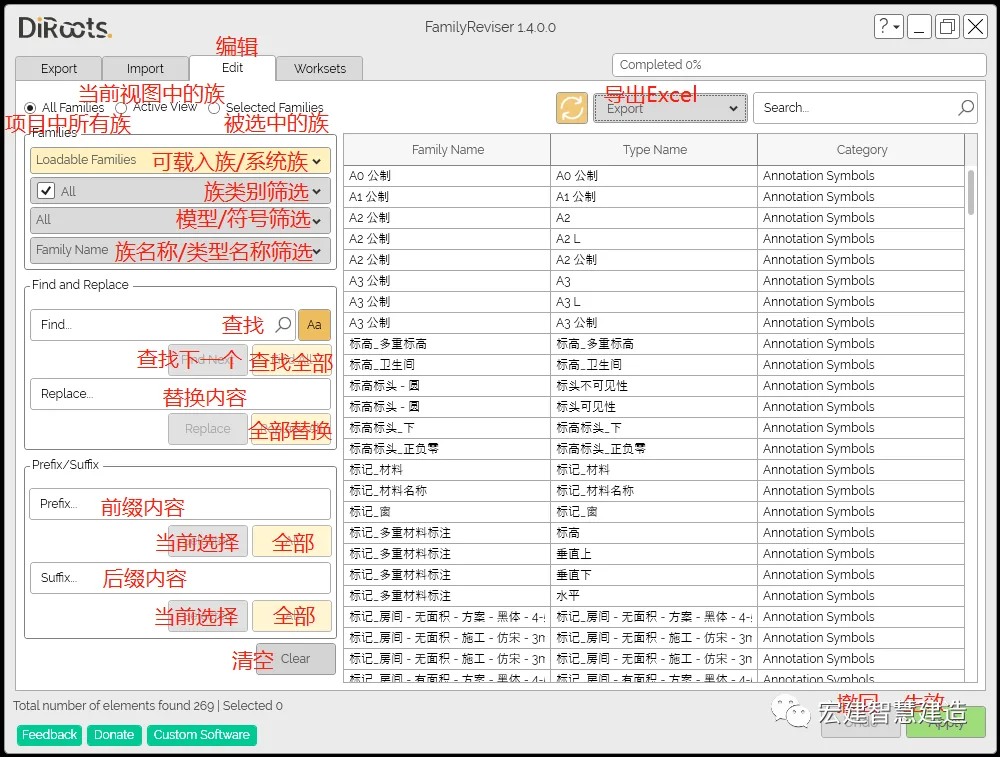
The editing features of FamilyReviser are much more powerful compared to exporting and importing. It allows batch modification of family and type names, and you can quickly add or modify prefixes and suffixes to family names.
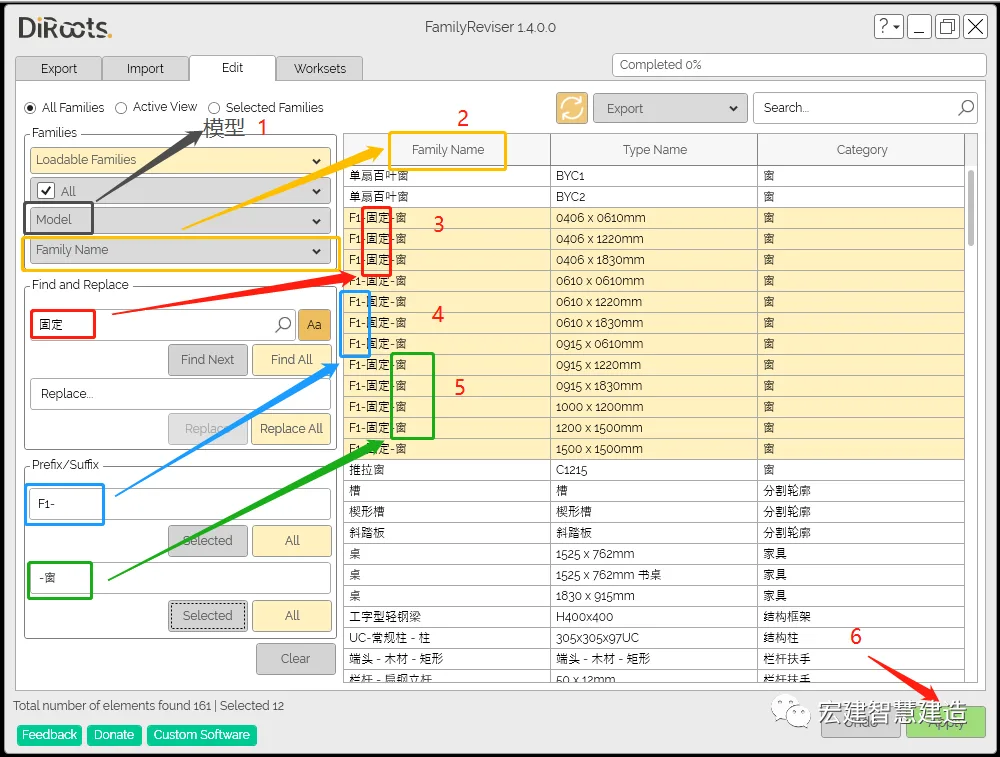
- Select the Modify Model option.
- Choose the family name (corresponding to the first row).
- Enter the search term and the new name.
Note: The Chinese input method is not recognized by the plugin. It is recommended to type the text in another file and then copy it into the search bar. The editor discovered this workaround after multiple attempts. - Add prefix words, such as (F1).
- Add suffix words, such as (window).
- Click Apply to update the family names.
Source: BIM Consulting Department (Chen Junfa)
Layout: Engineering Information Department
Editor in Chief: Stone Sponge Double
Review: Cao Liansha
















Must log in before commenting!
Sign Up