
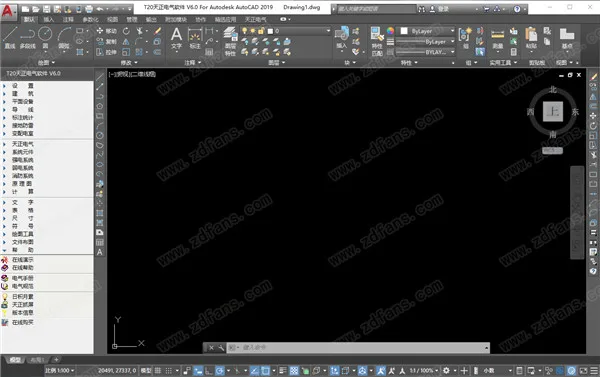
T20 Tianzheng Electric 6.0 is a professional electrical design software that serves as a powerful auxiliary drawing tool compatible with AutoCAD. It offers robust features to fulfill the design requirements of electrical design firms. The software fully complies with the latest electrical drawing standards and building codes, ensuring your designs meet current regulations.
The interface includes a wide range of functions such as wiring, annotation statistics, grounding and lightning protection, transformers and distribution rooms, system components, strong and weak current systems, fire protection systems, and schematic diagrams. Users can quickly design electrical systems with ease. Its professional capabilities combined with a familiar interface help improve design efficiency and enable rapid project completion.
The software provides numerous electrical components that can be instantly added to your drawings when designing schematics. Components can be labeled or replaced as needed. Most electrical drawings can be generated by inputting parameters, eliminating the need for manual drawing. Simply select the content you want to generate, input the required parameters, and the drawing will be created automatically, saving you valuable design time.
Tianzheng Software has always maintained a simple, user-friendly interface and convenient drawing workflow. The new T20 Tianzheng Electric 6.0 continues this tradition, incorporating extensive user feedback. It focuses on professionalism and stability, offering enhanced features tailored to design needs. The latest version supports the AutoCAD 2020 platform and aligns perfectly with the newest national standards, offering systematic functionality and operational flexibility for an exceptional user experience.
Software Introduction
Tianzheng Architecture Software is the latest generation of architectural design software developed on the AutoCAD graphics platform. It offers a professional solution for creating architectural images with a user-friendly interface that enhances the engineering design workflow in architecture. The software’s extensive features and comprehensive functionality deliver outstanding results.
Supported CAD Versions:
– 64-bit systems support CAD2010-2020
– 32-bit systems support CAD2010-2019 (excluding 2017 version)
Installation Guide
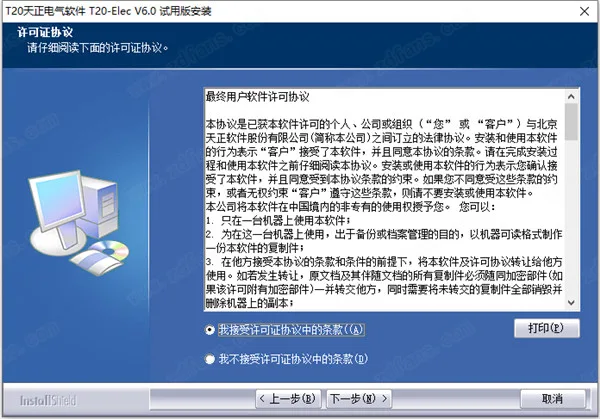
- Download the installation package, unzip it, and run the installer. Accept the license agreement.
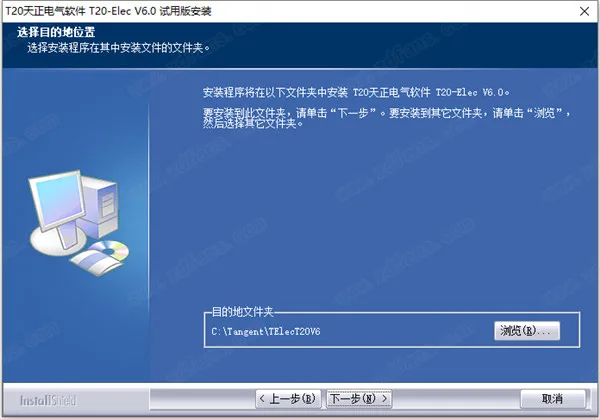
- Choose the installation location. You can change the path by clicking Browse.
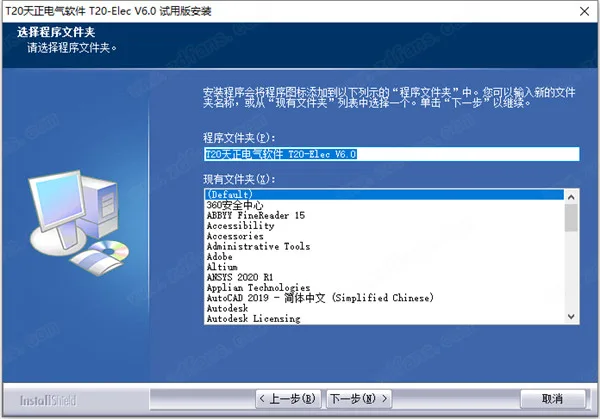
- Select the program folder. The default setting is recommended.
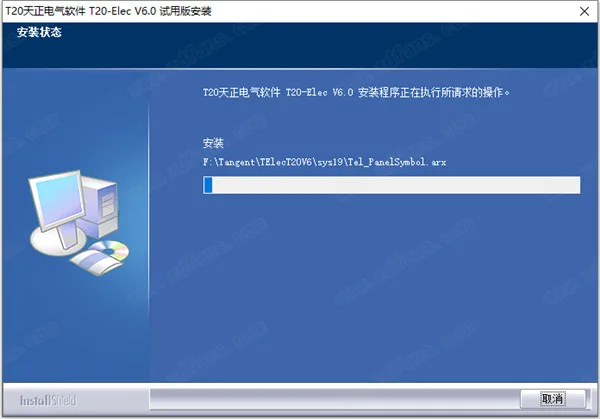
- The installation will begin. Please wait patiently.
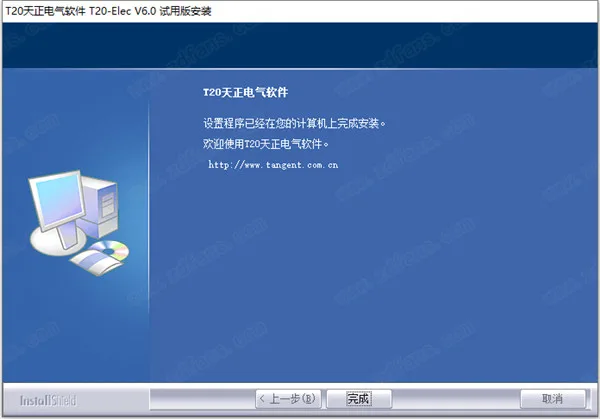
- Once installation finishes, click Finish to exit the wizard.
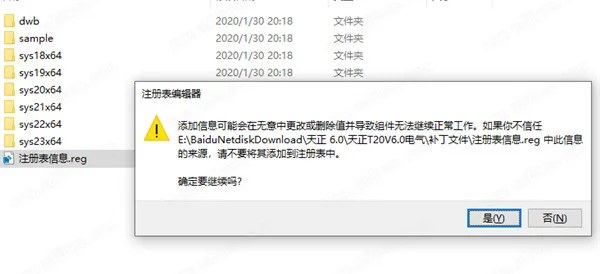
- Do not launch the software yet. Run the registry file
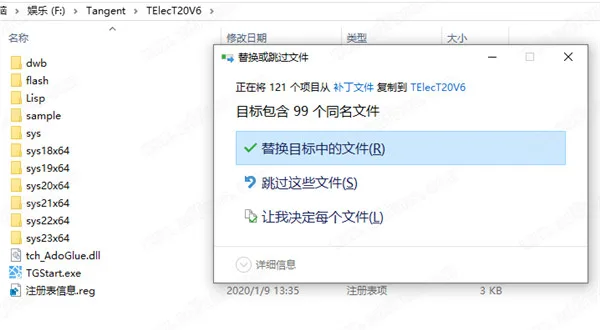
information.regto add the necessary information. - Copy the cracked patch into the software installation directory and replace the existing files.
- Run the software to use it for free.
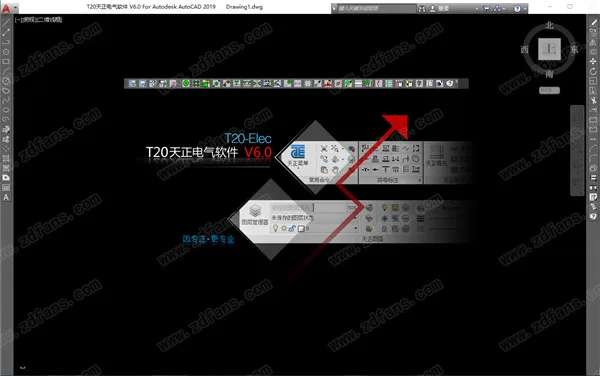
Feature Overview
- Tianzheng Electric includes numerous tools for electrical drawing, allowing users to add component objects directly into the software.
- Supports querying objects in drawings to view all their parameters.
- Offers object matching options, enabling inclusion or exclusion of selected results from the selection set.
- Provides filtering options by object type, layer, color, line type, and material.
- Allows setting block names, door/window numbers, text content, and column size styles.
- Components can be copied or moved easily for position adjustments.
- Supports color settings during component design.
- Includes functions for image to monochrome conversion, color restoration, pattern hole addition, pattern subtraction, and line pattern settings.
- Supports multi-use deletion, duplicate line elimination, duplicate graphic element removal, graphic cutting, and contour searching.
- The software offers a room design menu for rapid room layout creation.
- Users can design room drawings, add room content, and immediately lay out wiring.
- Repeated rooms can be quickly wired using the room copy function.
- Supports block color changes, enabling modification of colors in design drawings, as well as virtual and real transformations.
- Offers comprehensive functions to simplify electrical drawing design.
- Schematic diagrams can be designed directly within the software interface.
- Leveraging CAD’s drawing and output capabilities, designs can be saved in DWG format.
- Supports drawing version conversion and export through the Tianzheng menu.
- Allows drawing protection by setting read-only status to safeguard electrical diagrams.
- Supports annotation features including single and continuous elevation annotation, coordinate annotation, index symbols, and index map names.
Software Highlights
- Electrical Graphic Design: Offers multiple methods for arranging equipment and wiring. The output interface features floating windows with dynamic preview, WYSIWYG editing, and flexible right-click menus. Easily draw layouts for power, lighting, weak current, fire protection, transformers, distribution rooms, and lightning protection grounding. All elements are parametric with one-time data input, automatically generating annotations and material lists. Equipment blocks follow the 09dx national standard legend and include building control types and wire layers.
- Temperature Sensitive Smoke Detector: Automatically calculates layout and quantity based on parameters and specifications. Detection ranges are previewed and adjustable to ensure no protection gaps.
- Electrical System Design: Enhances intelligent drawing of system diagrams, automatically generating lighting, power, low-voltage single line, weak current, and secondary wiring diagrams. Distribution box diagrams include load calculations. The system includes hundreds of high and low voltage switchgear circuit schemes and over 80 principle diagrams.
- Electrical Calculations: Provides comprehensive calculations including point-by-point illumination, load calculation, reactive power compensation, short circuit current, voltage loss, annual lightning strike frequency, and relay protection. Results can be exported to Word or Excel.
- Point-by-Point Illumination: Calculates illuminance across spaces, showing max and min values. Supports irregular areas and occlusion factors, with illuminance distribution curve graphs and Word export.
- Multi-Line Illumination Calculation: Uses utilization coefficient method to determine fixture counts and power density. Supports multiple fixture types and custom light sources, irregular room shapes, simultaneous multi-room calculations, and automatic lighting arrangement.
- Load Calculation: Employs coefficient method, reading system diagram data or manual input. Calculates reactive power compensation, transformer selection, and supports multiple transformers.
- Annual Lightning Strike Frequency: Implements GB50057-2010 standard, calculates lightning protection category considering surrounding buildings, with tabular and detailed report output.
- Cross Section Query: Queries wire and cable cross-sectional area and conduit diameter based on current capacity data from various standards, including 10CD106, 09BD1, and 04DX101-1.
- Grounding and Lightning Protection: Enables drawing of lightning rods, strips, grounding wires, and electrodes. Automatically generates lightning protection belts on building condition maps. Supports rolling ball lightning protection in 2D and 3D, with real-time updates. Allows 3D protection state viewing and supports line lightning protection for flat and mountainous terrains.
- High Voltage Short-Circuit Calculation: Uses node admittance method for integrated calculation and drawing. Supports main wiring and impedance diagram construction, automatic short-circuit current calculation, multi-point short-circuit analysis, and export to CAD and Word. Enhances calculation efficiency and accuracy with intelligent data processing.
- Substation and Distribution Room: Quickly draws plan, elevation, and section views of distribution cabinets and cable trenches. Supports parametric editing, automatic dimension generation, and sectional view creation.
- 3D Bridge Frame: Facilitates drawing of multi-layer, curved, and other bridge structures. Automatically generates components like bends, tees, crosses, and reducers. Supports interconnected component editing, multiple support styles, and automatic annotation and statistics.
- Inventory Extraction: Extracts basic data such as cable start/end points and numbers from multiple system diagrams. Differentiates control cables with red display and imports results into existing cable inventory files.
- Cable Laying: Imports cable inventory and motor tables to automatically lay cables, draw layouts, and calculate lengths. Supports manual laying, cable and conduit length counting, list exports, path searching with automatic highlighting, and labeling. Provides various modification and query functions.
- Collision Check: Performs comprehensive pipeline and collision inspection for water, heating, and electricity, highlighting conflict points. BIM export feature outputs electrical entity properties from DWG to TGL files, enabling 3D model restoration.
- Additional Tools: Drawing protection creates password-protected blocks that prevent explosion but allow browsing without Tianzheng software. Supports splitting multi-frame DWG drawings into separate files, batch printing, drawing comparison to highlight changes between versions, and local difference analysis.
Changelog
- Supports 64-bit AutoCAD 2020 platform.
- Expanded database based on “19DX101-1 Common Data for Building Electrical,” including section query and bridge calculation commands.
- Expanded emergency lighting legend library based on “19D702-7 Emergency Lighting Design and Installation.”
- New batch storage feature for quickly saving blocks from Tianzheng Electric’s user library into local equipment libraries.
- New reference layout function for batch arranging blocks at relative positions based on template blocks, useful for input/output modules like exhaust vents.
- Added elevation attribute settings and cabinet types for plug-in electrical cabinets.
- Initial setup now includes option to enter wire information during wire arrangement, plus a “Text line type” button to adjust current layer line types and create custom text line types with spacing and position settings.
- Illuminance calculation improvements: custom light source database with editable user data, backup, and default preset parameters that auto-apply when room names match. Optimized automatic lighting methods.
- Added effective radius parameters for fire protection, security, broadcasting, and emergency lighting blocks, with display/hide control via radius commands.
- Added up/down arrow buttons for manual adjustment of flat statistics arrangement before table generation.
- Wire grouping option now maintains connection integrity when wires intersect, break, or have text labels, allowing grouped selection of connected wires.
- Quick replacement support for swapping Tianzheng HVAC and plumbing equipment with electrical blocks in drawings.
- Improved update relationship function to fix component generation issues and layer errors in bridge components.
- Bridge drawing now supports brushing in MA format.
- Text offset avoidance function added when drawing lines crossing text after wire number marking and text-along-line operations.
- Corrected cable laying errors in specific scenarios and optimized cable laying methods.
- Fixed bridge annotation and setting issues where occlusion relationships caused selection and annotation problems in multi-layer bridges.
- Resolved circuit check issue where short wire connections below 200 units did not detect device problems.
- Illuminance calculation correction using manually entered coefficient values; fixed chamber shape coefficient errors without affecting calculation tables.
- Corrected cable trench drawing styles to prevent incorrect branching when intersecting trenches of different widths.












Must log in before commenting!
Sign Up