
In traditional design practices, the initial conceptual phase of a project heavily depends on the chief architect’s experience and expertise. This stage is driven by their knowledge, intuition, and feedback from the design team. Due to the need for speed and ease during this phase, pencils remain the primary tool for conceptual design, with hand-drawn sketches serving as the main method for recording ideas and facilitating internal communication.
With the integration of computers into architectural design, popular modeling software such as SketchUp, Rhino, and 3D tools have become widely accepted for conceptual design. These programs focus on rapid 3D sketching, making spatial expression and visualization straightforward. Since they do not require classification of building components or behavior linked to object types, their geometric operations are simple and versatile, applicable to all forms.
These tools support a reasonable level of complexity and provide fast feedback on objects. Through visual representation, users can intuitively evaluate their designs. Additionally, these sketching tools have the potential to interface with energy consumption analysis software, enhancing their utility.
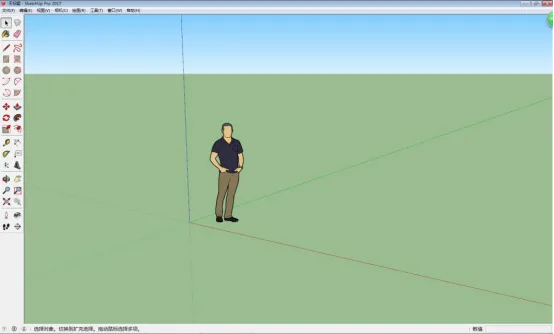
A well-established design approach has developed around modeling software like SketchUp and Rhino, which architects widely accept. However, some architects question the ability of BIM-related software to support conceptual design, citing their complexity. Existing BIM software demands a significant learning curve, involves many specialized operations, and requires attention to project-specific behaviors. This complexity in both interface and workflow can hinder creative deliberation.
In contrast, SketchUp offers a simple and clear interface with an intuitive push-pull tool that avoids complicated 3D modeling. Designers can quickly learn and operate the software. On the other hand, Revit’s interface is more complex, requiring parameterized settings for model creation.
BIM platform providers recognize these limitations and offer interfaces that connect with market-available conceptual design software capable of sketching. For example, some export formats from SketchUp and Rhino are compatible with BIM platforms, allowing geometric structures to be recreated as backgrounds. Additionally, BIM developers have introduced conceptual design tools to address gaps in free-form design capabilities within BIM.
In China, many design firms use SketchUp as their primary tool, supplemented by CAD for schematic design—a practice that has become standard. However, transferring model data between SketchUp and the commonly used BIM software Revit remains cumbersome and falls short of practical needs.
There are two main methods to import SketchUp mass models into Revit:
- Importing the SKP file format directly. After importing, the model is non-editable and requires entering mass editing mode. This method only works for simple geometric masses; otherwise, Revit may fail to open the file.
- Exporting the model first to DWG format, then importing into Revit. The DWG file also needs to be imported in mass editing mode for further editing.
Once imported into Revit, the model becomes a “mass” that can be selected and its properties edited within mass editing mode.
Overall, both import methods involve multiple conversion steps, complex operations, and are time-consuming and labor-intensive.
















Must log in before commenting!
Sign Up