
Today, I would like to share an article from China Railway Municipal Environmental Construction Co., Ltd. Fuzor is developed on its own 3D game engine, optimized for BIM with model tolerance, display effects, and data support. When adjusting the software’s rendering mode, weather, daylight, and other settings, how should we proceed? Let’s explore how to complete these steps within the software.
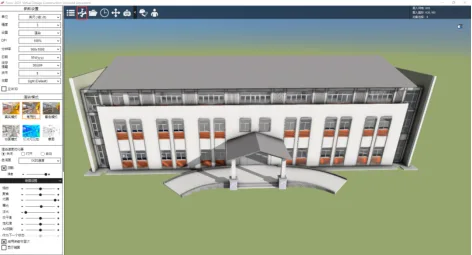
1. Open your Fuzor file and click the button shown in the screenshot to access the scene parameter settings.
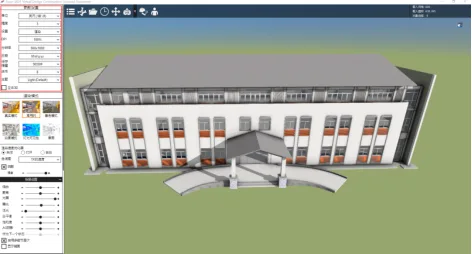
2. Within the parameter settings tab, you can adjust the model’s basic parameters and display resolution to suit your needs.
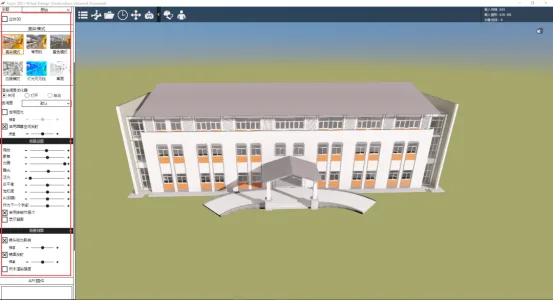
3. In the rendering settings, you can select the model style based on the BIM model’s purpose and the presentation form required in rendering mode.
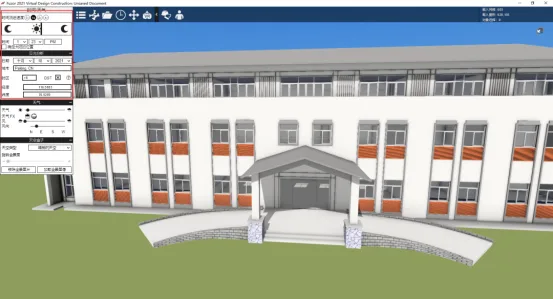
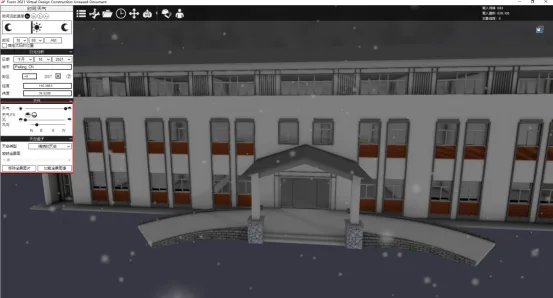
When applying BIM models in real projects, it’s important to analyze and simulate daylight and weather conditions for better scene visualization. Fuzor’s time and weather options allow you to recreate these environmental effects.
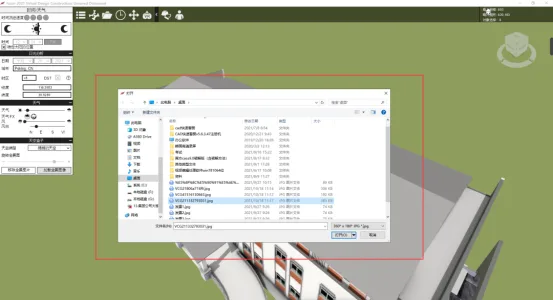
5. To better represent the project’s surroundings, you can use panoramic materials to showcase detailed environmental features. (This tutorial uses online images; for onsite images, you would need to capture them yourself.)
Contribution: Technical Center
Editor: Yu Tie
Reviewed by: Zhai Xinnian
Hosted by: Party Committee Propaganda Department
For learning and communication purposes only. If there is any infringement, please contact us for removal.
















Must log in before commenting!
Sign Up