
Content source: China Railway Municipal Environmental Construction Co., Ltd
Fuzor allows you to package files into an executable EXE format, enabling project collaborators who don’t have Fuzor installed to easily review the model as if playing a game. Additionally, they can annotate your BIM results and even experience VR. In this guide, we will learn how to save Fuzor files and generate EXE browser files.
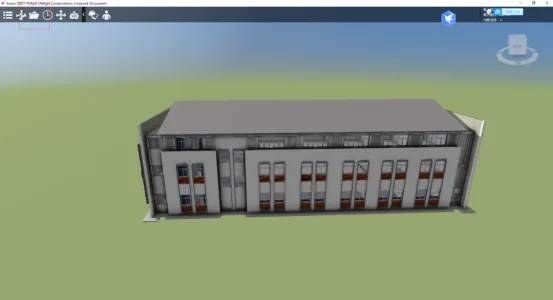
1. Open your Fuzor project, then click the folder icon as shown in the screenshot to save your model edits.
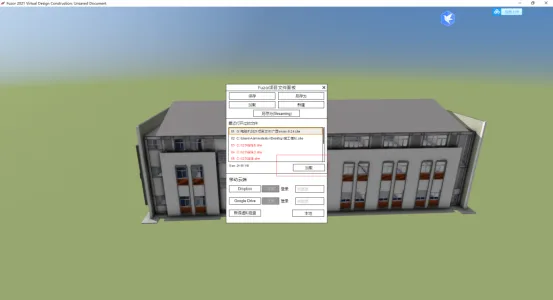
2. The next time you open Fuzor, simply select your last saved file to load the project.
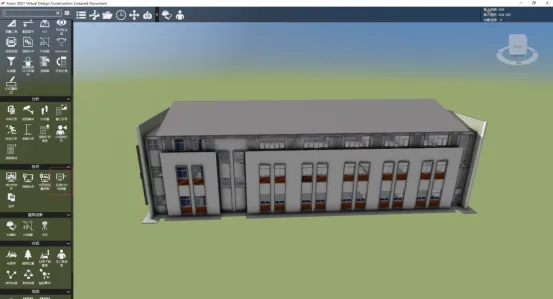
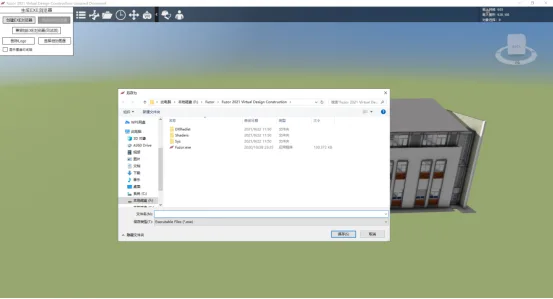
To generate an EXE file, navigate to the menu bar and click Generate EXE Browser under the collaboration ribbon.
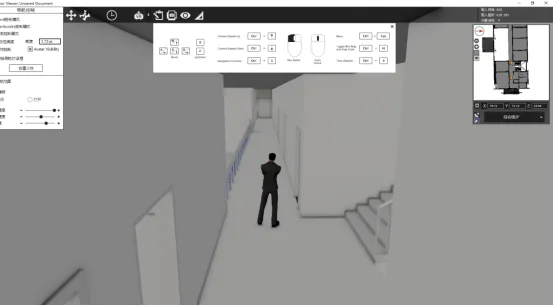
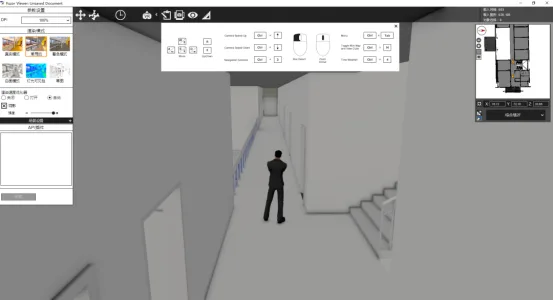
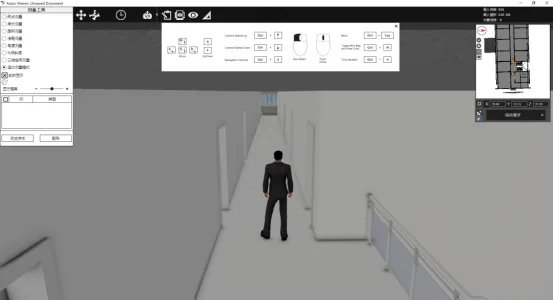
5. Open the EXE file where you saved your model. Inside this EXE, you can utilize features such as changing operation styles, display modes, adjusting weather and time, adding component annotations, and more. Since users don’t need to install Fuzor software, this greatly improves communication efficiency with design stakeholders.
Contribution: Technical Center
Editor: Yu Tie
Reviewed by: Zhai Xinnian
Hosted by: Party Committee Propaganda Department
For learning and communication purposes only. If there is any infringement, please contact us for removal.
















Must log in before commenting!
Sign Up