
Creating a three-dimensional model requires specialized software, with Revit being one of the most widely used in BIM (Building Information Modeling). Using Revit, you can develop a model that accurately represents a real engineering project, defining both its shape and functional attributes. Once the 3D model is established, it can be refined and enhanced by integrating it with other related software, resulting in a more detailed and precise representation. 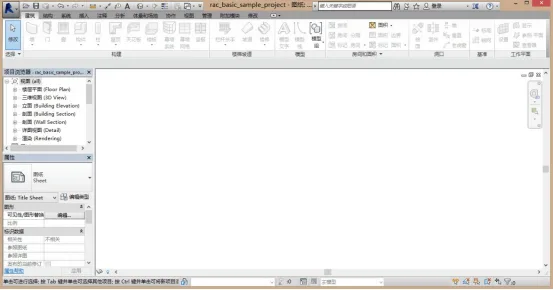
Figure 1: Revit Work Interface
A 3D model created in Revit can define key building properties, such as architectural form, decorative materials, structural systems, and the layout of internal pipelines. The modeling process generally consists of three main phases: preparation, 3D modeling, and post-processing, as illustrated below. 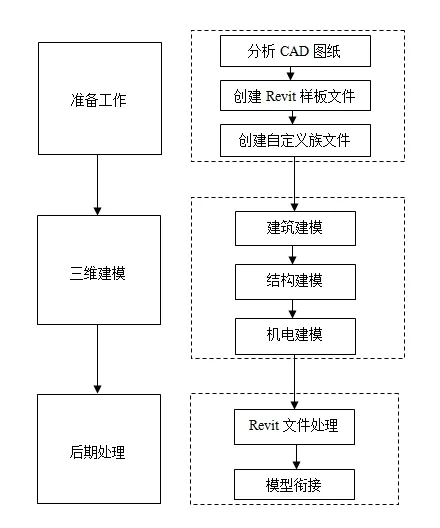
Figure 2: Parametric Modeling Process Based on BIM
The process of building a 3D model closely resembles that of creating a 2D plan, achieved by layering components such as beams, slabs, and columns. For typical reinforced concrete structures, modeling follows the actual construction sequence: starting with the foundation, then columns, beams, slabs, walls, and other structural elements. During this process, it’s essential to input accurate information reflecting the real construction conditions.
Architectural modeling parallels structural modeling, with elements like windows and doors added onto the structural framework. Similarly, equipment and electromechanical models are created following the same principles, arranged logically according to the relevant workflow.
















Must log in before commenting!
Sign Up