
This article is from the official account: modulus engineer
Grasshopper is a plugin that operates within the Rhino environment, using algorithmic programming to generate models. It is currently the entry-level software for parametric design in various design-related fields. Unlike traditional modeling tools, Grasshopper’s key feature is its ability to execute advanced and complex logical modeling instructions, enabling the computer to automatically generate models based on the defined algorithm.
In this tutorial, Cat Sir presents a Grasshopper parametric design case: the Circle Pattern. Cat Sir will regularly share parametric design tutorials every week. If you’re interested, stay tuned!
Below is the main content of the tutorial:
Today, I will share a simple yet intriguing texture. The effect shown in the video is created through interference gradients. This article focuses on explaining the fundamental logical construction behind it.
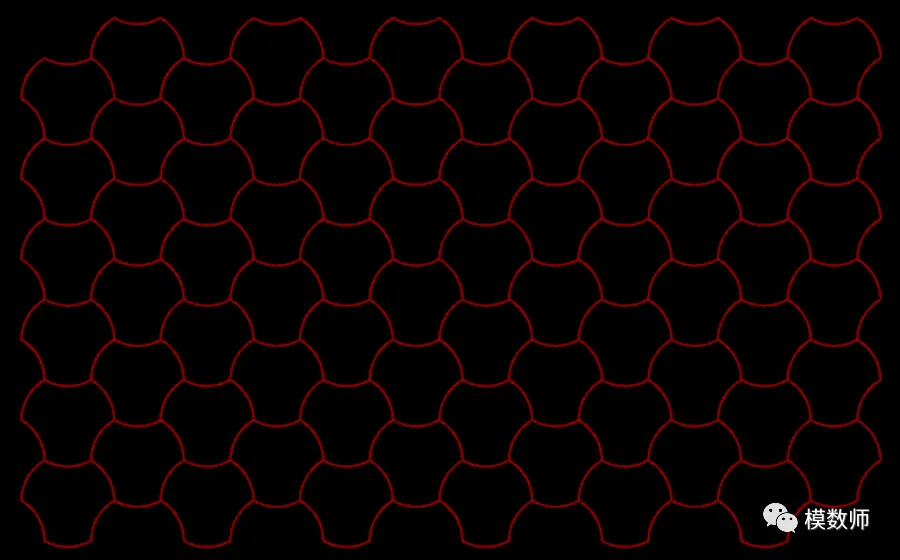
Take a moment to observe this texture carefully. There are many ways to achieve the same effect, each with a different approach. Simply accepting others’ methods without thinking critically can hinder your independent problem-solving skills.
This pattern consists of several identical units, each resembling a circle with three notches cut out. The units are arranged in a layout similar to a hexagonal grid.
Step 1: Construct a hexagonal lattice;
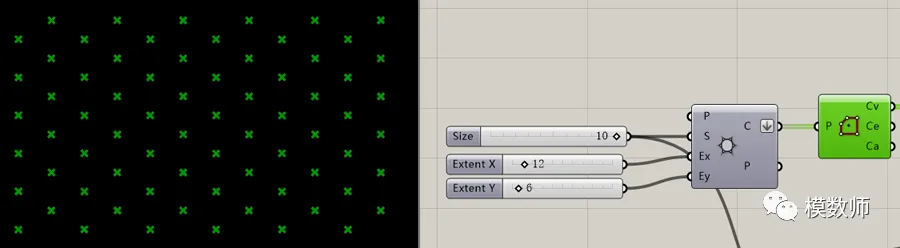
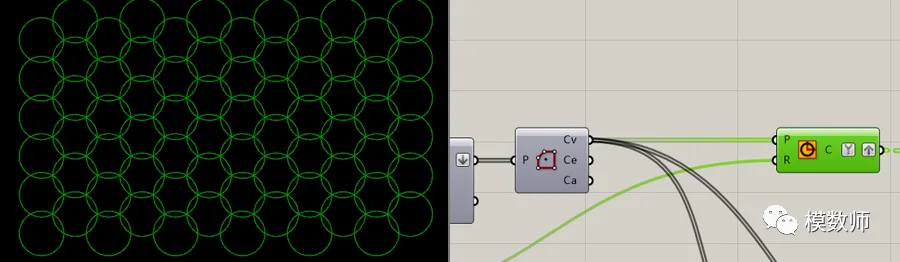
Step 2: Create a circle at each lattice point;
Step 3: Duplicate each circle three times and move the copies to “bite” into the gaps;
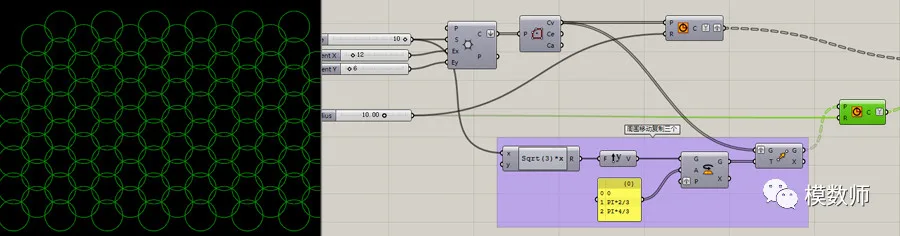
Step 4: Apply Boolean operations on the lines to find the difference set;
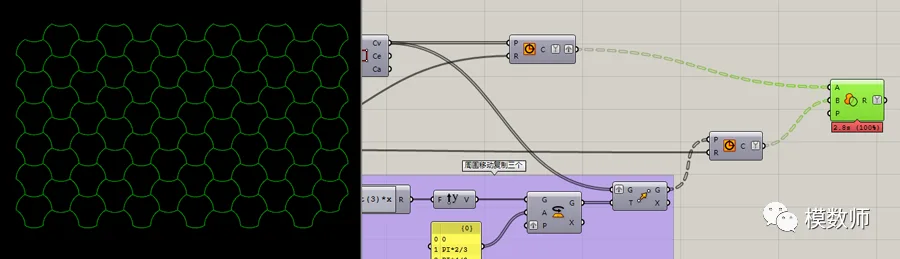
With these steps, the desired logic is achieved.
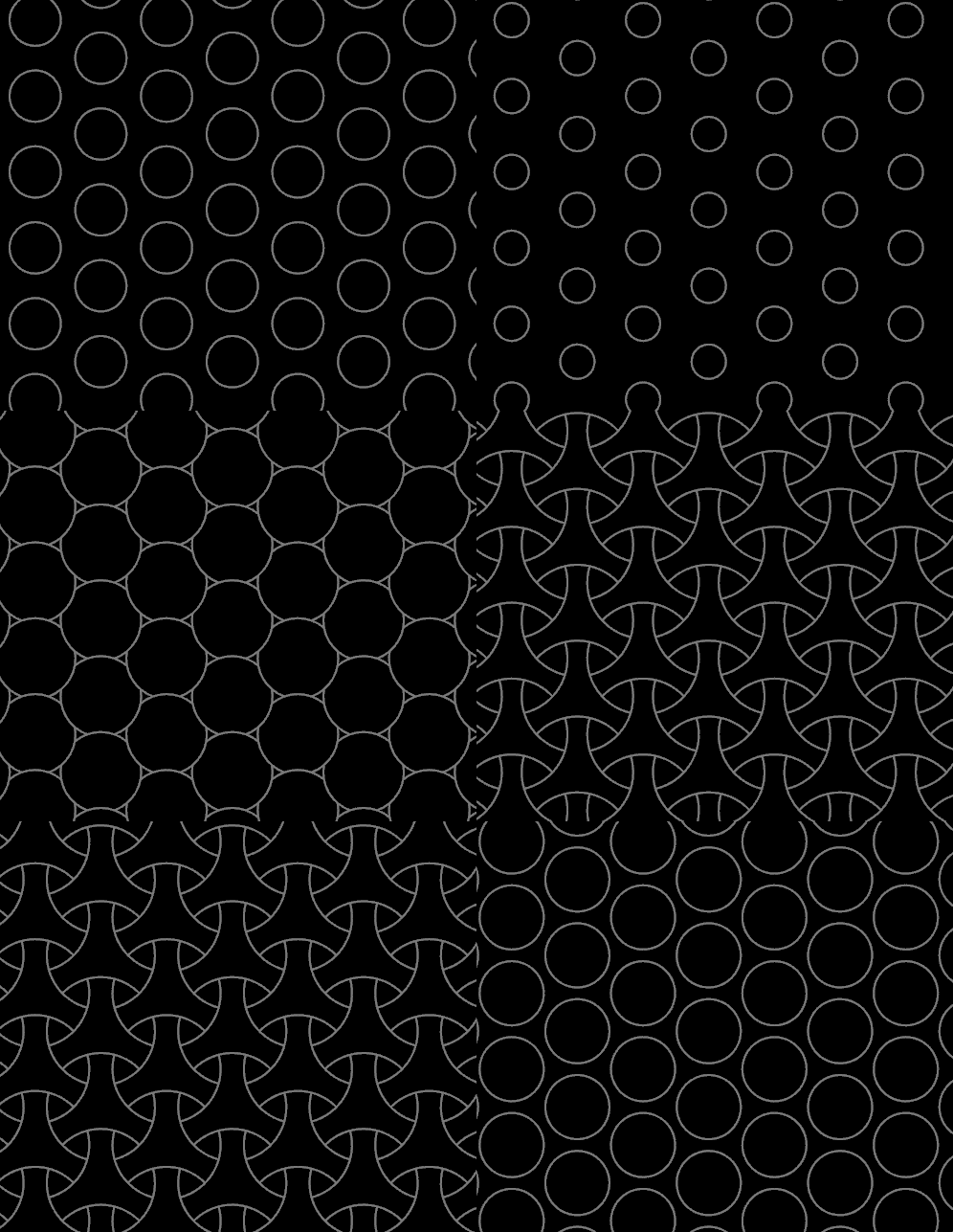
Complete pattern overview:
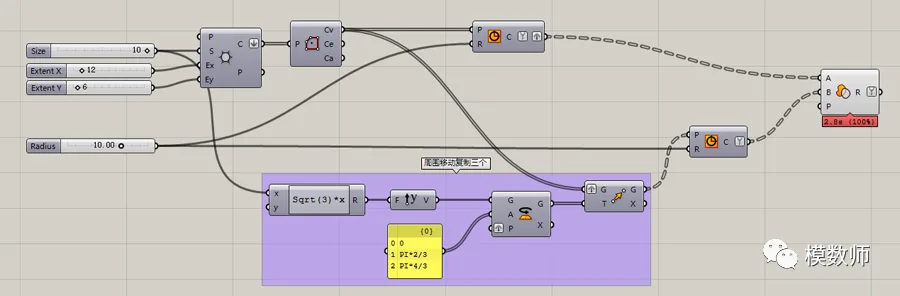
There are two issues that still need to be addressed:
1. This method relies on brute force Boolean operations, which become slow and computationally expensive as the number of points grows. Therefore, I recommend exploring algebraic algorithms, especially for those interested in the mathematical aspect.
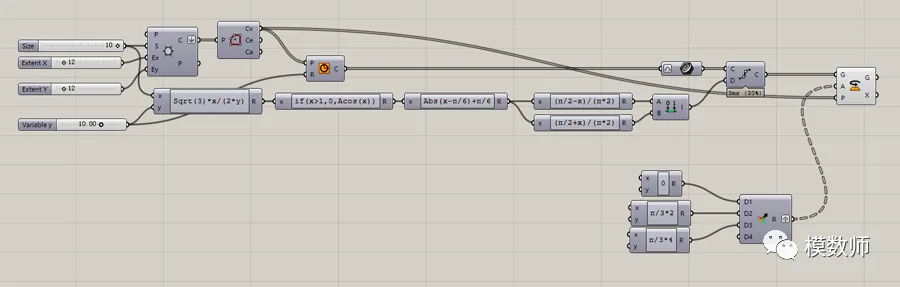
2. The texture effect is somewhat monotonous and could also be achieved with manual arrays. To fully leverage Grasshopper’s capabilities, using gradient interference effects would be beneficial. You can refer to the initial video for inspiration.
Reference pattern overview:
















Must log in before commenting!
Sign Up