
This article is from the official account: ACND STUDIO
Overview
This article explains the basic operational rules of Grasshopper by exploring how multiple data sets and their relationships work together.
Required Software: Grasshopper
Data Categories
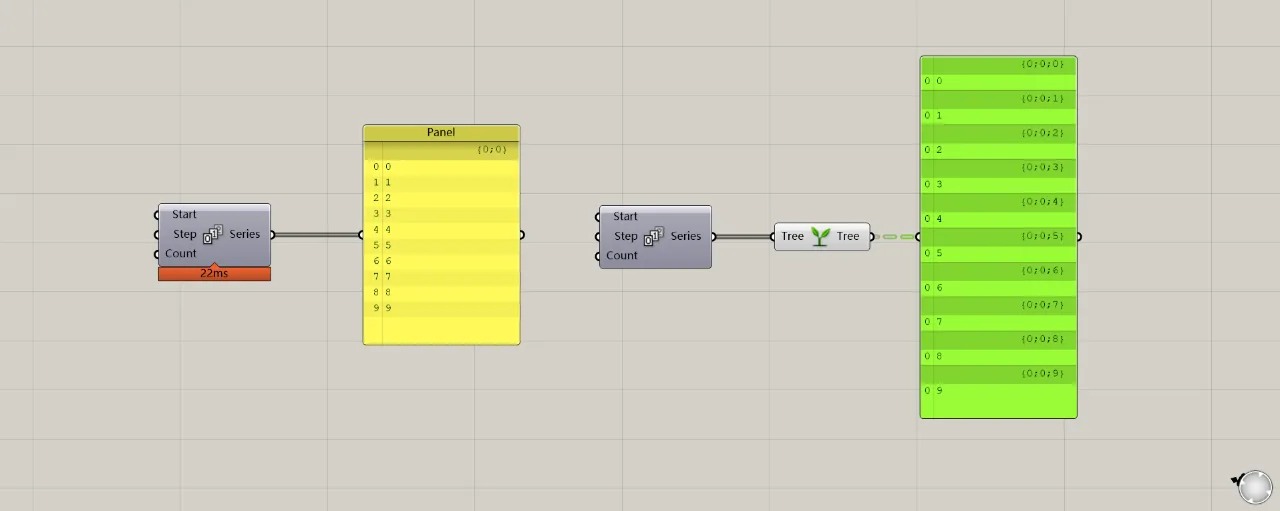
In general, data types can be divided into two categories: single data on the left side of the graph, and tree data on the right side. To the right of the dark-striped column at the top of the list, you’ll find a path for each data set, such as {0;0} or {0;0;0}. This path helps distinguish how many data groups exist in the list. Essentially, a list with only one data group is considered single data, while multiple groups form tree data. While these are just labels, understanding their meaning is key.
Calculations with Single Data Lists
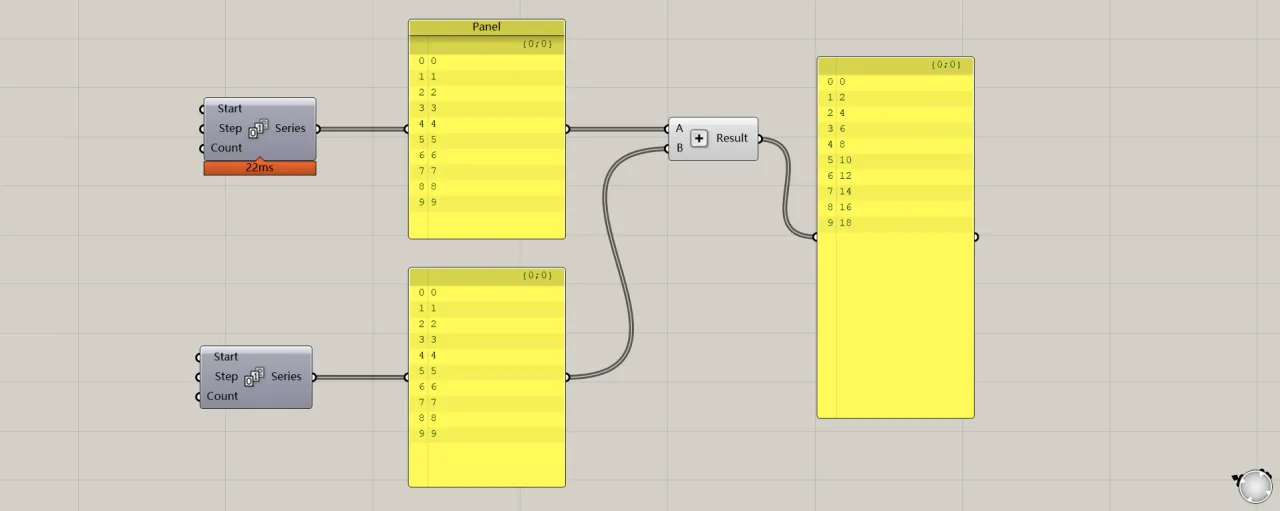
When two lists each contain a single data set and are operated on, there is a one-to-one correspondence between their items. For example, the item at index 0 in the upper list corresponds to the item at index 0 in the lower list, and so forth, resulting in the list shown on the right.
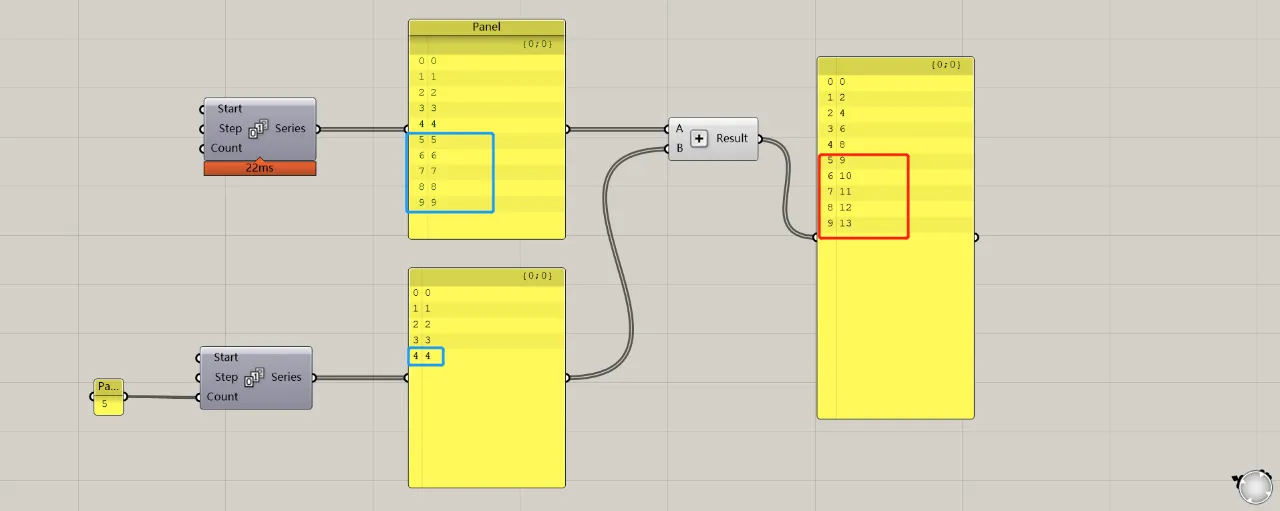
When the two lists differ in length, the first items (indexes 0–4) still correspond one-to-one as usual. However, for indexes 5–9 in the longer list, the last item in the shorter list is repeated to complete the operation.
Calculations with Multiple Data Groups
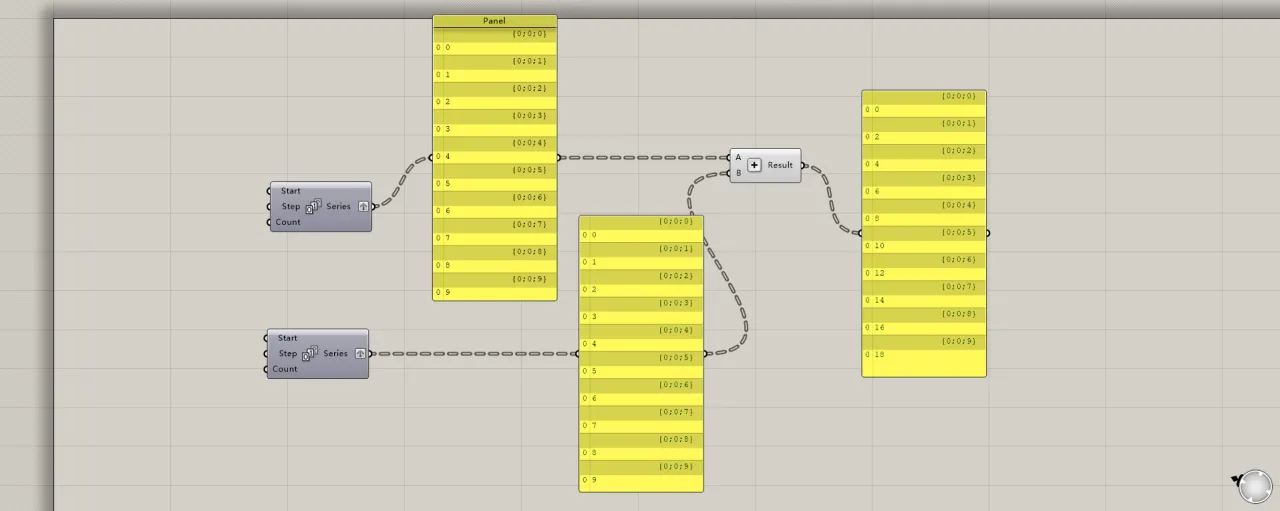
The calculation method for two data lists with multiple groups is similar. When both lists have the same number of groups, each group corresponds directly to the matching group in the other list for calculation.
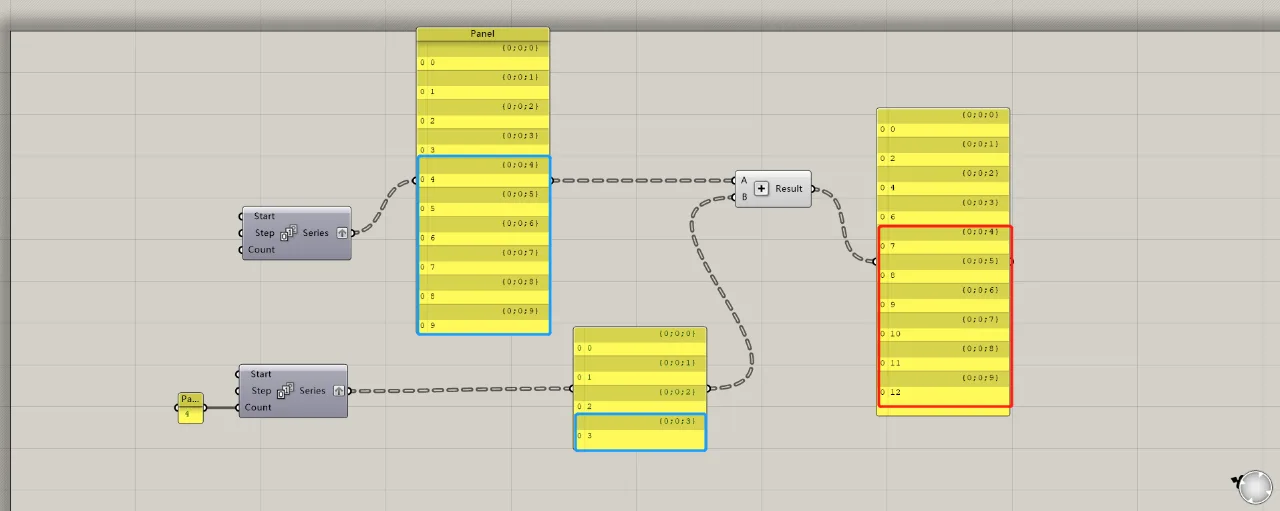
When the number of groups differs between two lists, the calculation follows the same logic as with single data lists. The groups in the longer list that exceed the shorter list’s count will be calculated using the last group of the shorter list.
Calculations Between Multiple Groups and Single Data
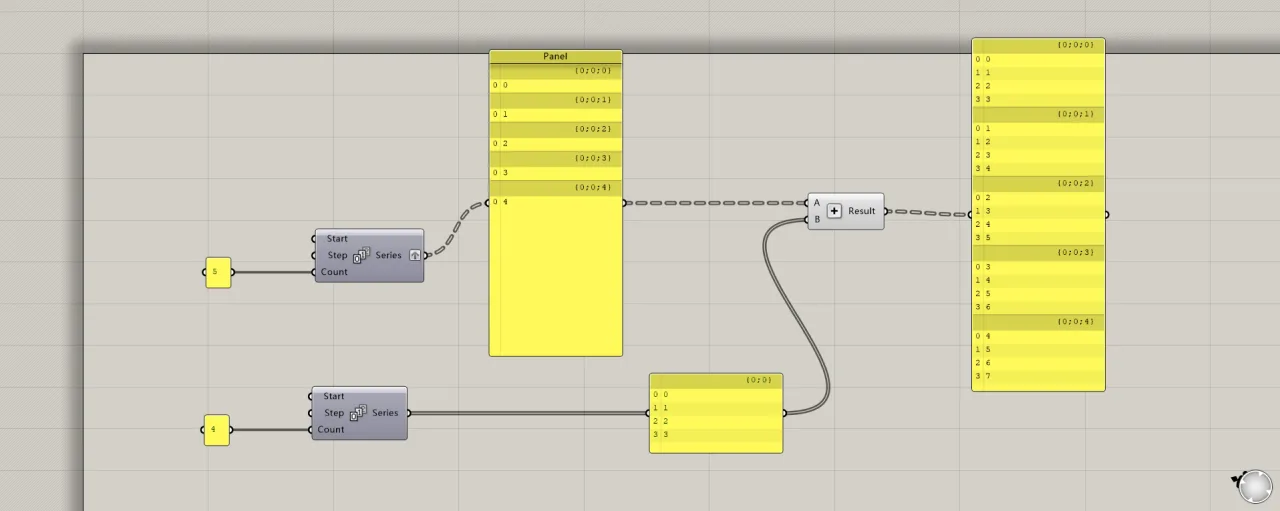
If one list contains multiple groups and the other only a single group, each group in the multi-group list operates separately with the single group. Note that groups within the multi-group list do not influence each other.
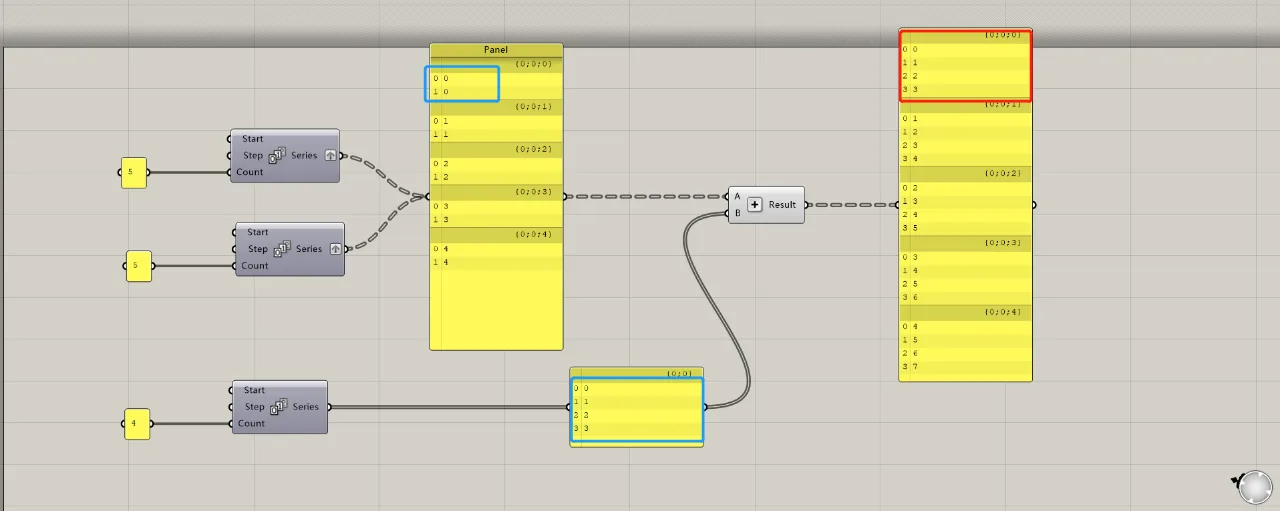
When each group contains multiple data items, the external operations between each group and the single data group remain the same. Internal operations within each group follow the previously mentioned rules, including handling any excess data in longer lists and using the last item in shorter lists.
Data Merging
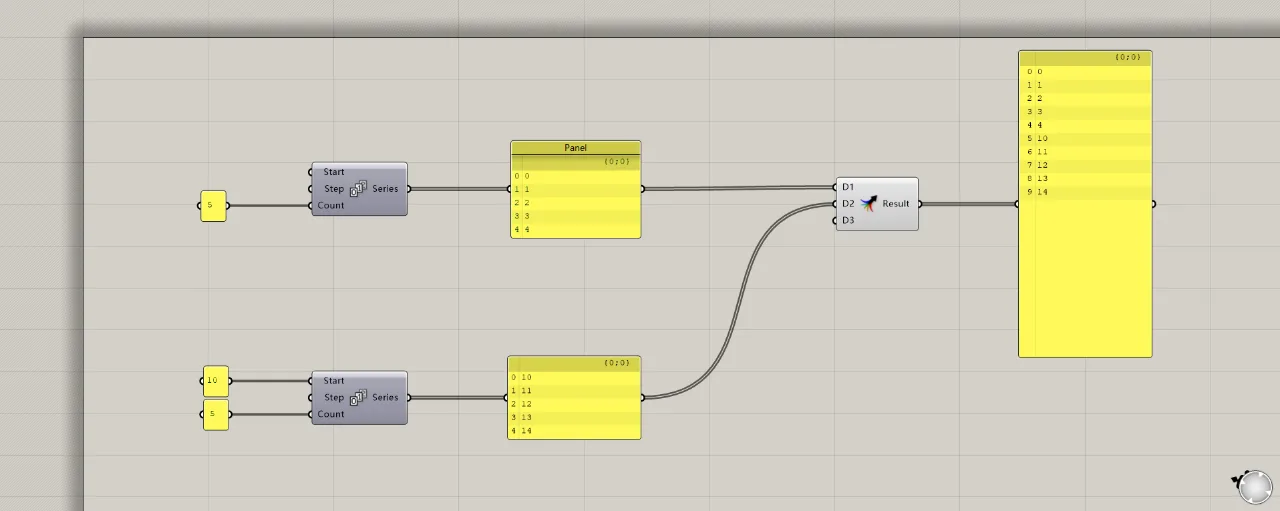
The most common way to merge two data sets is by using the merge operator (or shift-select). However, it’s crucial to consider how the merged data matches between the two sets. The sequence number of each array must be consistent for the data to be grouped together. As shown in the figure, the data from the upper and lower lists merge into one group because their list numbers match, arranged according to input terminals D1 and D2.
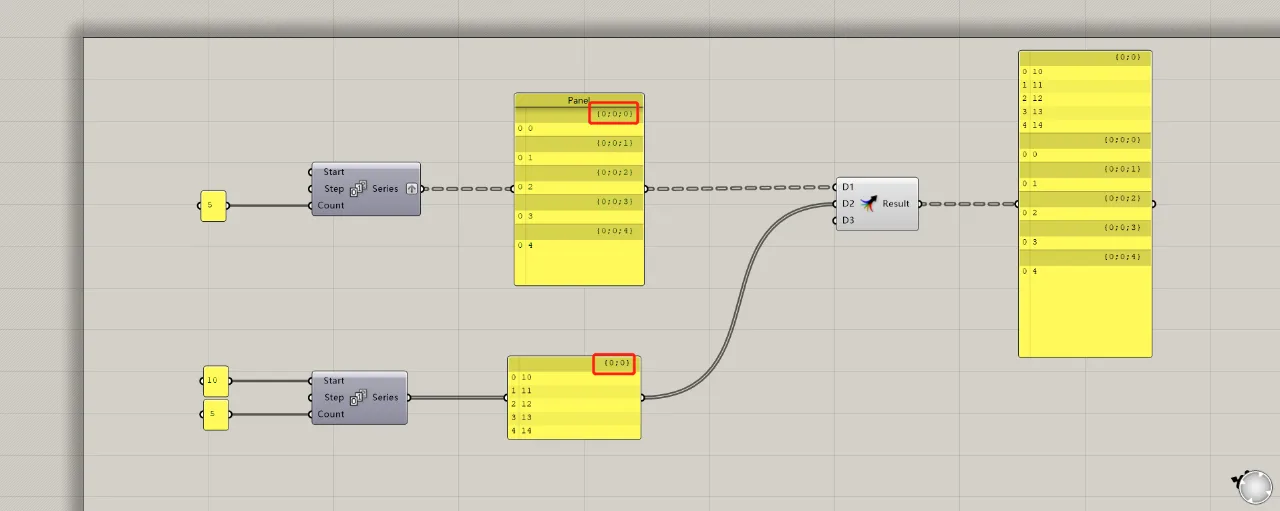
If the group numbers differ between the two data lists, the merged result will only place the corresponding groups together in a larger list, without merging within those groups. The order is always determined by the shorter path appearing first. For example, even though the list {0;0} is connected to D2, it still appears at the front of the merged list.
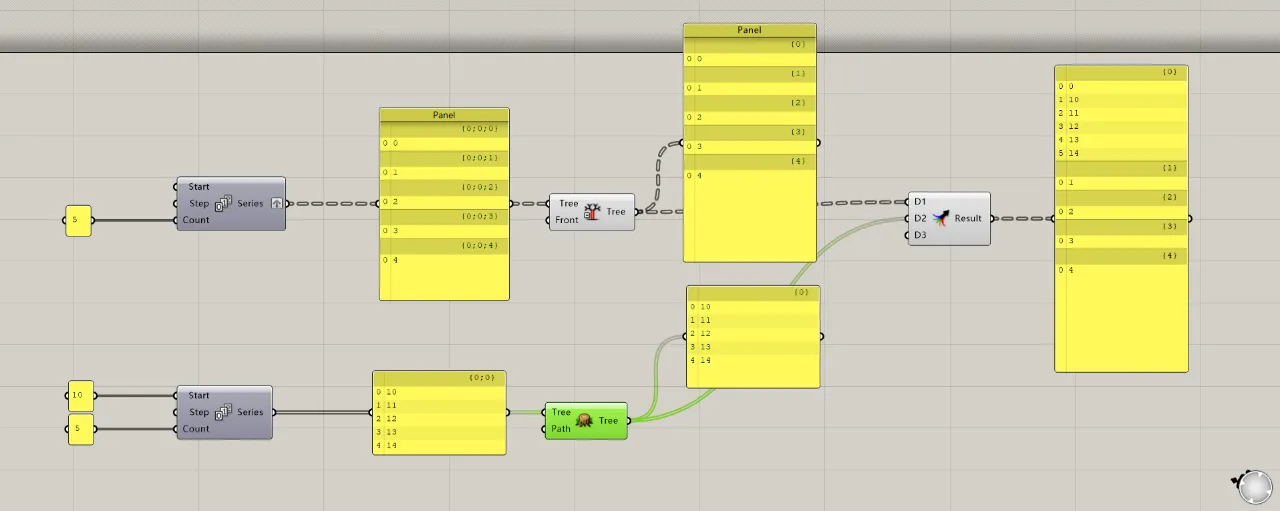
Of course, you can unify paths using simplify and flatten. However, you’ll notice that only data with matching path names merge on the right, while the rest remain unchanged.
















Must log in before commenting!
Sign Up