
Once you have created the route, profile, and assembly, navigate to the Road command under the Common tab, as illustrated in Figure 1.
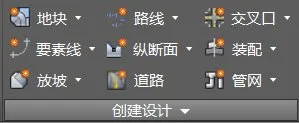
Figure 1: Road Creation Command
In the pop-up Create Road dialog box, customize the road model’s name, style, and layer as needed, shown in Figure 2.
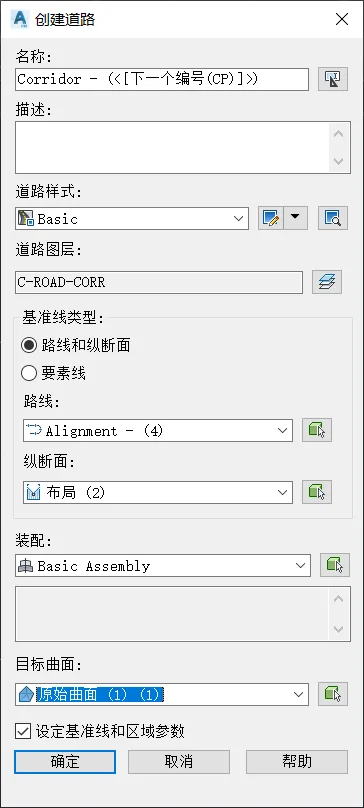
Figure 2: Create Road Dialog Box
You can choose the baseline type as either Alignment and Profile or Feature Line. Feature lines represent three-dimensional spatial lines with elevation data. The method of generating 3D spatial lines by combining them with route plans and profile design data remains the same.
If you select Route and Profile as the baseline type, pick the corresponding route and profile carefully. Make sure that the profile you select at the point is the design profile, not the surface profile. The surface profile reflects the ground elevation derived from the original terrain surface—essentially the longitudinal ground line. Creating a road model with the surface profile will align the design elevation exactly with the original terrain elevation.
Set the target surface to the original terrain surface to establish the slope relationship between the road model and the terrain. For the baseline and area parameters, it is recommended to keep the default values initially. Confirm your settings to generate the road model, as demonstrated in Figures 3 and 4.
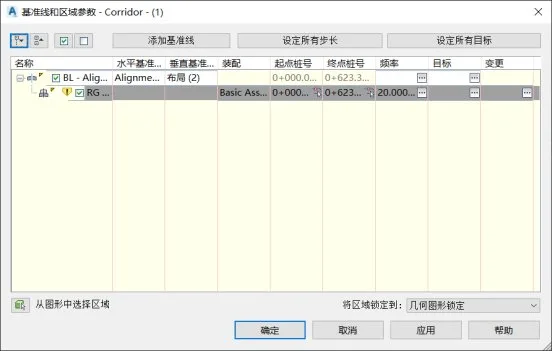
Figure 3: Baseline and Area Parameter Settings
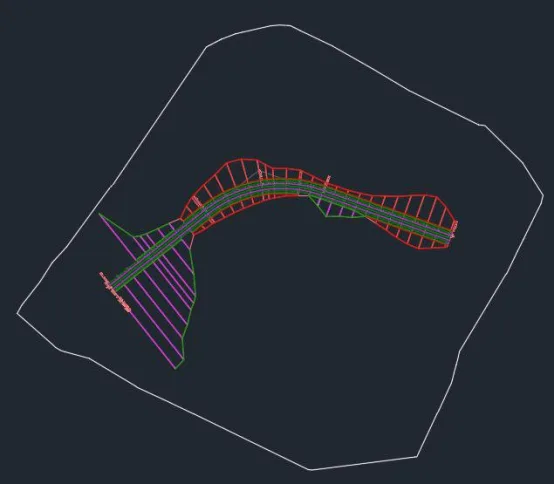
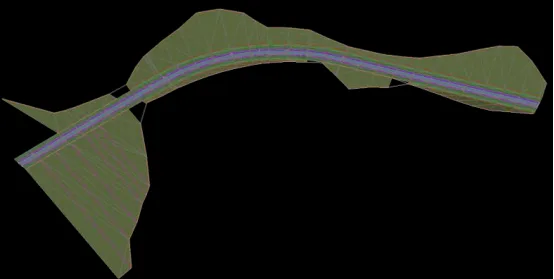
Figure 4: Road Model in Plan and 3D View
















Must log in before commenting!
Sign Up