
The default cross-sectional design style provided by Civil 3D may not fully meet the drawing standards commonly used in China. Therefore, it is necessary to localize and customize these styles. The key styles that govern the display of cross-sectional views include the cross-sectional view style, cross-sectional annotation band set, cross-sectional view table, and cross-sectional code set style. These are similar in configuration to the settings used for longitudinal section design drawings.
1) Cross-Sectional Drawing Style
The cross-sectional view style determines how the grid and graphical elements are displayed within the cross-section. To customize this, open the Toolspace palette and navigate to the Section View Style under the Settings tab, as shown in Figure 1. You can then adjust the drawing style following the same approach used for setting profile view styles.
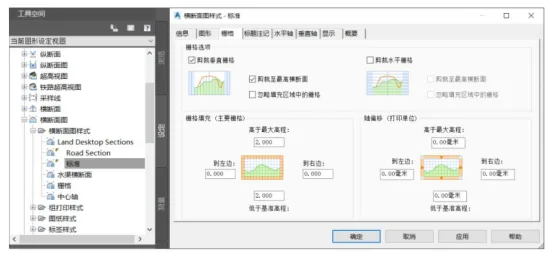
Figure 1: Cross-Sectional View Style
2) Cross-Sectional View Properties
The properties of the cross-sectional view control the display settings for the currently selected set of cross sections. To edit these, select the cross-sectional drawings, right-click, and open the Cross-Sectional View Properties dialog, as illustrated in Figure 2. This interface allows for batch editing and modification of related display settings.
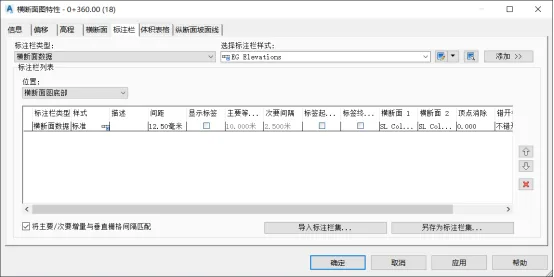
Figure 2: Cross-Sectional View Properties
















Must log in before commenting!
Sign Up