
This article is from the official BIM community.
Revit software is fundamentally based on modeling, but its unique feature lies in linking form with quantity. Each 3D element created in Revit has associated area and volume data, enabling the generation of quantity takeoff tables. This distinct advantage sets BIM software apart. Without leveraging this feature, simply modeling in Revit offers no more benefit than using 3Dmax. Therefore, learning Revit means mastering both modeling and quantity estimation simultaneously. In practice, modeling and quantity calculation proceed hand-in-hand, making Revit an efficient and convenient tool for quantity takeoff and communication among professionals.
Revit is mainly applied in four key areas of construction cost management:
1. Model Creation from Construction Drawings
Upon receiving construction drawings, the first step is to convert 2D CAD plans into a 3D Revit model. Initial modeling follows the construction sequence, starting by creating the structural model based on structural drawings, then developing a secondary structural model guided by architectural plans.
The modeling process serves two main purposes: first, it helps identify design issues—particularly conflicts between architectural and structural elements—through the 3D model, which can then be submitted to the design team for correction. Compared to reviewing 2D drawings, issues are easier to spot in a 3D model because any design flaws will prevent the model from fitting together properly without gaps or overlaps.
Second, the model facilitates the calculation of quantities for both main and secondary structures. For a residential building of approximately 20,000 square meters, this process typically takes around 3 to 4 weeks.
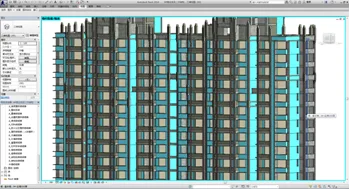
2. Visual Progress Payment Tracking
The progress payment for the project is visually tracked using the completed main and secondary structural models. During construction, the model is updated to reflect actual on-site progress and any changes. This allows for the extraction of phased quantities and supports accurate, visual progress billing.
Alternatively, a new model can be created to match project progress, keeping the model synchronized with construction stages. For new works such as waterproofing, plastering, and exterior finishes, these can be added to the existing model as the project advances, ensuring quantity tracking remains current.
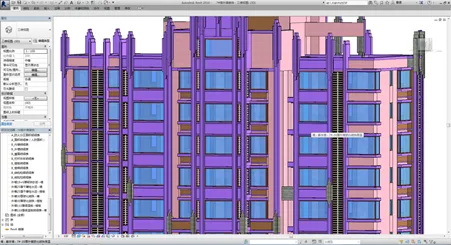
3. Model Sharing Across Trades
By sharing a unified model among various trades, quantity takeoff and verification are performed on the same dataset, ensuring measurement accuracy. The volume of the 3D model created from design drawings remains fixed.
3D models clearly illustrate construction boundaries for different trades. Even if different individuals perform measurements, as long as they work on the same model, it prevents duplicated quantity calculations at trade interfaces.
When relying solely on CAD floor plans, it is common for inexperienced estimators to overlook joint areas, or to be aware but avoid verification due to complexity, leading to repeated measurements. Additionally, higher-level reviewers rarely cross-check numerous figures against floor plans, increasing the risk of errors.
4. Earthwork and Foundation Quantity Calculation
Revit’s volumetric modeling simplifies calculating earthwork and foundation pit slope protection quantities, regardless of shape complexity. By drawing geometric shapes, formula-based calculations can be performed quickly and accurately.
For interior decoration, the emphasis remains on quantity takeoff and evaluating different 3D model solutions. However, to produce high-quality renderings, models are often exported to 3Dmax for final visualization.
















Must log in before commenting!
Sign Up