BIM World
A Professional BIM Learning Platform


BIM Q&A: Step-by-Step Guide to Creating Irregular Curtain Walls in ArchiCAD

This article is originally from the official account: B Academic Circle.

Glass curtain walls are lightweight and decorative exterior walls commonly used in modern large-scale and high-rise buildings. Although their structures may appear complex, you can quickly create them using the Curtain Wall tool in ARCHICAD. Want to design a curtain wall with unique and advanced features? Let me guide you step-by-step on how to create a distinctive curtain wall.

1. Creating a Custom Curtain Wall Main Panel

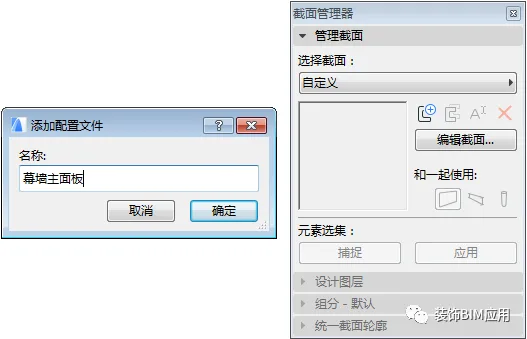
① Begin by drawing custom sections for the curtain wall’s main panel using the Section Manager (navigate to Options > Element Properties > Section Manager).
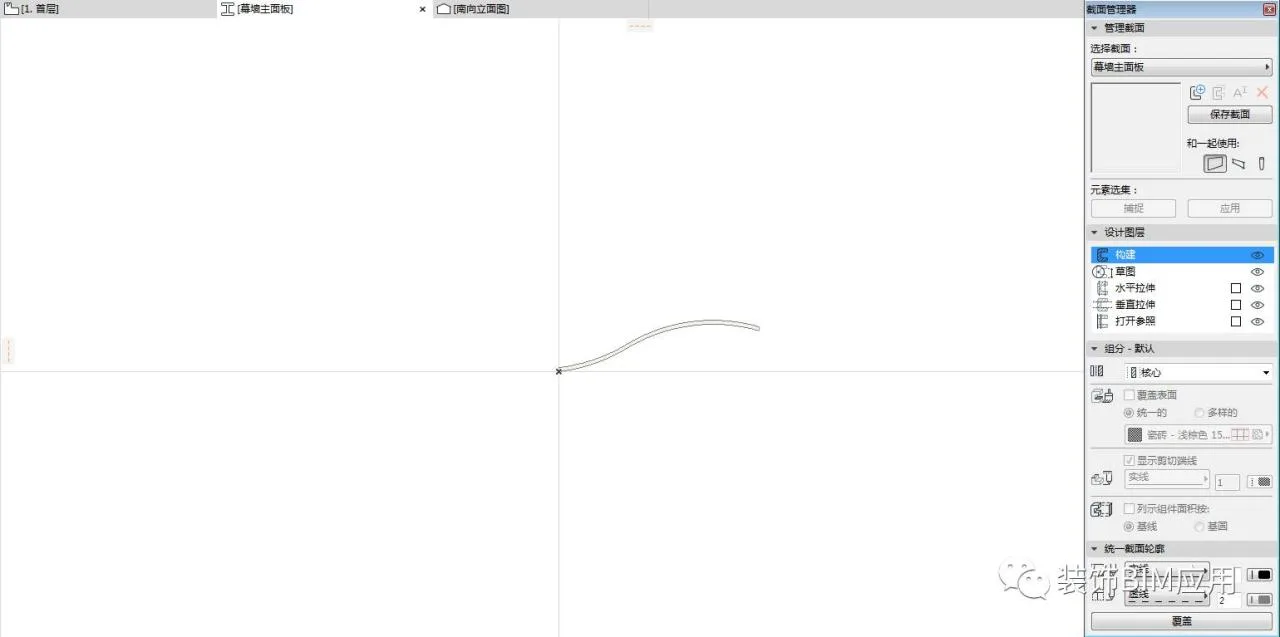
BIM Q&A | How does ArchiCAD create irregular curtain walls? Teach you step by step!

BIM Q&A | How does ArchiCAD create irregular curtain walls? Teach you step by step!

② Use the ‘Wall’ tool to create the main panel of the curtain wall.
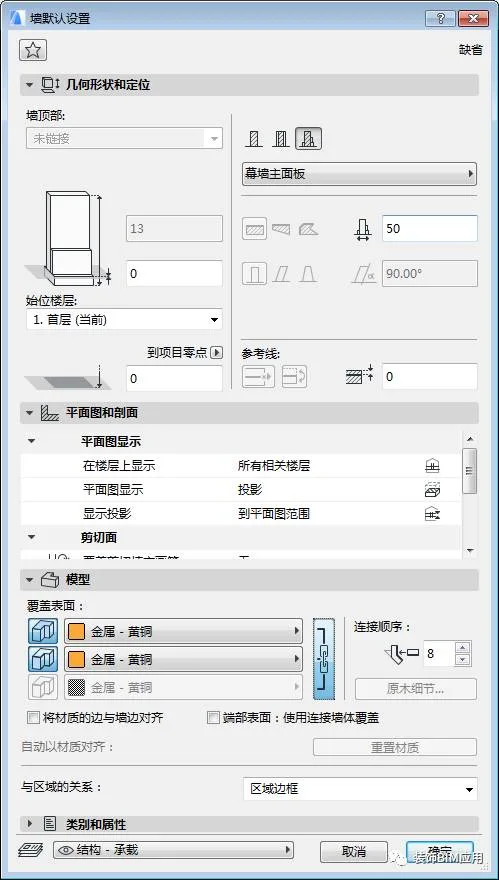
BIM Q&A | How does ArchiCAD create irregular curtain walls? Teach you step by step!

③ Switch to the 3D view to inspect your model by pressing the F5 shortcut key.
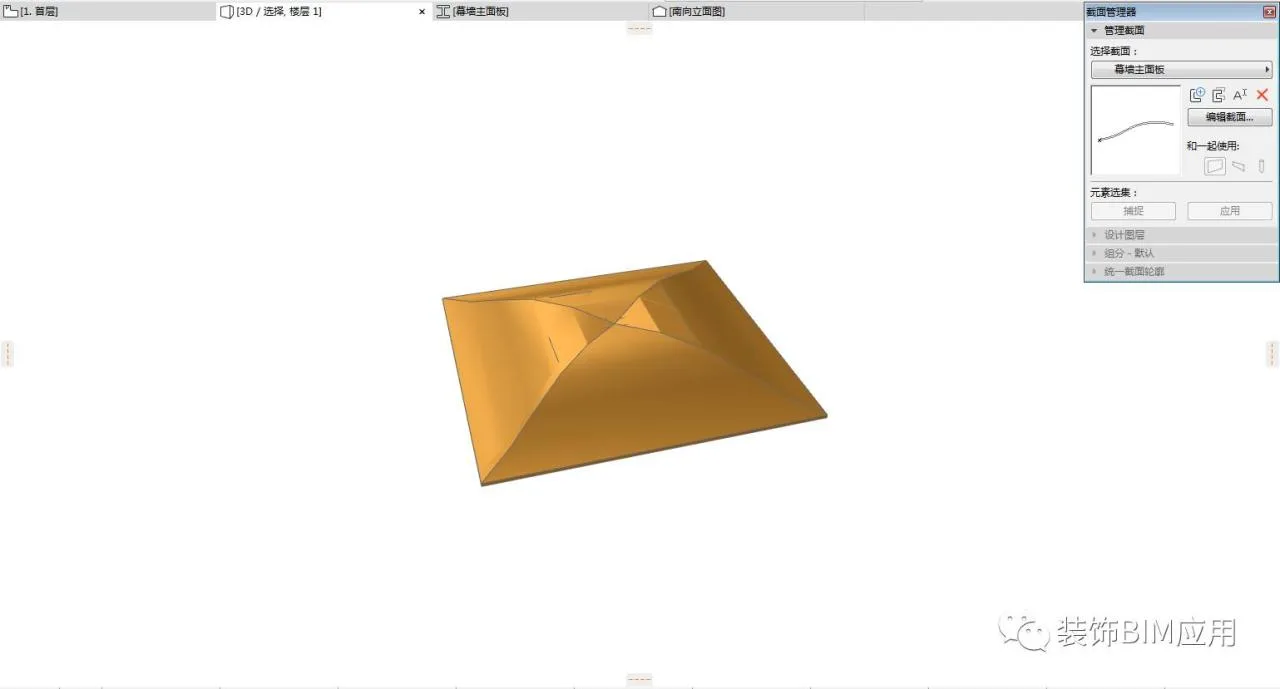
BIM Q&A | How does ArchiCAD create irregular curtain walls? Teach you step by step!

④ Select the main panel of the curtain wall and save it as a main panel object: go to File > Gallery and Objects > Save Selection as > Curtain Wall Panel.

2. Creating a Curtain Wall Sub Panel

① Create an irregular mesh by activating the Mesh tool. Select the mesh, press the spacebar to pick contour lines, and then adjust the points along these contours to raise them.
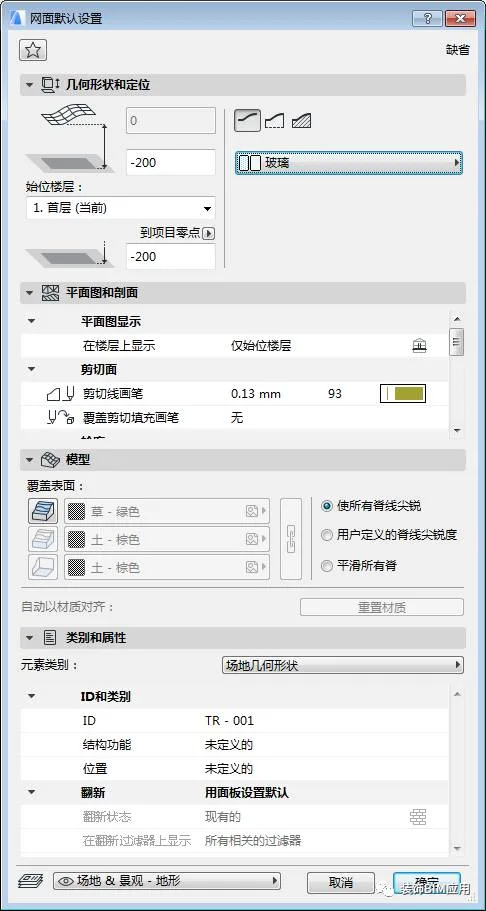
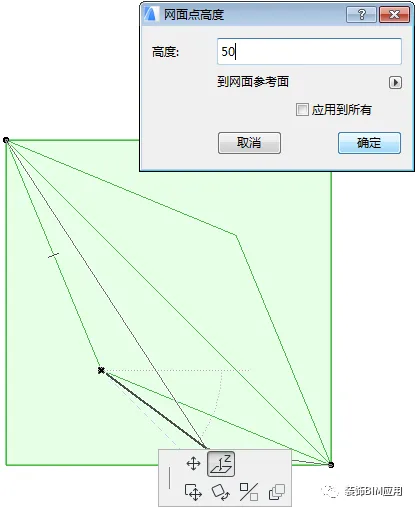
BIM Q&A | How does ArchiCAD create irregular curtain walls? Teach you step by step!

BIM Q&A | How does ArchiCAD create irregular curtain walls? Teach you step by step!

② Switch to 3D view (shortcut key F5) to check the mesh model.
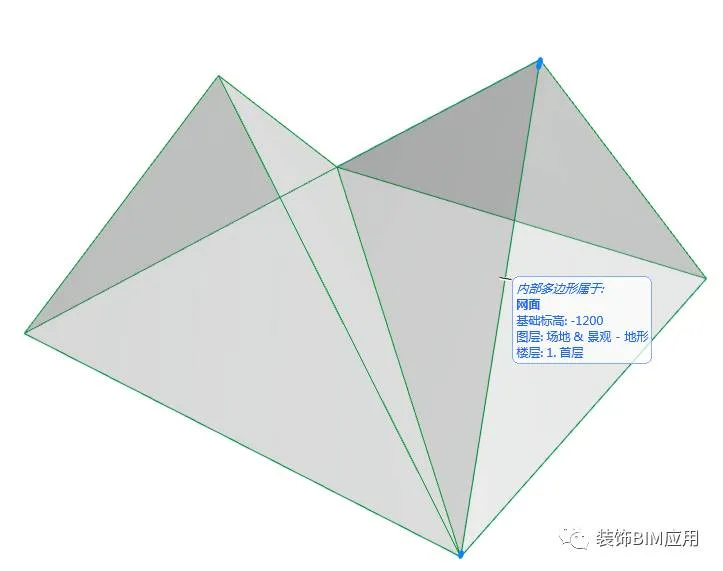
BIM Q&A | How does ArchiCAD create irregular curtain walls? Teach you step by step!

③ Select the curtain wall sub panel and save it as a sub panel object via File > Gallery and Objects > Save Selection As > Curtain Wall Panel.

3. Creating the Curtain Wall

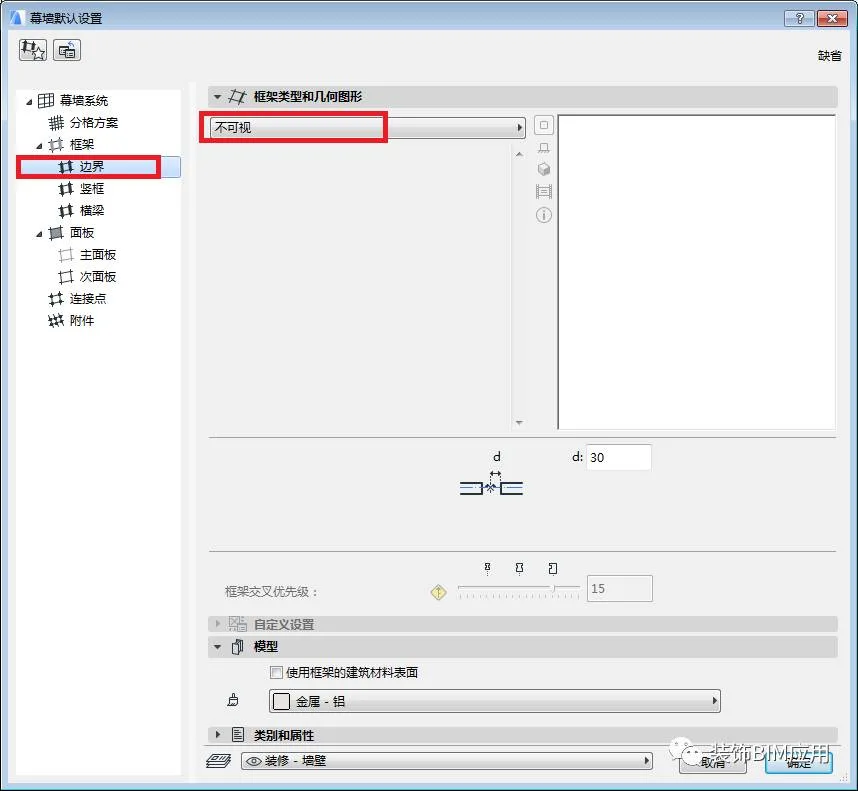
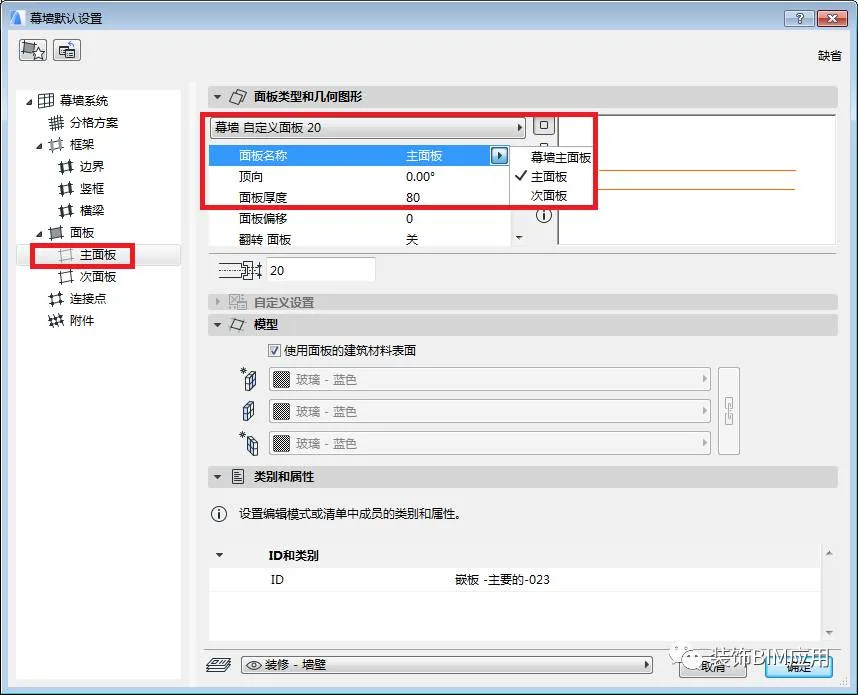
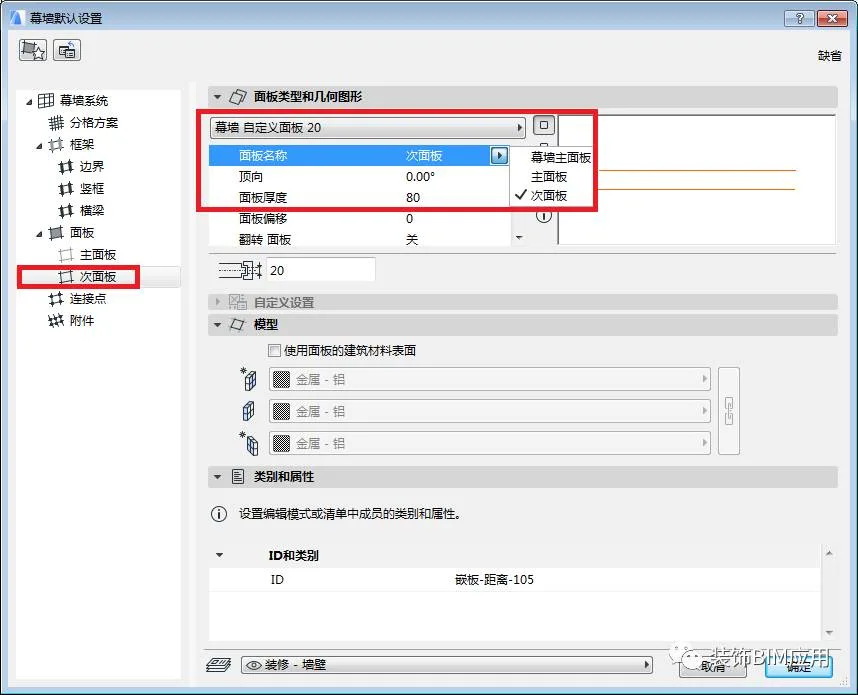
① Select the ‘Curtain Wall’ tool and configure its settings.
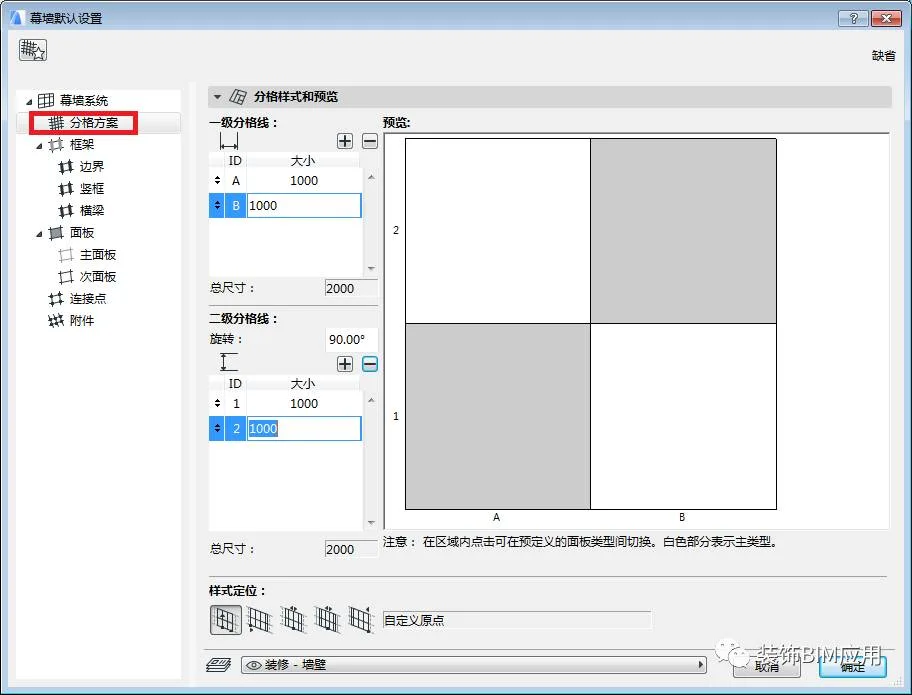
BIM Q&A | How does ArchiCAD create irregular curtain walls? Teach you step by step!

② Use the ‘Curtain Wall’ tool’s geometric methods, such as curve radius and axis, to draw the curtain wall.
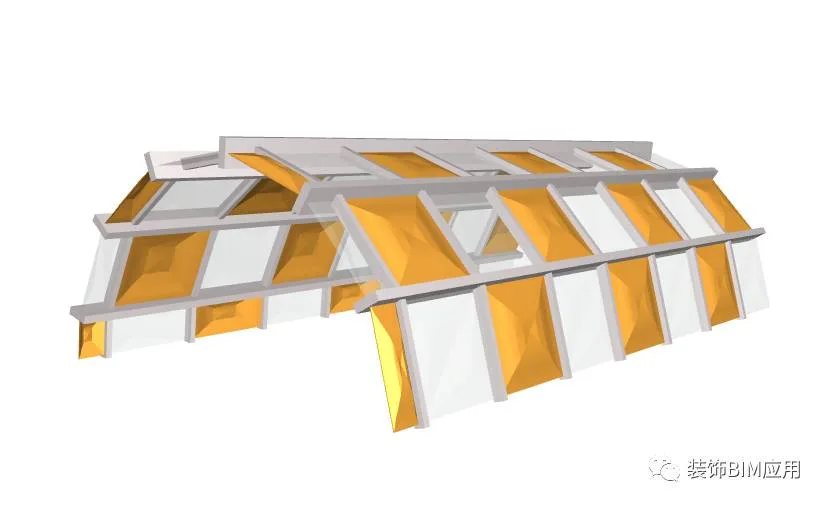

BIM Q&A | How does ArchiCAD create irregular curtain walls? Teach you step by step!

xuebim
Follow the latest BIM developments in the architecture industry, explore innovative building technologies, and discover cutting-edge industry insights.
← Scan with WeChat
Like(0) 打赏
BIM WORLD » BIM Q&A: Step-by-Step Guide to Creating Irregular Curtain Walls in ArchiCAD

Comment Get first!

Must log in before commenting!


BIM World, A Professional BIM Learning Platform

Stay updated on the latest architecture trends and share new building technologies.

Contact UsAbout Us

觉得文章有用就打赏一下小编吧

非常感谢你的打赏,我们将继续提供更多优质内容,让我们一起创建更加美好的网络世界!

支付宝扫一扫

微信扫一扫

Account Login

By signing in, you agree toUser Agreement

Sign Up