
Source: Geek BIM Workshop
There are two main methods to annotate elevations in Archicad.
The first method involves using vertical profiles, which makes it easy to adjust the absolute elevation. Since this process is straightforward, it will not be covered here.
The second method applies to elevations of floor slabs, mesh surfaces, shells, and roofs on a flat plane. This requires using specific elevation annotation tools combined with gravity tools that automatically detect the surface elevation of the objects.
By default, the elevation values in the plan reference the project’s zero point. When consolidating overall drawing annotations from multiple units and requiring absolute elevation values, a different approach is necessary.
After reviewing Archicad’s help resources, I found a solution that I would like to share:
- The triangle used to indicate elevation points does not have elevation text attributes in its properties.
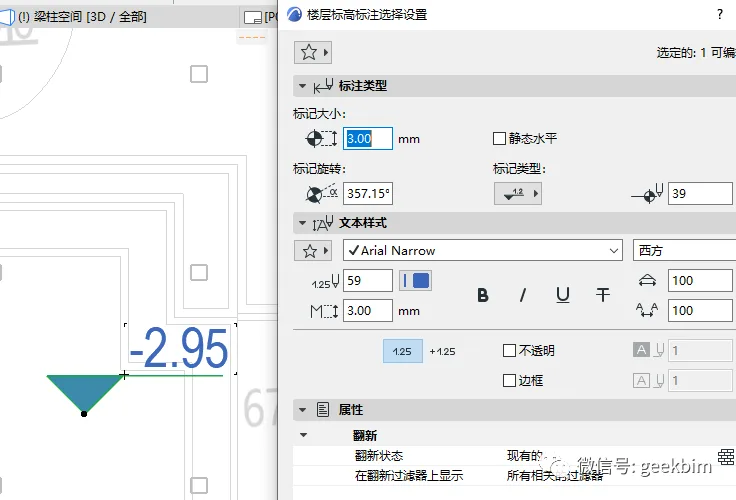
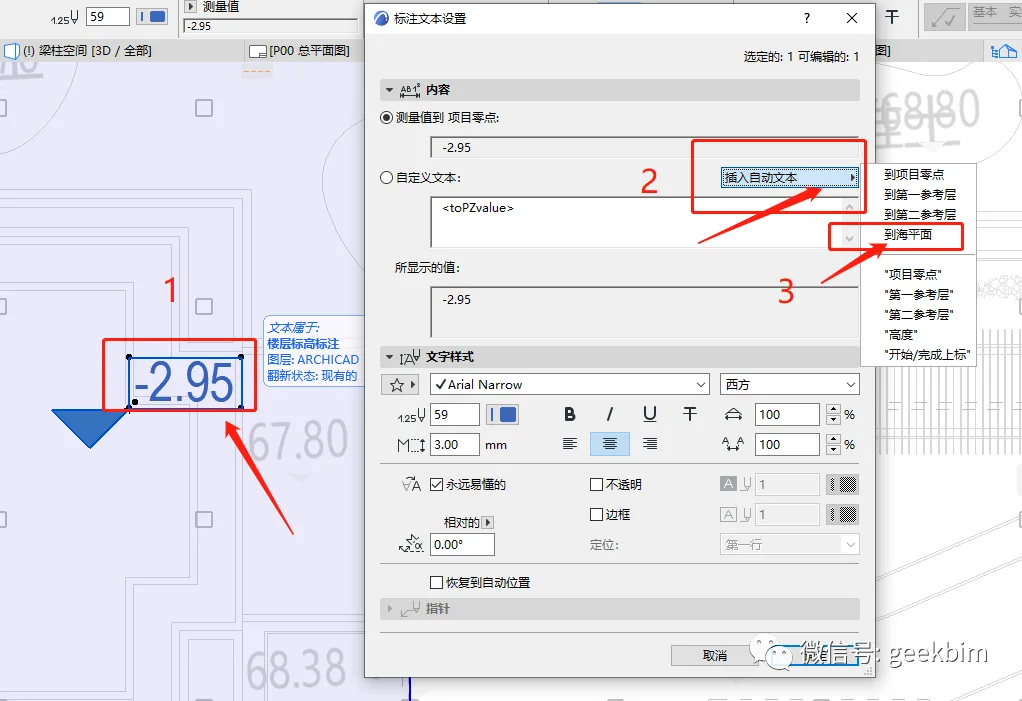
- The elevation text attribute of the point can be configured by following specific steps.
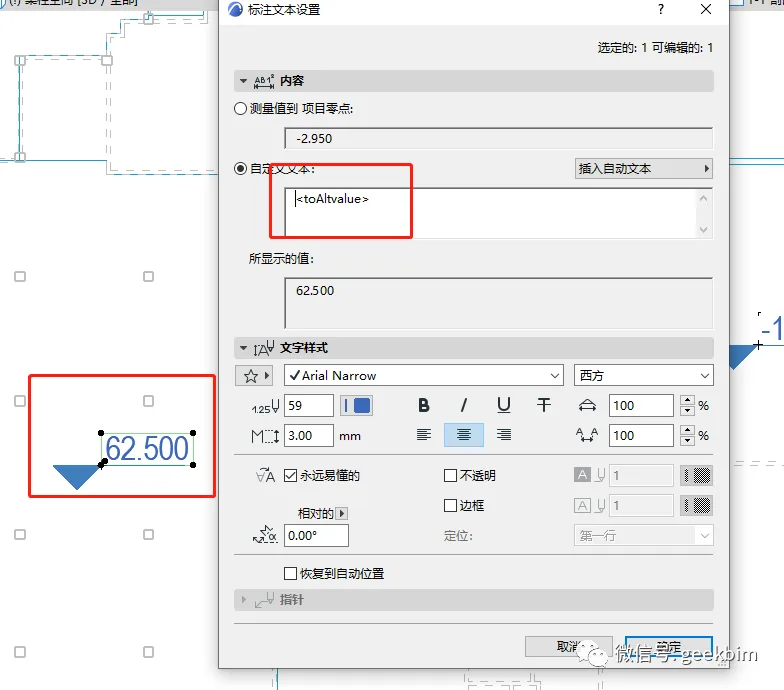
- The annotation is then completed as shown in the following image.
- If you want to add the relative elevation of the floor slab based on the project zero point, simply add parentheses around the value.
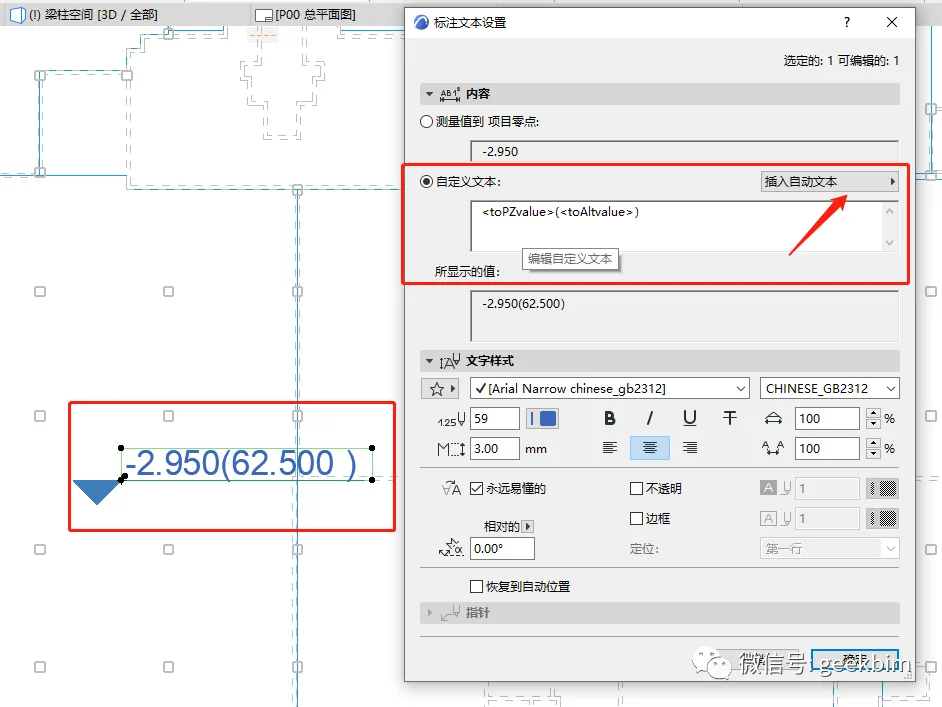
Unfortunately, it is not possible to select and modify all elevation points with a single click. While you can select “All” to modify them collectively, no fully automated solution has yet been found.
















Must log in before commenting!
Sign Up