
Source: BIM Speaker Wang Yanxiang
When using ORD China software to create objects like corridors or underground public facilities, these objects come with civil attributes, classifying them as regularized objects.
One key advantage of regularized objects is their parameterization within ORD software. For example, adjusting the template spacing of a 3D road surface or modifying details of a pipe well will automatically update both the 2D and 3D models in real time, emphasizing efficient modeling.
However, when working with a completed scene and model, the focus shifts towards visualization. At this stage, users often want to directly modify the 3D object’s material color and other visual properties.
In earlier versions of ORD, this presented a challenge. Users desired each sub-model to retain only the 3D objects, but the software enforced a strict link between 2D and 3D references, especially when referencing MicroStation (MS). To work around this, users tried various methods such as copying elements from the 3D model or merging 3D objects into the current model. Unfortunately, for SUE objects, this process was less effective. After merging into the ORD main file, the objects often appeared as shown in the image below:
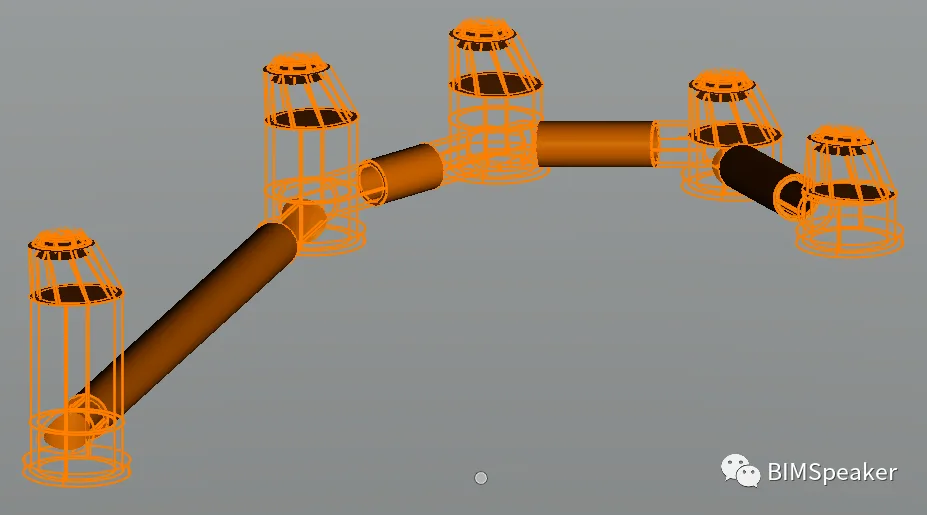
So, is there a reliable way to remove the civil attributes? Currently, this requires two separate steps: one for roads, bridges, and tunnels, and another for SUE objects.
For roads, bridges, and tunnels, navigate to File → Downgrade Civil File. A dialog box will appear:
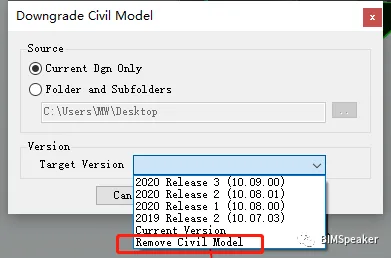
Select Remove Civil Model, choose a save location, and wait for the conversion to complete. Note that this “Remove Civil Attributes” function only applies to corridor objects, so it won’t resolve issues with SUE models.
How can we handle SUE models? Returning to the MicroStation True Fragrance series (version 16 and above), you can reference the model and merge it into the main file, resulting in the object shown below:
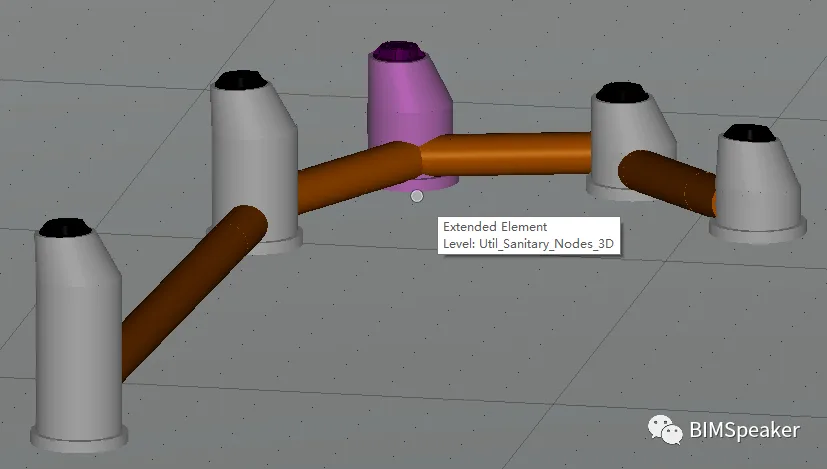
It’s important to note that this merging process must be done in MicroStation 16 or later, as it is currently not supported within ORD.
Many questions may arise, such as: How can we batch divide the 3D road surface? What’s the best way to quickly and efficiently place mechanical and electrical equipment in tunnels? How can corridor modeling efficiency be improved? And what methods can be used for quantity surveying in ORD?
These questions vary in scale, and answers will be provided over time. Some of these features will be implemented in the localized version of ORD China 2021R3. I will also share ideas to help everyone apply these solutions selectively.
















Must log in before commenting!
Sign Up