BIM World
A Professional BIM Learning Platform


BIM Q&A | Bentley Software Tutorial: Retrieving and Merging Cross-Sectional Templates in Corridor Models

Source: Fancheng BIM

Have you ever experienced losing or failing to export cross-sectional files during a project? Recently, I encountered this exact issue. I was working on a project created with an older software version. Now that the drawings have been updated, I needed to modify the cross-sectional model and regenerate it. However, after upgrading the software, I no longer had access to the previous cross-sectional file, which prevented me from making the necessary changes. Fortunately, I found a solution and would like to share it with you.

How can you retrieve and merge cross-sectional templates using corridor models? Follow these steps:

1. Open your model file and click on Create Template.
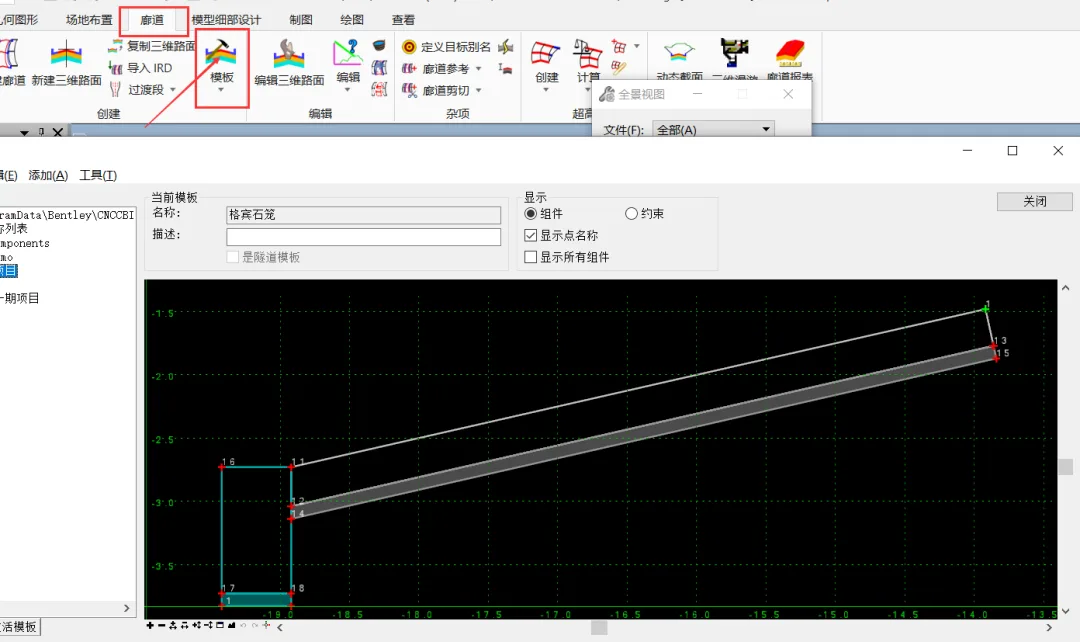
BIM Q&A | Bentley Software Tutorial: How to retrieve and merge cross-sectional templates through corridor models?

2. Navigate to the Tools tab and select Template Library Manager.
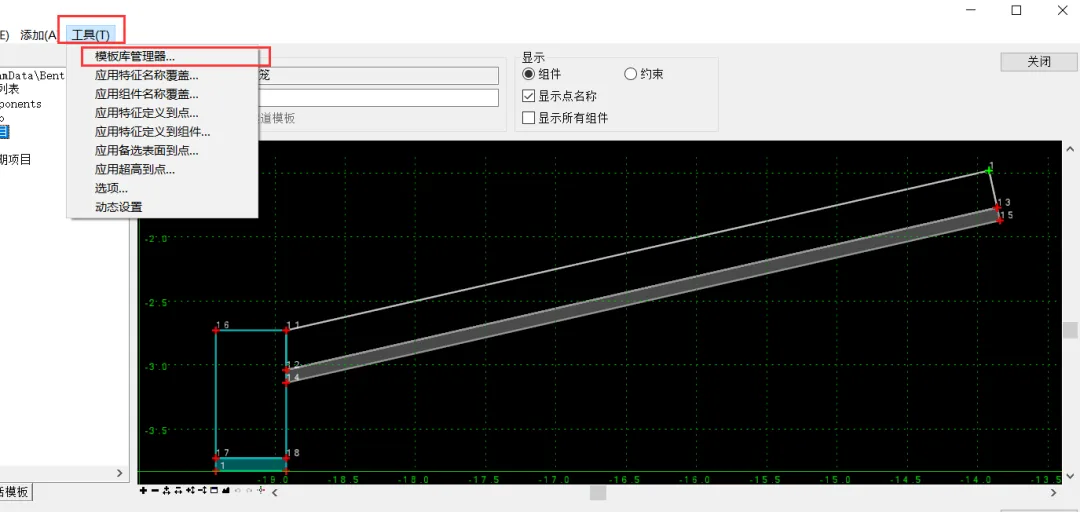
BIM Q&A | Bentley Software Tutorial: How to retrieve and merge cross-sectional templates through corridor models?

3. Drag the retrieved cross-sectional template from the right panel into the template library on the left, then save it. You can now edit and use the template as usual.
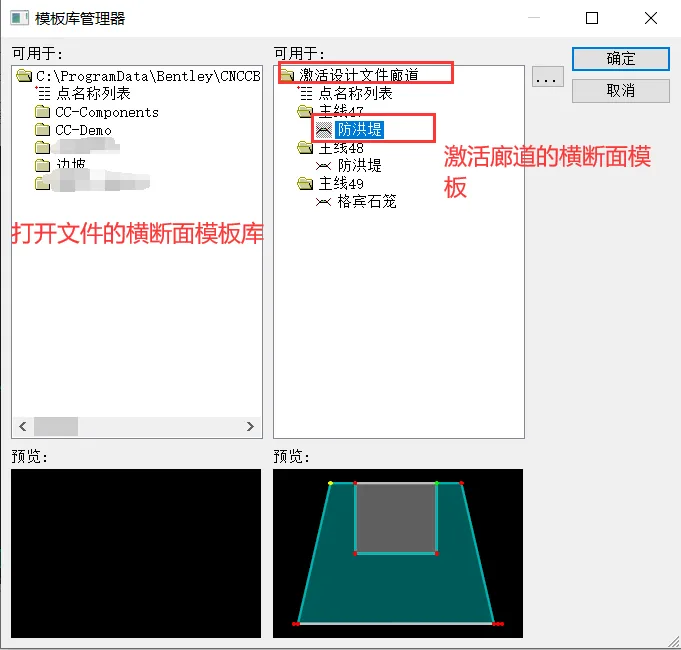
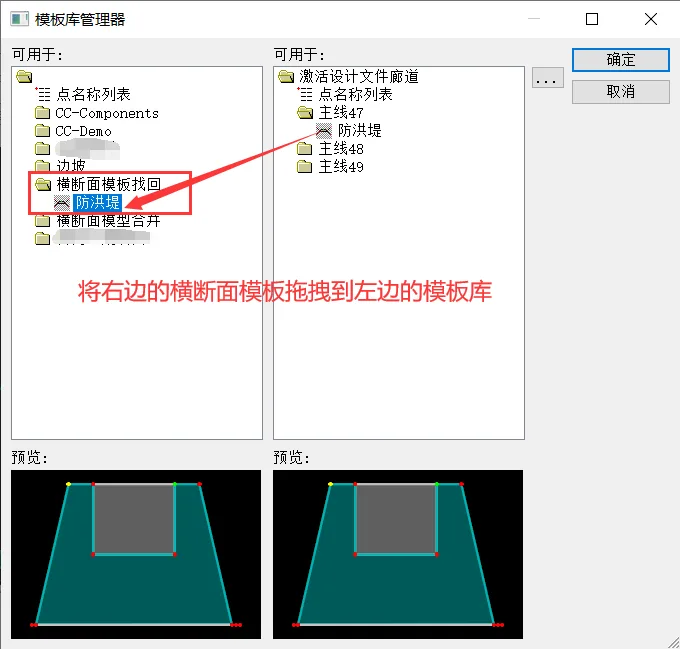
BIM Q&A | Bentley Software Tutorial: How to retrieve and merge cross-sectional templates through corridor models?BIM Q&A | Bentley Software Tutorial: How to retrieve and merge cross-sectional templates through corridor models?

4. To merge cross-sectional template libraries exported by others into your own, open the Template Library Manager and click the button indicated by the arrow in the image below.
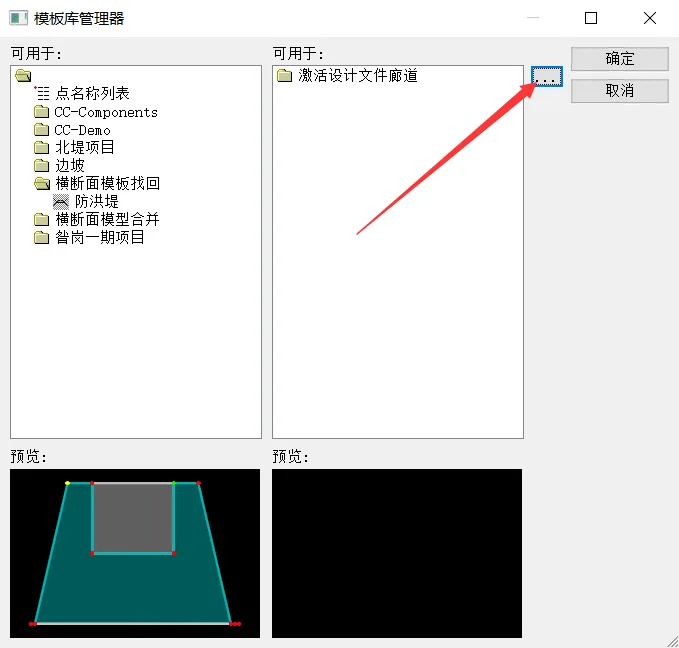
BIM Q&A | Bentley Software Tutorial: How to retrieve and merge cross-sectional templates through corridor models?

5. Locate the exported .itl file and open it.
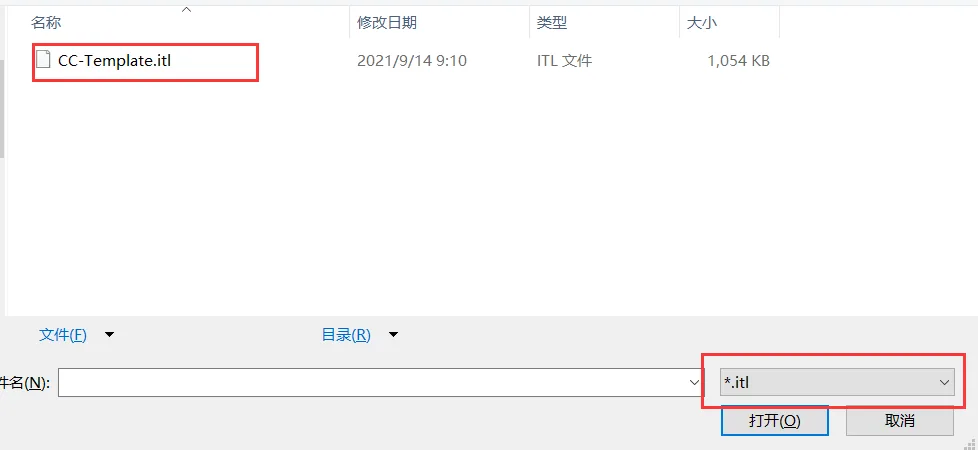
BIM Q&A | Bentley Software Tutorial: How to retrieve and merge cross-sectional templates through corridor models?

6. Select the desired cross-sectional templates and drag them into your template library to complete the merge.
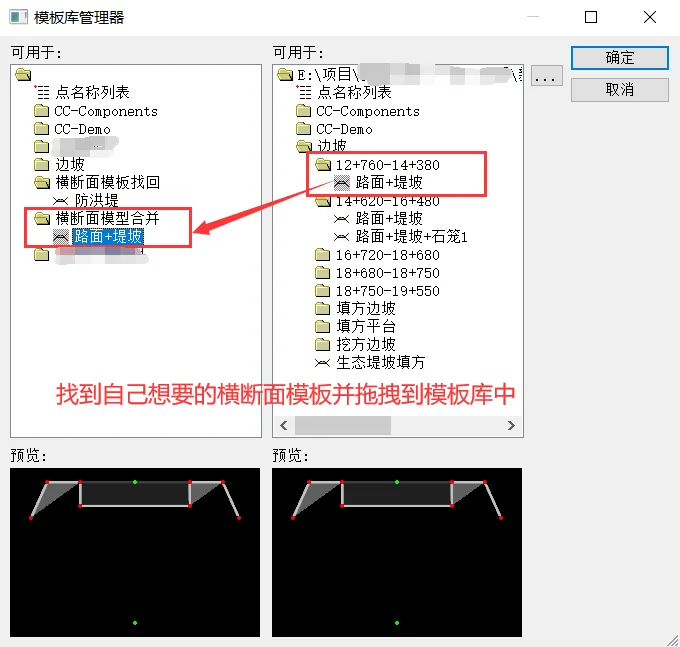

BIM Q&A | Bentley Software Tutorial: How to retrieve and merge cross-sectional templates through corridor models?

xuebim
Follow the latest BIM developments in the architecture industry, explore innovative building technologies, and discover cutting-edge industry insights.
← Scan with WeChat
Like(0) 打赏
BIM WORLD » BIM Q&A | Bentley Software Tutorial: Retrieving and Merging Cross-Sectional Templates in Corridor Models

Comment Get first!

Must log in before commenting!


BIM World, A Professional BIM Learning Platform

Stay updated on the latest architecture trends and share new building technologies.

Contact UsAbout Us

觉得文章有用就打赏一下小编吧

非常感谢你的打赏,我们将继续提供更多优质内容,让我们一起创建更加美好的网络世界!

支付宝扫一扫

微信扫一扫

Account Login

By signing in, you agree toUser Agreement

Sign Up













