
This article is authored by Yun Guixia Yin from the WeChat official account cgbridge.
Let’s begin by examining the layout of the demonstration scene.
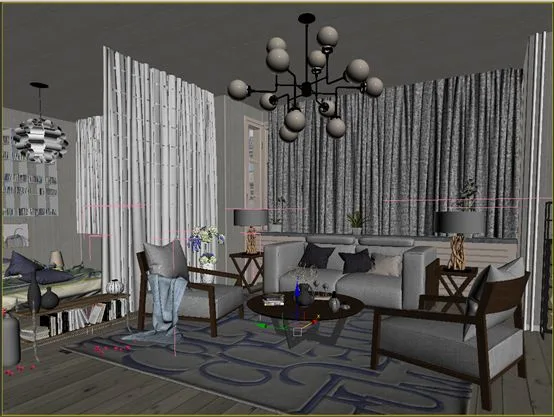
Before creating materials, it is essential to roughly evaluate the lighting. To speed up this lighting test, the scene is rendered as a grey model. The typical approach involves first creating a standard VR texture ball, as shown below.
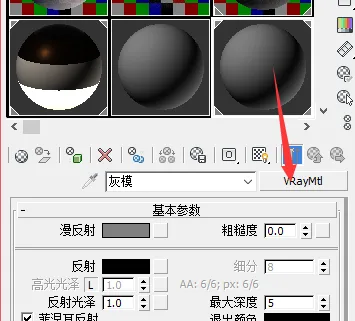
Next, use an instance of this texture ball and apply it to the override material slot within the VRay global switches (make sure the override material is enabled).
This setup causes all materials in the scene to be replaced by this simple texture ball during rendering. However, since the scene contains many curtains, applying this override to them would block light penetration. To avoid this, select all the curtains and group them.
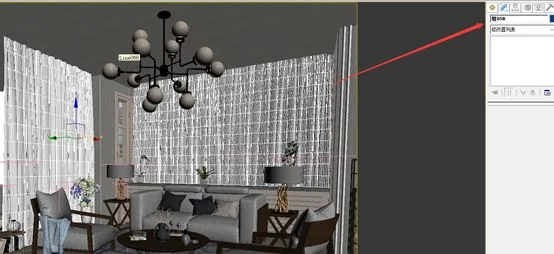
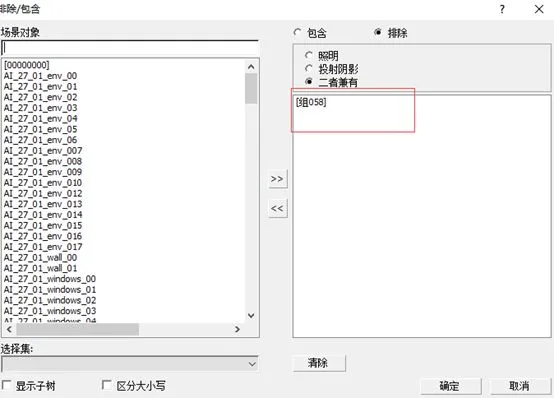
Then exclude this curtain group from the global override material, allowing light to pass through during the grey model test.
To accelerate the testing process, the rendering parameters are set very low. The adjustment steps are outlined below.
First, configure the GI panel’s illumination settings.
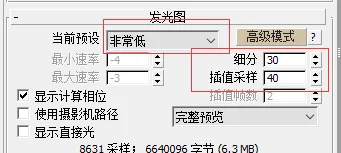
Next, adjust the GI panel’s light cache settings accordingly.
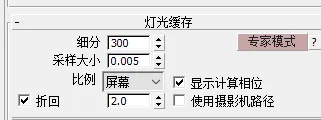
Disable the “maximum subdivision” option and enable “use local subdivision” in the VRay parameter panel. This setting disables all subdivision for lighting materials during rendering.
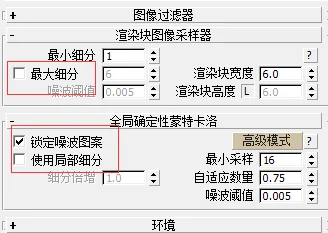
Below are the test rendering results with these settings.
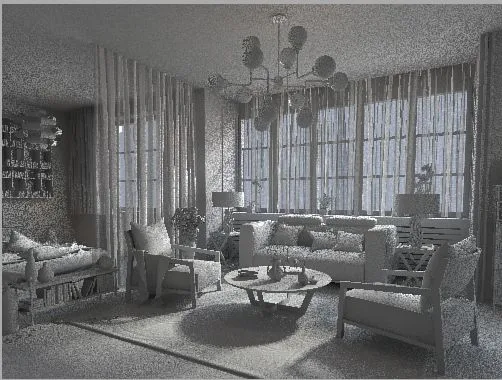
As expected, the image shows considerable noise. To reduce this, enable the “maximum subdivision” option and set its value to 4.
Re-testing with this adjustment (note that disabling maximum subdivision is equivalent to setting it to 1, the fixed mode in earlier VRay versions) allows independent control over rendering quality and speed. Here are the results with a maximum subdivision of 4.
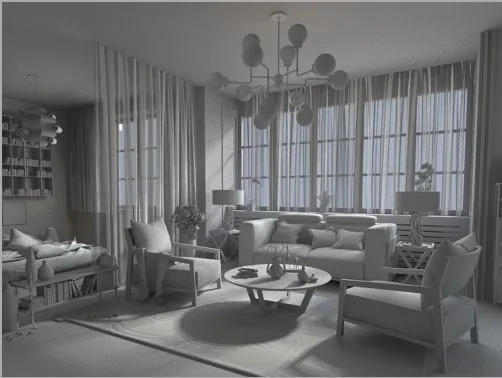
The rendering quality improves significantly, though the rendering time increases considerably. You can adjust this value flexibly based on your needs.
Finally, the image appears slightly dark. This is not a problem—as long as the lighting hierarchy is correct, you can brighten the image later using curves adjustments.
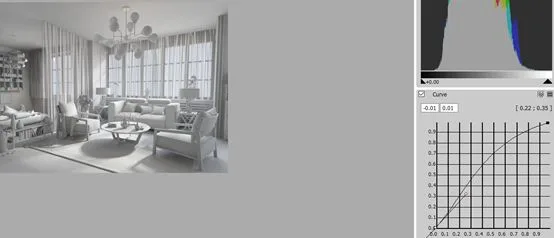
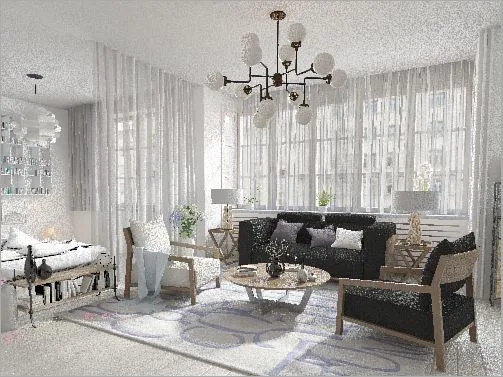
After confirming the lighting is satisfactory, uncheck the override material option and perform a final test render (with maximum subdivision disabled).
















Must log in before commenting!
Sign Up