
Question:
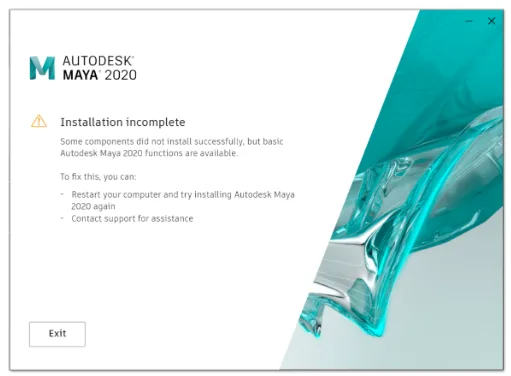
When installing Maya 2020 on Windows, the installation fails with the following error message:
Incomplete installation
Some components were not installed successfully, but basic Autodesk Maya 2020 functionality is available.
Solution:
If you are using the Autodesk Maya 2020 installer downloaded via the Browser Download or Download Now options, try replacing the original pkg.AGS.xml file in the installation package with the attached version.
The default path for the pkg.AGS.xml file is:
C:AutodeskAutodesk_Maya_2020_SUN_64bit-dlmx86AGS
Note: Depending on your web browser, the downloaded pkg.AGS.xml file may lose its .xml extension or become a .zip file. If this happens, please rename the file back to pkg.AGS.xml before replacing the original file.
If the Maya installation on Windows exits with an InstallationIncomplete error, try launching Maya despite the message. If Maya starts successfully, it means the installation actually completed, and the error was generated mistakenly.
However, if you later try to add components, this error might complicate the process. It could prevent using the ‘Modify’ option in the Control Panel to add features, forcing you to run the installer again. Even if the components install successfully, the InstallationIncomplete error might persist.
If some components are missing or Maya fails to launch, perform a full uninstall and reinstall Maya 2020 by following these steps:
- Download and run Microsoft’s utility that fixes issues preventing program installation or removal.
- Select the uninstall option.
- From the list, locate Maya 2020, select it, and click “Next.” Follow the prompts until uninstallation is complete.
- Run the tool again and repeat the uninstall process for each of these components if present: Bifrost, Rokoko, Substance, MtoA.
- Reinstall Maya 2020.
















Must log in before commenting!
Sign Up