
Background
In mechanical and electrical systems, different colors and materials are commonly used to distinguish between various components. However, in Revit, while water pipes and air ducts come with assigned materials and systems, electrical cable trays lack both materials and systems. This limitation makes it difficult to use materials to differentiate between systems. Although filters can be applied, they only work for individual views. Ideally, we need a way to assign materials directly to cable trays.
Below are two methods for adding materials to cable trays that you can reference.
Process
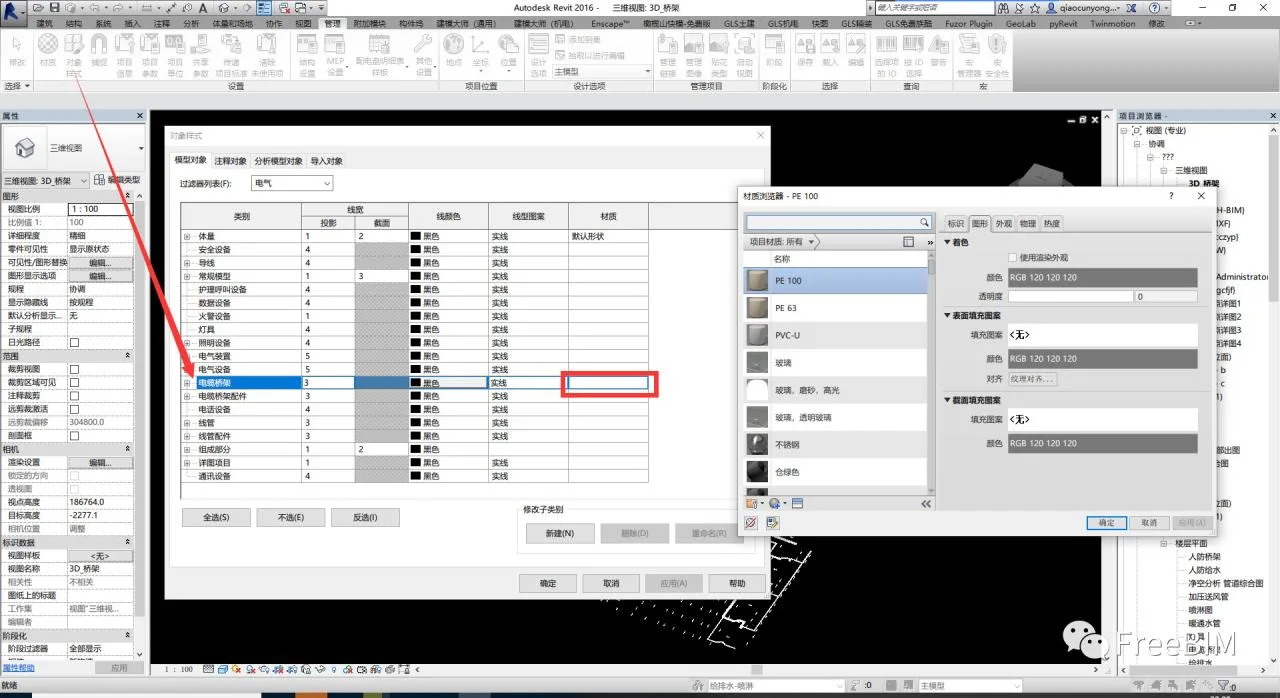
Method 1: Navigate to Management → Settings → Object Styles, then set the material for the Cable Tray category. Note: This setting affects all cable trays globally.
Method 2: Add material parameters to cable trays by creating project parameters or shared parameters.
1. Go to the Management tab, find Project Parameters, and click Add;
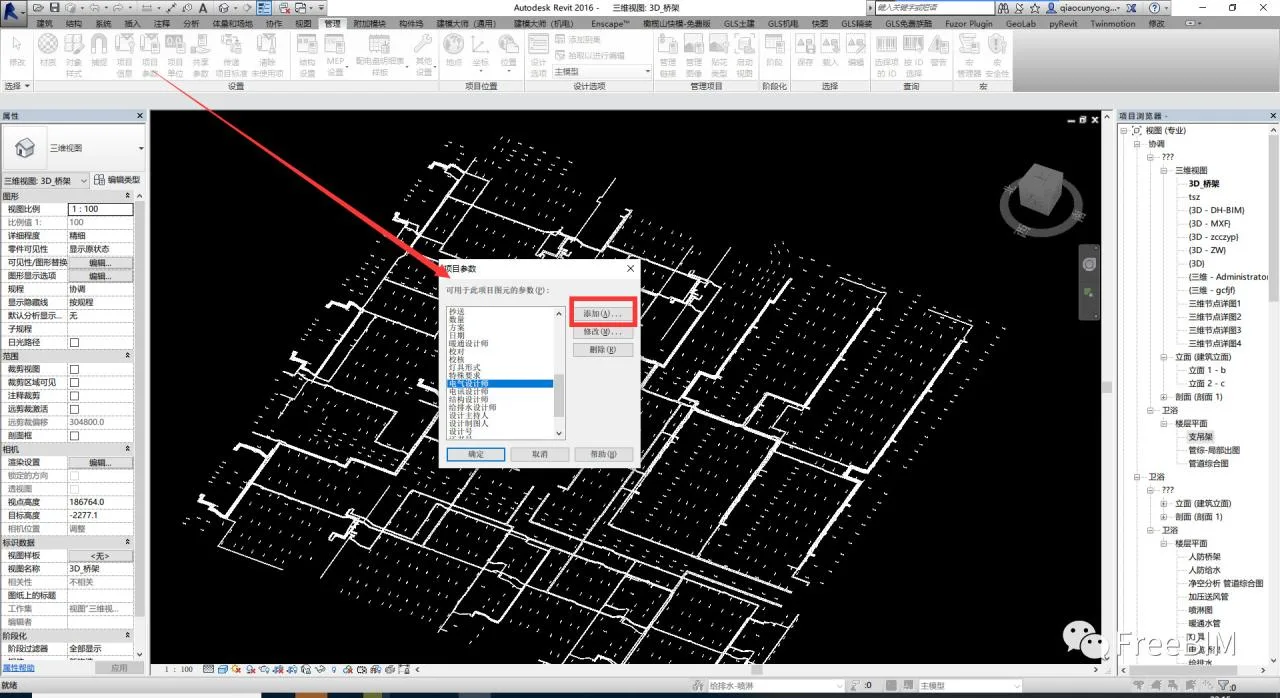
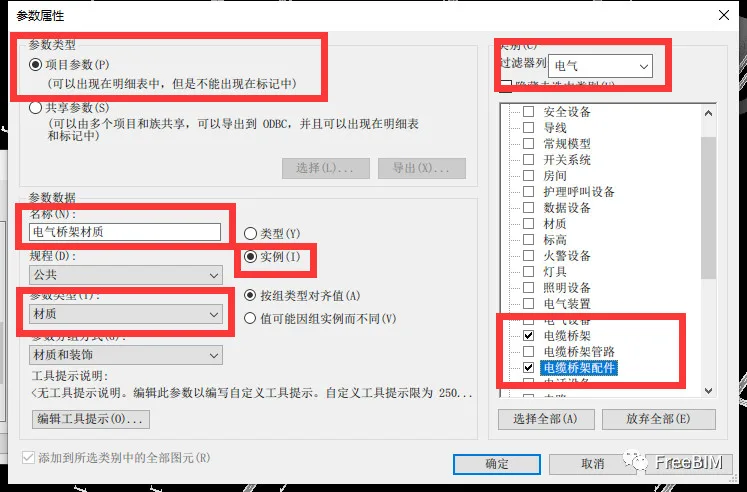
2. In the parameter properties, select Project Parameters and add a new parameter named “Cable Tray Material,” as shown below;
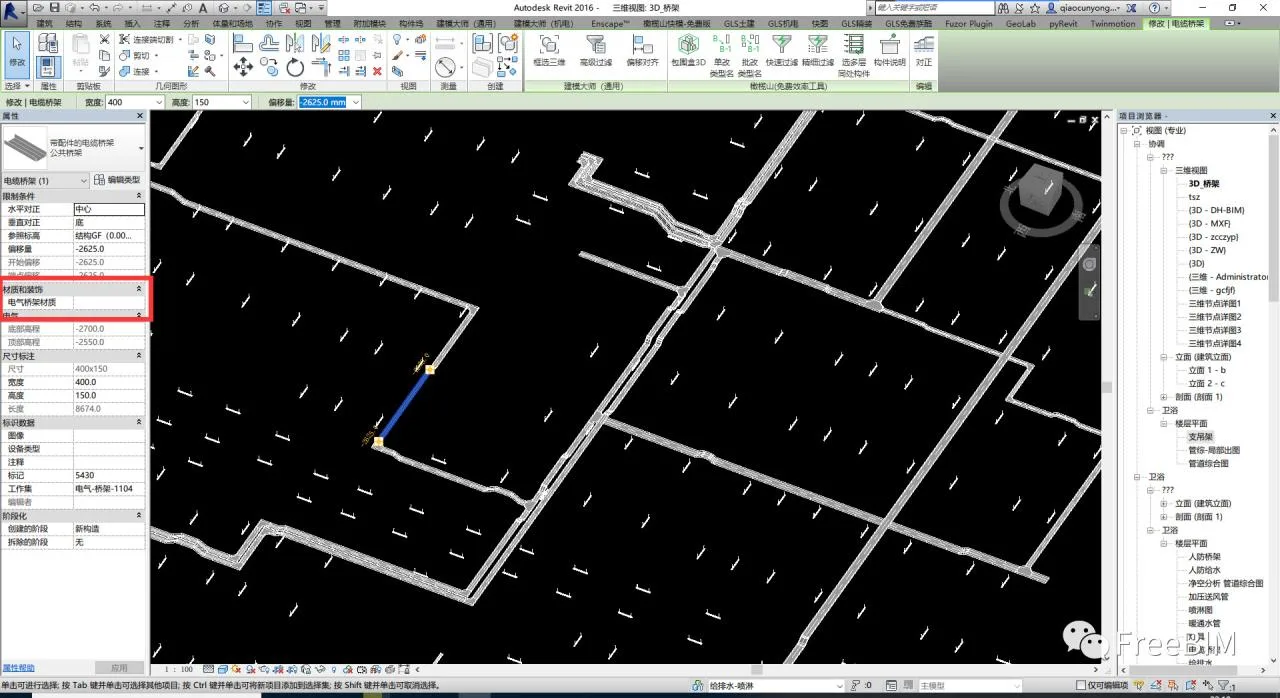
3. After clicking OK, the cable tray will have an additional property called “Cable Tray Material” in its properties palette;
4. However, this method is not perfect. Although it allows you to assign material information to cable trays, the material does not display directly within Revit. Importing materials through Navisworks can bring this information in, and this approach can be combined with filters for better management.
Source: FreeBIM
Author: Qiao Yongbin
















Must log in before commenting!
Sign Up