
Introduction to Revit 2022 Software
Revit 2022 is a powerful 3D building modeling software that offers numerous new features to enhance architectural design workflows. Updates include improved realistic visualizations, the ability to open cloud models via desktop connectors, and many other enhancements aimed at supporting architects and engineers.
Overview of Revit 2022
Autodesk Revit 2022 is a comprehensive 3D Building Information Modeling (BIM) software and the latest release in the Autodesk Revit series. It is highly popular within China’s construction industry and widely used across architecture, structural engineering, and construction fields. Revit 2022 helps architects design high-quality, efficient buildings with features like customizable workspaces, automated design generation, simplified shared coordinates, travel path tools, and cloud model access.
For example, users can create configuration files and receive workspace recommendations, while automated design generation accelerates iteration and smart decision-making. Combining the capabilities of Autodesk Revit Architecture, MEP, and Structure, the software supports multidisciplinary collaborative design from conceptual stages through to construction documentation.
Additional features include route mapping, support for multiple monitors, 3D views with filters, and dual fill patterns—enabling rapid building modeling and comprehensive system analysis and simulation. Enhanced 3D visualization capabilities allow for more realistic model presentations.
New practical features in Revit 2022 include:
- PDF export now supports 2D views and drawings, batch exporting, and custom naming rules.
- Advanced wall tools allow creating tapered (conical) wall elements with variable width layers and customizable cone angles.
- Support for linking and importing 3DM files into Revit models enhances interoperability with Rhino.
- Steel reinforcement tools now allow defining rebar shapes by two points and specifying size and direction for single straight bars.
Revit 2022 Installation Guide
Serial Number: [666-6696969] | Key: [829M1]
- Download all files from the website, open the ISO image to access the Autodesk Revit 2022 source and crack files;
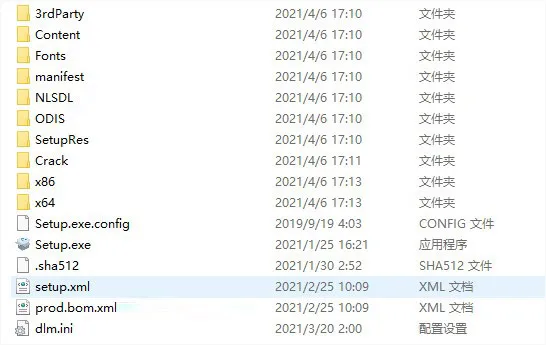
- Run setup, accept the license agreement;

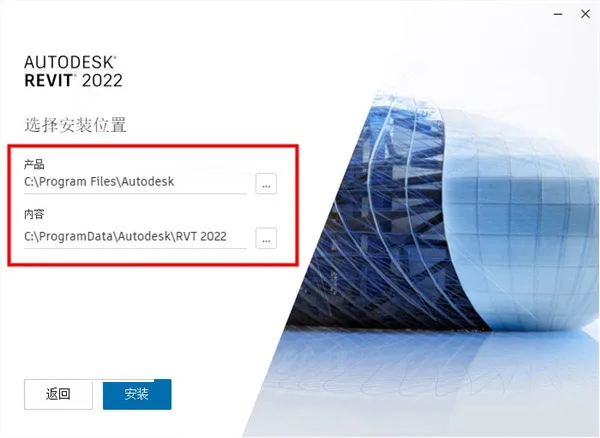
- Choose the installation path (default recommended);
- Wait for installation to finish, then exit without launching the software;
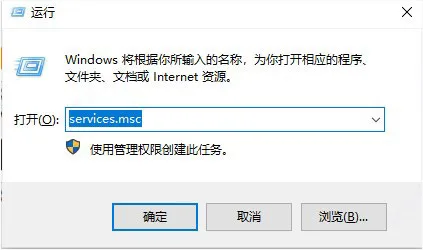
- Press Win+R, type “services.msc” to open the Service Manager;
- Locate “Autodesk Desktop Licensing Service” and click Stop;
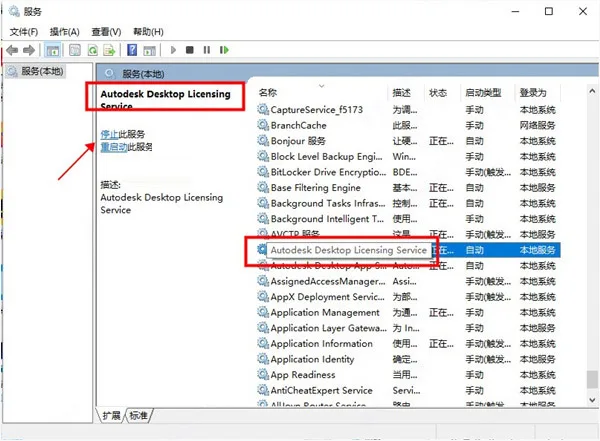
- Copy “AdskLicensingService.exe” from the crack folder to
C:Program Files (x86)Common FilesAutodesk SharedAdskLicensing11.0.0.4854AdskLicensingServiceand overwrite;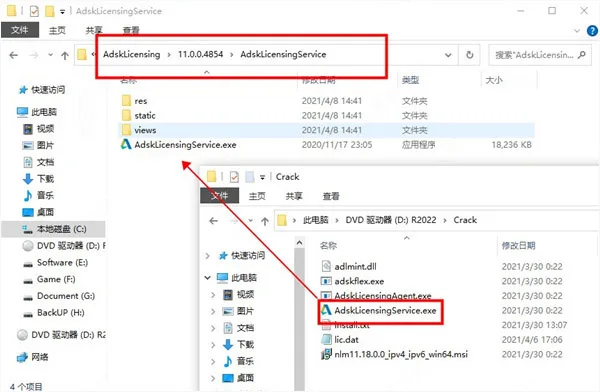
- Copy “AdskLicensingAgent.exe” and “adlmint.dll” to
C:Program Files (x86)Common FilesAutodesk SharedAdskLicensing11.0.0.4854AdskLicensingAgentand overwrite;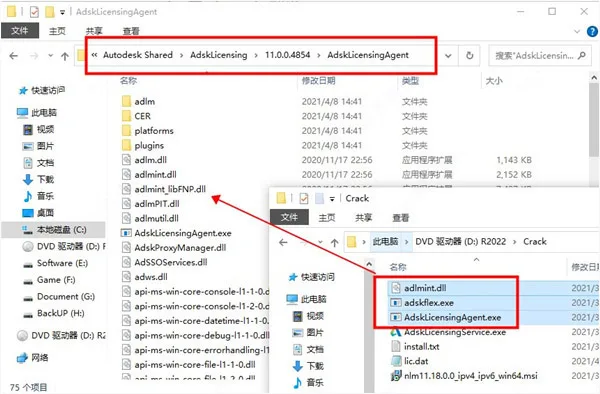
- Run “nlm11.18.0.0_ipv4_ipv6uwin64.MSI” from crack folder to install the LMTOOLS Utility;
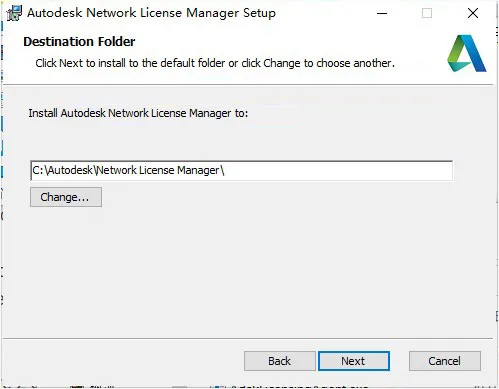
- Copy “adskflex.exe” from crack to
C:AutodeskNetwork License Managerand overwrite;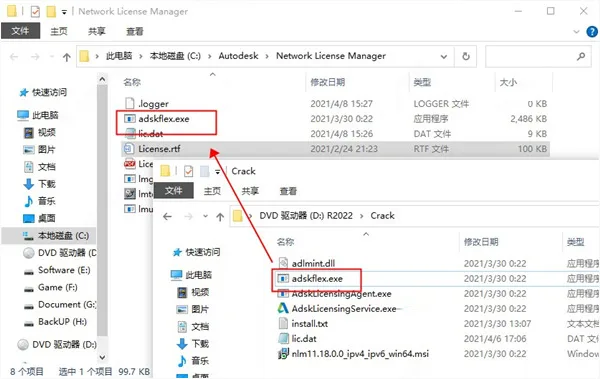
- Open Command Prompt, enter
ipconfig /all, edit “lic.dat” file to update HOSTNAME and MAC address (physical address may include dashes). Save toC:AutodeskNetwork License Manager;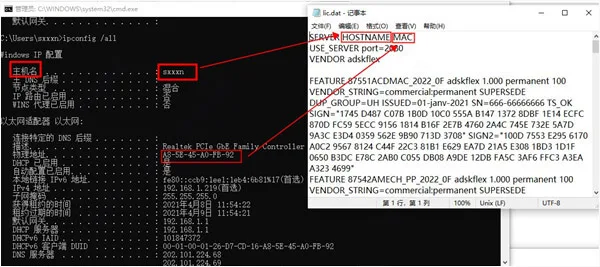
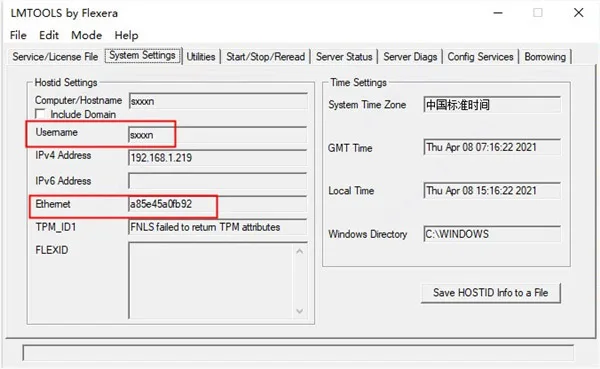
- If unsure, run LMTOOLS Utility and check System Settings;
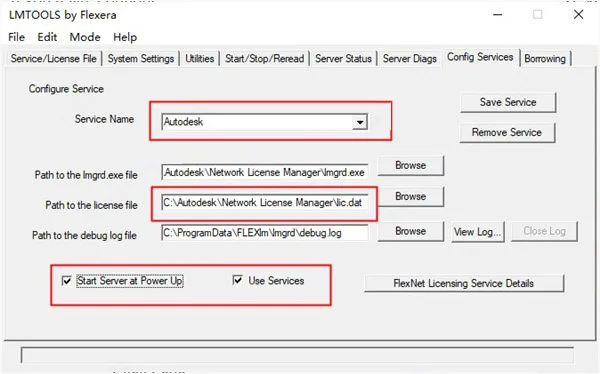
- Configure services: add “Autodesk” service name, set paths for lmgrd.exe and lic.dat, enable “Start Server at Power Up” and “Use Services”;
- Select the Autodesk service in “Service/license file” and check “Ignore license file path env var”;
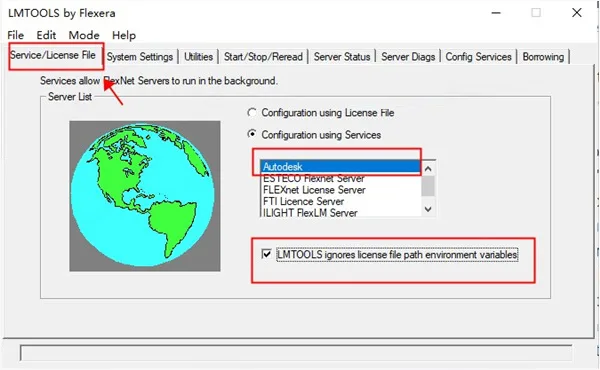
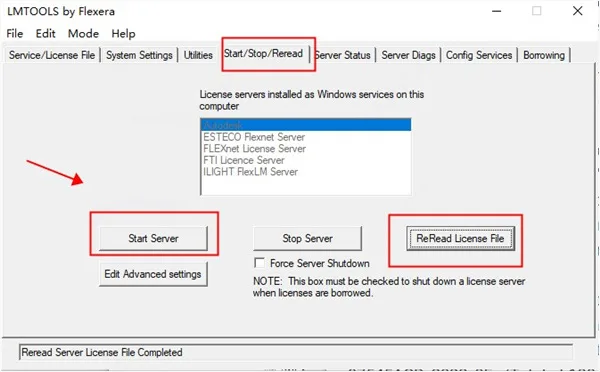
- Click “Start Server” in “Start/Stop/Read” tab, then click “Reread License File”;
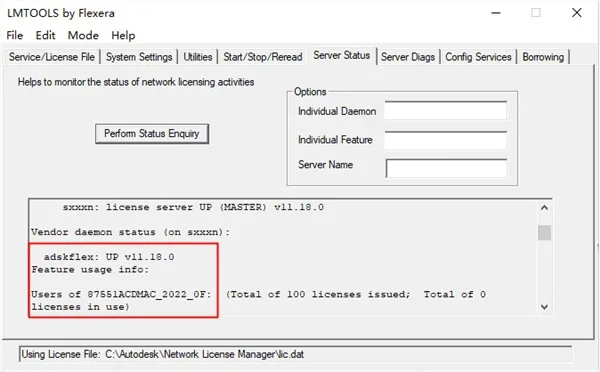
- Check “Perform Status Inquiry” under “Server Status”. If “adskflex: UP v11.18.0” appears, the crack is successful;
- Launch Autodesk Revit 2022, select “Use Network License” when prompted;
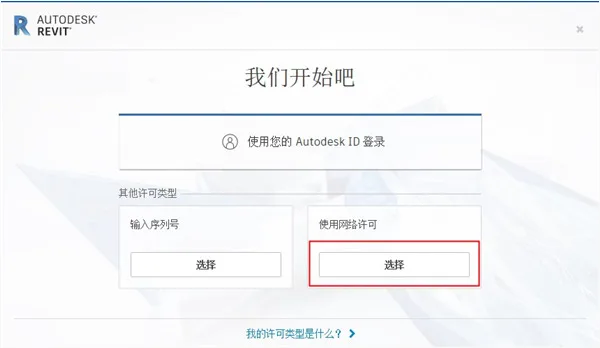
- Choose “Single License Server” and enter IP address as 127.0.0.1 or localhost;
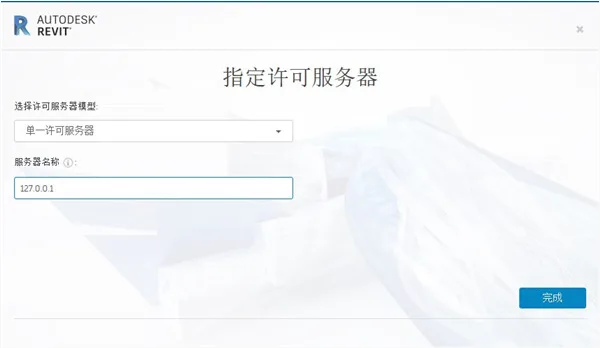
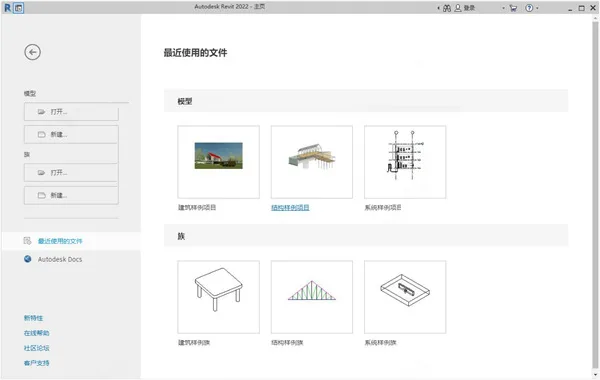
- Installation is complete. You can now freely use Autodesk Revit 2022.
New PDF Export Features
Revit 2022 allows exporting 2D views and drawings directly as PDF files. You can export individual files or merge multiple views and drawings into a single PDF. Batch exporting supports custom naming conventions based on selected view and drawing parameters, which can be saved for future use.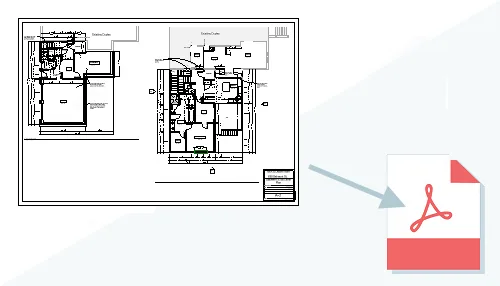
Wall Enhancements
The wall tools now include the ability to create tapered (conical) wall elements with variable width layers. Users can define cone angles in the wall type properties, with positive angles tilting the top edge inward and negative angles outward. Measurement locations for wall width can be set to the top, bottom, or foundation level.
Non-core wall layers can be hidden in plan views using ‘Visibility and Shape Overrides,’ showing only the core wall components. However, in coarse detail views, non-core layers remain visible.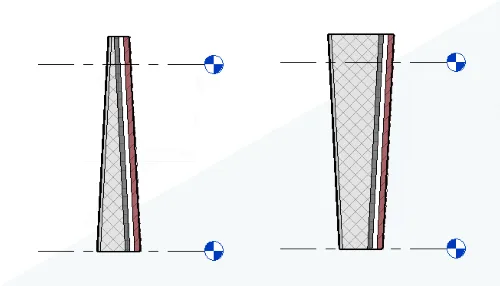
Shared Parameters in Keyword Schedules
Shared parameters can now be used in keyword schedules to fill and modify element properties efficiently. When creating keyword schedules for categories, shared instance parameters are available as fields, enabling control over family geometry visibility and behavior through keywords.
Applying keywords to graphic elements makes specified properties read-only, with visual indicators showing matching or non-matching parameter values. Null or empty values are handled differently based on parameter types, retaining or defaulting values accordingly.
Resetting keywords retains the last assigned parameter values for most categories, except for certain system categories like HVAC and electrical components.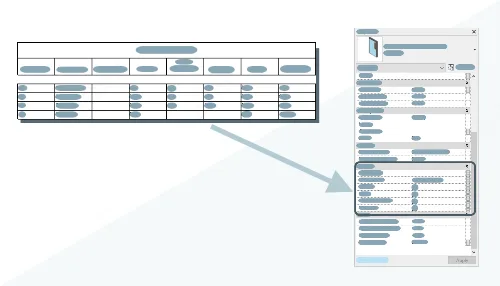
Improved FormIt Integration
FormIt, a conceptual modeling tool, now offers enhanced interoperability with Revit. Models created in FormIt can be imported into Revit for further refinement without data loss. The shared geometry between both applications has been updated for consistent appearance.
Users can launch FormIt’s 3D Sketch tool directly within Revit, using Revit model geometry as context for conceptual modeling.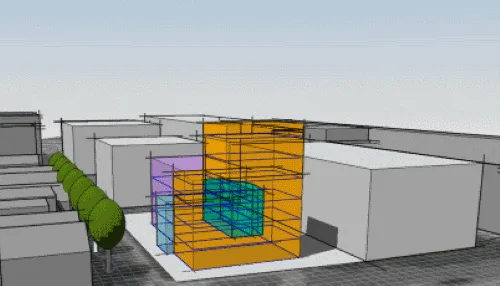
Linking Rhinoceros® (3DM) Files
Revit 2022 supports linking and importing 3DM files, enabling seamless workflows with Rhino. Linked files can be updated and reloaded into Revit models, maintaining synchronization between applications.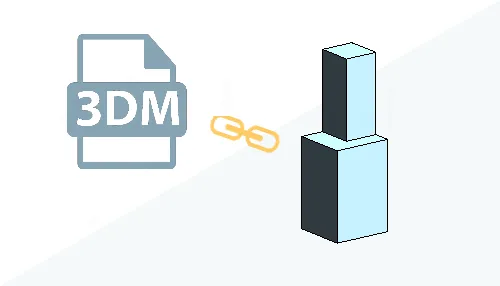
Multi-Lead Tagging
Multi-leader tags allow users to tag multiple elements of the same category with a single tag. The main element is added to the tag, with leads pointing to each referenced object. Tags also display the count of referenced elements.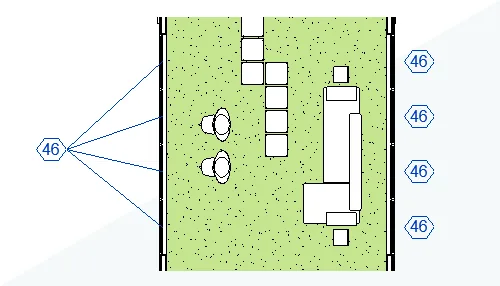
Rotating Tags
Tags can now be rotated using the ‘Angle’ parameter in their properties. Multiple tags can be selected and rotated by the same angle value for consistent alignment.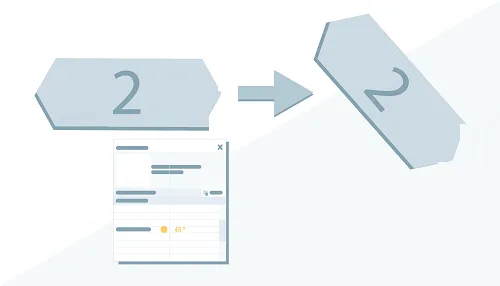
Multi-Value Display
When selecting multiple elements, properties shared across all selected elements are shown. If parameter values differ, instead of showing no value, Revit 2022 displays a special indicator like mutable or a custom string. This behavior applies consistently in the Properties palette, schedules, and tags.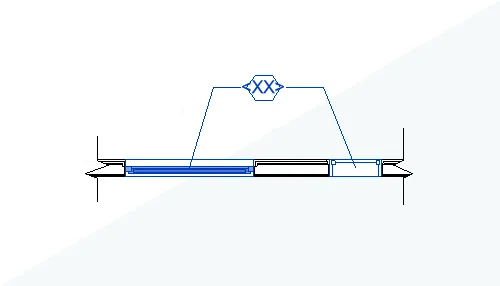
Steel Reinforcement Enhancements
The new “Edit Reinforcement” command allows isolating selected rebar sets or systems, enabling moving, deleting, or resetting individual bars to avoid clashes while preserving system integrity. Multiple reinforcement sets can be edited simultaneously.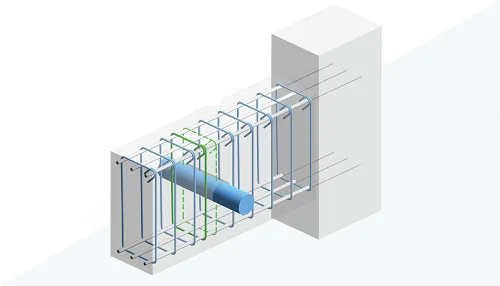
Additionally, steel bars can be placed by defining a bounding box with two points, specifying size and direction for single straight bars. This new placement method enhances speed and accuracy.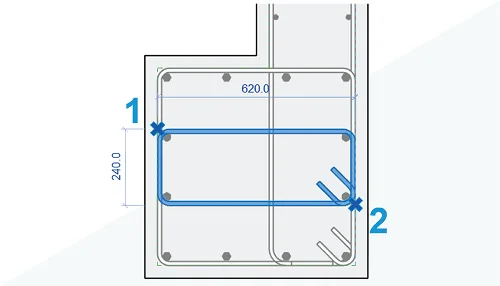
Modeling steel bars using actual diameters helps detect collisions in dense reinforcement scenarios, particularly with large-diameter bars.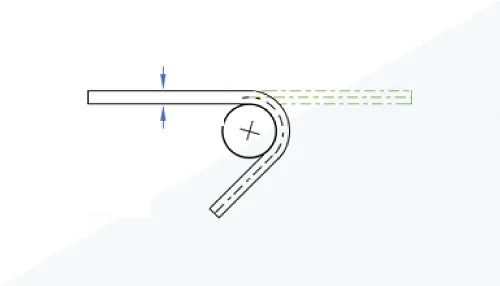
Software Features
- OR Conditions in Filters: Create view filters combining multiple rules with nested AND/OR conditions.
- 3D Elevation Display: Show elevation markers in 3D views for better spatial understanding.
- Double Fill Patterns: Apply foreground and background fill patterns to cropped views or surfaces for clearer design intent.
- Uncut Perspective Views: Use full-screen, uncut-through views with free navigation.
- Custom Steel Connections: Design detailed steel structure connections with specialized tools.
- Multi-Monitor Support: Organize workspace across multiple displays with dockable and tiled views.
- Steel Structure Documentation: Generate precise engineering documents for steel structures, including connections.
- Complex Pipeline Network Analysis: Enhanced pressure drop and cycle system separation analysis.
- Rebar Shape Matching: Match or create rebar shape families based on free-form geometry.
Additional Features
Revit 2022 supports exporting 2D views and drawings as PDF files individually or merged, with customizable naming rules.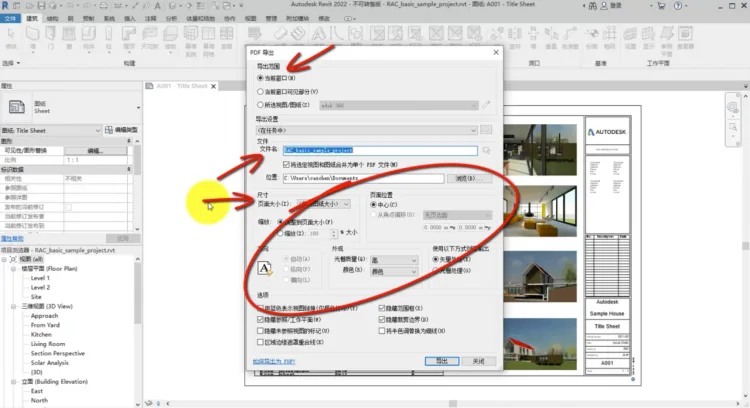
Conical Wall Drawing: Variable width walls (tapered/conical) can be created by defining cone angles and selecting measurement locations (top, bottom, foundation). This flexibility enables creative wall designs beyond traditional applications.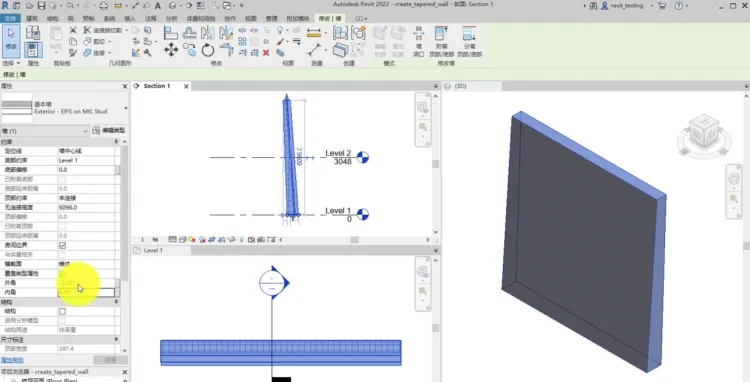
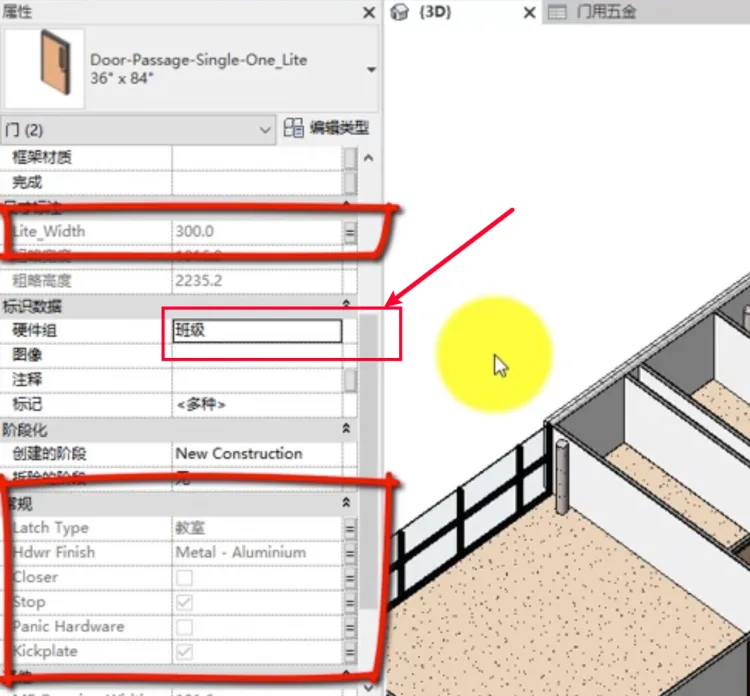
Keyword Lists: Facilitates batch input and control of family parameters through shared parameters and keyword schedules. Users create shared parameters within families, then generate keyword schedules in the project to automate parameter assignments.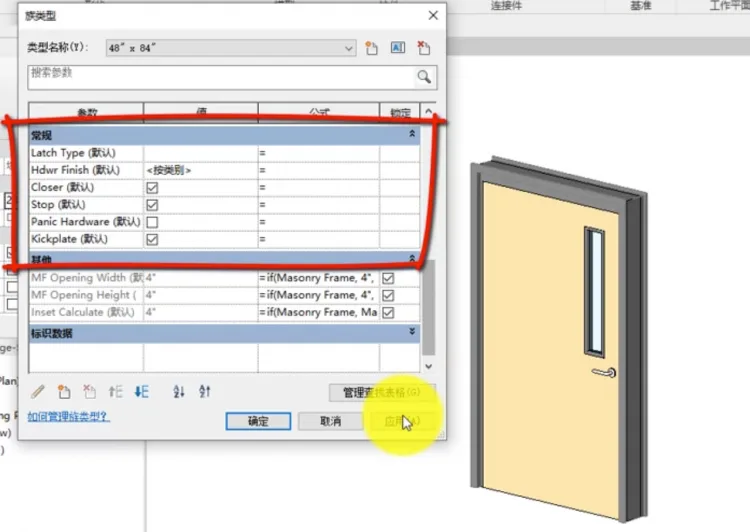
Steps include creating schedules named as keys, adding parameters for batch control, and entering values for each key type to quickly assign them across the project.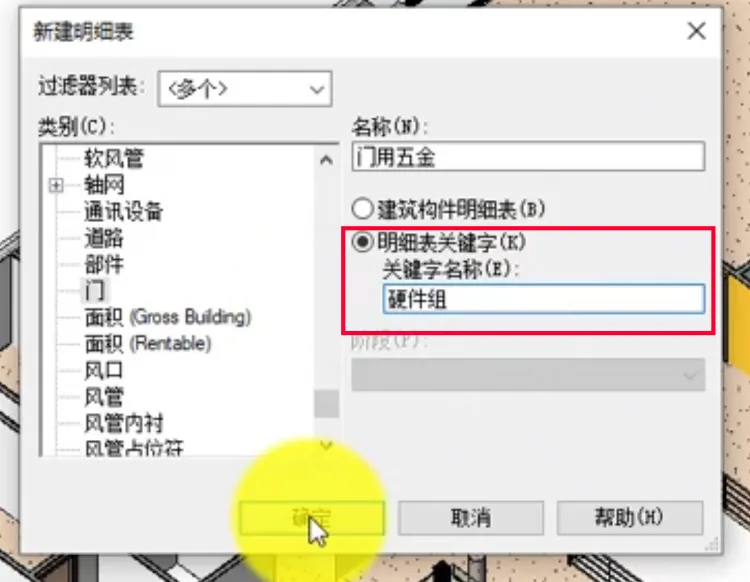
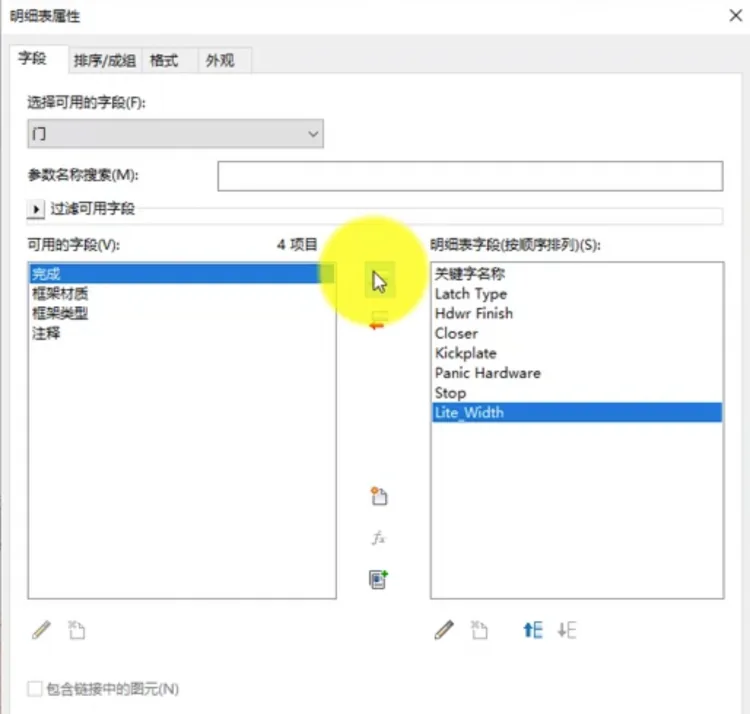
This feature streamlines parameter management, resembling Excel-based batch editing but fully integrated into Revit.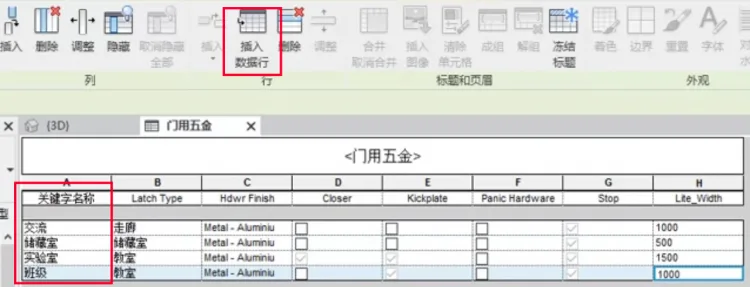
Enhanced Collaboration with FormIt: FormIt offers rapid conceptual modeling with improved data consistency when imported into Revit. Although it doesn’t yet replace massing tools, it provides an efficient method for early design phases.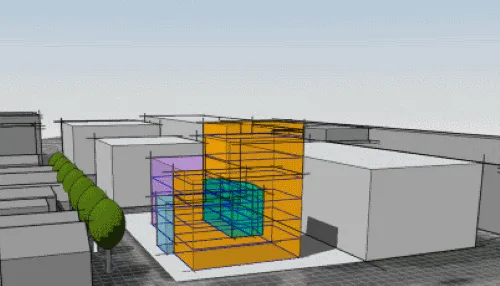
Rhino Integration: Users can link or import 3DM files into Revit, making Rhino-Revit workflows more seamless. Linked models update dynamically when the Rhino file changes.
Tagging, Annotation, and Revision Improvements
- Multi-Leader Tagging: Add tags referencing multiple elements. Tags display parameter values and allow editing to show counts.
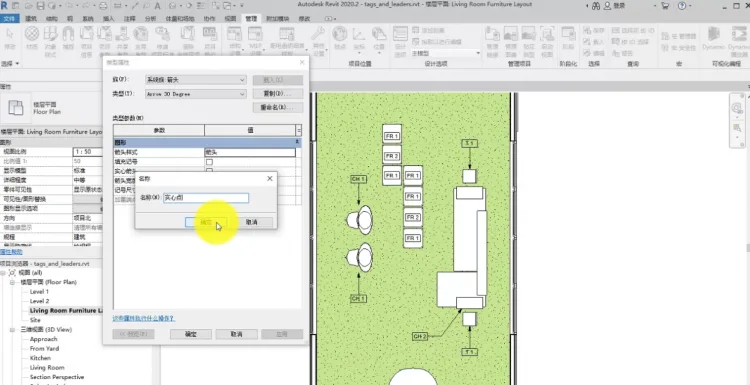
- Multi-Category Tagging: Supports tagging all taggable elements, showing common and shared parameters.
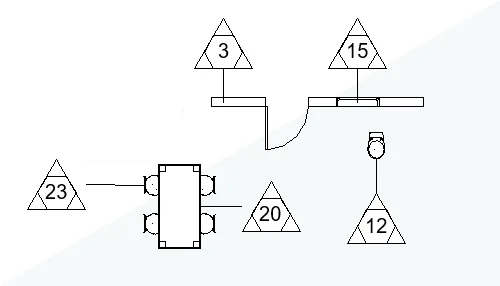
- Batch Rotation of Markers: Rotate markers collectively by setting the “Angle” parameter.
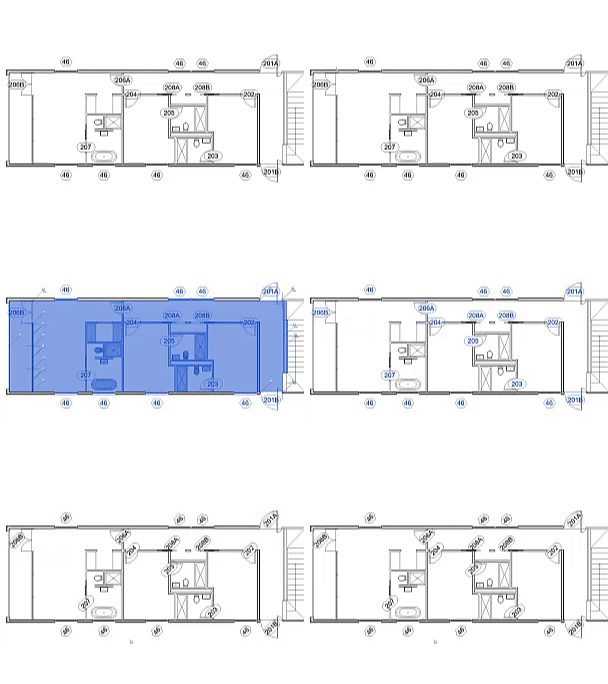
- Multi-Value Parameter Display: Different values for selected elements show custom strings indicating variability.
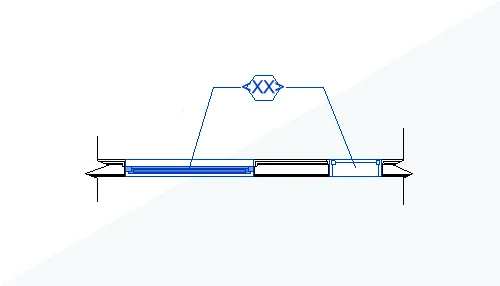
- Curtain Wall Column Tagging: Now supports tagging vertical columns.
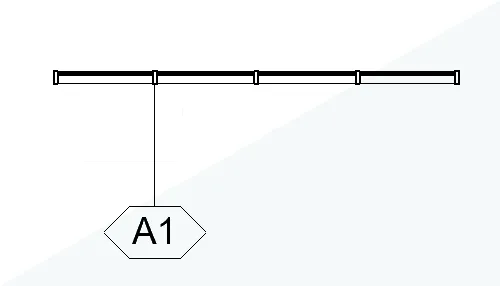
- Dimension Tag Prefixes and Suffixes: Type parameters now support automatic prefix and suffix addition to dimension annotations.
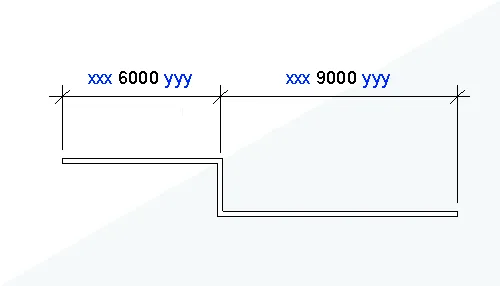
- Slope Annotation on Elements: Elevation point slope annotations can now be placed directly on slope elements.
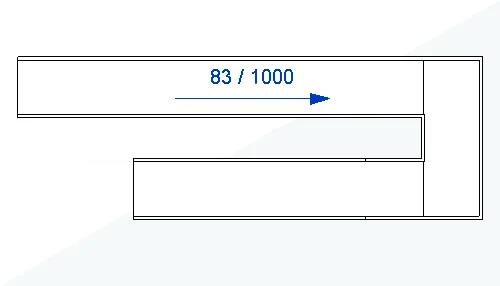
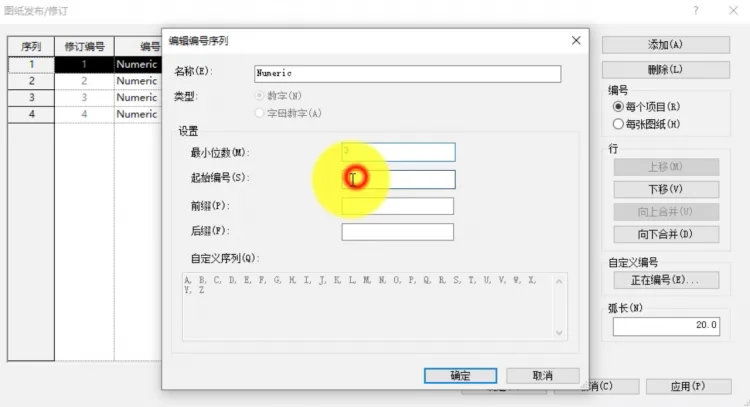
- Custom Revision Numbering: Create custom revision sequences with adjustable digit counts and transfer standards between projects.
Reinforcement Function Enhancements
New commands isolate rebar sets or systems for editing, enabling users to move or delete bars to avoid conflicts while preserving system logic.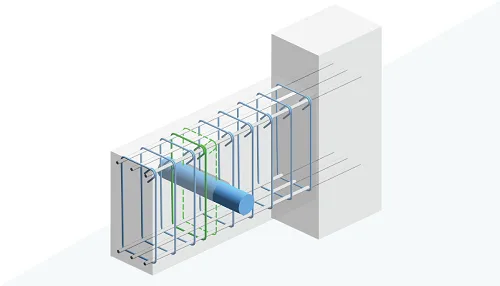
The “Two Point Placement” command allows specifying bounding box points to place single or sets of reinforcement, with size and direction controls for straight bars.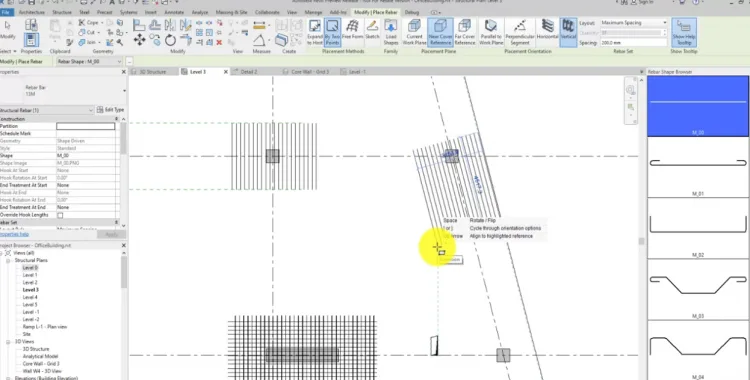
Steel bars can now be modeled using their actual diameters, improving clash detection for dense reinforcements.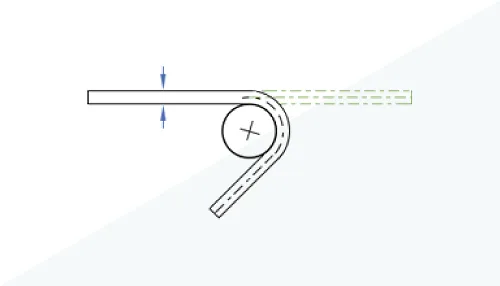
System Analysis Load Report
Selecting “HVAC System Load and Size Adjustment” generates a detailed review report covering load, humidity, and mechanical system sizing information, useful for presentations and project documentation.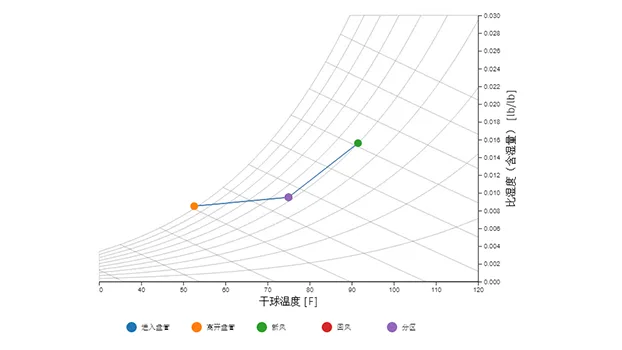
New Personnel Mobility Analysis
Enhancements to the path analysis tool include multiple route creation, unidirectional indicators, character content to indicate space occupancy or block paths, and spatial grid overlays for room distance visualization.
The new “Personnel Flow Toolkit” integrates these features for improved route and occupancy analysis.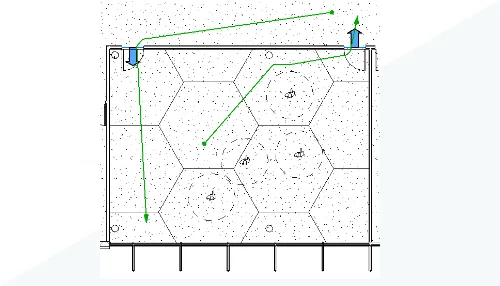
Share 2D Views
Previously limited to 3D view sharing, Revit 2022 introduces “Share View” for 2D views. Shared views can receive comments and replies, facilitating remote collaboration. This cloud-based feature enhances team communication.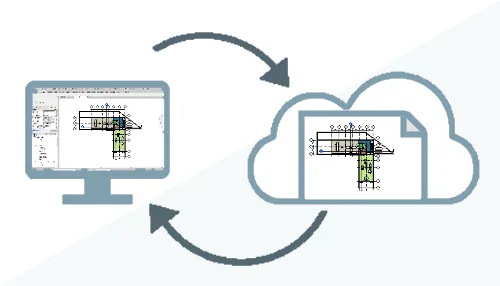
Steel Structure Updates
Users can now customize steel connection types and connection rules based on steel profile properties, grades, and end forces. Rules can be merged into a connection library, or Dynamo scripts used for automatic placement. This is particularly valuable for detailed steel structure modeling.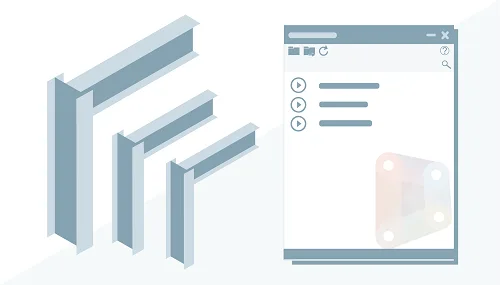
Detailed List Function Improvements
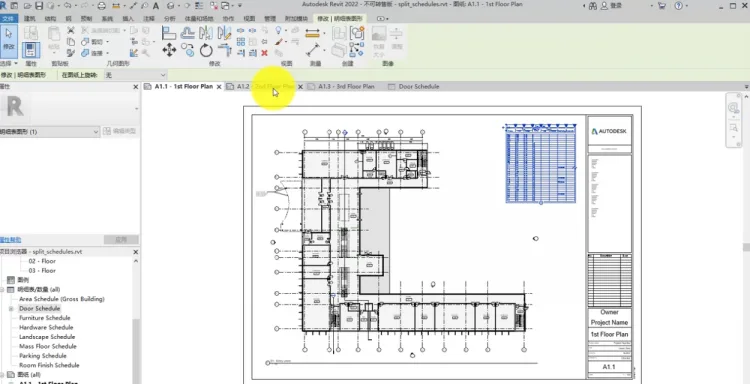
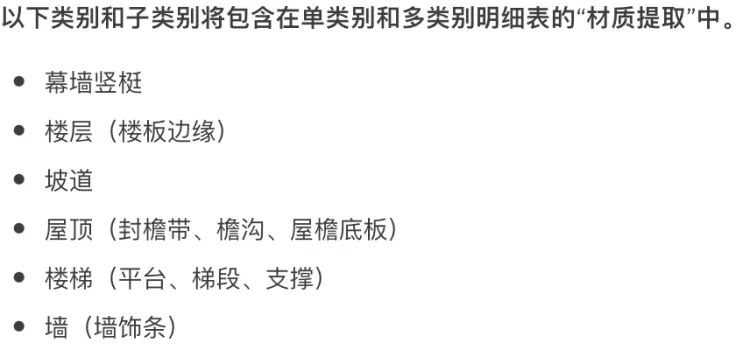
- Split Detail Tables Across Drawings: Long detail tables can now be split and placed across multiple drawings, no longer restricted to a single sheet.
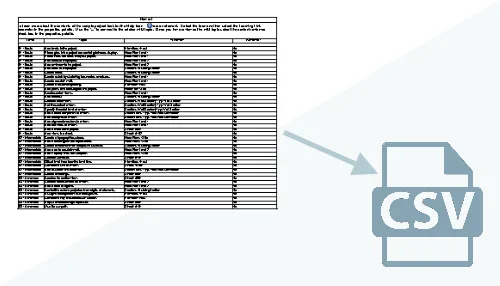
- Support for CSV export of detail lists.
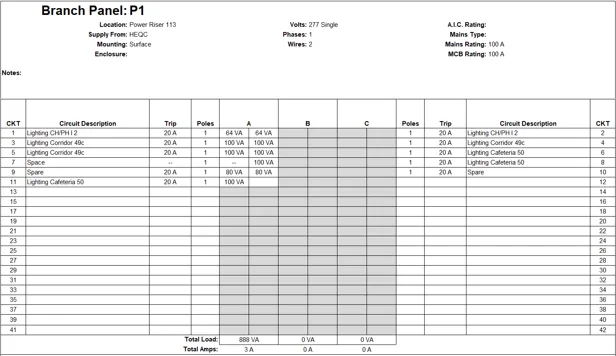
- Automatic shading in panel schedules based on configuration.
- Added “Workset” parameter for project management in multi-user environments.
- Enhanced family filtering in schedules for better parameter-based extraction.
- New filtering criteria in detail tables, including parameter names and types.
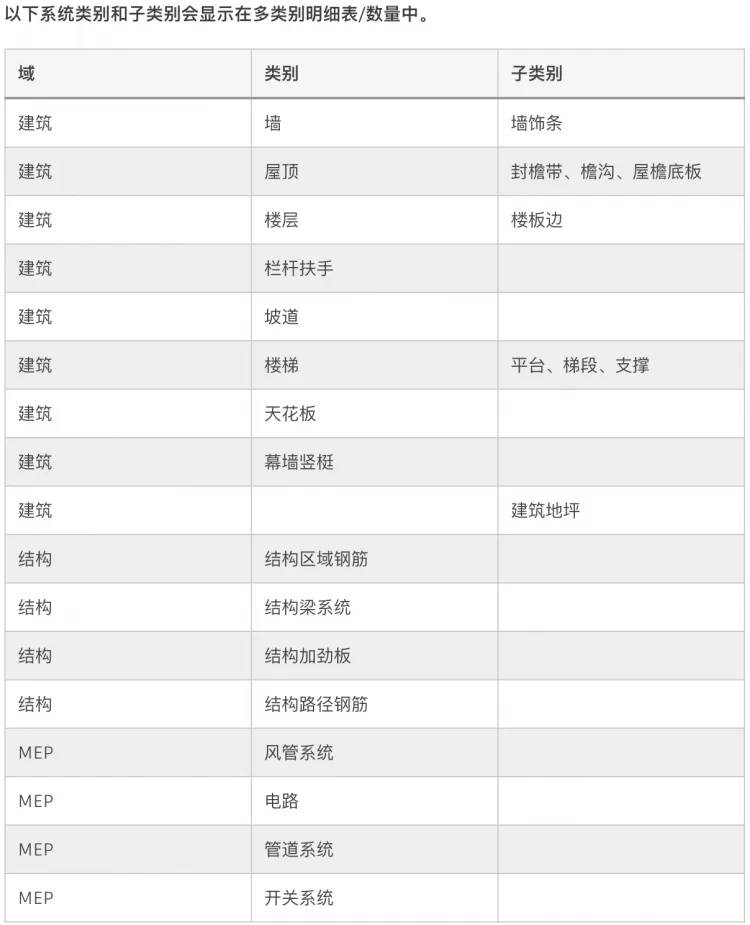
- Additional system categories available in multi-category schedules.
Enhanced Plane and Reference Plane Import
Imported 3DM and SAT files containing reference planes now include those planes in Revit, allowing dimensioning, snapping, and alignment to the imported geometry for precise placement.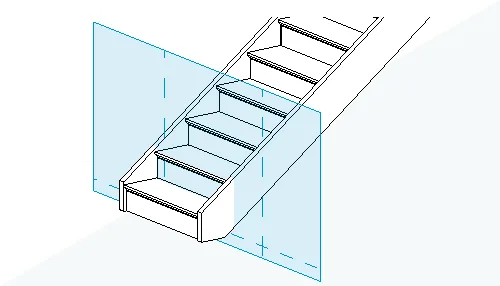
3D View Mesh Function
Within 3D view properties, users can enable and edit display grids to visualize and modify the model grid directly in the 3D view.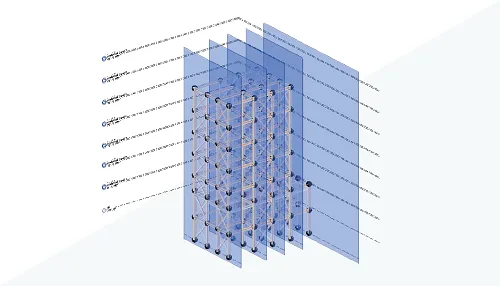
PRC Functionality Enhancements
Revit 2022 adds 28 new characters, vehicles, and furniture items to improve realistic 3D views. It also simplifies representations in non-rendered views for better performance, supports color-changing parameters for vehicles, and enhances rendered appearances for furniture categories.
New Model Categories
Eight new model categories can now be sliced and tagged, including food cooking equipment, medical devices, fire protection systems, vertical circulation, audio-visual equipment, signage, hard structures, and temporary structures. Infrastructure categories such as roads and bridge components are now supported, marking Revit’s growing role in infrastructure modeling.
Derivative Design
Derivative design introduces a new human-computer interaction approach. Instead of manually drafting solutions, designers define parameters and goals, and the computer generates and iteratively optimizes design alternatives to meet those goals.
This feature is integrated into Revit’s “Derivative Design” panel under the “Management” tab. It simplifies complex layout challenges, such as optimizing restaurant seating arrangements for comfort and capacity by adjusting grid spacing and family placements.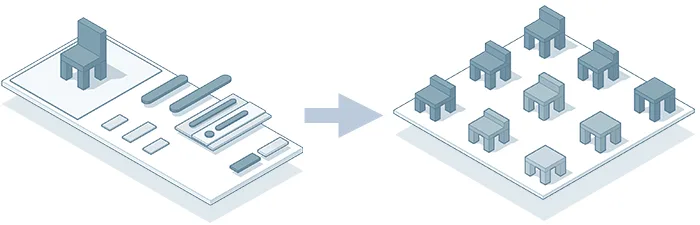
Users can review alternative solutions, evaluate them, and select the optimal design.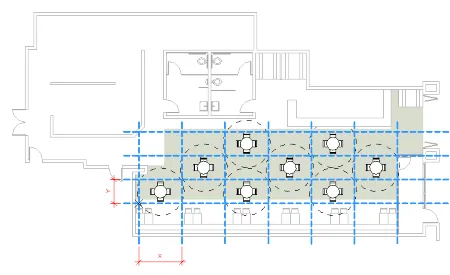
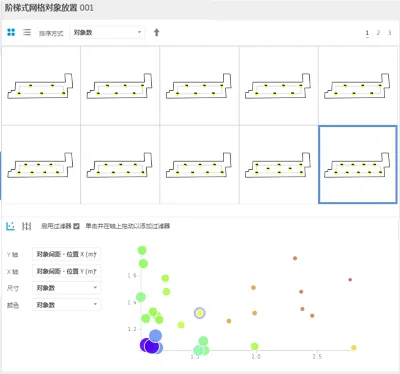
After layout completion, travel path analysis can be applied to assess space traffic flow.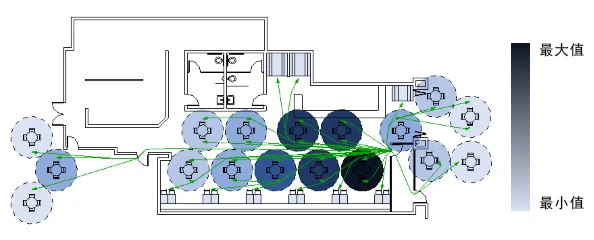
The input section separates variables and constants, clarifying which values change during optimization. Dynamo integration allows the creation of complex analysis models.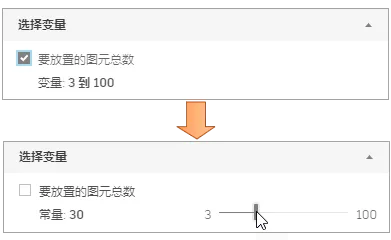
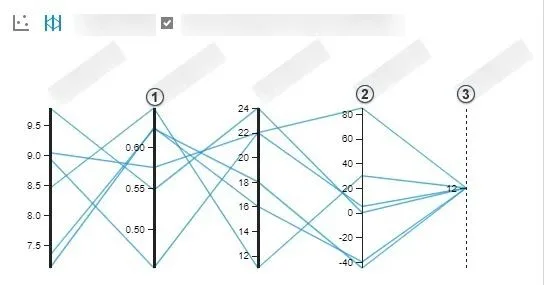
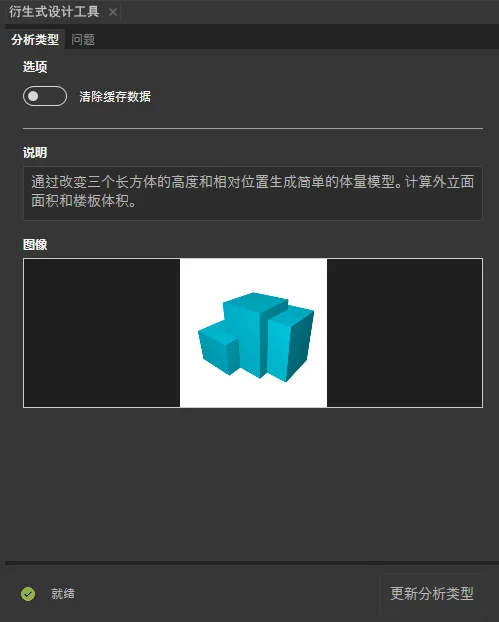
Overall, derivative design adds a powerful design assistant to Revit, enabling innovative workflows worth exploring.
Other Minor Updates
- Detail index views remain when the parent view is deleted.
- Revit remembers tool option changes between tasks (mirroring, copying, alignment, etc.).
- Free-form steel bars support various shapes, with placement preferences saved.
- Improved 2D visualization performance for steel bars.
- Family loader includes navigation aids (search, back, forward, home).
- 67 new Dynamo nodes added.
- System analysis now supports rooms or spaces with gbXML export workflows.
- Annotations in nested families appear in project floor plans after loading.
- MEP prefabrication improved with branch offset, alignment, device mapping, and automatic connector filling.
- View filters support selecting multiple filters simultaneously and batch replacement.
- Large-scale exports now retain small elements, resolving previous issues.















Revit2022 cannot be installed without 11.0.0.4854
What should I do if my license expires
May I ask about downloading the webpage; Extract code “; How much is it?
The moderator has several installation steps that are incorrectOperation step 11 MAC=physical address (note that there can be a – symbol here) should not have a – symbolWhen operating step 17, it is necessary to disconnect from the internet
Thank you for the reminder.
I didn’t see that crack patch
Activation unsuccessful:1. The second to last step has displayed “UP V11.18.0”. Follow the instructions to confirm successful PJ. But in the final step, after entering 127.0.0.1, it prompts “All network licenses are in use” and the license management fails.2. The key for this version is “829N1” instead of “829M1” as shown in the document, so changing the key number is not feasible. I have tried many serial numbers but they cannot be used. (The online serial numbers are all based on the key number “829M1”)
Is there a solution to the same problem
I have installed it and it is running normally Thank you for providing the resources But the installation process of the moderator was incorrect, and several steps were missed, which caused so many difficulties in installing or running with the same user. It is recommended that the moderator review the installation steps again and update them to avoid betraying the moderator’s kindness
How to run cmd, enter ipconfig/all, edit lic.dat, and change HOSTNAME and MAC? I don’t understand this step for beginners
VD is starting, please check vendor daemon's status in debug log怎么解决?
Same as my question
I downloaded and installed the software myself. Can you create a compressed file for the registration machine and complete family library? I don’t have a Baidu membership and don’t want to download more than 8 GB.
How to solve the problem of network license unavailability?
1. Press the win+R keys on the keyboard and enter “services. msc” to confirm2. Autodesk Desktop Licensing Service Right click Properties Auto Launch Application OKThat’s it
How to solve the problem of ‘License Manager not working or not installed correctly. Revit will now close’
Why is there no file size information
FlexNet Licensing error:-1,359. System Error: 2 “No such file or directory”
Publish the download link
Hello, the download link has been updated.