
Revit 2019 Serial Number: 666-6696969, Key: 829K1
-
Double-click
"2019_001.sfx"to launch the Revit self-extracting program. Click “Change” to set the extraction path to the current folder, then click “OK” and wait for the decompression to finish.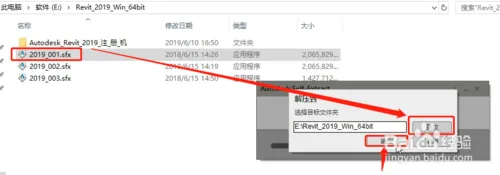
-
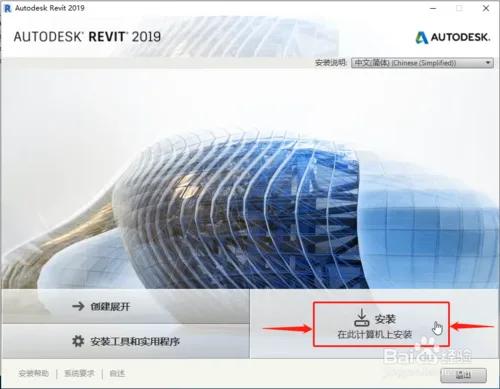
After extraction completes, the Revit 2019 installer will start automatically. Click “Install” to begin the installation process.
-
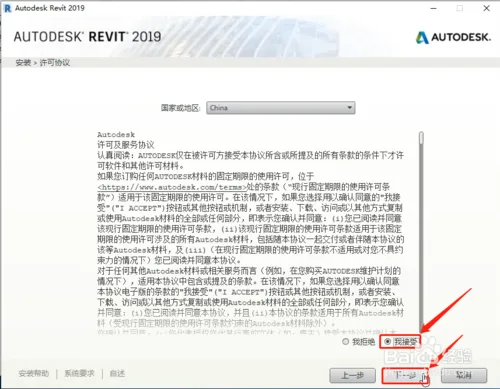
Review the license agreement, select “I accept”, then click “Next”.
-
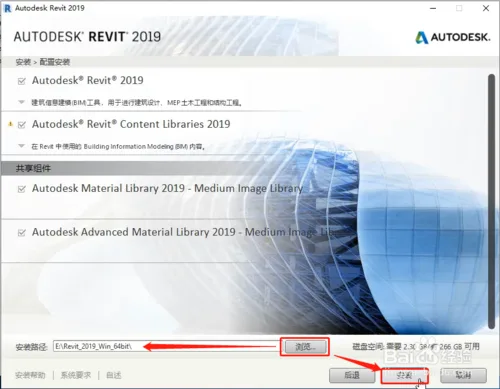
To set the installation location, click “Browse” and select the folder where Revit 2019 was extracted. Then click “Install”.
-
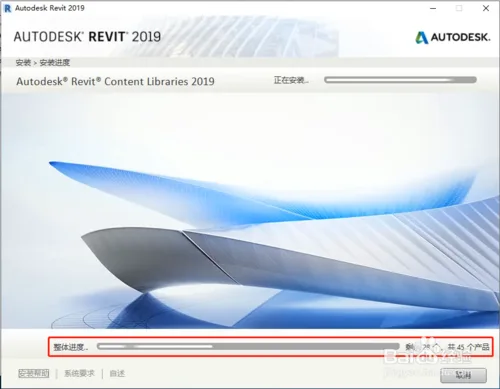
Wait patiently while all Revit 2019 components install. There are over forty programs in total. It took me about 1 hour and 20 minutes to complete the installation.
-
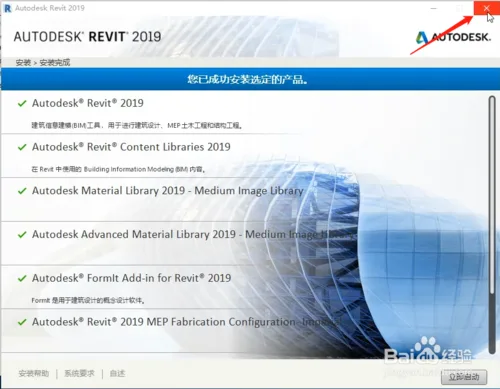
Once all programs are installed, close the installer by clicking the top-right corner.
-
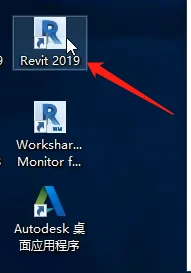
Locate the Revit 2019 shortcut icon on your desktop and double-click to open the program.
-
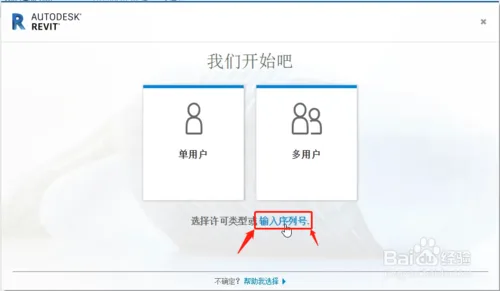
Choose “Enter serial number” when prompted.
-
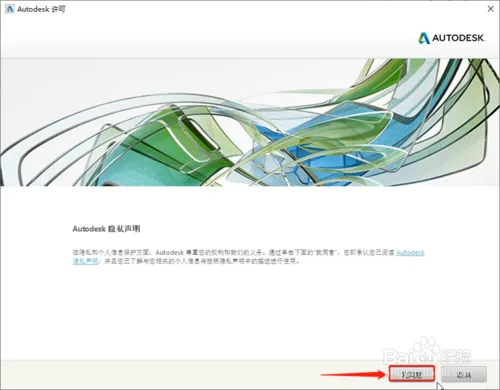
Agree to the privacy statement by clicking “I agree”.
-
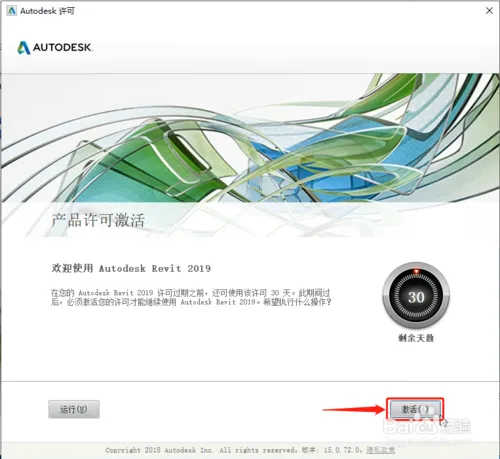
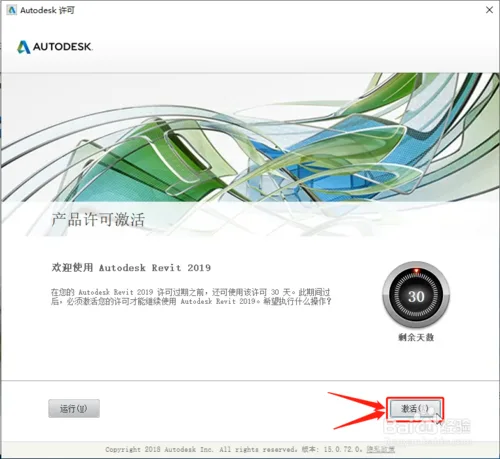
Click “Activate” for the first time.
-
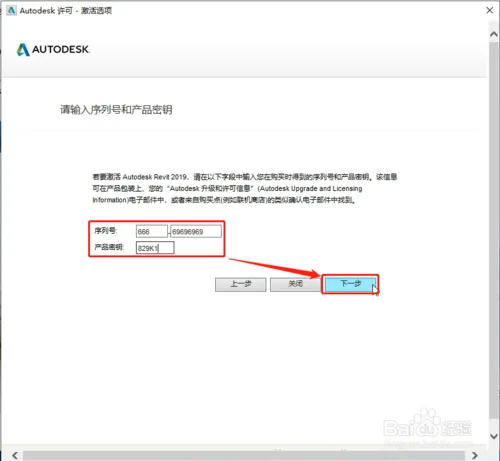
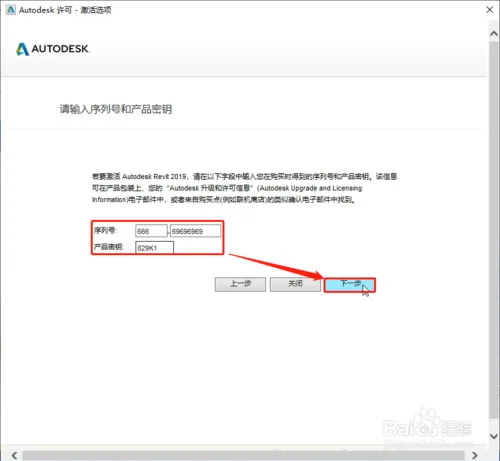
Enter the serial number and key that corresponds to Revit 2019 (refer to the notes at the end of this article), then click “Next”.
-
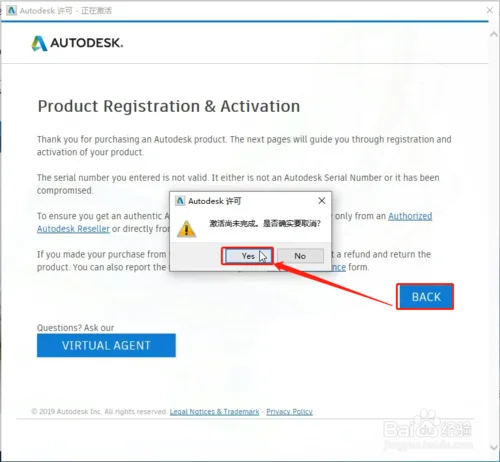
Click “BACK”, then confirm by selecting “Yes”.
-
Click “Activate” a second time.
-
Enter the same serial number and key as before, then click “Next”.
-
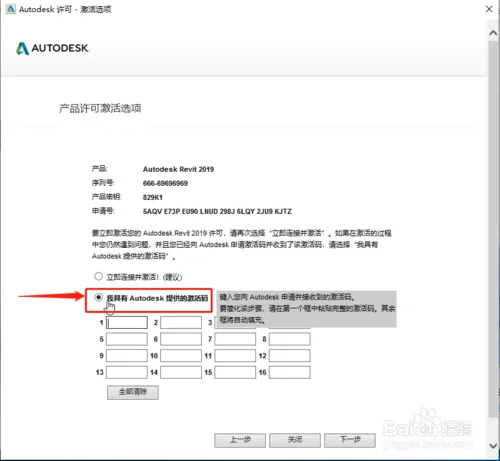
On the activation screen, click the second button labeled “I have an activation code”.
-
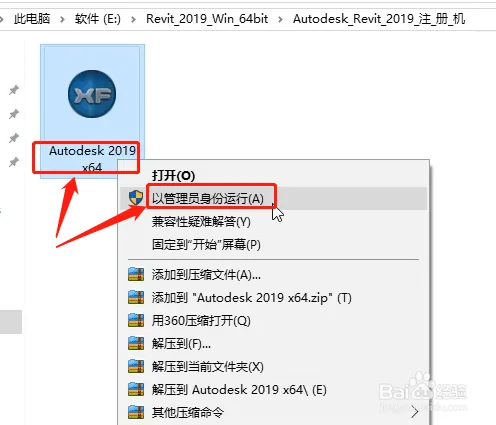
Navigate to the folder where Revit 2019 was extracted and locate the registration tool folder. Right-click on the registration tool and select Run as administrator to open it.
-
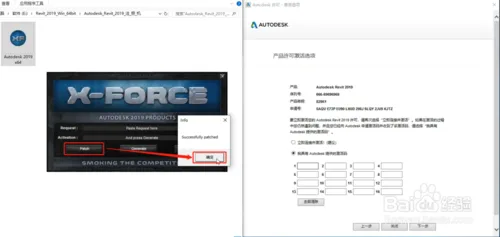
In the registration tool, click the first button at the bottom left labeled 【Patch】, then click “OK” to confirm.
-
Follow these steps to generate the activation code:
1. Copy the application number from the activation interface and paste it into the first line of the registration tool (do not delete the English text before the first line).
2. Click “Generate” to create the activation code.
3. Double-click the activation code generated on the second line, then copy and paste it into the activation interface.
4. Click “Next”.
Use keyboard shortcuts for copying and pasting: Ctrl+C to copy and Ctrl+V to paste. Do not enter the codes manually.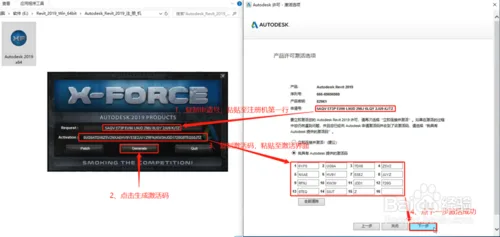
-
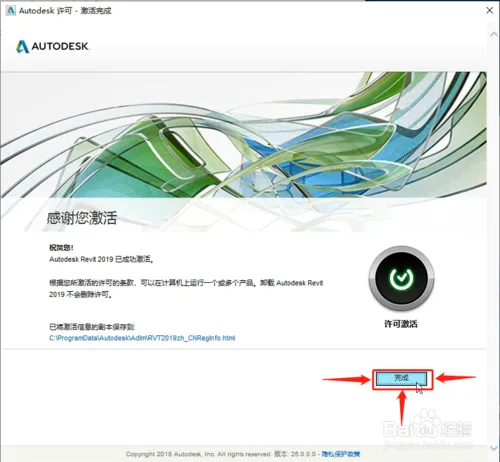
Once activation is complete, click “Finish”.
-
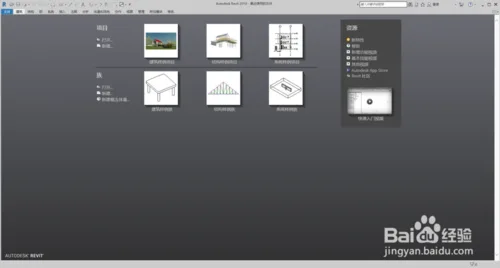
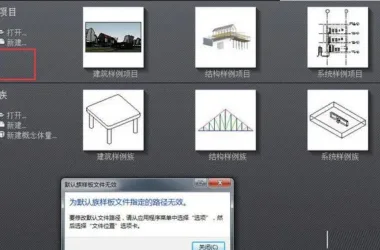
Open the Revit 2019 software interface, as shown below.

xuebim
Follow the latest BIM developments in the architecture industry, explore innovative building technologies, and discover cutting-edge industry insights.
← Scan with WeChat














Must log in before commenting!
Sign Up