
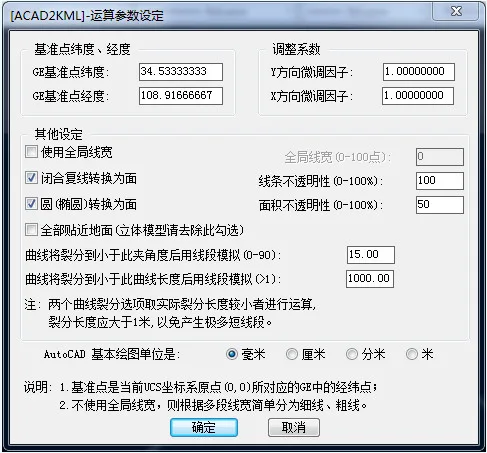
Acad2kml.vlx is a plugin for converting CAD files into Google Maps KML files. It is not a standalone program and requires AutoCAD to be installed. This plugin is compatible with AutoCAD versions 2000 and later.
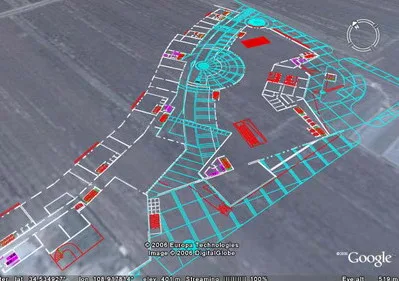
Software Features
1. Compatible with AutoCAD 2000 and newer versions.
2. Supports the following graphic elements: 3DFACE, LINE, LWPOLYLINE, POLYLINE, CIRCLE, ARC, TEXT, ELLIPSE, and SPLINE. To export other graphic elements, please first explode or convert them into these supported types.
3. Supports all AutoCAD colors, using AutoCAD color codes from 1 to 255.
4. The current user coordinate system (UCS) in AutoCAD must be parallel to the world coordinate system (WCS). Similarly, the object coordinate system (OCS) of the converted graphic should also be parallel to WCS.
5. If the selected TEXT elements include Chinese characters, save the .kml file using a text editor (such as Notepad) in UTF-8 format to avoid character encoding issues.
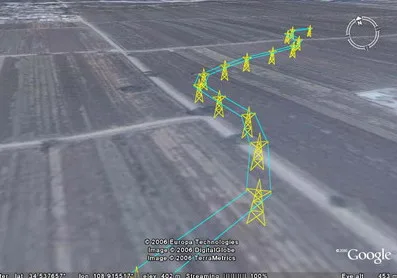
Installation Instructions
After extracting the software package, copy the file acad2kml.vlx into AutoCAD’s “Support File Search Path” folder, for example: C:Program FilesACAD 2004Support.
There are three ways to load the plugin:
1. In AutoCAD, click on AI_T_SC_0_ and select acad2kml.vlx to load it.
2. Enter (load "acad2kml.vlx") at the AutoCAD command prompt to load the plugin.
3. Drag and drop the acad2kml.vlx file directly into the AutoCAD drawing area to load it.
To start the plugin, type acad2kml at the AutoCAD command prompt and press Enter.













Must log in before commenting!
Sign Up