
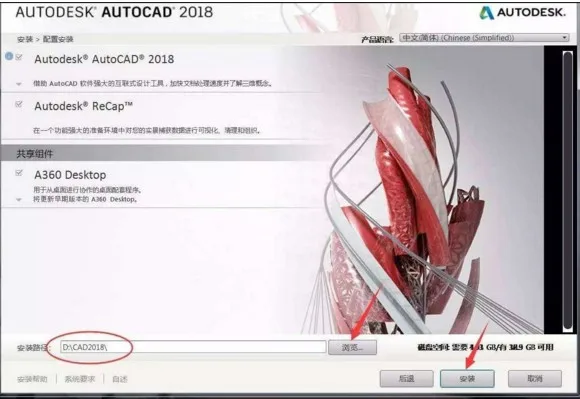
Autodesk AutoCAD 2018 stands as the most powerful CAD drawing tool to date. In this era of rapid software evolution, Autodesk has released the 2018 version of AutoCAD. If you’re looking for the Chinese version of AutoCAD, you can download Autodesk AutoCAD 2018 now.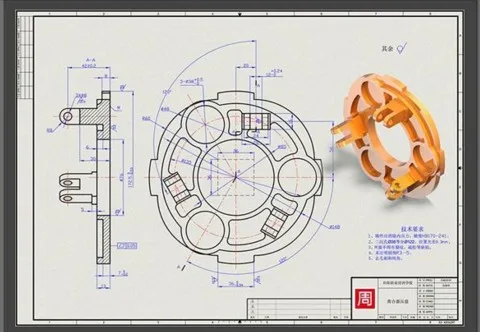
Basic Introduction
Autodesk AutoCAD 2018 Chinese version is a robust CAD software designed for 2D drafting, detailed drawings, 3D design, and more—all featuring an intuitive user interface. Developed by Autodesk, this automated computer-aided design software supports drawing, 2D drafting, and fundamental 3D modeling without requiring programming skills.
It is widely utilized across various industries, including civil engineering, interior decoration, industrial and engineering drafting, electronics, and apparel manufacturing.
Key Features
Autodesk Desktop Application: This companion app delivers security patches and updates for Autodesk products from 2016 to 2018 running on Microsoft Windows.
License Manager: The new license manager simplifies software license management like never before.
Centerline and Center Mark Tools: AutoCAD 2018 introduces powerful tools for creating and editing centerlines and center marks, accessible via the “Annotation” ribbon tab.
3D Graphics: A revamped 3D graphics subsystem enhances stability and performance. When using visual styles to view and dynamically interact with large 3D models, adaptive degradation is avoided by automatically disabling certain visual features during interactive operations, maintaining smooth frame rates.
User Interface Improvements: Responding to the #3 AUGI wishlist request, several dialog boxes are now resizable by default, allowing users to see more information with less scrolling.
Intelligent Centerline and Center Mark: These tools enable faster and more intuitive creation and editing of centerlines and center marks.
Transplant Custom Settings: The new tool offers a modern, informative interface for easily transferring custom settings and files from previous versions to AutoCAD 2018.
2D Graphics Enhancements: Improvements in appearance, selection, and performance of 2D geometric shapes are supported. The “Graphics Performance” dialog box provides controls to optimize graphics on compatible devices.
Import PDF Geometry: PDF files are commonly used for sharing design data. AutoCAD 2018 enables importing geometry, TrueType text, and raster images from PDFs, allowing you to edit them as native DWG objects.
Shared Design View: This feature allows you to publish graphic views to the cloud effortlessly, facilitating collaboration while safeguarding your DWG files.
Coordination Model: Enhanced to support object snap, this feature lets you attach Navisworks or BIM 360 Glue models to your AutoCAD drawings for reference within the BIM environment.
AutoCAD 360 Pro Mobile App: Draw, edit, and view 2D CAD graphics on mobile devices seamlessly.
Cloud Service: Publish your 2D and 3D CAD drawings directly to the cloud.
3D Printing (Enhanced): Send your 3D models to printing services or utilize Print Studio for streamlined 3D printing.
Software Features
- Supports high-resolution (4K) monitors for UI elements such as cursor, navigation bar, and UCS icon. For best results, use Windows 10 and a DirectX 11 compatible graphics card.
- Enhanced PDF import functionality allows PDF files generated from CAD graphics (including SHX fonts) to retain text as geometric objects.
- Improved visual experience with better pattern fill display and performance. Anti-aliasing and high-quality graphics settings can now be independently controlled on supported graphics cards. Off-screen selection functions as expected.
- External reference paths are now set to relative by default, offering more robust functionality.
- The DWG file format has been updated for faster opening and saving operations.
Changelog
- Xrefs now default to relative path connections with several related adjustments, including find/replace path functionality.
- Enhanced object selection with screen-based picking beyond the object’s sound.
- Ability to choose object line types and gaps during selection.
- File dialog box settings are now remembered between sessions.
- Several dialog boxes are resizable for improved usability.
- Minor user interface tweaks for a better overall experience.
- Includes features and fixes since January 2017.
- Supports IDrop functionality.












Must log in before commenting!
Sign Up