
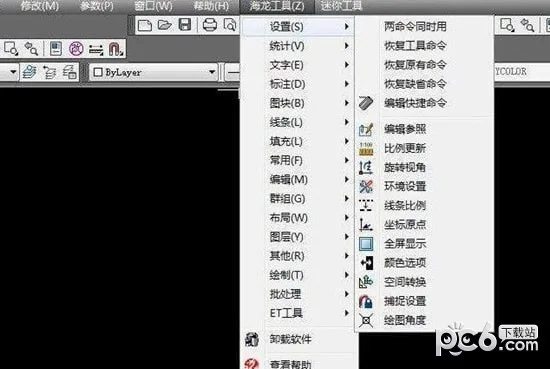
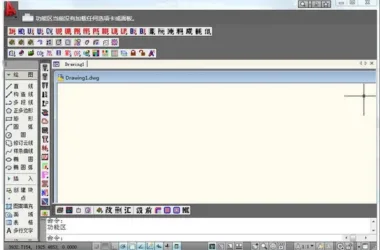
Hailong Tool is a comprehensive CAD software toolbox built on AutoCAD, featuring a wide range of CAD tools. It includes a full set of material fill patterns designed to enhance worker efficiency.
New Features
1. Over 300 new tools and 250 gallery files have been added to the Hailong CAD toolbox. Users can switch between toolbox commands and pre-installed commands, using both simultaneously. In case of conflicts, pre-installed commands take priority.
2. The program prioritizes respecting user settings and preferences, highlighting its versatility and adaptability.
Feature Overview
1. Customize parameters such as layers, fonts, annotations, and related symbols.
2. Access a wide variety of professional design tools.
3. Manage image libraries, phrases, and line types in a unified manner.
4. Utilize a comprehensive set of material fill patterns for easy insertion.
5. Quickly insert internal design and construction symbol sets.
6. Includes a collection of legends specifically for decoration fields.
7. Incorporates doors and windows as professional objects for interior decoration.
8. Automatically generate four facade frames based on floor plans.
9. Auto-generate ceiling light slots, cabinets, wardrobes, shelves, wooden keels, wall sections, and more.
10. Provides a complete vocabulary for lead text annotations.
11. Supports automatic drawing numbering and creation of drawing catalogs.
12. Automatically adjusts the scale of drawings for related objects.
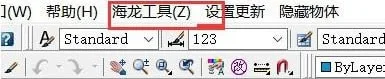
Shortcut Keys
A – Choose EasyAA My Gallery
AAA – Alignment
AZ – Open Common Tools
B – Quick Building Blocks
BB – Super Interruption
BBB – Entity Filling
BR – Quick Select Interrupt
C – Draw a Circle
CC – Multiple Replication
CCC – Drawing Cloud Lines
CV – Quick Array Copy Isolation of Layer
DDD – Quick Leader Annotation
DDD – Various Annotations
DS – Modify Leader Labeling
Delete
EEE – Extension=EXEEE Path Array
ER – Boundary Shearing
F – Orthogonal
FF – Equally Divided Line Segment
FFF – Two-Point Equal Division
FD – Full Screen Switching
G – Line=LGG Polyline=PLGGG Drawing Ellipse=ELGT Grouping Operation
H – Filling
HH – Custom Fill












Must log in before commenting!
Sign Up