
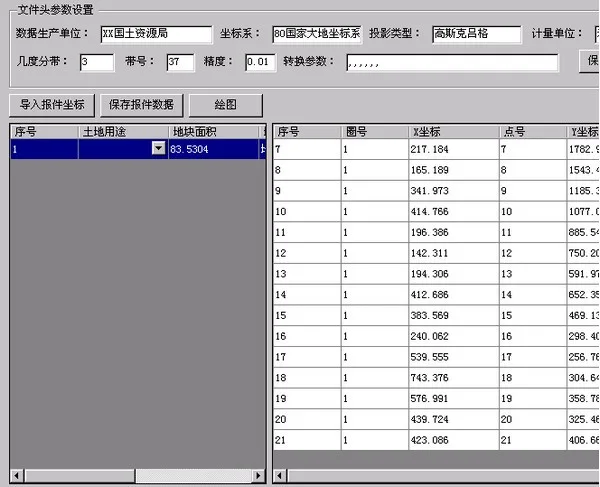
Coordinate Reporting (Boundary Point Generation Software) is a highly practical tool consisting of several DLL files. This software allows users to directly generate the necessary coordinate files for reporting purposes. If you need to create coordinate reports, feel free to download and try it out!
Instructions for Use
First, open the DWG file you want to report in CAD2006. Then, type netload in the command line and register zhCoord.dll. Next, enter netload again and register zhzb.dll.
After that, enter the command ZDS to select the polygon file from which you want to extract coordinates. Set the data production unit number and other required information, save your settings, and finally click “Save Report Data” to complete the process.












Must log in before commenting!
Sign Up