
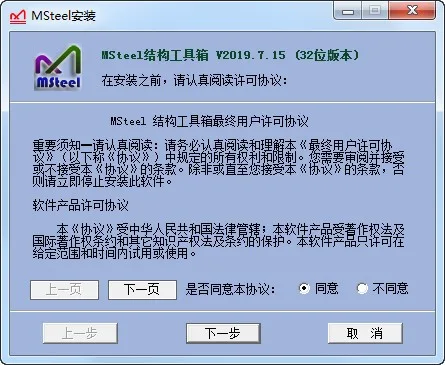
MSteel Structure Toolbox is a suite of auxiliary plugins designed for AutoCAD software. It includes multiple built-in tools that provide users with calculation functions and assist in drawing operations. Users who need these features can download and use the toolbox freely.
Software Features
1. User-friendly interface, fully operated in Chinese.
2. Lifetime free usage with free updates.
3. Compatible with major CAD software available on the market.
Feature Overview
1. Steel Structure Calculations: Includes section parameter queries, irregular section parameter calculations, welding seam calculations, bolt group calculations, stability and torsion analysis, continuous beam analysis, solid web column calculations, steel tube concrete column computations, column length coefficient determination, pipe truss node calculations, and transverse stiffening rib calculations.
Additional functions include calculation of door rigid hinged column bases, door rigid connected column bases, door rigid end plates, door rigid beam-column node stiffness, component surface area and weight statistics, steel plate weight statistics, and line length measurements.
2. Concrete Structure Calculations: Supports column section estimation, concrete column compression reinforcement calculations, irregular section compression verification, basement exterior wall calculations, continuous and vertical folded beam computations, hollow slab analysis, canopy and stair slab calculations, bending, shear and torsion member analysis, and pile strength calculations accounting for buckling.
Other features include independent foundation calculations, active soil pressure analysis, component crack evaluation, additional hoop reinforcement for beams, suspension reinforcement calculations, beam corner hoop reinforcement, embedded anchor reinforcement, shear wall edge component reinforcement ratio checks, anchorage length determination, and steel reinforcement arrangements.
3. Auxiliary Calculations: Curtain wall load assessments, glass panel calculations, wire cutting optimization, gutter section and downpipe sizing, spring stiffness calculations, estimation of the structure’s basic natural vibration period, aspect ratio calculations, wind load standard value computations, wind speed and pressure conversions, and fire truck load reduction calculations.
Additional tools include seismic impact coefficient calculations, interpolation, equation solving, and merging results according to PKPM standard layers.
4. Layer and Display Management: Features include layer display and hiding options, color coding by display or hide status, layer locking and unlocking (both batch and single), batch layer modifications and creation, automatic layer conversions, toggling layer fills, line type switching, annotation switching, setting current layers, annotation styles, and font styles.
Frequently Asked Questions
Why can’t I generate a calculation sheet?
If the generated calculation sheet appears blank, it may be due to permission restrictions on your Windows system preventing the software from writing to the file.
Here are three possible solutions:
1. Install MSteel software in a non-system directory—avoid installing it in system folders like C:Program Files.
2. Launch AutoCAD by right-clicking its shortcut and selecting Run as Administrator.
3. Alternatively, right-click the AutoCAD shortcut icon, choose Properties, navigate to the Compatibility tab, and check Run this program as administrator. This will ensure AutoCAD always runs with administrator privileges.
Changelog
2019.07.15
• Added support for the upcoming AutoCAD 2020 version.
• Updated sub coefficients according to the Unified Standard for Reliability Design of Building Structures GB 50068-2018.












Must log in before commenting!
Sign Up