
Description
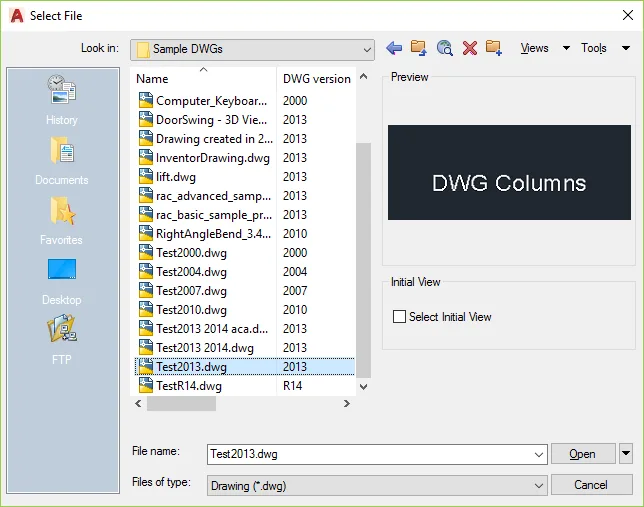
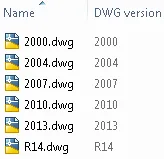
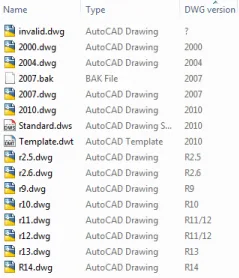
Display DWG file versions directly in the Explorer columns, including file dialog boxes within Autodesk AutoCAD and other applications.
Easily sort files by their version in Windows File Explorer or any file browser.
No AutoCAD installation is required, allowing everyone in your organization to access this information.
Supported file extensions include DWG, BAK, Denmark DWS, any DWG file version of SV $and, and DXF.
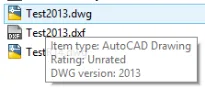
Hovering over a file reveals version information for both DWG and DXF files via tooltips.
For more detailed information, please visit the product page.
This product does not operate as an AutoCAD application and does not add ribbon panels. Installing it requires elevated user permissions, and a system restart is necessary upon completion. The application installs via a custom installer.
The full version offers a wider range of attributes, displaying DWG file versions along with up to 30 custom attributes such as title, subject, author, comments, creator, hyperlink base, keywords, last saved date, last modified date, revision number, DWG editing time, DWG creator (e.g., AutoCAD 2017 or Inventor 2017), DWG identifier (e.g., ACAD0001409, which helps differentiate between drawings created in AutoCAD or Autodesk AutoCAD Architecture), and more. It also supports viewing DWGs created using the Open Design Alliance API, DWG registration details (e.g., version 210 for R21.0), and DWG build numbers (e.g., AutoCAD build N5200x64).
A 30-day trial of the full version is available: DWG Columns for Explorer Trial
Purchase the full version here: DWG Columns for Explorer














Must log in before commenting!
Sign Up