

__AI_T_SC_0_: CAD Plugin – Three Collar Plugin [Size]: 4.63 MB__AI_T_SC__2: Simplified Chinese [Supported Systems]: Windows 7/8/10 [Compatible Versions]: CAD 2008, 2010-2012, 2014, 2018, 2020
Plugin Overview
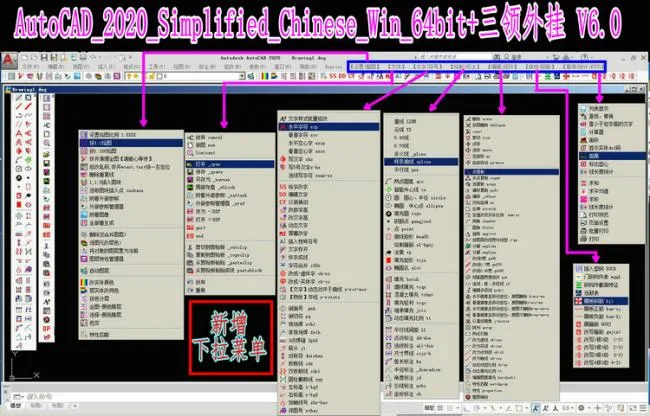
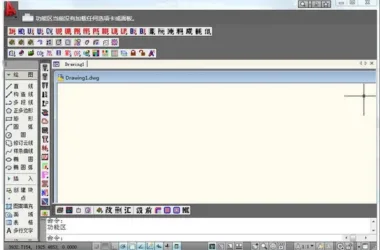
The Sanling Plugin is a productivity-enhancing CAD tool compatible with CAD versions 2008, 2010-2012, 2014, 2018, and 2020. It combines advanced programming with an intuitive icon toolbar, featuring a desktop toolbar menu style for easy access. This plugin operates independently from CAD, ensuring the original software remains unchanged. It is especially suitable for architectural and structural design professionals and integrates seamlessly with software like Tianzheng and Explorer.
Installation Instructions
- Right-click the compressed file named “CAD Plugin Three Collar Plugin” and select “Extract to CAD Plugin Three Collar Plugin”.
- Open the extracted folder ‘CAD Plugin Three Collar Plugin’.
- Locate the folder named ‘Three Collar Cheat’, right-click it, and select ‘Copy’.
- Navigate to the root directory of your D drive, right-click on an empty space, and select ‘Paste’. Note: The folder must be pasted directly into the root of the D drive without renaming.
- Open the ‘Three Collar Cheat’ folder you just pasted.
- Open the folder corresponding to your CAD version.
- Press Ctrl + A to select all files, right-click, and choose ‘Copy’.
- On your desktop, right-click the shortcut for “AutoCAD 2010 – Simplified Chinese” and select “Open File Location”.
- Open the ‘Support’ folder within that location.
- Right-click on an empty space inside the ‘Support’ folder and choose ‘Paste’.
- When prompted, select ‘Replace the files in the destination’.
- Launch AutoCAD 2010 – Simplified Chinese to complete the installation.












Must log in before commenting!
Sign Up