
My Python version is 3.6, paired with wxPython version 4.0.
Most installation guides online are either inaccurate or recommend incorrect versions, causing a lot of wasted time. Finally, I found the correct solution in the article linked below.
After installation, wxPython can be used immediately. To start, I tested an example from the textbook.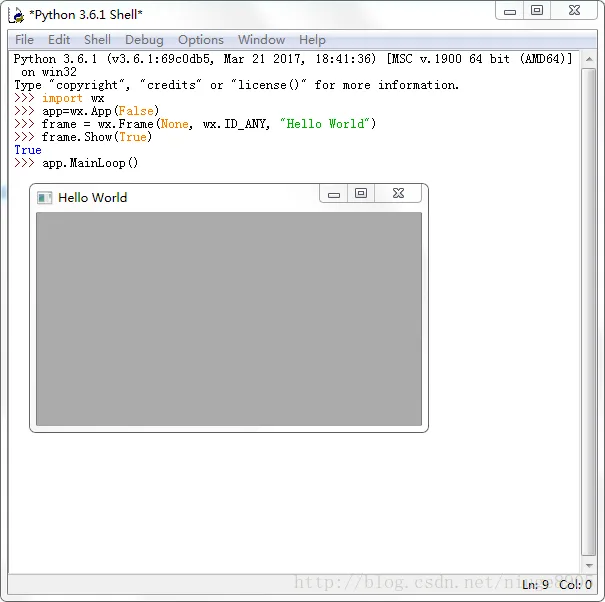
From there, you can explore further on your own. One useful tip is the screen clearing shortcut (Ctrl+L). For more details, see the article below:
Learn how to use wxPython:
After hands-on practice, I’ve found Python to be the best language, despite its flaws. The rapid version changes and constant module updates can be frustrating. However, the strength of its extensive libraries truly makes Python a powerful language, turning what some may call “garbage” into something great.
Note that wxPython requires a separate installation. Since I couldn’t find version 4.0, I installed version 3.5 instead. I find the English interface somewhat challenging, so I opted for this version. If anyone locates version 4.0, please leave a message. Thank you!















Must log in before commenting!
Sign Up