
From the previous two blog posts, we have seen that Python Script integrates well with DLL files and can even incorporate WinForm windows. Naturally, this leads to the question of whether Python’s .py files can be referenced within Python Script.
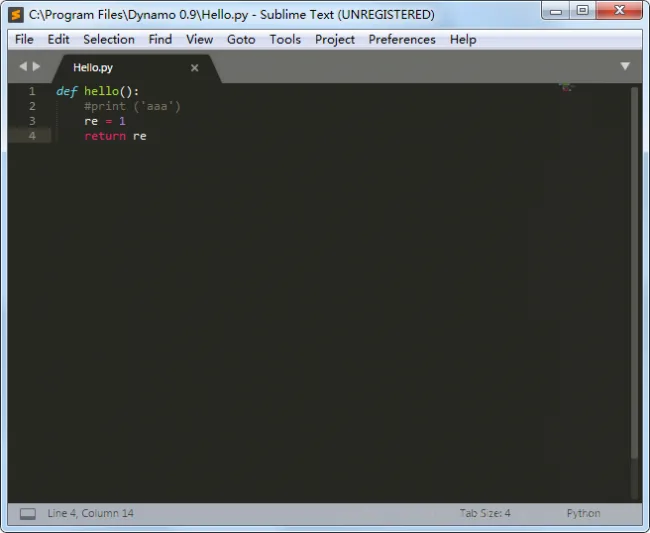
Here is a direct example for clarity: Figure 1 shows a .py file, and Figure 2 displays the corresponding Python Script.
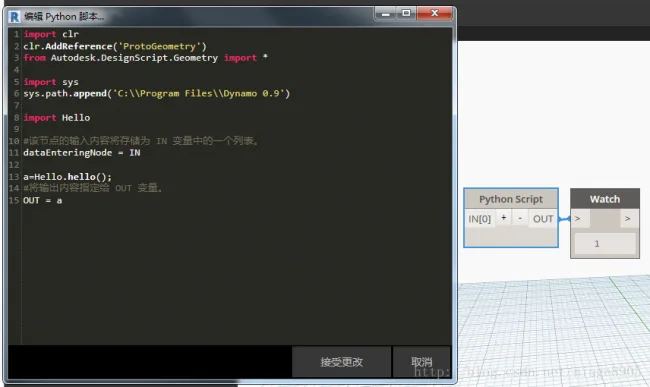
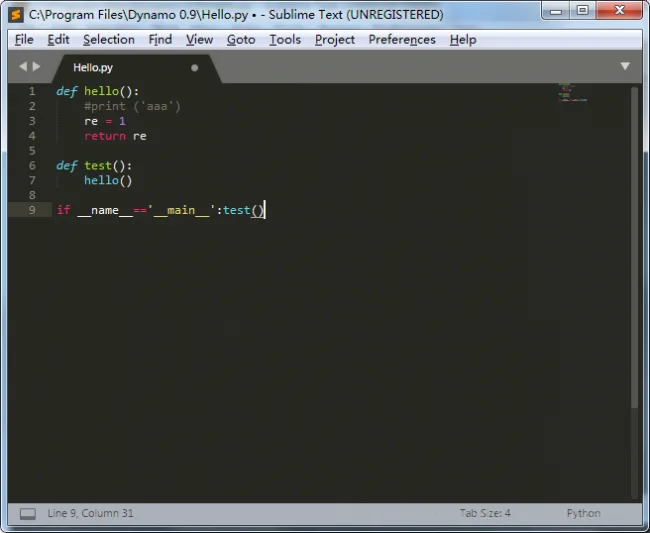
However, an unusual issue arises: within Python Script, the referenced file does not behave like a typical imported module in a standard Python environment. As shown in the following image, the output in Dynamo is blank.

xuebim
Follow the latest BIM developments in the architecture industry, explore innovative building technologies, and discover cutting-edge industry insights.
← Scan with WeChat














Must log in before commenting!
Sign Up