
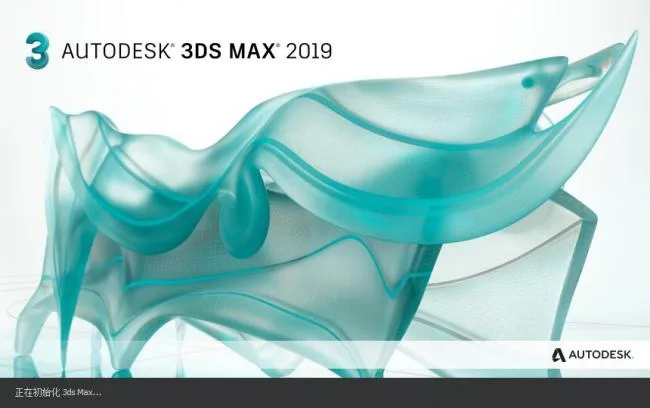
Although 2019 has not yet arrived, Autodesk plans to release 3ds Max 2019 around May 2018. At present, the Chinese installation package for 3ds Max 2019 is circulating online. It is unclear whether this is the official version, but users have reported many bugs. I suggest trying it out with caution, as it is still somewhat inconvenient to use.
Besides new features such as OSL integration, new procedural wood materials, and spline Boolean operations, Autodesk is collaborating closely with third-party developers for the first time to ensure compatibility with many popular plugins upon release.
3ds Max 2019 is currently the latest version, but there are still several bugs in 3ds Max 2018. It is expected that 3ds Max 2019 will also have its share of bugs, so it is advisable to avoid relying on it for critical work at this stage. Additionally, 3ds Max 2019 has a large installation size, and there is currently no suitable V-Ray renderer available for it. Therefore, it might be better to continue using your preferred version.
Please note that 3ds Max 2019 is only available in 64-bit; there is no 32-bit version. Installing it on general computers or notebooks can be challenging.
New Features in 3ds Max 2019:
- View navigation now includes orbital points of interest.
- The viewport zoom supports infinite zooming.
- Sub-objects in the local coordinate system now have local coordinate systems for points and edges.
- The mirroring tool features a new geometry mode that adds geometry modification.
- UV editing allows flattening based on material IDs and smooth groups.
- Several new tools have been added to the curve editor and buffer curve.
- An offset controller has been introduced.
- Camera sequencing is now supported.
- The Physical Material has been added.
- The node material editor can now sample balls from traditional material editors.
- A new art renderer uses the same ray tracing engine as 360 and supports animation rendering.
- The mental ray renderer can be installed separately as an optional component.
As the latest version, 3ds Max 2019 introduces several unique features:
Advanced Wood Texture for 3ds Max 2019
This procedural texture generates highly customizable wood textures with presets for maple, cherry, oak, and more. The output can be directly applied to materials and is compatible with Arnold and Scanline renderers.
OSL Texture and Open Shading Language
3ds Max 2019 supports Open Shading Language (OSL) through new OSL texture categories. This allows users to apply preset OSL textures or develop their own for enhanced material customization.
3ds Max 2019 Graphic Boolean
The graphic Boolean feature integrates splines into new shapes using Boolean operations. It dynamically performs corner cutting and rounding on vertices, suitable for both closed and open shapes. This is ideal for creating floor plans, motion shapes, and workflows that start from spline primitives.
Shared View
The Shared View feature allows you to share your models online and receive feedback easily. You can publish the entire model or selected content directly from 3ds Max 2019, enabling simple viewing and sharing through a browser.
3ds Max 2019 VR Editor
The VR editor supports hierarchical viewport VR, enabling you to input and edit levels in a virtual reality environment using VR headsets.
Intelligent Placement Tool
This tool offers precise object placement in hierarchical viewports or VR scene editing. Real-time transformation tracking synchronizes control between 3ds Max 2019 and 3ds Max Interactive.
Photometric Lighting
Photometric lights can be imported as physical lights into 3ds Max Interactive. Any associated IES files can be imported as well. The new VR desktop template supports Oculus and HTC Vive systems.
The installation and activation processes for 3ds Max 2019 are similar to previous versions (2017, 2018). After downloading, simply unzip and install. Activation remains the same.
3ds Max 2019 Installation Serial Number and Key:
Serial Number: 666-6696969
Product Key: 128K1
3ds Max 2019 System Requirements:
It is recommended to use an Intel 7th generation (or higher) processor running at 3 GHz or above, with at least 16GB of RAM. A GTX 1050 or similar graphics card is acceptable if a dedicated GPU is used. Notebooks are generally not advised for 3ds Max 2019 due to performance limitations.
3ds Max 2019 requires a powerful system to run smoothly. For example, notebooks with an i5 processor and GTX 960 graphics card are not sufficient. Using 3ds Max 2019 on low-end or general configuration computers will result in lag and no productivity improvements.
In summary, an Intel 7th generation or newer CPU, a GTX 10 series or above GPU, and 16GB of RAM are recommended for a smooth experience with 3ds Max 2019. Otherwise, performance issues are inevitable.
3ds Max 2019 Startup Interface:











There’s no registration machine, I can’t find it
Your 2019 download did not indicate which one is the Chinese package installation package, nor did it register the machine.