BIM World
A Professional BIM Learning Platform


How to Create Sloping Roofs in Revit Using BIM Techniques (Type 1)

Source: Applied Consultation Society

How to draw a sloping roof in Revit using BIM techniques? How to draw sloping roofs in Revit (Type 1)

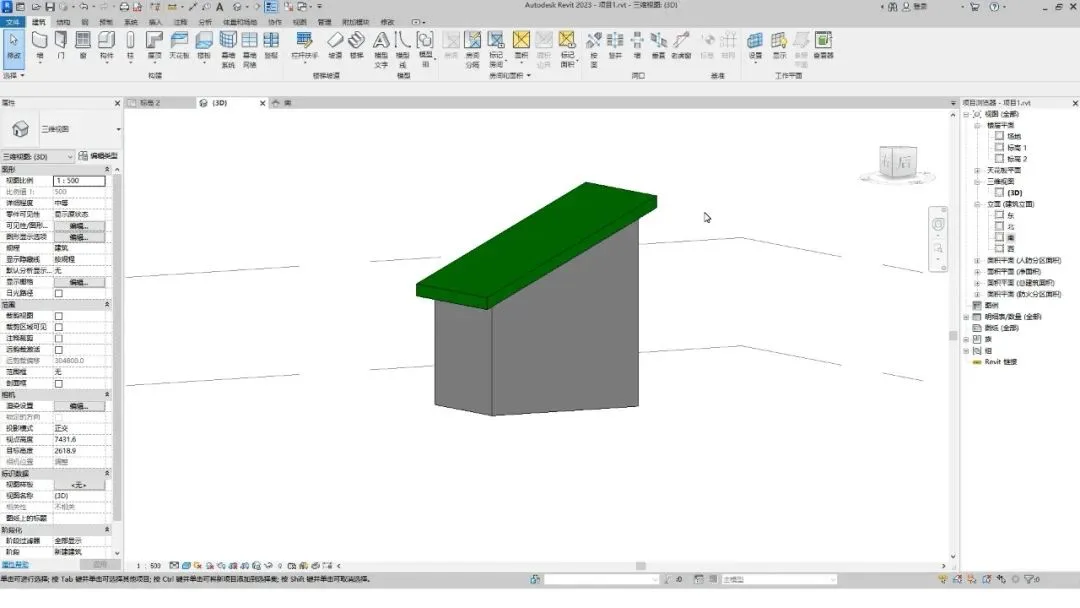
There are two main methods for drawing sloping roofs like the one shown above.
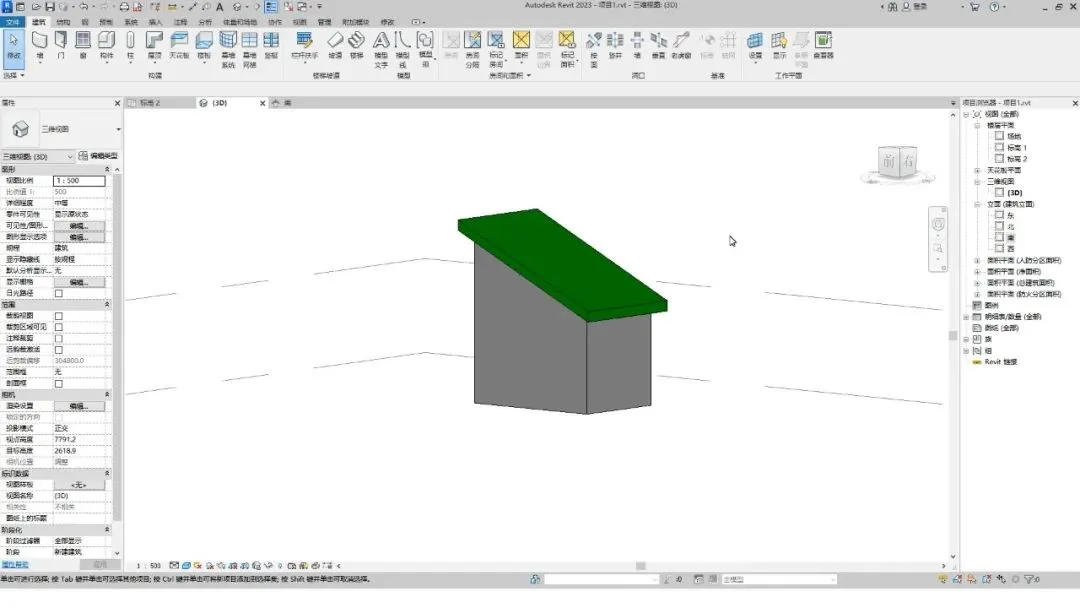
How to draw a sloping roof in Revit using BIM techniques? How to draw sloping roofs in Revit (Type 1)

Method 1: Defining the Slope

Start by clicking the Roof button under the Build tab.
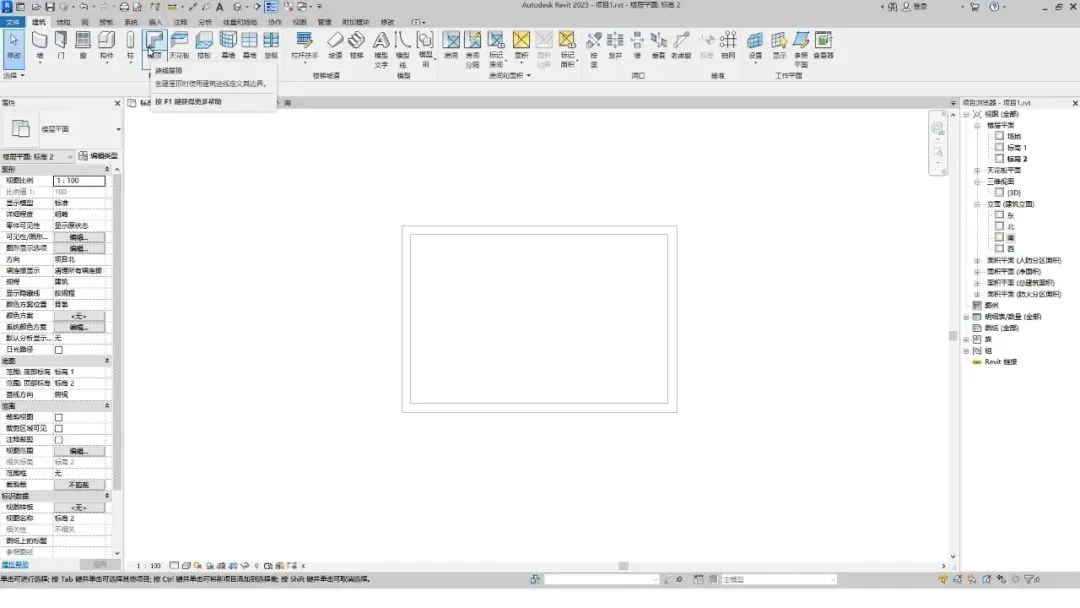
Selecting the rectangle tool for roof drawing in Revit

Choose the Rectangle tool.

In the options bar, set the Offset value to 500, then draw the roof footprint.
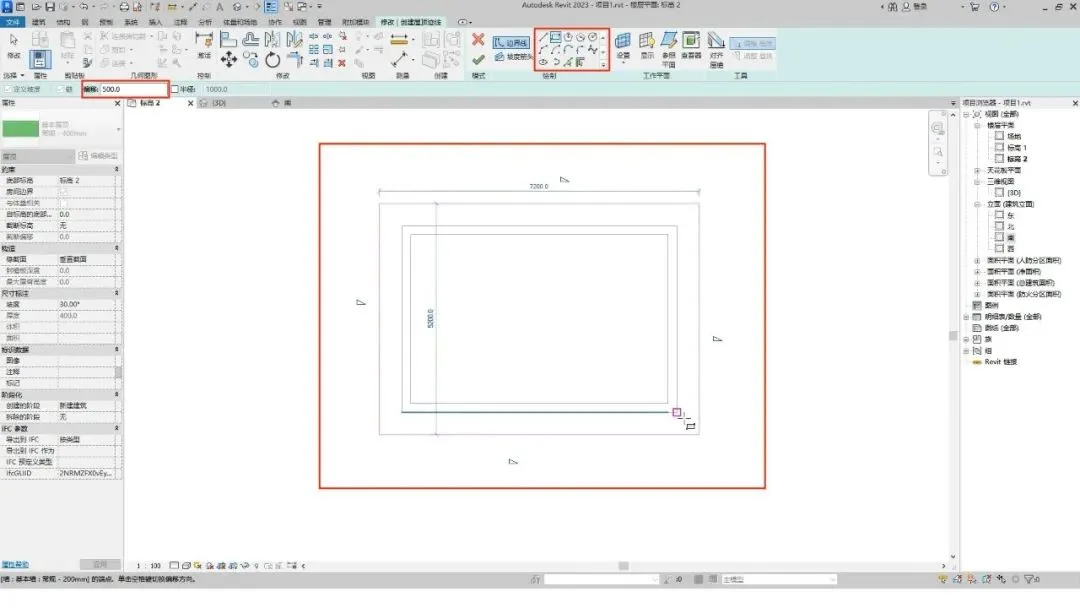
Drawing roof footprint in Revit

Next, cancel the slope definition on three of the roof edges.
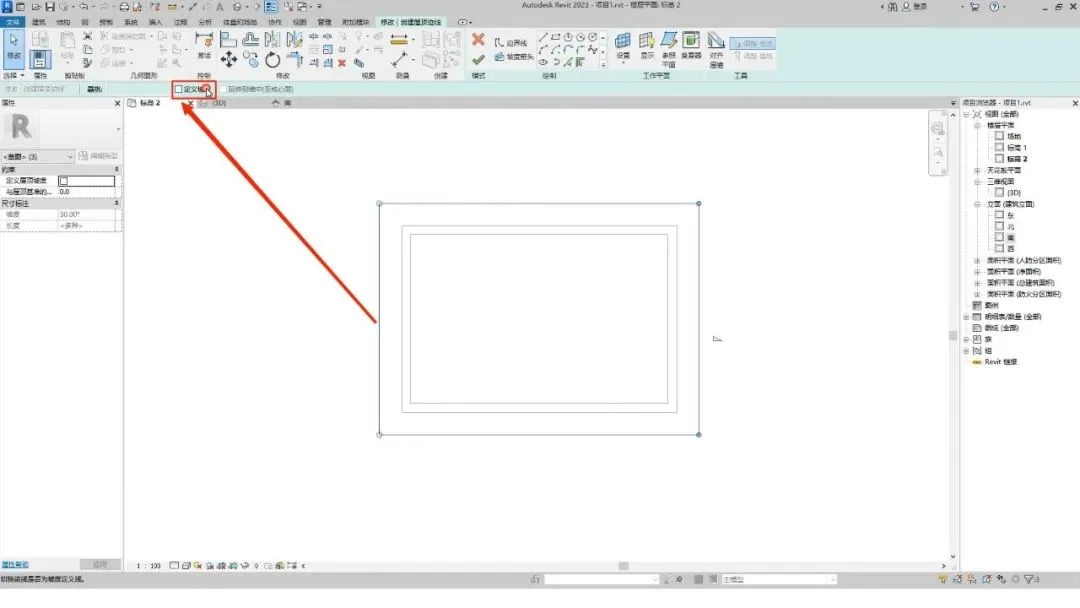
Removing slope from roof edges in Revit

Then, assign a slope of 25 degrees to the line on the right side.
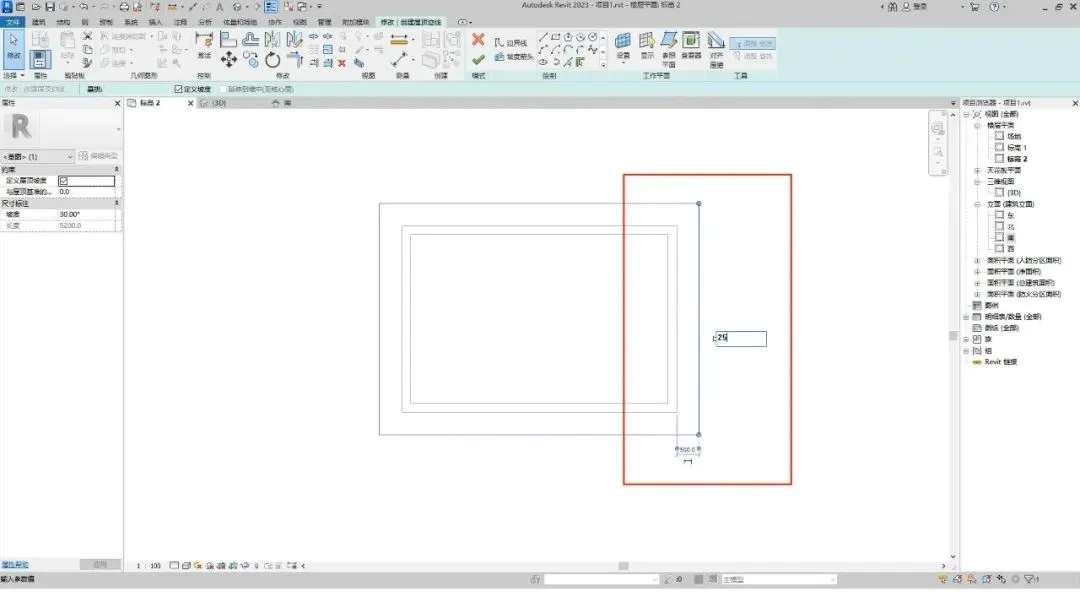
Assigning slope to roof edge in Revit

Click the Finish button to switch to the 3D view.
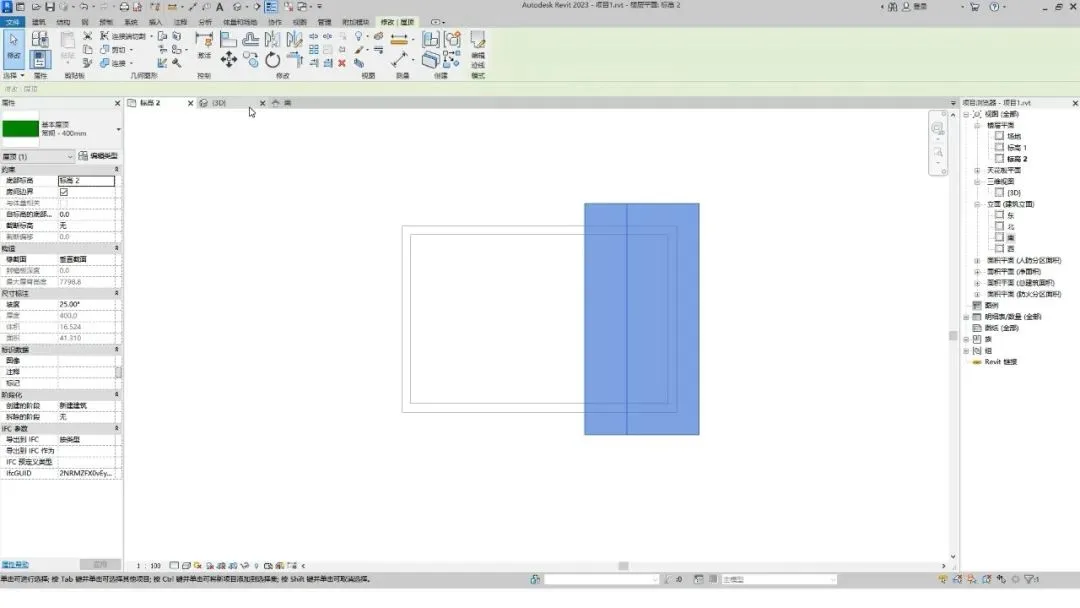
3D view of sloping roof in Revit

Select all walls and attach them to the roof.
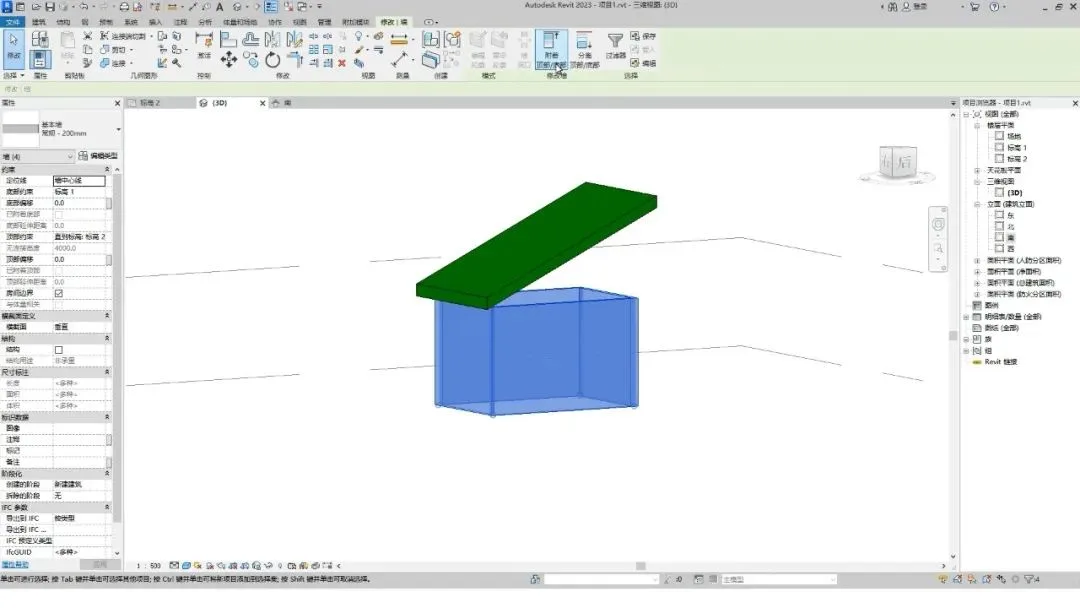
Attaching walls to roof in Revit

That completes the first method.

Completed sloping roof model in Revit

Method 2: Using the Slope Arrow

Begin by drawing the roof footprint, then remove all defined slopes.
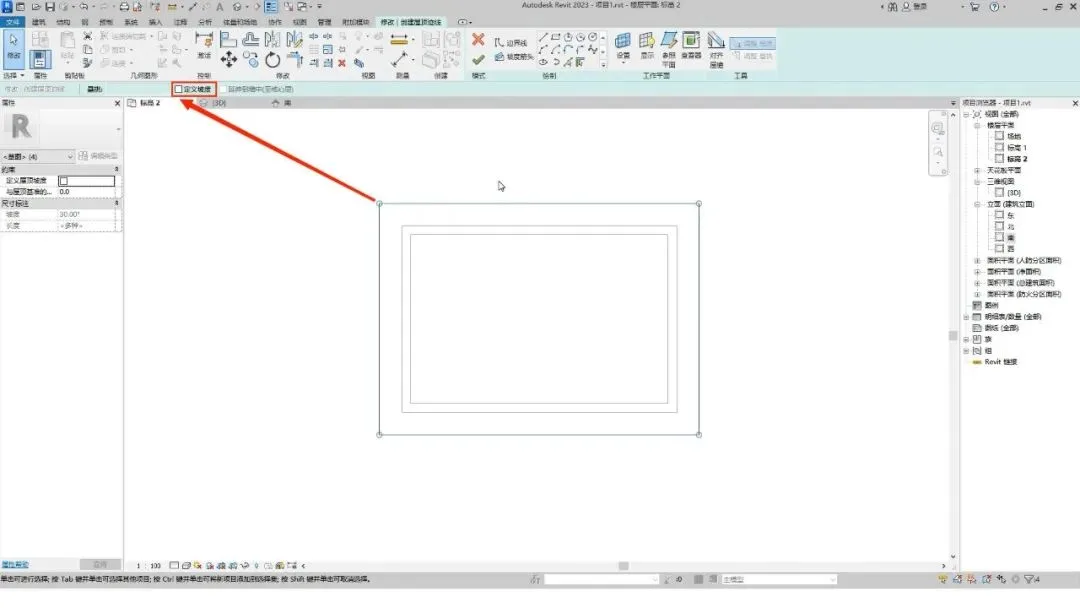
Roof footprint without slope in Revit

Click the Slope Arrow button, then draw a slope arrow on the edge where you want to define the slope, following the direction of the slope.
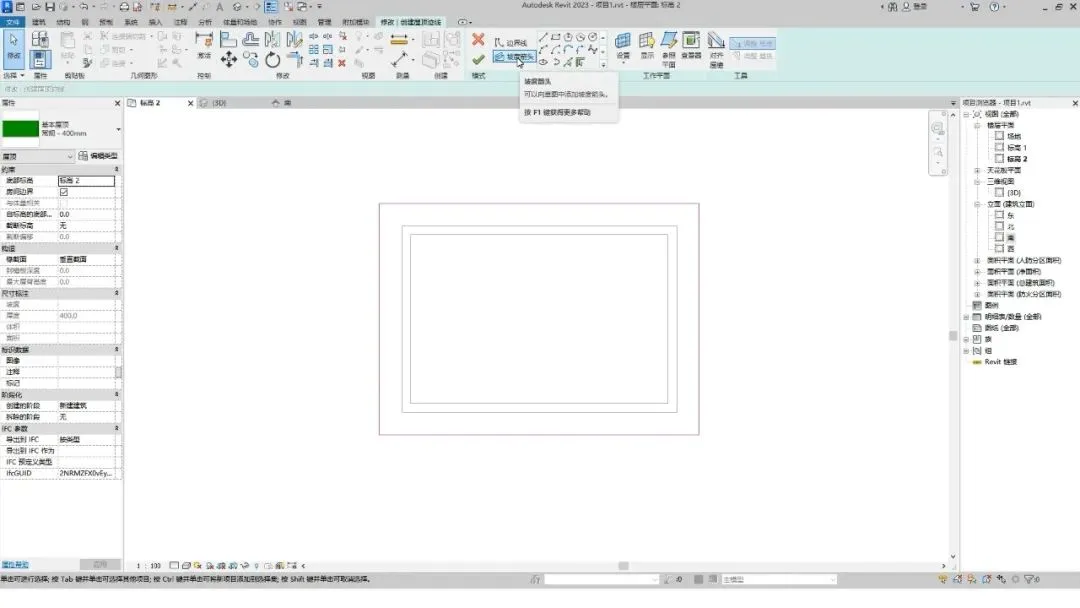
Drawing slope arrow in Revit

In this example, slope arrows are drawn from right to left.

Set the slope value to 25 in the properties panel, then click Finish.
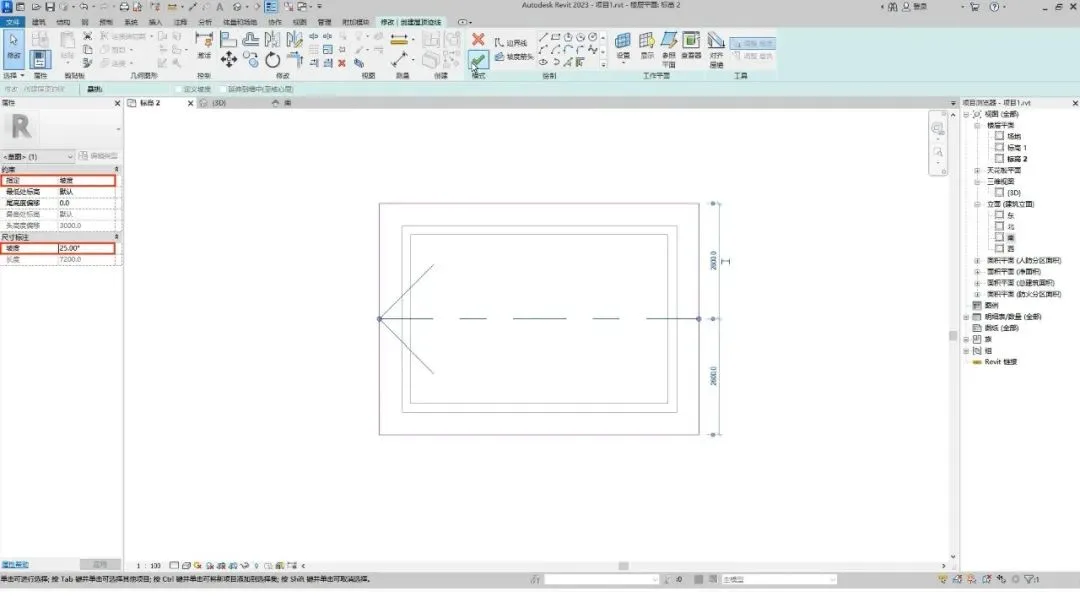
Setting slope value and finishing roof in Revit

Switch to the 3D view, attach the walls to the roof, and the process is complete.
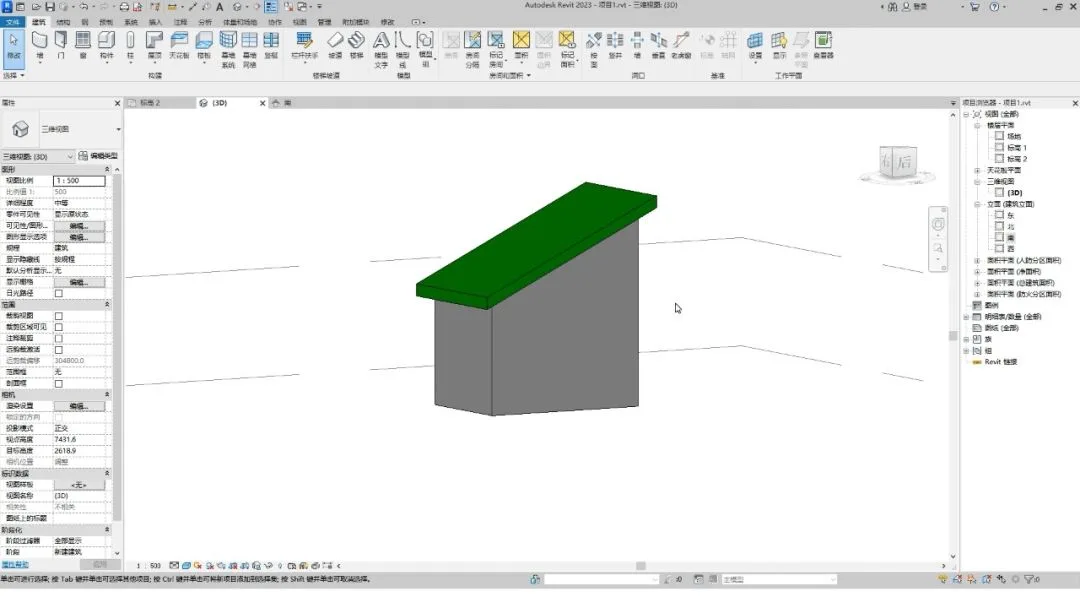
Final sloping roof model in 3D view

xuebim
Follow the latest BIM developments in the architecture industry, explore innovative building technologies, and discover cutting-edge industry insights.
← Scan with WeChat
Like(2) 打赏
BIM WORLD » How to Create Sloping Roofs in Revit Using BIM Techniques (Type 1)

Comment Get first!

Must log in before commenting!


BIM World, A Professional BIM Learning Platform

Stay updated on the latest architecture trends and share new building technologies.

Contact UsAbout Us

觉得文章有用就打赏一下小编吧

非常感谢你的打赏,我们将继续提供更多优质内容,让我们一起创建更加美好的网络世界!

支付宝扫一扫

微信扫一扫

Account Login

By signing in, you agree toUser Agreement

Sign Up